































Table of Contents
- Key Points
- Understanding the Nikon WU-1a Wireless Adapter
- Troubleshooting Common Issues
- Setting Up and Using the Nikon WU-1a Wireless Adapter
- Advantages and Disadvantages of the Nikon WU-1a Wireless Adapter
- Frequently Asked Questions (FAQ)
- Related Questions



Understanding the Nikon WU-1a Wireless Adapter
What is the Nikon WU-1a?
The Nikon WU-1a is a compact, wireless mobile adapter designed to connect select Nikon digital cameras to smart devices, such as smartphones and tablets. The key function of this device is to create a Wi-Fi connection between your Nikon camera and your mobile device. This enables you to transfer photos and videos wirelessly, without the need for cables or card readers.
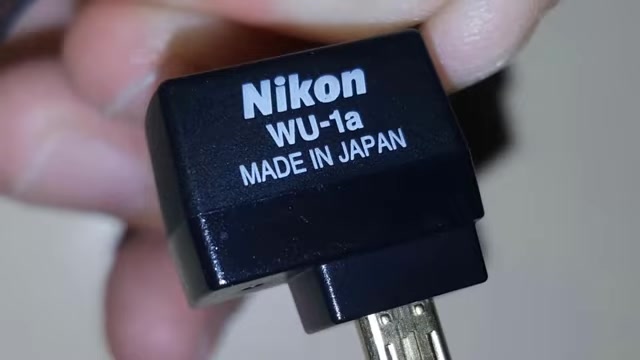
The Nikon WU-1a wireless adapter can vastly improve your workflow.
Beyond simply transferring images, the WU-1a, when paired with the Nikon Wireless Mobile Utility app, unlocks the ability to remotely control your camera. This means you can use your smartphone or tablet as a live view screen and trigger the shutter, which is particularly useful for self-portraits, group shots, or wildlife photography where you want to minimize camera shake. As we move more and more into a modern world the Nikon wireless adapter will improve your Photography experience. The Nikon WU-1a wireless adapter offers flexibility and convenience for any photographer.
Compatibility with Nikon Cameras
The Nikon WU-1a is not universally compatible with all Nikon cameras. It's essential to check whether your specific Nikon DSLR model is supported before purchasing the adapter. Typically, the WU-1a is compatible with entry-level to mid-range Nikon DSLRs.
Some of the commonly supported models include:
- Nikon D3200
- Nikon D3300
- Nikon D5200
- Nikon D5300
- Nikon D600
- Nikon D610
Refer to Nikon's official website or the WU-1a product page to confirm compatibility with your camera model. Using it with an unsupported camera could lead to functionality issues, so verifying compatibility beforehand is very important. The Nikon WU-1a wireless adapter works with select Nikon DSLR cameras.
Setting Up and Using the Nikon WU-1a Wireless Adapter
Step 1: Installing the Nikon Wireless Mobile Utility App
Before you can use the Nikon WU-1a, you need to install the Nikon Wireless Mobile Utility app on your smartphone or tablet. This app is available for free on both the Android Google Play Store and the Apple App Store for iOS devices.
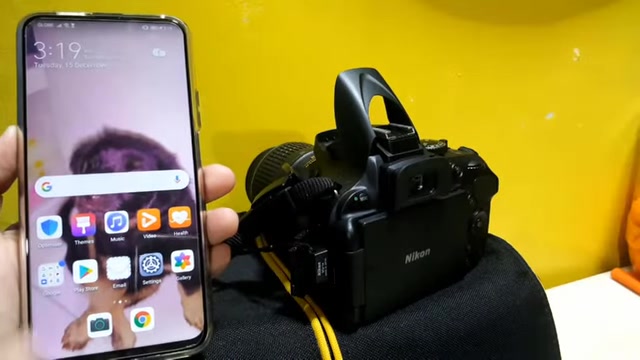
Here’s how to download and install the app:
- For Android: Open the Google Play Store on your device. Search for "Nikon Wireless Mobile Utility." Tap the install button, then accept any permissions requested by the app. Wait for the installation to complete.
- For iOS: Open the App Store on your iPhone or iPad. Search for "Nikon Wireless Mobile Utility." Tap the 'Get' button, then install. You may need to enter your Apple ID password or use Touch ID/Face ID to authorize the installation. The Nikon wireless adapter will greatly improve your work flow.
Step 2: Connecting the WU-1a to Your Nikon Camera
The next step is physically connecting the WU-1a adapter to your compatible Nikon camera. This is a straightforward process:
- Turn off your Nikon DSLR camera.
- Locate the accessory port on the side of your camera. This port is usually covered by a rubber flap to protect it from dust and moisture.
- Carefully insert the WU-1a adapter into the accessory port. Ensure it is firmly seated.
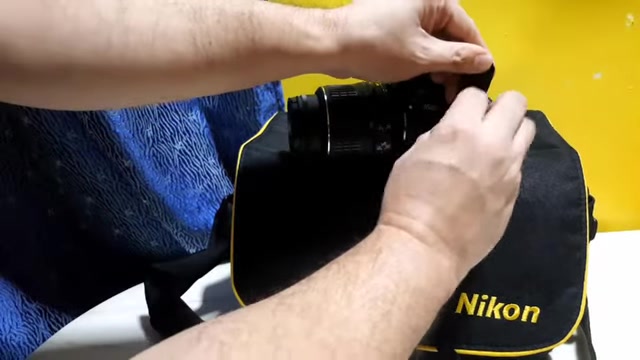
The WU-1a is small and should not be forced into the port.
- Turn on your Nikon DSLR camera.
Once you power on the camera, the WU-1a will usually start transmitting a Wi-Fi signal. However, ensure that you’ve activated the Wi-Fi settings within the camera's menu. It might be under connection settings or wireless settings. The Nikon WU-1a wireless adapter needs to be connected properly to function.
Step 3: Connecting Your Mobile Device to the Camera's Wi-Fi Network
Now that the WU-1a is connected and your camera is powered on, you need to connect your mobile device to the Wi-Fi network broadcasted by the adapter:
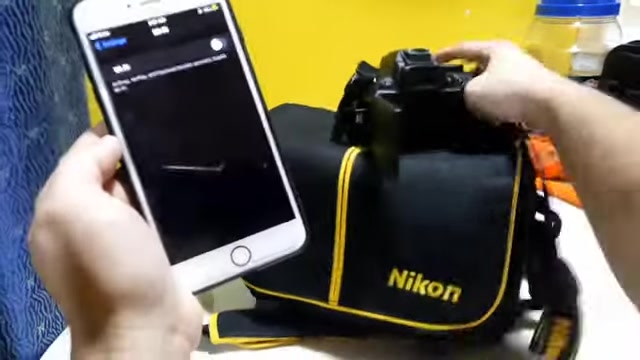
- On your smartphone or tablet, go to the Wi-Fi settings.
- Look for a Wi-Fi network name that corresponds to your Nikon camera (e.g., “Nikon"_WU"_xxxxxxxx”).

The name may vary depending on your camera model and adapter configuration. Make sure the Nikon wireless adapter is broadcasting a Wi-Fi network.
- Select the camera's Wi-Fi network and enter the password if prompted. The default password is often printed on the WU-1a adapter itself or in the camera's manual.
- Once connected, your mobile device will be linked to the Nikon camera via Wi-Fi. The Nikon WU-1a wireless adapter turns your phone into a remote control.
Step 4: Using the Nikon Wireless Mobile Utility App
With the Wi-Fi connection established, you can now use the Nikon Wireless Mobile Utility app to transfer images and remotely control your camera:
-
Open the Nikon Wireless Mobile Utility app on your smartphone or tablet.
-
The app usually presents two main options: 'Take Photos' and 'View Photos.'
-
Tap 'View Photos' to browse the images stored on your camera's memory card. You can then select and download the photos you want to transfer to your mobile device.
-
Tap 'Take Photos' to use your mobile device as a remote live view screen. You can adjust camera settings, such as aperture, shutter speed, and ISO, and trigger the shutter remotely.
-
The app interface may vary slightly depending on the version and your camera model, but the core functionalities remain the same.
Nikon WU-1a wireless adapter provides a live feed to your smartphone.








Most people like
































Report
Please select a reason for reporting
- 13 Reasons to Switch from Snapchat to Text Messaging
- 7 Powerful Speech to Text Apps to Boost Productivity
- 10 Best Speech to Text Tools for Effortless Transcription
- 13 Free Tools to Easily Transcribe Audio to Text
- 15 Surprising Ways Google's Speech-to-Text Boosts Productivity
- 7 Best Free Online Audio to Text Transcription Tools
- 9 Tips to Transcribe Speech to Text Faster and Better
- 13 Best Speech to Text Software for Windows 10 in 2023
- 7 Tips for Choosing the Best Transcriber for Audio to Text
- 11 Reasons Why Dragon Speech-to-Text Apps are Game-Changers
- 6 Secrets to Enhance Your Speech to Text Transcription
- 6 Brilliant Ways to Boost Productivity with Talk-to-Text on Your MacBook
- 6 Ways Transcription Software Converts Audio to Text
- 8 Tips to Transcribe Speech to Text Like a Pro
- 6 Reasons IBM Watson Speech to Text is a Game-Changer
- 14 Powerful Ways Talk-to-Text Improves Your Workflow
- 12 Top Windows Speech-to-Text Software for Efficient Transcription
- 12 Game-Changing Benefits of Apple's Speech to Text Technology
- 9 Powerful Use Cases for AWS Speech to Text Technology
- 10 Easy Steps to Transcribe YouTube Videos to Text
- transcription audio en texte
- online audio transcription
- free audio file transcription
- free ai audio transcription
- audio transcription service
- audio transcription online free
- audio transcription free online
- audio to transcription software
- audio and transcript
- ai audio transcription free
- voice recording to text converter
- translate voice recording to text
- record voice to text
- audio recording to text converter
- voice recording and transcription
- chatgpt voice to text
- gmail voice to text
- speech to text reader
- speech to text ai free
- speech to talk
- How SEO and Marketing Dashboards Empower Agencies to Drive Results
- How to Use AI Tools to Find Internal Linking Opportunities Across a Business Website
- Discover Your Perfect Haircut with AI Hairstyle Apps
- Free Reputation Calculator Tools: How They're Adapting to Score AI Visibility, Not Just Rankings
- Design Professional Flyers for Free on Your Phone
- Best Free Flyer Maker Apps for Android: Design Like a Pro
- How to Know If Your Business Is Ready for an AI Customer Service Agent
- Revolutionizing Storytelling: From Novels to Screenplays with AI
- Create Engaging Animated Explainer Videos with a Free AI Tool
- Stop Multi-Subscribing: Benchmark Top AI Visual Models in One Canvas
- Bridging the Gap: How One Indie Developer Solved the "Art Asset Nightmare" Using AI Style Transfer
- How I Direct Consistent AI Clips: A Hands-On Guide to Multi-Model Generation
- My Honest Review of VideoAI: The Ultimate Character Voice Generator I've Been Using Lately
- Why do so many AI tools underdeliver for online stores?
- My Brand New Logo: AI-Powered Logo Design for Startups
- Create Stunning Logos with Free AI Logo Generator!
- AI Logo Maker: Design a Stunning Logo in Minutes
- Elevate Your Zoom Experience with Enhanced Name Tags by Warmly
- Top 5 AI Logo Makers in 2025: Design a Stunning Brand
- Creative Fabrica's AI Tools: Flow, Studio, and Font Generator

Copyright ©2026 toolify