























Pine Script Mastery: Profitable Channel Breakout System

Updated on Oct 04,2025








Table of Contents
- Key Points
- Constructing a Channel Breakout System in Pine Script
- Enhancing The Core Trading System
- Implementing This Pine Script Breakout System
- Evaluating the Channel Breakout System
- Frequently Asked Questions
- Delving Deeper: Related Trading Concepts


Constructing a Channel Breakout System in Pine Script
Decoding the Initial Request
To create an effective trading strategy, it's important to first understand and define the criteria that will trigger a trade.
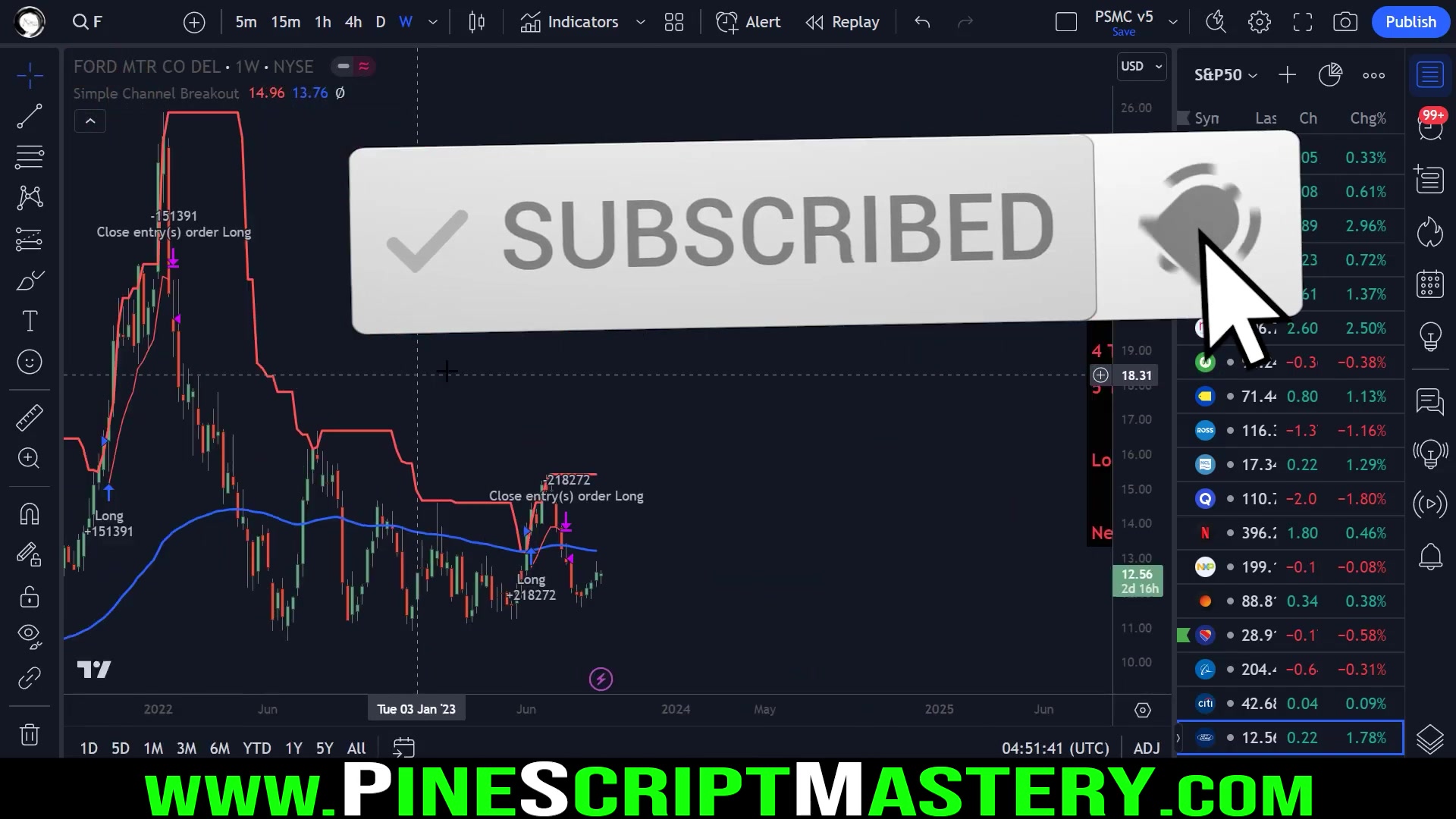
This system's origin came from a request of a user who wanted to create a weekly trading system that incorporated several key elements:
- Looks Back: Over a specified period (15 bars) to identify the highest high value
- Close Above EMA: The closing price must be above the 90 EMA, enhancing the likelihood of an upward trend.
- Bullish Close: This step requires the bar close must be higher than the open.
- Increased Volume: A 1.25% increase in volume must happen, signaling heightened trading action.
- Sufficient Liquidity: The instrument must have enough liquidity so it can be traded effectively without causing large price changes.
These criteria form the basis of a robust breakout strategy aimed at identifying promising entry points in the market. Now let's dig into each of the key parts.
Pine Script Code Breakdown
Let's examine how we can implement these conditions in Pine Script. This portion offers a detailed code review and shows you the process of scripting this system.
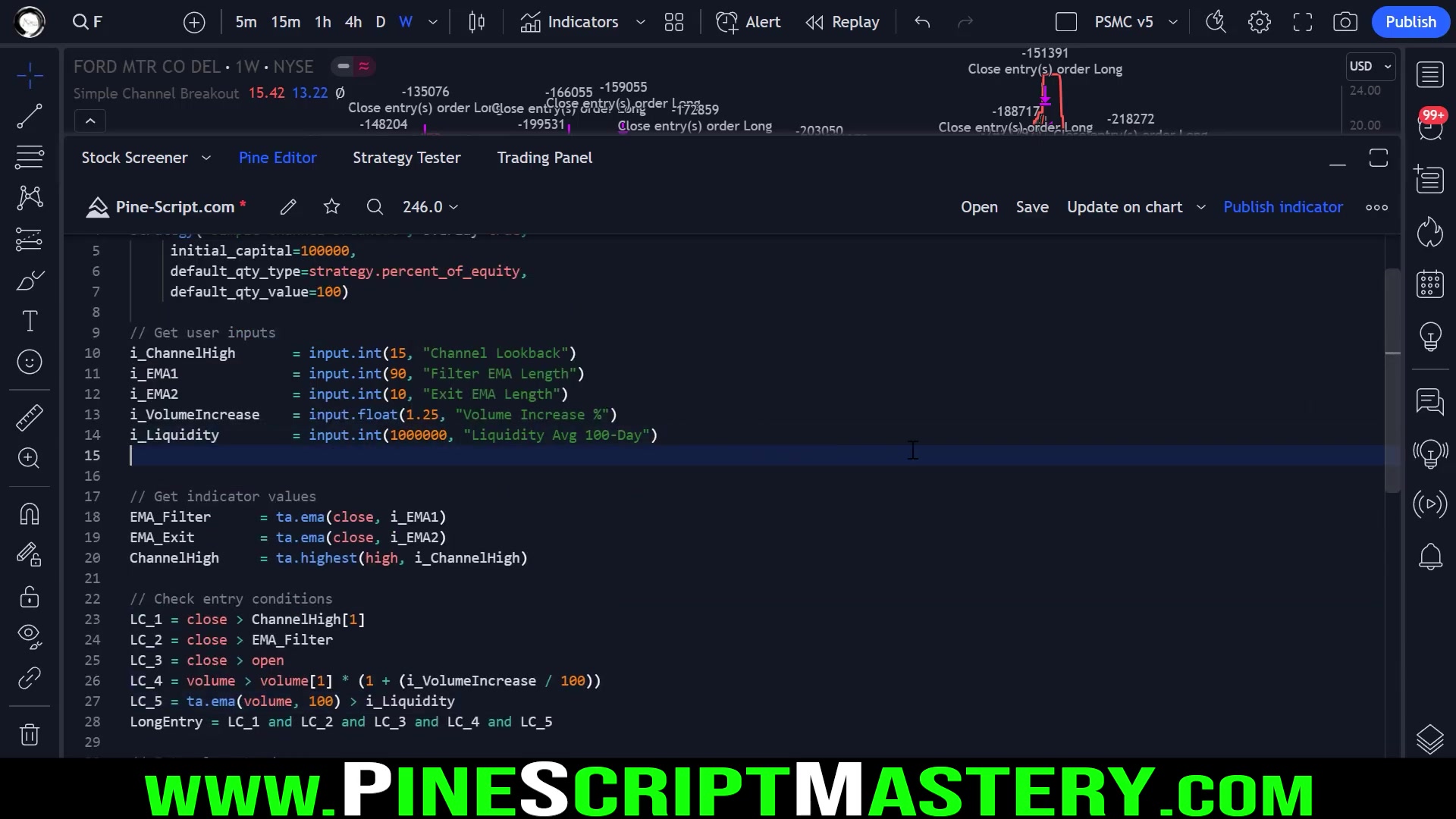
Here’s the core code structure of a breakout trading strategy to use as a template in TradingView's Pine Editor:
//@version=5
strategy("Simple Channel Breakout", overlay=true,
 initial_capital=100000,
 default_qty_type=strategy.percent_of_equity,
 default_qty_value=100)

// Get user inputs
i_channelHigh = input.int(15, "Channel Lookback")
i_EMA1 = input.int(90, "Filter EMA Length")
i_EMA2 = input.int(10, "Exit EMA Length")
i_volumeIncrease = input.float(1.25, "Volume Increase %")
i_liquidity = input.int(1000000, "Liquidity Avg 100-Day")

// Get indicator values
EMA_Filter = ta.ema(close, i_EMA1)
EMA_Exit = ta.ema(close, i_EMA2)
ChannelHigh = ta.highest(high, i_channelHigh)

// Check entry conditions
LC_1 = close > ChannelHigh[1]
LC_2 = close > EMA_Filter
LC_3 = close > open
LC_4 = volume > volume[1] * (1 + (i_volumeIncrease / 100))
LC_5 = ta.ema(volume, 100) > i_liquidity

LongEntry = LC_1 and LC_2 and LC_3 and LC_4 and LC_5

// Enter long trade
if (LongEntry)
 strategy.entry("Long", strategy.long)

// Exit long trade
if (close < EMA_Exit)
 strategy.close("Long")
Here's a breakdown of what the key parts of the script are:
-
User Input Parameters
i_channelHigh: Defines the lookback period for determining the channel high, allowing the user to define the range for price breakout.i_EMA1: Sets the length of the EMA to filter entry signals, ensuring alignment with a broader trend.i_EMA2: Determines the length of the EMA for exiting trades, which aims to help you exit when momentun slows down or when there's an opposite signal.i_volumeIncrease: Specifies the percentage increase in volume required to validate an entry signal, helping confirm the level of trading activity.i_liquidity: Establishes a threshold for average daily volume, used to filter liquid instruments and ensure that there are no low float scenarios.
-
Indicator Calculations
- The script calculates moving averages (
EMA_Filter,EMA_Exit). and the channel high. These values then serve as support to form the core for entry and exit decisions.
- The script calculates moving averages (
-
Long Entry Conditions
- The conditions are evaluated against calculated values which help ensure the validity of each trade signal.
LC_1Check if close is higher thanChannelHighwhich checks for breakout confirmation.LC_2Closing price is aboveEMA_Filterwhich helps validate uptrends.LC_3Checks is the closing price is higher than open which shows bullish sentiment.LC_4Confirms a volume surge by ensuring it exceeds the previous bar's level by a specified percentage.LC_5Validates there's sufficient liquidity based on a user defined benchmark.
-
Trade Execution
- Based on
LongEntry, the script submits a long trade if all is true. - To trigger the exit, the script check is
close < EMA_Exit.
- Based on
This strategy is used to capture momentum in stocks that break upward while optimizing for lower risk.
The Importance of a Regime Filter
A regime filter is designed to filter out trades based on broader market conditions.
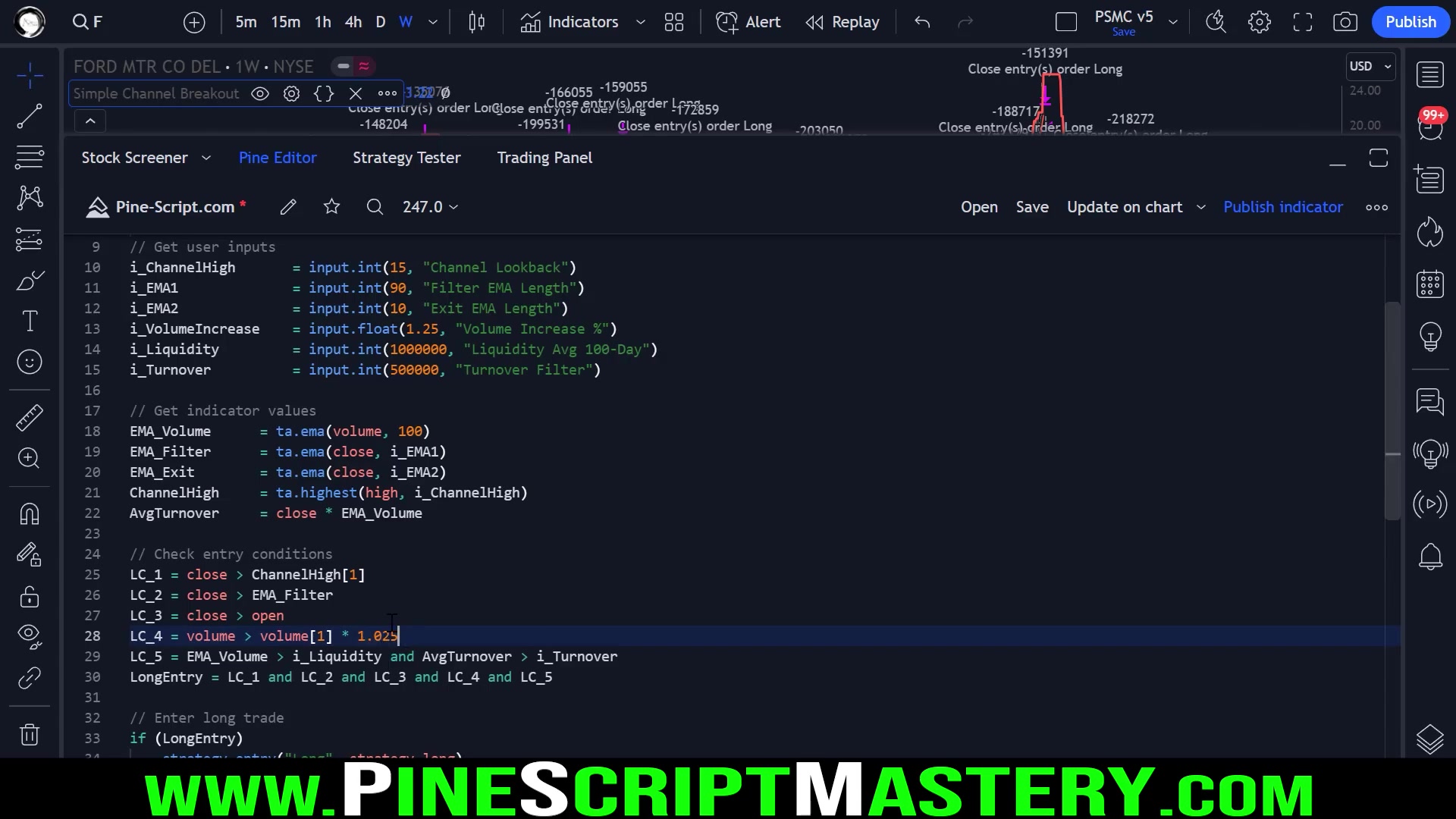
It can be integrated to assess market conditions, ensuring alignment with the prevailing trading environment.
To do this in Pine Script, you need to:
- Establish a Regime Filter
LongEntry = LC_1 and LC_2 and LC_3 and LC_4 and LC_5 and RegimeFilter
RegimeFilter = ta.ema(close,200) < close // Check if close is above 200 week moving average to confirm uptrend
The `RegimeFilter` variable validates if uptrend conditions are currently present so a long position can be entered. This filter improves the quality of trade entry and helps reduce exposure when you should not be trading.Enhancing The Core Trading System
Testing for Improved Liquidity Detection
To check for how good liquidity detection is, we can use two methods. The first involves monitoring average volume over a duration, and the second is to monitor average turnover.
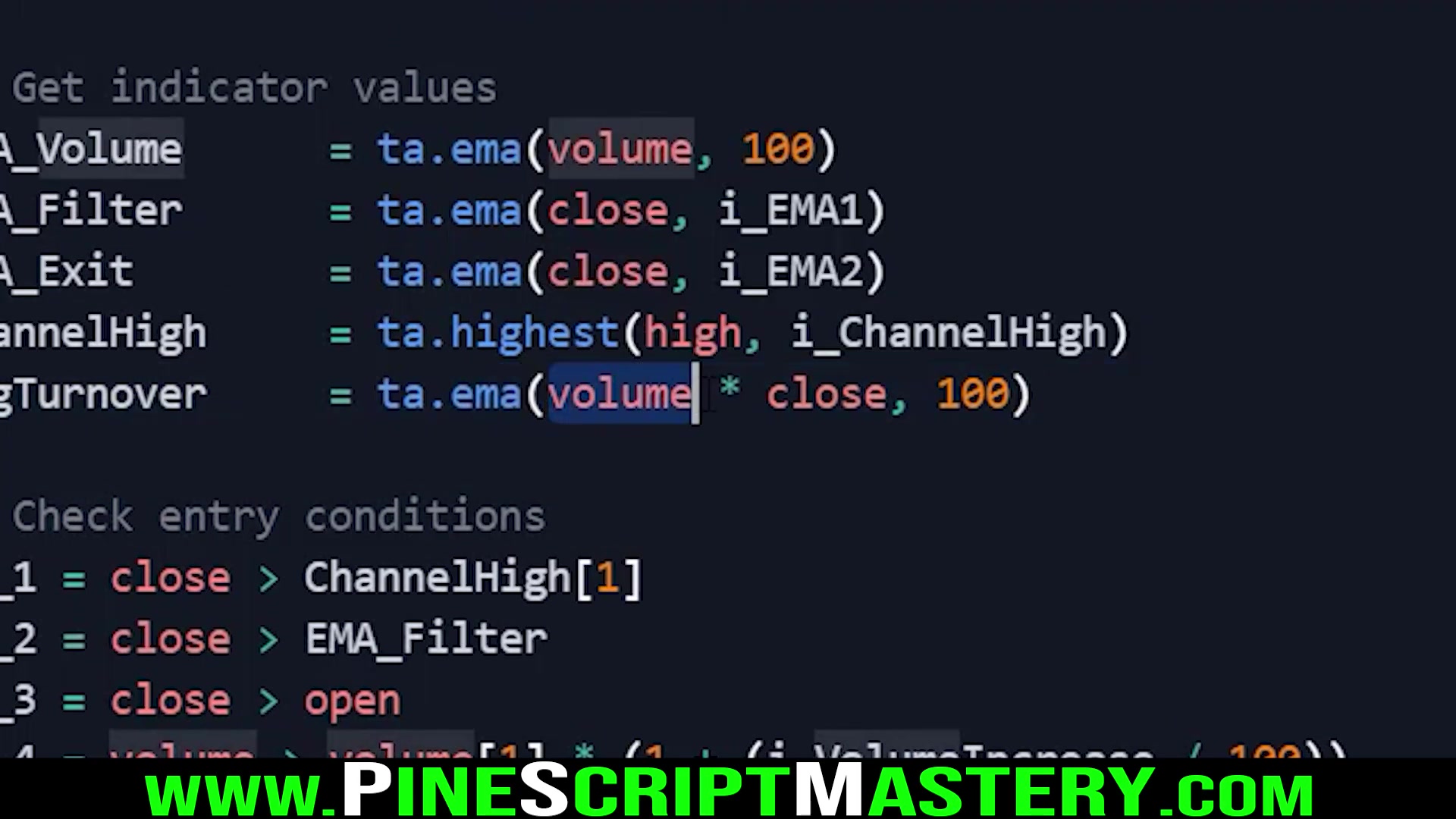
Below is code to implement the first test for average trading volume:
i_liquidity = input.int(1000000, "Liquidity Avg 100-Day")

LC_5 = ta.ema(volume, 100) > i_liquidity
To implement the second test for average turnover:
i_turnover = input.int(500000, "Turnover Filter")

Turnover = close * volume

AvgTurnover = ta.ema(Turnover,100) //Get average using EMA

LC_5 = AvgTurnover > i_turnover
Trading in liquid markets helps to confirm a certain level of interest in the asset. Ultimately, it is up to you to determine the appropriate threshold for liquidity on any instrument that is traded.








Most people like





























Report
Please select a reason for reporting
- 13 Reasons to Switch from Snapchat to Text Messaging
- 7 Powerful Speech to Text Apps to Boost Productivity
- 10 Best Speech to Text Tools for Effortless Transcription
- 13 Free Tools to Easily Transcribe Audio to Text
- 15 Surprising Ways Google's Speech-to-Text Boosts Productivity
- 7 Best Free Online Audio to Text Transcription Tools
- 9 Tips to Transcribe Speech to Text Faster and Better
- 13 Best Speech to Text Software for Windows 10 in 2023
- 7 Tips for Choosing the Best Transcriber for Audio to Text
- 11 Reasons Why Dragon Speech-to-Text Apps are Game-Changers
- 6 Secrets to Enhance Your Speech to Text Transcription
- 6 Brilliant Ways to Boost Productivity with Talk-to-Text on Your MacBook
- 6 Ways Transcription Software Converts Audio to Text
- 8 Tips to Transcribe Speech to Text Like a Pro
- 6 Reasons IBM Watson Speech to Text is a Game-Changer
- 14 Powerful Ways Talk-to-Text Improves Your Workflow
- 12 Top Windows Speech-to-Text Software for Efficient Transcription
- 12 Game-Changing Benefits of Apple's Speech to Text Technology
- 9 Powerful Use Cases for AWS Speech to Text Technology
- 10 Easy Steps to Transcribe YouTube Videos to Text
- transcription audio en texte
- online audio transcription
- free audio file transcription
- free ai audio transcription
- audio transcription service
- audio transcription online free
- audio transcription free online
- audio to transcription software
- audio and transcript
- ai audio transcription free
- voice recording to text converter
- translate voice recording to text
- record voice to text
- audio recording to text converter
- voice recording and transcription
- chatgpt voice to text
- gmail voice to text
- speech to text reader
- speech to text ai free
- speech to talk
- Create Engaging Animated Explainer Videos with a Free AI Tool
- Stop Multi-Subscribing: Benchmark Top AI Visual Models in One Canvas
- Best Seedance 2.5 API Provider: Every Price on the Market, Checked at Source
- AI OnlyFans: How to Generate $30,000/Month (Legally)
- Transform Your Script into an Engaging Video with AI Video Maker!
- AI Marketing Automation: A Comprehensive Guide for Small Businesses
- Midjourney Alternative for Anime Art Creators: Why PixAI May Be Better for Character Workflows
- 10 Things Most People Get Wrong About AI Image Search
- AI Girlfriend Apps: Top Choices Redefining Relationships 2025
- How to Reduce Quoting Errors in Salesforce with AI-Assisted Quote Creation
- AI Resume Builders: EnhanceCV, ResumeNerd AI, & Teal Compared
- ResumeAI: Crafting ATS-Optimized Resumes with AI
- AI in Resume Writing: A New Era for Job Seekers
- AI Resume Tools: Streamline Your Job Search and Land Your Dream Role
- AI Resume Optimization: The Right Way to Land Interviews
- Crafting a Killer Resume with AI: A Step-by-Step Guide
- Crafting a Winning Resume: AI Tools and Expert Tips
- AI Job Search: Level Up Your Career with AI Automation
- Empower Your Career Journey: Dynamic Resumes with AI
- AI Resume Builder: Create Professional Resumes Effortlessly

Copyright ©2026 toolify