































Table of Contents
- Key Points
- Getting Started with AI Image Enhancement in Python
- Step-by-Step Guide to Python AI Image Enhancement
- How to Use the AI Image Enhancement Code
- Advantages and Disadvantages of AI Image Enhancement
- Frequently Asked Questions
- Related Questions



Getting Started with AI Image Enhancement in Python
What is AI Image Enhancement?
AI image enhancement leverages artificial intelligence, particularly deep learning, to improve the quality of images. Unlike traditional image processing techniques, AI can 'learn' from vast datasets to infer details that are missing or degraded in an image. This is particularly useful for tasks like super-resolution, where the goal is to increase the resolution of an image while preserving or even enhancing its visual quality. EnhanceNet is a popular deep learning model specifically designed for single-image super-resolution, capable of increasing image resolution and overall quality.
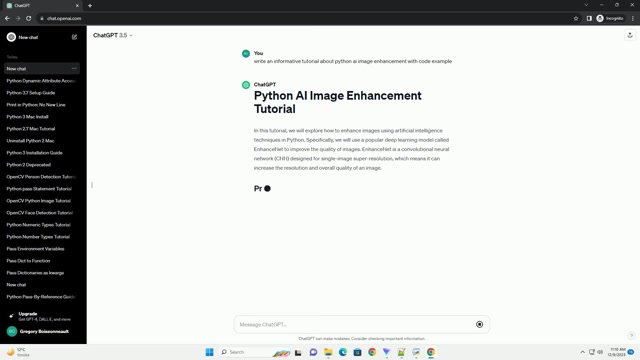
AI image enhancement techniques represent a significant advancement over traditional methods, offering the capability to restore and improve images in ways previously unimaginable. The core of AI image enhancement lies in its ability to learn complex patterns and features from large datasets of images. This learning process enables AI models to understand the underlying structure of images and generate high-quality results, even when dealing with significant degradation or missing information. The utilization of AI in image enhancement has opened new possibilities in various fields, including medical imaging, satellite imagery, and consumer Photography. With the continuous advancements in AI technology, the potential for further innovation and improvement in image enhancement is immense, promising even more remarkable results in the future. AI image enhancement is revolutionizing how we perceive and interact with visual data, paving the way for new and exciting applications across diverse industries.
Introducing EnhanceNet: A Deep Learning Model for Super-Resolution
EnhanceNet is a convolutional neural network (CNN) specifically designed for single-image super-resolution. This means it takes a single low-resolution image as input and generates a corresponding high-resolution image as output. The network is trained to learn the complex relationships between low- and high-resolution image patches, enabling it to infer fine details and textures that are not present in the original image. EnhanceNet excels in upscaling images while minimizing artifacts and preserving visual clarity. The effectiveness of EnhanceNet relies on its ability to capture intricate details and textures from a single low-resolution input image. By learning the complex relationships between low- and high-resolution image patches, EnhanceNet is able to reconstruct missing information and produce visually appealing results. EnhanceNet's architecture is optimized for super-resolution tasks, allowing it to handle various types of images with different characteristics. Whether dealing with photographs, artwork, or digital graphics, EnhanceNet can effectively upscale images while maintaining their original essence. EnhanceNet's success in super-resolution tasks has made it a popular choice among researchers and practitioners in the field of image processing. Its ability to generate high-quality results from a single input image sets it apart from other super-resolution techniques, making it a valuable tool for enhancing visual content. With its proven performance and widespread adoption, EnhanceNet continues to be a driving force in the advancement of AI-powered image enhancement.
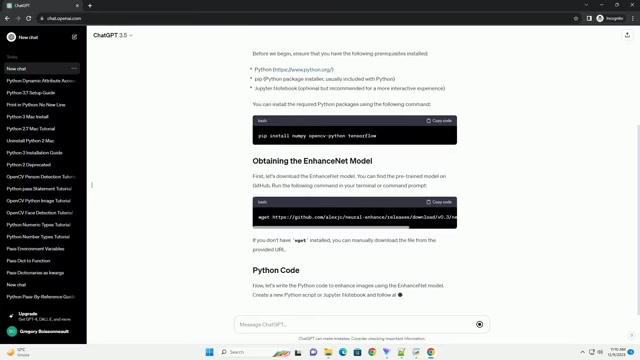
Prerequisites for the Python AI Image Enhancement Tutorial
Before you dive into the code, ensure you have the following prerequisites installed:
- Python (3.6+): Download the latest version from python.org.
- pip: Python package installer (usually included with Python).
- Jupyter Notebook (Optional but recommended): This is highly recommended for a more interactive experience.
These packages will be installed via pip:
- numpy: For numerical computations.
- opencv-python: For image processing.
- scikit-image: For image analysis.
- neural-enhance: The core EnhanceNet library.
Step-by-Step Guide to Python AI Image Enhancement
Installing Required Python Packages for Image Enhancement
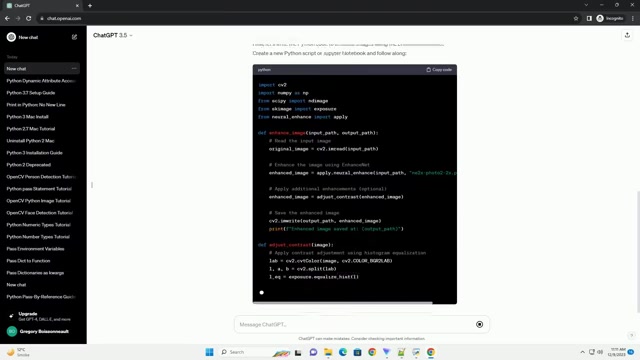
You can install all the necessary Python packages using pip. Open your terminal or command Prompt and execute the following command:
pip install numpy opencv-python scikit-image neural-enhanceThis command installs NumPy for numerical operations, OpenCV for image processing, scikit-image for image analysis functionalities, and neural-enhance for AI-based image enhancement. This step is crucial to set up your Python environment for image enhancement. Numerical operations are essential for image processing and analysis, providing the foundation for various image manipulation techniques. OpenCV offers a wide range of image processing capabilities, enabling tasks such as filtering, edge detection, and object recognition. Scikit-image provides additional tools for image analysis, including segmentation, feature extraction, and image statistics. The neural-enhance package is the core component for AI-based image enhancement, allowing you to leverage deep learning models to enhance the quality of your images. By installing all these packages, you'll have a comprehensive toolkit to perform various image enhancement tasks, from basic operations to advanced AI-driven techniques. After installation, you're ready to load and process images using Python scripts or Jupyter notebooks. Proper environment setup ensures smooth execution of image enhancement algorithms and accurate analysis of image data. As you continue, you can explore the functionalities offered by these packages and adapt them to your specific image enhancement needs. Setting up the environment correctly lays the foundation for successful image enhancement endeavors.
Obtaining the EnhanceNet Model for AI Image Processing
The EnhanceNet model needs to be downloaded. You can find the pre-trained model on GitHub. Run the following command in your terminal or command prompt:
wget https://github.com/alexjc/neural-enhance/releases/download/v0.3/esrgan-tf2_v1-x4_gan.pbIf you don't have wget installed, you can manually download the file from the provided URL and place it in the same directory as your Python script. This step is crucial as it provides the necessary deep learning model for AI-based image enhancement. Pre-trained models offer a significant advantage as they have been trained on large datasets, saving you the time and resources required for training from scratch. Downloading the model ensures that you have the required weights and architecture to perform image enhancement tasks using AI. The EnhanceNet model contains intricate knowledge about image features and patterns, allowing it to generate high-quality results when applied to low-resolution images. Without the pre-trained model, the AI image enhancement process would not be possible. By obtaining the EnhanceNet model, you're equipping your Python script with the necessary intelligence to transform images with remarkable detail and clarity. This step sets the stage for exploring various image enhancement techniques and experimenting with different parameters to achieve desired results. Once the model is downloaded, you can load it into your Python environment and start enhancing images with the power of AI. Acquiring the EnhanceNet model is a pivotal step in unleashing the potential of AI for image enhancement.
Python Code Implementation for AI-Driven Image Enhancement
Here’s the Python code to enhance images using the EnhanceNet model. Create a new Python script or Jupyter Notebook and follow along:
import cv2
import numpy as np
from skimage import exposure
from neural_enhance import apply

def enhance_image(input_path, output_path):
    original_image = cv2.imread(input_path)
    enhanced_image = apply.enhance(input_path, model='esrgan-tf2_v1-x4_gan.pb')

    cv2.imwrite(output_path, enhanced_image)
    print(f"Enhanced image saved at: {output_path}")

input_image_path = 'input.jpg'
output_image_path = 'enhanced.jpg'
enhance_image(input_image_path, output_image_path)
Replace 'input.jpg' with the path to your input image and 'enhanced.jpg' with the desired output path.
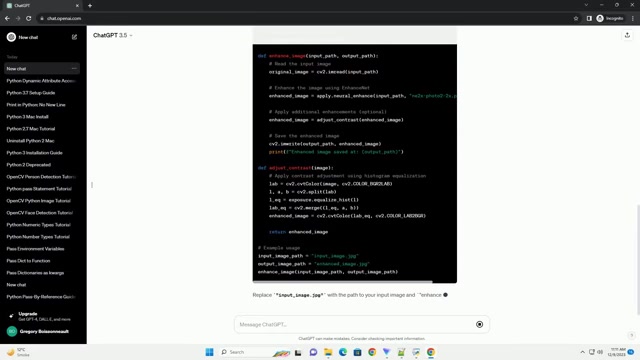
This Python code provides a streamlined process for image enhancement. The cv2 module is used to read and write image files, ensuring compatibility with various image formats. NumPy enables efficient array manipulation for image data, facilitating transformations and filtering. Scikit-image's exposure module provides tools for adjusting image contrast and brightness, allowing you to fine-tune the image's appearance. The neural_enhance package offers a simple interface to apply AI-based enhancement to images. With this code, you can input a low-resolution image and generate a corresponding high-resolution enhanced image. By adjusting parameters and experimenting with different enhancement options, you can tailor the results to your specific preferences. This Python script empowers you to leverage the power of AI for image enhancement, transforming ordinary images into visually stunning pieces. As you continue, you can explore additional enhancements, such as applying contrast adjustments or sharpening filters, to further refine the image quality. Implementing the Python code enables you to unlock the potential of AI-based image enhancement and elevate your image processing capabilities.





Most people like


































Report
Please select a reason for reporting
- 13 Reasons to Switch from Snapchat to Text Messaging
- 7 Powerful Speech to Text Apps to Boost Productivity
- 10 Best Speech to Text Tools for Effortless Transcription
- 13 Free Tools to Easily Transcribe Audio to Text
- 15 Surprising Ways Google's Speech-to-Text Boosts Productivity
- 7 Best Free Online Audio to Text Transcription Tools
- 9 Tips to Transcribe Speech to Text Faster and Better
- 13 Best Speech to Text Software for Windows 10 in 2023
- 7 Tips for Choosing the Best Transcriber for Audio to Text
- 11 Reasons Why Dragon Speech-to-Text Apps are Game-Changers
- 6 Secrets to Enhance Your Speech to Text Transcription
- 6 Brilliant Ways to Boost Productivity with Talk-to-Text on Your MacBook
- 6 Ways Transcription Software Converts Audio to Text
- 8 Tips to Transcribe Speech to Text Like a Pro
- 6 Reasons IBM Watson Speech to Text is a Game-Changer
- 14 Powerful Ways Talk-to-Text Improves Your Workflow
- 12 Top Windows Speech-to-Text Software for Efficient Transcription
- 12 Game-Changing Benefits of Apple's Speech to Text Technology
- 9 Powerful Use Cases for AWS Speech to Text Technology
- 10 Easy Steps to Transcribe YouTube Videos to Text
- transcription audio en texte
- online audio transcription
- free audio file transcription
- free ai audio transcription
- audio transcription service
- audio transcription online free
- audio transcription free online
- audio to transcription software
- audio and transcript
- ai audio transcription free
- voice recording to text converter
- translate voice recording to text
- record voice to text
- audio recording to text converter
- voice recording and transcription
- chatgpt voice to text
- gmail voice to text
- speech to text reader
- speech to text ai free
- speech to talk
- ChatGPT Knows Ford. It Just Doesn't Quote Ford
- Meshy AI: How to Create 3D Models from Text and Images
- How SEO and Marketing Dashboards Empower Agencies to Drive Results
- How to Use AI Tools to Find Internal Linking Opportunities Across a Business Website
- Discover Your Perfect Haircut with AI Hairstyle Apps
- Free Reputation Calculator Tools: How They're Adapting to Score AI Visibility, Not Just Rankings
- Design Professional Flyers for Free on Your Phone
- Best Free Flyer Maker Apps for Android: Design Like a Pro
- How to Know If Your Business Is Ready for an AI Customer Service Agent
- Revolutionizing Storytelling: From Novels to Screenplays with AI
- Your Business Data Could Be Worth Up to $4M. Find Out Without Uploading a Single File.
- Can an eSIM Plan Save You Time During Travel Setup?
- AI Video Editor Review: A Hands-On Look at Prompt-Based Video Editing
- Keep Characters Consistent Across Scenes With Image-to-Video AI
- How to Convert BTC to HNT
- ProxyWing DuckDuckGo Proxy Review: Plans, Setup and Who It Is For
- ChatGPT Knows Ford. It Just Doesn't Quote Ford
- Automate Lead Generation: A Comprehensive Guide with AI Agents
- Revideo.io: The Future of Reverse Video Search Technology
- Revolutionizing Email Marketing Agency with AI

Copyright ©2026 toolify