































Table of Contents
- Key Points
- Building a Python Story Generator
- Enhancing Your Story Generator
- Running Your Story Generator
- Story Generator Pros and Cons
- Frequently Asked Questions
- Related Questions



Building a Python Story Generator
Understanding the Story Generator Concept
The core idea behind a story generator is to automate the creation of narratives using a set of predefined elements.
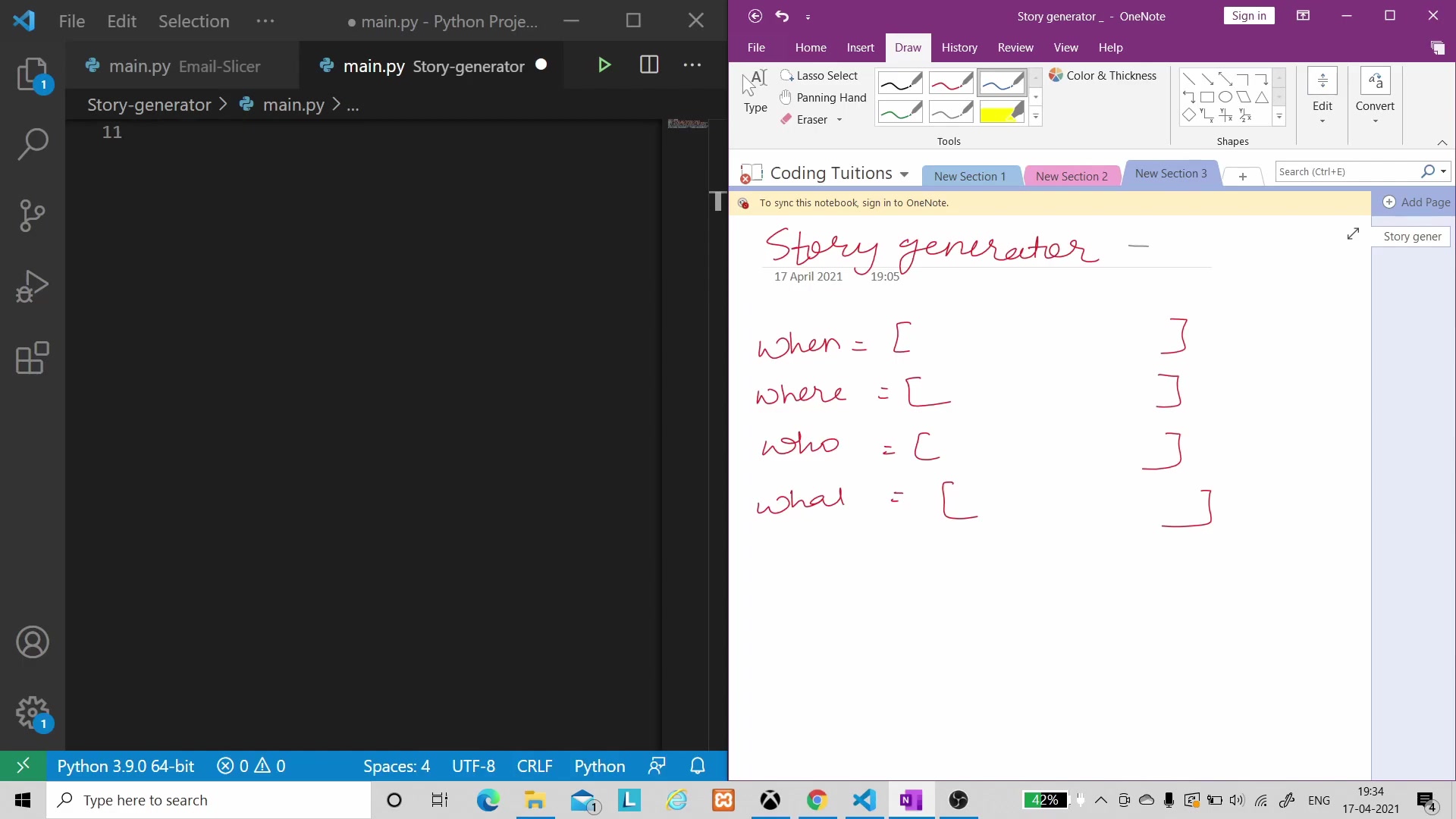
By providing answers to key questions like when, where, who, and what, we can construct a basic story structure. This approach leverages the power of random selection to create unique and unexpected storylines. This project will introduce core python programming principles to beginners who are learning software development through project based learning. It's a fun project that will result in a creative tool that anyone can use!
The purpose of the story generator: This is the foundation for dynamic Creative Writing projects and learning python fundamentals!
- When: Defining the time frame or setting of the story.
- Where: Specifying the location or environment.
- Who: Identifying the characters involved.
- What: Describing the actions or events that occur.
Setting Up the Python Lists
The foundation of our story generator is built on four Python lists, each corresponding to a key element of the story: when, where, who, and what.
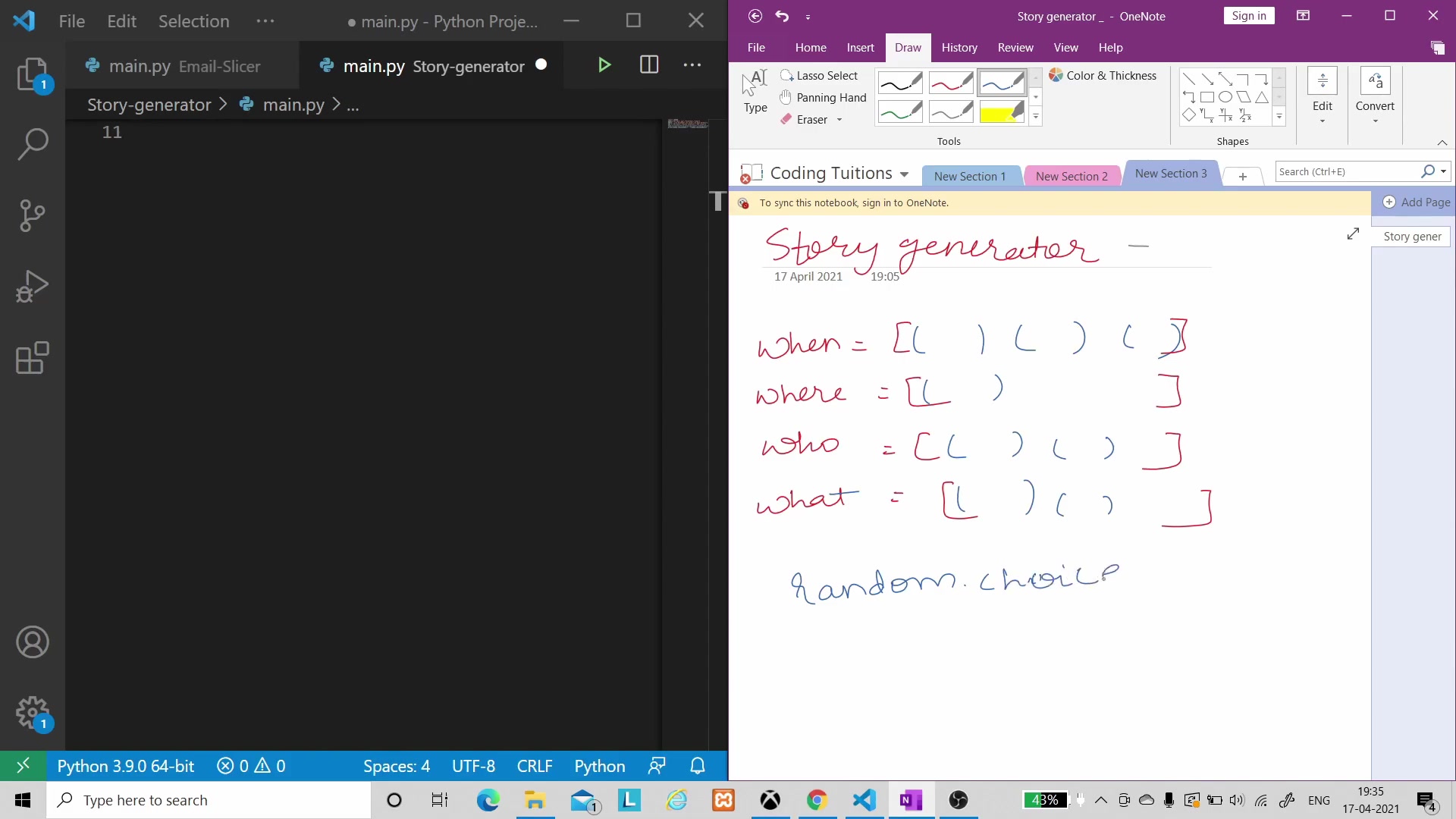
These lists will contain a variety of options for each element, allowing the generator to create diverse stories with each run. Think of them as the raw ingredients for our story-making machine. These lists are extremely important to the output of the story generator, and are fundamental to the project itself. This makes the random nature of the story even better! Below is a table to assist with understanding:
| List | Description | Example Values |
|---|---|---|
| When | The time or setting of the story | "Few years ago", "Yesterday", "Today" |
| Where | The location where the story takes place | "At Wankhede", "At Lords", "At Eden Gardens" |
| Who | The characters involved in the story | "MS Dhoni", "Sachin Tendulkar", "VVS Laxman" |
| What | The actions or events that occur in the story | "Scored 91 in world cup final", "Scored 228 runs in test match", "Scored 125 runs" |
Consider the implications of the list's output. How will the nature of the elements in the story effect the overall story. This level of thinking will assist you with mastering python, and computer science.
Leveraging the Random Module in Python
To inject unpredictability into our story generator, we'll use Python's random module, specifically the choice() method.
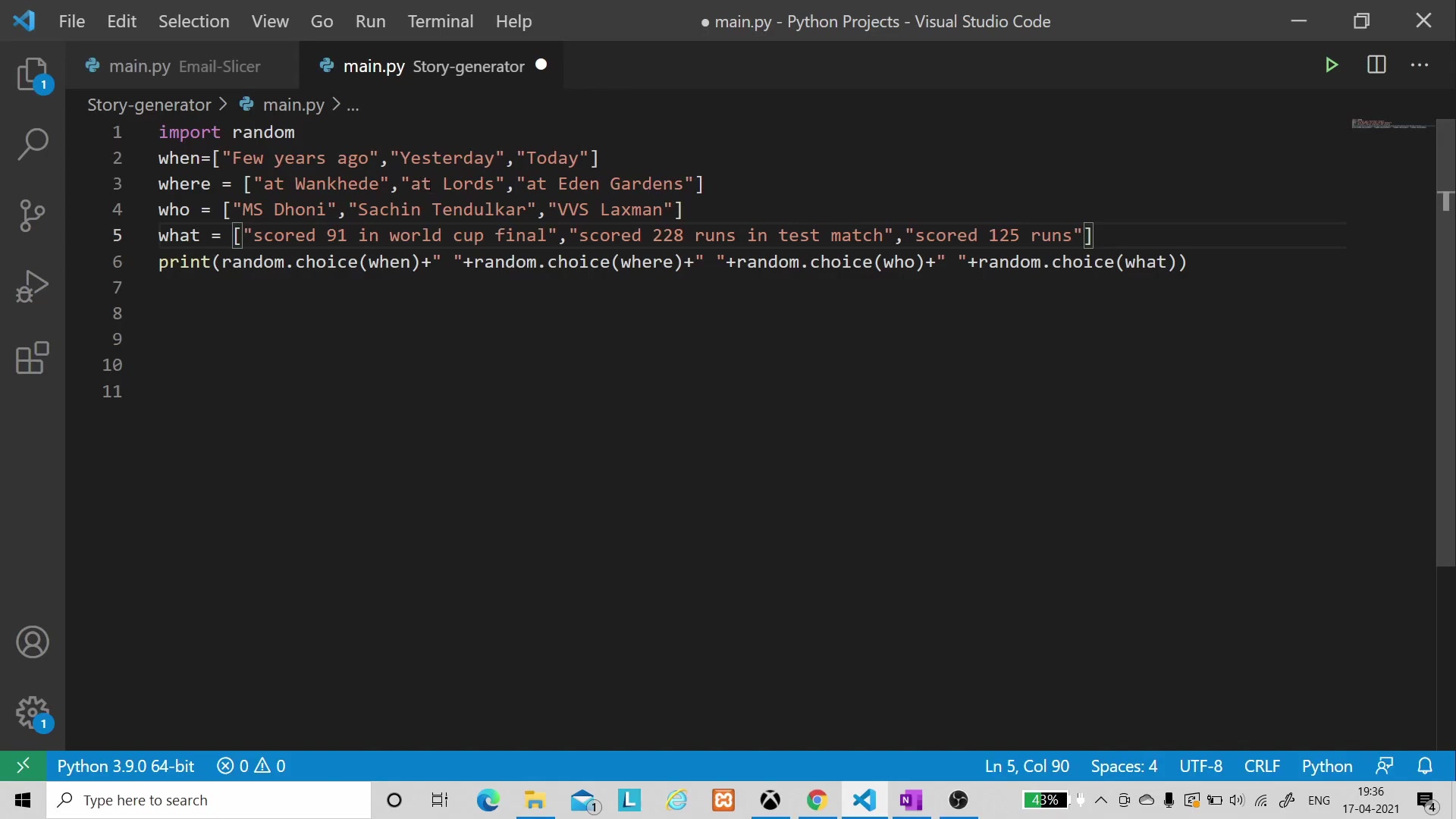
This method allows us to randomly select an element from a list. By applying random.choice() to each of our four lists (when, where, who, and what), we ensure that each generated story is unique and different. This random element is very critical to software development, and is important to understand from a high level.
The key to understanding the random library:
import random

# Example of using random.choice()
my_list = ["apple", "banana", "cherry"]
random_item = random.choice(my_list)
print(random_item)
Implementing the Python Code
Let's dive into the Python code that brings our story generator to life.
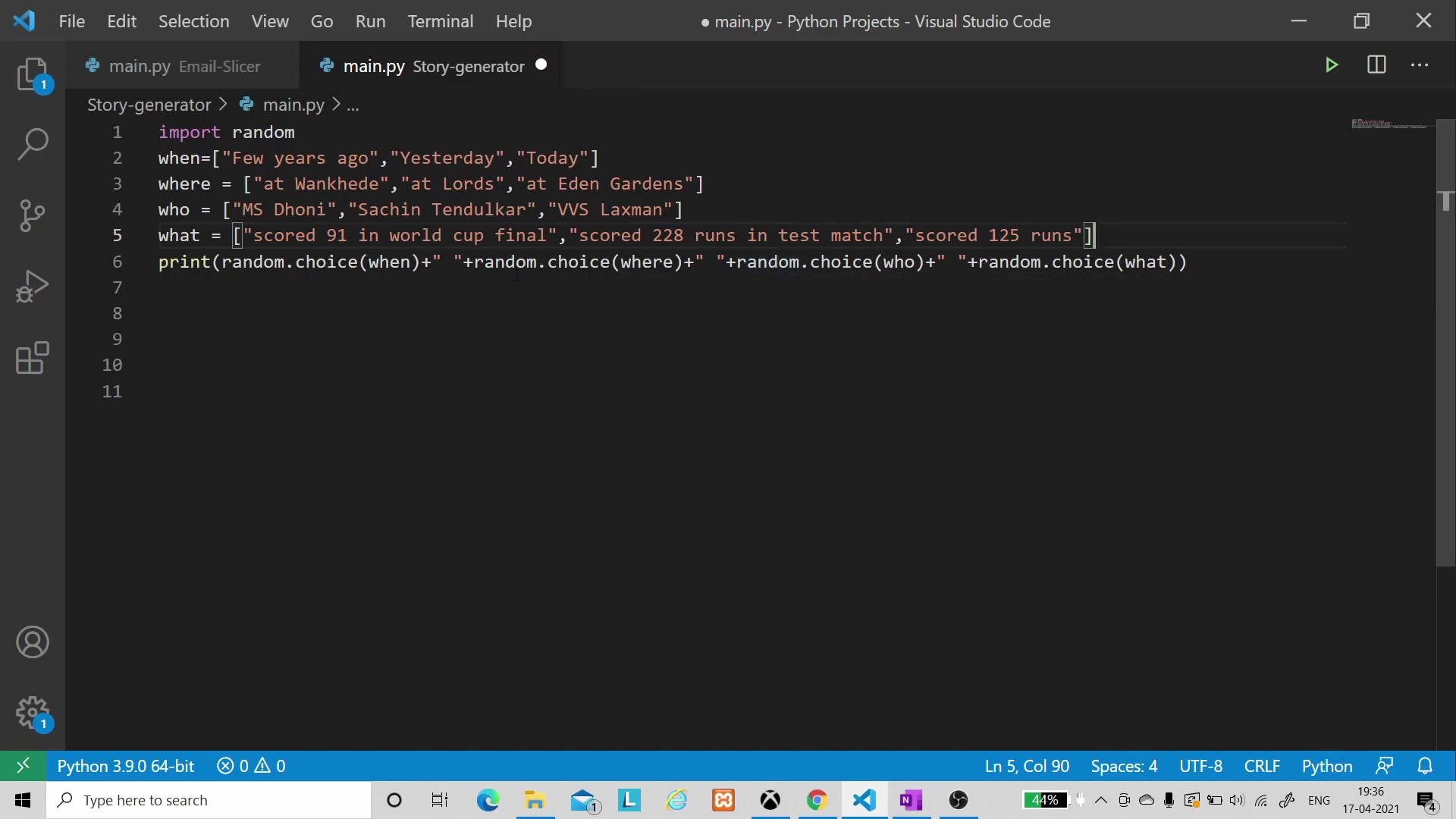
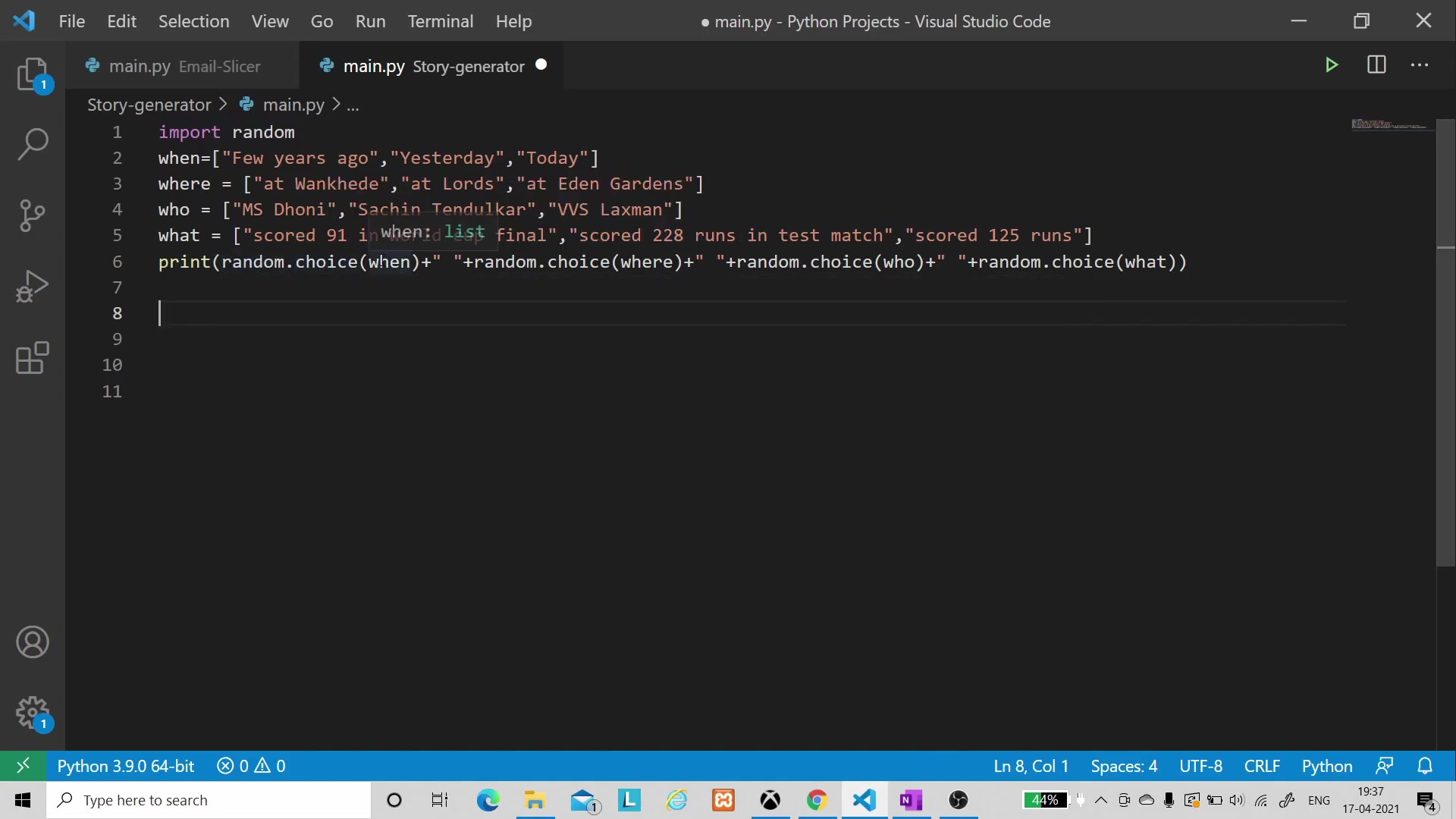
We begin by importing the random module, then define our four lists with a variety of options. Finally, we use the random.choice() method to select elements from each list and combine them into a cohesive story.
import random

when = ["Few years ago", "Yesterday", "Today"]
where = ["At Wankhede", "At Lords", "At Eden Gardens"]
who = ["MS Dhoni", "Sachin Tendulkar", "VVS Laxman"]
what = ["Scored 91 in world cup final", "Scored 228 runs in test match", "Scored 125 runs"]

story = f"{random.choice(when)} at {random.choice(where)}, {random.choice(who)} {random.choice(what)}."
print(story)
This simple script creates a full story by combining the libraries into python. With a few lines of code, anyone can code a dynamic story teller!
Enhancing Your Story Generator
Adding More Elements and Depth
To make your story generator even more engaging, consider adding more elements and depth.
You can introduce new lists for how, why, or with whom, allowing for more complex and nuanced narratives. Experiment with different combinations and see what creative stories you can generate. Consider the below when working on this project:
- Add adjectives and adverbs: Add more detailed stories by adding these elements.
- Create a backstory: Generate character backstories.
- Implement a simple plot: Create a story with a beginning, middle, and end.
Customizing the Story Output
The output of the story generator can be customized to fit your specific needs. You can add more descriptive language, create different story structures, or even incorporate user input. The possibilities are endless, and the only limit is your imagination. The story generator is a tool for creativity, and it's up to the end-user on what that looks like.
This is an example of story enhancement:
story = f"One {random.choice(adjective)} day, {random.choice(who)} {random.choice(action)} {random.choice(where)} because {random.choice(reason)}."





Most people like


































Report
Please select a reason for reporting
- 13 Reasons to Switch from Snapchat to Text Messaging
- 7 Powerful Speech to Text Apps to Boost Productivity
- 10 Best Speech to Text Tools for Effortless Transcription
- 13 Free Tools to Easily Transcribe Audio to Text
- 15 Surprising Ways Google's Speech-to-Text Boosts Productivity
- 7 Best Free Online Audio to Text Transcription Tools
- 9 Tips to Transcribe Speech to Text Faster and Better
- 13 Best Speech to Text Software for Windows 10 in 2023
- 7 Tips for Choosing the Best Transcriber for Audio to Text
- 11 Reasons Why Dragon Speech-to-Text Apps are Game-Changers
- 6 Secrets to Enhance Your Speech to Text Transcription
- 6 Brilliant Ways to Boost Productivity with Talk-to-Text on Your MacBook
- 6 Ways Transcription Software Converts Audio to Text
- 8 Tips to Transcribe Speech to Text Like a Pro
- 6 Reasons IBM Watson Speech to Text is a Game-Changer
- 14 Powerful Ways Talk-to-Text Improves Your Workflow
- 12 Top Windows Speech-to-Text Software for Efficient Transcription
- 12 Game-Changing Benefits of Apple's Speech to Text Technology
- 9 Powerful Use Cases for AWS Speech to Text Technology
- 10 Easy Steps to Transcribe YouTube Videos to Text
- transcription audio en texte
- online audio transcription
- free audio file transcription
- free ai audio transcription
- audio transcription service
- audio transcription online free
- audio transcription free online
- audio to transcription software
- audio and transcript
- ai audio transcription free
- voice recording to text converter
- translate voice recording to text
- record voice to text
- audio recording to text converter
- voice recording and transcription
- chatgpt voice to text
- gmail voice to text
- speech to text reader
- speech to text ai free
- speech to talk
- ChatGPT Knows Ford. It Just Doesn't Quote Ford
- Meshy AI: How to Create 3D Models from Text and Images
- How SEO and Marketing Dashboards Empower Agencies to Drive Results
- How to Use AI Tools to Find Internal Linking Opportunities Across a Business Website
- Discover Your Perfect Haircut with AI Hairstyle Apps
- Free Reputation Calculator Tools: How They're Adapting to Score AI Visibility, Not Just Rankings
- Design Professional Flyers for Free on Your Phone
- Best Free Flyer Maker Apps for Android: Design Like a Pro
- How to Know If Your Business Is Ready for an AI Customer Service Agent
- Revolutionizing Storytelling: From Novels to Screenplays with AI
- Your Business Data Could Be Worth Up to $4M. Find Out Without Uploading a Single File.
- Can an eSIM Plan Save You Time During Travel Setup?
- AI Video Editor Review: A Hands-On Look at Prompt-Based Video Editing
- Keep Characters Consistent Across Scenes With Image-to-Video AI
- How to Convert BTC to HNT
- ProxyWing DuckDuckGo Proxy Review: Plans, Setup and Who It Is For
- ChatGPT Knows Ford. It Just Doesn't Quote Ford
- Automate Lead Generation: A Comprehensive Guide with AI Agents
- Revideo.io: The Future of Reverse Video Search Technology
- Revolutionizing Email Marketing Agency with AI

Copyright ©2026 toolify