































Table of Contents
- Key Points
- Understanding Smartphone Processors
- Comparing Processor Types: A Quick Reference Guide
- Optimizing Your Smartphone's Processor Performance
- Application Processor (AP): Pros and Cons
- Frequently Asked Questions (FAQ)
- Related Questions



Understanding Smartphone Processors
What is an Application Processor (AP)?
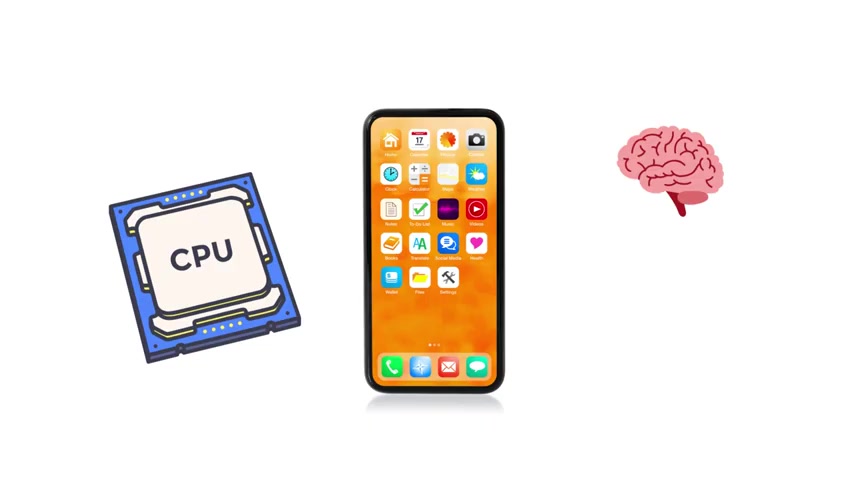
The Application Processor (AP)
is the central processing unit of your smartphone, effectively its 'brain.' This powerful chip is responsible for running the operating system (like Android or iOS), executing applications, and handling everything you see on the screen. When you swipe, tap, or play a Game, the AP is making millions of decisions every second to ensure a smooth and responsive experience.
Without an AP, your phone is nothing more than a silent piece of glass and metal. It's the AP that brings your device to life, allowing you to browse the web, send emails, and use your favorite apps.
Key Characteristics of Application Processors:
- Multitasking: APs are designed to juggle multiple tasks simultaneously, ensuring your phone remains responsive even when running several apps in the background.
- Power Consumption: APs are known to consume significant power, especially during demanding tasks like gaming or video editing. This can lead to rapid battery drain and overheating.
Popular manufacturers of APs include MediaTek (Dimensity series, Helio series) , Qualcomm (Snapdragon series), and Apple (A series).
The performance of an AP is crucial for the overall speed and responsiveness of your smartphone. A more powerful AP will result in faster app loading times, smoother multitasking, and better performance in demanding applications.
What is a Graphics Processing Unit (GPU)?
The Graphics Processing Unit (GPU)
is the artist within your smartphone, dedicated to rendering images, videos, and animations. The GPU takes raw data and transforms it into the visuals you see on the screen. From scrolling through Instagram to playing graphically intensive 3D games, the GPU is responsible for creating a visually appealing and immersive experience.
Key Functions of a GPU:
- Image Rendering: The GPU renders every image, video, and animation you see on your smartphone's display.
- Gaming Performance: A powerful GPU is essential for smooth and detailed graphics in mobile games.
Importance of a Good GPU:
A high-performance GPU ensures smooth scrolling, crisp visuals, and the ability to play demanding games without lag or stuttering. Without a GPU, your screen would be blank, and your phone would be unable to display any visual content.
Manufacturers like Qualcomm (Adreno series) and ARM (Mali series) produce GPUs commonly found in smartphones.
GPUs excel at handling graphics in real-time, making your phone feel alive, but this comes at the cost of energy consumption. Gaming sessions, in particular, can quickly drain your battery due to the GPU's intense processing requirements.
What is an Image Signal Processor (ISP)?
The Image Signal Processor (ISP)
is the unsung hero behind every photo you take with your smartphone. Every image captured by your phone's camera passes through the ISP before you see it. The ISP's job is to enhance the image, correcting imperfections and optimizing it for viewing.
Key Functions of an ISP:
- Noise Reduction: The ISP cleans up noise in images, reducing graininess and improving clarity.
- Color Balancing: The ISP balances colors, ensuring accurate and vibrant reproduction.
- Detail Sharpening: The ISP sharpens details, making images look crisp and well-defined.
When you snap a picture at night and it still looks clear, you can thank the ISP. It's like having a digital photo lab inside your phone, working to perfect every image you capture.
The ISP excels at turning raw camera data into beautiful photos instantly. However, its tricks can only go so far, especially in ultra-low light conditions. When pushed to its limits, you might notice grain or blur in your photos.
The performance of the ISP is crucial for the quality of your smartphone's camera. A good ISP can make a significant difference in the clarity, color accuracy, and overall appeal of your photos and videos.
What is a Digital Signal Processor (DSP)?
The Digital Signal Processor (DSP)
is a multitasking assistant working behind the scenes in your smartphone. The DSP handles a variety of audio-related tasks, including sound processing, voice recognition, and Noise Cancellation.
Key Functions of a DSP:
- Sound Processing: The DSP enhances audio quality, making Music and other audio content sound clearer and more immersive.
- Voice Recognition: The DSP enables voice-activated assistants like Siri and Google Assistant.
- Noise Cancellation: The DSP reduces background noise during calls and recordings, improving clarity.
Every time your phone wakes up when you say "Hey Siri" or "OK Google," that's the DSP listening . It's great at running low-power, always-on tasks without draining your main processor.
The DSP Advantages
The DSP is excellent at running low power tasks that do not require the main system to drain the battery. It can turn on noise cancellation, voice recognition and process audio. The DSP isn't built for heavy lifting so it stays focused on these small specialized jobs.
Manufacturers like Qualcomm and Texas Instruments produce DSPs commonly found in smartphones.
What is a Neural Processing Unit (NPU)?
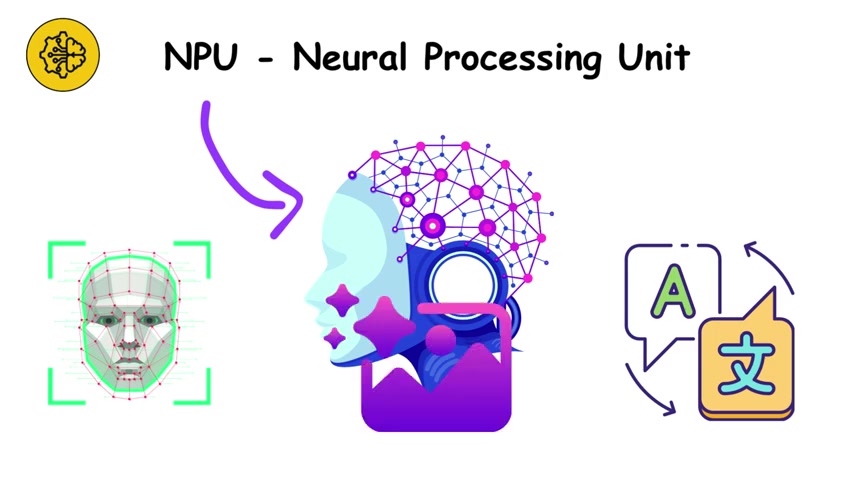
The Neural Processing Unit (NPU)
is the intelligence center of your smartphone, dedicated to accelerating artificial intelligence (AI) tasks. The NPU handles AI-related functions like face recognition, real-time language translation, and AI-enhanced photos.
Key Functions of an NPU:
- Face Recognition: The NPU enables fast and accurate face unlocking and facial recognition in photos.
- Real-time Translation: The NPU powers real-time language translation apps and features.
- AI-Enhanced Photos: The NPU improves photo quality through AI-powered scene recognition and image processing.
The NPU makes your phone feel smarter, faster, and more personal. For example, the NPU could be behind analyzing your photos, adjusting your settings automatically to your liking, and translating text between languages. It also makes your phone have a more intelligent battery saving mode, since it can anticipate your needs, and optimize its resources.
NPUs shine in handling huge amounts of data for AI without slowing down your phone, giving it a super-fast and smooth experience. However, they depend heavily on how well the software uses them. If apps don't take advantage of the NPU, it often sits idle. But, as AI becomes more integrated into apps in the future, we can expect NPU's will be much more utilized and more effective.
What is a Modem Processor (MP)?
The Modem Processor (MP)
is the voice of your smartphone, connecting you to cellular networks and enabling calls, texts, and mobile data. Every time you stream a video, video chat, or send a message, the modem is working in the background to keep you connected.
Key Functions of a Modem Processor:
- Cellular Connectivity: The modem connects your phone to cellular networks, allowing you to make calls, send texts, and access the internet.
- Data Transmission: The modem transmits and receives data, enabling you to browse the web, stream videos, and use online apps.
The modem is excellent at keeping you connected whether you're standing still or speeding down a highway. However, its weakness is power consumption. Switching between signals or staying connected in weak areas can drain your battery faster.
Features of the MP
It allows streaming live videos, video chatting with friends, family, and colleagues as well as sending text messages to friends and loved ones. It makes sure to keep you connected, whether you are still or in motion. The strength of the MP is its bandwidth and reliability.
What are Co-processors (CP)?
Co-processors
are the quiet helpers within your smartphone, offloading specific tasks from the main processor to improve energy efficiency. They handle background tasks like motion tracking, sensor fusion, and data collection without burdening the AP.
Key Functions of Co-processors:
- Motion Tracking: Co-processors track your steps and other movements, enabling Fitness tracking and other health-related features.
- Sensor Fusion: Co-processors combine data from various sensors, such as accelerometers, gyroscopes, and magnetometers, to provide accurate information about your phone's orientation and movement.
- Background Data Collection: Co-processors collect data in the background, such as location information and network statistics, without draining your battery.
They matter because they save energy. Your phone doesn't need to wake up the main chip just to count steps. They're great at efficiency, but their role is limited to very specific tasks.
The Main Takeaway
To save battery power, the co-processors carry the sensor's loads, leaving the main application processor with more juice.
What is a Security Processor (SP)?
Hidden inside many smartphones is a tiny processor dedicated to security. This security processor stores fingerprints, face data, and encryption keys in a private vault.
Key Functions of a Security Processor:
- Biometric Authentication: The security processor securely stores and processes your fingerprint and face data for unlocking your phone and authenticating payments.
- Encryption Key Storage: The security processor stores encryption keys, protecting your data from unauthorized access.
This matters because even if your phone is hacked, the most sensitive data stays locked away . It's excellent at building trust into your device. But, once again, it has one job: protect, not perform.
The main goal of the Security Processor is to offer more safety and security. It builds consumer trust in the devices that make the product effective for longer use.
What is a Power Management Processor (PMP)?
This one makes sure your phone stays alive . It regulates charging, power flow, and battery safety. It quietly balances performance with energy savings, making sure your device doesn't fry itself.
It's fantastic at extending battery life and keeping your phone safe. But, it can only optimize so much. When you push your phone too hard, no power management chip can save you from rapid drain.
The Power Management Processor balances the flow of power to your device making sure to give power only where it is necessary. It improves the life span of the battery of the smartphone and keeps it working for a long time.





Most people like


































Report
Please select a reason for reporting
- 13 Reasons to Switch from Snapchat to Text Messaging
- 7 Powerful Speech to Text Apps to Boost Productivity
- 10 Best Speech to Text Tools for Effortless Transcription
- 13 Free Tools to Easily Transcribe Audio to Text
- 15 Surprising Ways Google's Speech-to-Text Boosts Productivity
- 7 Best Free Online Audio to Text Transcription Tools
- 9 Tips to Transcribe Speech to Text Faster and Better
- 13 Best Speech to Text Software for Windows 10 in 2023
- 7 Tips for Choosing the Best Transcriber for Audio to Text
- 11 Reasons Why Dragon Speech-to-Text Apps are Game-Changers
- 6 Secrets to Enhance Your Speech to Text Transcription
- 6 Brilliant Ways to Boost Productivity with Talk-to-Text on Your MacBook
- 6 Ways Transcription Software Converts Audio to Text
- 8 Tips to Transcribe Speech to Text Like a Pro
- 6 Reasons IBM Watson Speech to Text is a Game-Changer
- 14 Powerful Ways Talk-to-Text Improves Your Workflow
- 12 Top Windows Speech-to-Text Software for Efficient Transcription
- 12 Game-Changing Benefits of Apple's Speech to Text Technology
- 9 Powerful Use Cases for AWS Speech to Text Technology
- 10 Easy Steps to Transcribe YouTube Videos to Text
- transcription audio en texte
- online audio transcription
- free audio file transcription
- free ai audio transcription
- audio transcription service
- audio transcription online free
- audio transcription free online
- audio to transcription software
- audio and transcript
- ai audio transcription free
- voice recording to text converter
- translate voice recording to text
- record voice to text
- audio recording to text converter
- voice recording and transcription
- chatgpt voice to text
- gmail voice to text
- speech to text reader
- speech to text ai free
- speech to talk
- How SEO and Marketing Dashboards Empower Agencies to Drive Results
- How to Use AI Tools to Find Internal Linking Opportunities Across a Business Website
- Discover Your Perfect Haircut with AI Hairstyle Apps
- Free Reputation Calculator Tools: How They're Adapting to Score AI Visibility, Not Just Rankings
- Design Professional Flyers for Free on Your Phone
- Best Free Flyer Maker Apps for Android: Design Like a Pro
- How to Know If Your Business Is Ready for an AI Customer Service Agent
- Revolutionizing Storytelling: From Novels to Screenplays with AI
- Create Engaging Animated Explainer Videos with a Free AI Tool
- Stop Multi-Subscribing: Benchmark Top AI Visual Models in One Canvas
- Top 5 Cold Email Software: Maximize Your Outreach in 2025
- Magic School AI: Revolutionizing Quiz & Assessment Generation
- Create Your Own Email Bot and Automate Your Email Tasks
- Beyond Pure Prompts: Optimizing Production with 'Text With Reference' Generation
- Stop Using Boring TTS: My Honest Deep Dive Into VideoAI and the Hunt for the Perfect Custom Voices
- AI & Elections: Defending Democracy Against Misinformation
- Navigating Political Discourse: AI, Deepfakes, and Reality Checks
- Detecting Political Bias in News Articles: A Powerful AI Algorithm
- AI Bias Unveiled: Political Leanings in ChatGPT & Beyond
- Revolutionize Learning: Discover Quizzes AI for Engaging Interactive Quizzes

Copyright ©2026 toolify