































Table of Contents
- Key Points
- StackBlitz Bolt.new: A Comprehensive Review
- AI-Powered Travel App Demo with Bolt.new: A Test Drive
- How to Start With Bolt.new
- Understanding Bolt.new's Pricing Structure
- Advantages and Disadvantages of Using Bolt.new
- Key Features of Bolt.new
- Ideal Use Cases for Bolt.new
- Frequently Asked Questions (FAQ)
- Related Questions



StackBlitz Bolt.new: A Comprehensive Review
Is Bolt.new Truly Beginner-Friendly?
One of the most significant considerations for any new development tool is its accessibility to beginners. In the era of AI-assisted coding, many platforms promise to lower the barrier to entry. However, the presenter raises a critical point: do these tools genuinely empower novices, or do they primarily benefit those with existing technical expertise?
While AI coding assistants can undoubtedly expedite certain development processes, it's crucial to consider whether they provide sufficient guidance and support for individuals lacking a strong technical foundation. A genuinely beginner-friendly platform should offer intuitive interfaces, clear instructions, and ample resources to guide users through each step of the development process.
- Intuitive Design: A clean and well-organized interface is paramount.
- Guided Tutorials: Step-by-step tutorials and clear documentation are essential.
- Supportive Community: Access to a community forum or support channels can provide invaluable assistance.
- Built-in Templates: A library of templates that cover common application types.
Ultimately, the true measure of a beginner-friendly tool lies in its ability to empower individuals to create functional applications without feeling overwhelmed or lost in technical jargon. The value of Bolt.new rests on its approach of both front end and back end generation with a single AI assisted Prompt.
Evaluating the User Interface (UI) and User Experience (UX)
User interfaces are the front doors to any full stack web app and determine if a user finds it useful, friendly, or not at all. It's not just about aesthetics; it's about creating an enjoyable and intuitive experience that makes the application more engaging and accessible. If the interfaces generated are of poor design or low quality, the benefit of a full stack product disappears completely.
A robust UI should be flexible and customizable, empowering developers to tailor the look and feel of their applications to meet specific requirements. Consider the following aspects:
- Responsiveness: Applications should be responsive, adapting seamlessly to different screen sizes and devices.
- Customization: Developers should have the freedom to customize the UI to align with their brand or project requirements.
- Accessibility: The UI should be accessible to users with disabilities, adhering to accessibility standards and guidelines.
Evaluating this feature well will determine the value of the app generated and it's potential usefulness.
How Good Are the Database Features?
A solid full-stack framework needs strong data management options. A data base is an integral component of any robust web application, and a full-stack development platform must provide efficient and reliable database management capabilities.
- Ease of Integration: Seamless integration with various database systems is essential.
- Data Modeling Tools: User-friendly data modeling tools can simplify the process of designing and managing databases.
-
Scalability: The database solution should be scalable to accommodate growing data volumes and user traffic.
Feature Description Database Options Ability to connect to existing external databases as well as generation of internal databases (SQL and/or NoSQL preferred). Data Security Ensuring that data is protected and authentication is well integrated into generated code. At its core, a web app's database integration feature is critical. If the platform cannot assist in this process it is not providing the core functionality that users are looking for.
Assessing Deployment Capabilities for Full Stack App
The ultimate goal of any web development project is to deploy the application and make it accessible to users. One click deployment is often marketed by many full-stack development platforms to help create robust web applications. So after the deployment of the project does it still maintain its speed and usability? These are all valid question to ask.
A well-designed deployment process should offer:
- One-Click Deployment: Simplified deployment options can streamline the process and reduce complexity.
- Scalability: The deployment infrastructure should be scalable to handle varying levels of user traffic.
- Monitoring Tools: Access to monitoring tools can provide insights into application performance and identify potential issues.
Does deploying the application through Bolt.new make it easier to sell, generate revenue or expand your business?
Cost Analysis: Is Bolt.new Worth the Investment?
The cost of any development tool is a crucial consideration. Bolt.new, like many AI-powered platforms, operates on a subscription-based model. However, it's essential to evaluate whether the pricing aligns with the value it provides. If you can leverage other free tools in your day to day business, it might make sense to question whether you should be using Bolt at all.
Here's a look at their pricing.
| Plan | Monthly Price | Description |
|---|---|---|
| Pro | \$20 | Ideal for hobbyists and occasional users needing light tool assistance. |
| Pro 50 | \$50 | Made for professionals needing to use Bolt a few times per week. |
| Pro 100 | \$100 | Made for heavy users to enhance daily workflows with Bolt. |
| Pro 200 | \$200 | For larger teams looking for a core workflow tool and enterprise scaling. |
Consider the following factors when assessing the cost-effectiveness of Bolt.new:
- Subscription Fees: Evaluate the monthly or yearly subscription fees in relation to your budget and development needs.
- Token Usage: Be aware of the token-based system and its potential impact on costs, particularly if your projects involve extensive AI assistance.
- Total Cost of Ownership: Factor in the cost of training, support, and any additional tools or services required to maximize the platform's potential.
AI-Powered Travel App Demo with Bolt.new: A Test Drive
Setting the Scene: Defining the Travel App's Scope
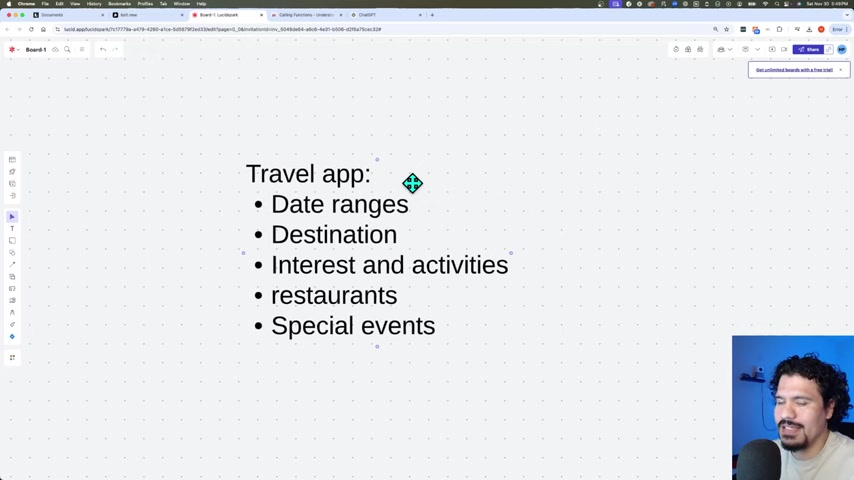
To test Bolt.new's capabilities, the presenter decides to create a basic travel application.
The initial prompt specifies that the app should allow users to:Define the desired Date Ranges for the project, as well as specific destinations and what is of interest to them as a user.
- Date Ranges.
- Specific Destinations.
- What activities they may wish to do.
- Find restaurants and places to eat.
- Special events.
There is a bit of vagueness in the details, but the presenter will explore what results based on some simple prompt and commands.
Initial Results: AI Assumptions and Deployment
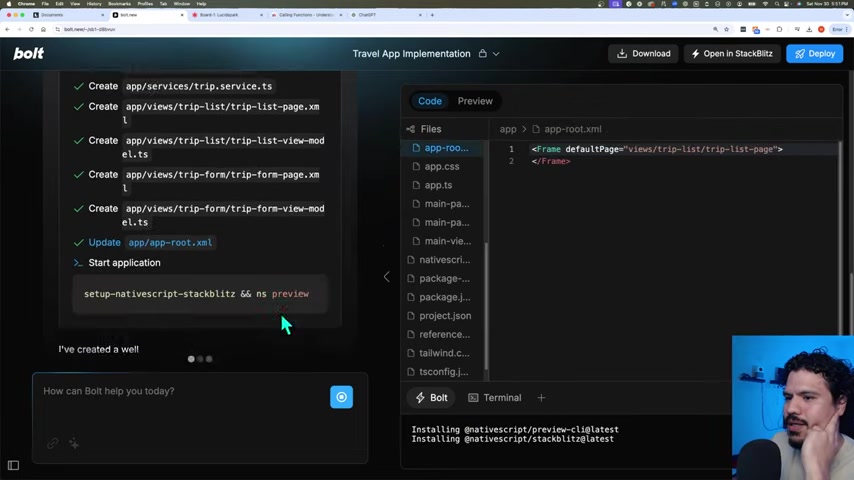
The initial request prompts and generated a full set of files and base level user interfaces very quickly.
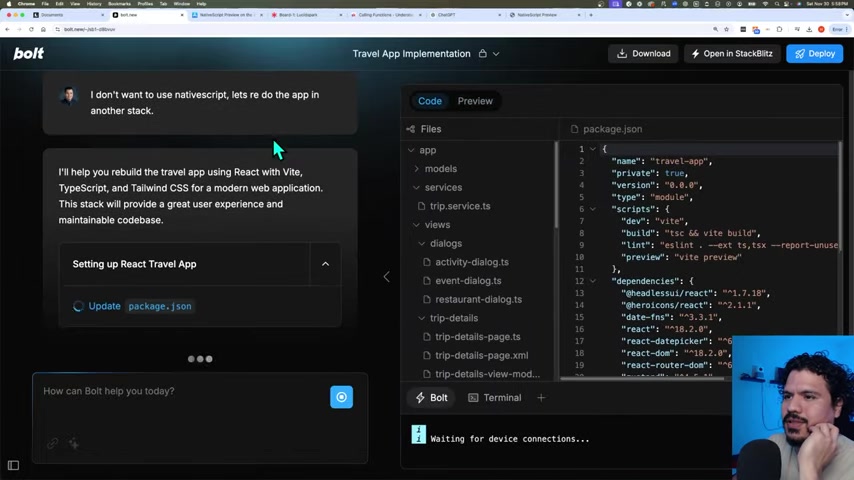
However a key error came up:
key error: The redirect-based authentication is more reliable than popup-based authentication, especially in environments like StackBlitz.
To better demonstrate some of the issues that had to be resolved, the presenter is choosing to upgrade the project to be a Pro license.





Most people like



































Report
Please select a reason for reporting
- 13 Reasons to Switch from Snapchat to Text Messaging
- 7 Powerful Speech to Text Apps to Boost Productivity
- 10 Best Speech to Text Tools for Effortless Transcription
- 13 Free Tools to Easily Transcribe Audio to Text
- 15 Surprising Ways Google's Speech-to-Text Boosts Productivity
- 7 Best Free Online Audio to Text Transcription Tools
- 9 Tips to Transcribe Speech to Text Faster and Better
- 13 Best Speech to Text Software for Windows 10 in 2023
- 7 Tips for Choosing the Best Transcriber for Audio to Text
- 11 Reasons Why Dragon Speech-to-Text Apps are Game-Changers
- 6 Secrets to Enhance Your Speech to Text Transcription
- 6 Brilliant Ways to Boost Productivity with Talk-to-Text on Your MacBook
- 6 Ways Transcription Software Converts Audio to Text
- 8 Tips to Transcribe Speech to Text Like a Pro
- 6 Reasons IBM Watson Speech to Text is a Game-Changer
- 14 Powerful Ways Talk-to-Text Improves Your Workflow
- 12 Top Windows Speech-to-Text Software for Efficient Transcription
- 12 Game-Changing Benefits of Apple's Speech to Text Technology
- 9 Powerful Use Cases for AWS Speech to Text Technology
- 10 Easy Steps to Transcribe YouTube Videos to Text
- transcription audio en texte
- online audio transcription
- free audio file transcription
- free ai audio transcription
- audio transcription service
- audio transcription online free
- audio transcription free online
- audio to transcription software
- audio and transcript
- ai audio transcription free
- voice recording to text converter
- translate voice recording to text
- record voice to text
- audio recording to text converter
- voice recording and transcription
- chatgpt voice to text
- gmail voice to text
- speech to text reader
- speech to text ai free
- speech to talk
- How SEO and Marketing Dashboards Empower Agencies to Drive Results
- How to Use AI Tools to Find Internal Linking Opportunities Across a Business Website
- Discover Your Perfect Haircut with AI Hairstyle Apps
- Free Reputation Calculator Tools: How They're Adapting to Score AI Visibility, Not Just Rankings
- Design Professional Flyers for Free on Your Phone
- Best Free Flyer Maker Apps for Android: Design Like a Pro
- How to Know If Your Business Is Ready for an AI Customer Service Agent
- Revolutionizing Storytelling: From Novels to Screenplays with AI
- Create Engaging Animated Explainer Videos with a Free AI Tool
- Stop Multi-Subscribing: Benchmark Top AI Visual Models in One Canvas
- AI & Elections: Defending Democracy Against Misinformation
- Navigating Political Discourse: AI, Deepfakes, and Reality Checks
- Detecting Political Bias in News Articles: A Powerful AI Algorithm
- AI Bias Unveiled: Political Leanings in ChatGPT & Beyond
- Revolutionize Learning: Discover Quizzes AI for Engaging Interactive Quizzes
- From AI-Generated to Audience-Ready: How Quillbot Humanize AI Is Changing the Content Editing Process
- Building an AI Writing Stack in 2026: LLMs, Detectors, and Humanizers
- 7 Top AI-Powered Database Assistant Platforms
- An Objective Look at Modern Web-Based Visual Modifications
- My Honest Experience with VideoAI: The Secret Weapon for Creators Who Need Character Voices

Copyright ©2026 toolify