































Table of Contents
- Key Points
- Understanding the Unstructured Data Challenge and Document AI
- Use Cases Across Industries
- Step-by-Step Guide to Using Snowflake Document AI
- Pros and Cons of Snowflake Document AI
- Frequently Asked Questions (FAQs)
- Related Questions


Understanding the Unstructured Data Challenge and Document AI
The Prevalence of Unstructured Data
It's commonly acknowledged that a staggering 80% of enterprise data exists in an unstructured format.
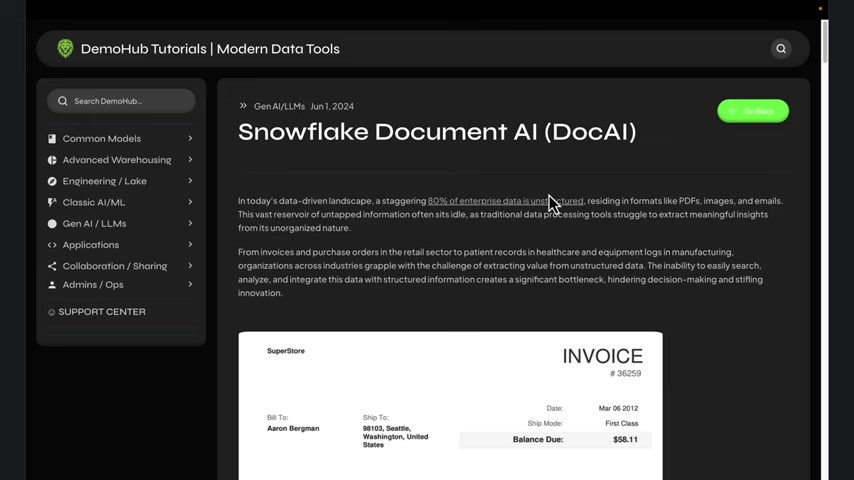
This data often resides in PDFs, images, videos, and emails, making it difficult for traditional data processing tools to extract meaningful insights. This vast reservoir of untapped information sits idle, representing a significant bottleneck for organizations across industries. The challenge lies in the inability to easily search, analyze, and integrate this data with structured information, hindering decision-making and stifling innovation. Understanding Snowflake and it's possibilities with AI is very useful and powerful with data.
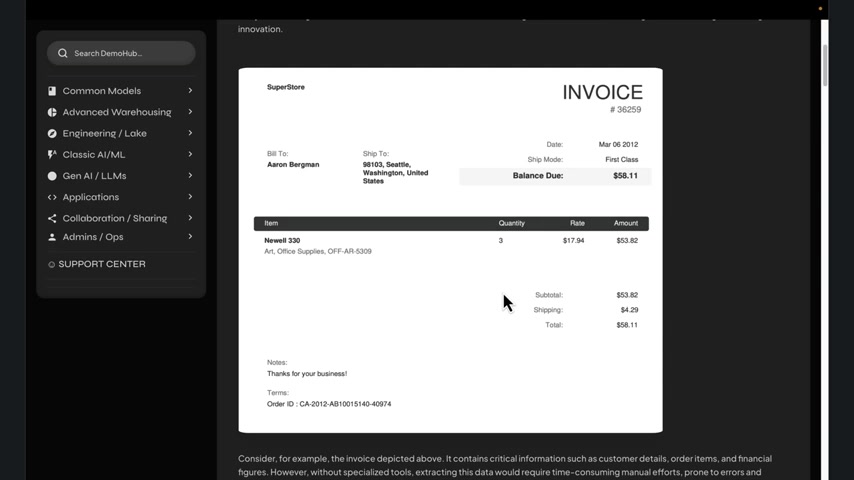
Without Document AI, accessing crucial insights from these sources requires manual effort, which is time-consuming, prone to errors, and costly. DocAI revolutionizes this process by providing an automated solution to unlock access to this previously inaccessible data.
Introducing Snowflake Document AI (DocAI)
Snowflake DocAI emerges as a powerful solution to address the unstructured data challenge.
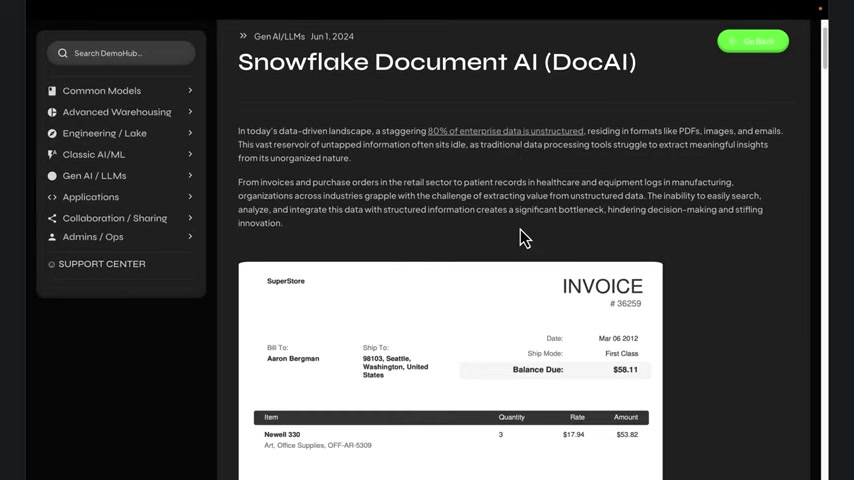
It leverages cutting-edge artificial intelligence (AI) to extract meaningful information from documents, regardless of their format. Snowflake DocAI excels in processing PDFs, receipts, inventory specifications, and other document types, transforming them into structured data ready for analysis. DocAI leverages zero-shot learning models. Zero-shot learning enables DocAI to extract data without extensive training on specific document types, making it highly adaptable and efficient. Snowflake's Document AI offering is incredibly powerful for turning unstructured data into useful information.
Step-by-Step Guide to Using Snowflake Document AI
Setting the Stage and Access Control for Document AI
Before diving into DocAI, it’s necessary to set up the Snowflake environment.
This involves creating a dedicated database, like invoicesdb, to keep the process organized. Setting up access controls for Document AI is crucial for granting the necessary permissions to the roles or users who will be working with it.
Here's how you can set it up:
USE ROLE accountadmin;

CREATE OR REPLACE ROLE doc_ai_role;
GRANT DATABASE ROLE SNOWFLAKE.DOCUMENT_INTELLIGENCE_CREATOR TO ROLE doc_ai_role;
GRANT USAGE ON DATABASE invoicesdb TO ROLE doc_ai_role;
GRANT USAGE ON DATABASE SNOWFLAKE_SAMPLE_DATA to ROLE doc_ai_role;
GRANT USAGE ON SCHEMA invoicesdb.public TO ROLE doc_ai_role;
GRANT USAGE, OPERATE ON WAREHOUSE demo_wh TO ROLE doc_ai_role;

GRANT CREATE STAGE ON SCHEMA invoicesdb.public TO ROLE doc_ai_role;
GRANT CREATE SNOWFLAKE.ML.DOCUMENT_INTELLIGENCE ON SCHEMA invoicesdb.public TO ROLE doc_ai_role;

GRANT CREATE STREAM, CREATE TABLE, CREATE TASK, CREATE VIEW ON SCHEMA invoicesdb.public TO ROLE doc_ai_role;
GRANT EXECUTE TASK ON ACCOUNT TO ROLE doc_ai_role;

GRANT ROLE doc_ai_role TO USER demo_user; -- Replace 'demo_user' with your Snowflake username
Storing and Preparing Invoice Data
For this demonstration, a sample invoice dataset is utilized, obtained from a GitHub repository.
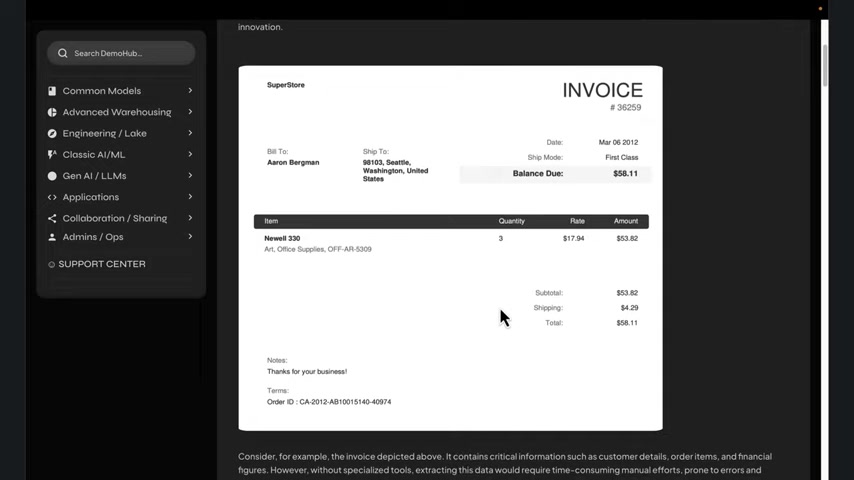
These invoices vary in layout and format, allowing us to demonstrate how Snowflake AI can adapt to different document structures. Preparing this invoice data involves creating an external stage and then a Snowflake stage to load the data into your Snowflake environment.
-
Create External Stage: Use the following script to create an external stage:
CREATE OR REPLACE STAGE DEMOHUB_S3_STG URL = 's3://demohubpublic/data/invoices/' DIRECTORY = (ENABLE = TRUE) COMMENT = 'Demohub S3 datasets'; -
Create Snowflake Stage: Next, create a Snowflake stage:
CREATE OR REPLACE STAGE invoices_stg DIRECTORY = (ENABLE = TRUE) ENCRYPTION = (TYPE = 'SNOWFLAKE_SSE'); -
Copy Data: Copy data from the S3 stage to the Snowflake stage:
COPY FILES INTO @invoices_stg FROM @DEMOHUB_S3_STG; -
Refresh the Snowflake stage:
ALTER STAGE invoices_stg REFRESH;
Pro Tip: Enable encryption (Server-Side Encryption) for added security
Training Custom AI Models in Snowsight
Although Snowflake Document AI provides a powerful pre-trained model, fine-tuning it to specific document types and extraction needs is crucial for optimal performance.
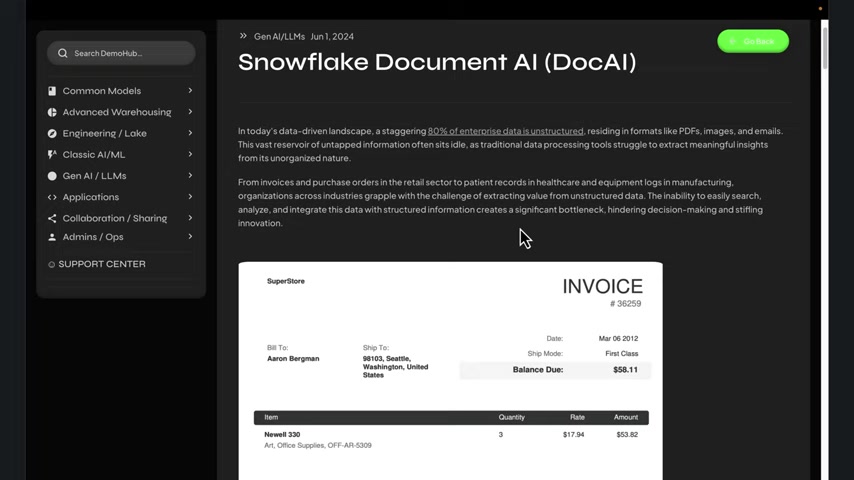
Here is how you do it. Snowsight’s intuitive web interface provides a streamlined way to train, version, and publish models.
- Access Document AI: In Snowsight, navigate to AI & ML > Document AI.
- Select Your Model: Choose the model you want to train from the list of existing builds.
- Upload Documents: Upload a set of representative documents for training. Ensure these documents are labeled with the correct information you want to extract.
- Label Fields (Optional): If your model requires more specific training, manually label the relevant fields in the documents within Snowsight.
- Start Training: Click the “Train Model” button. Snowflake will process your labeled documents and fine-tune the model’s parameters.
- Monitor Progress: Monitor the training progress in Snowsight. This typically involves evaluating the model’s performance on a separate set of validation documents.
- Iterate (Optional): If the model’s accuracy isn’t satisfactory, iterate on the training process by adding more labeled documents, refining labels, or adjusting model parameters.
Pro Tip: Prompt Design is crucial for accurate and effective data extraction, you can either use
- Direct Prompts: Concise questions like “What is the bill to name?” or “What is the invoice Number?
- Elaborate Prompts: More natural language-oriented questions like “Who is the billing being sent to?” or “What is the reference number for this invoice?
Testing Document AI Predictions
With the data in place, you can test Document AI’s predictions on a few sample invoices.
SELECT invoicesdb.public.DocAI:predict(
get_presigned_url(@invoices_stg, relative_path, 1), 1)
FROM DIRECTORY(@invoices_stg) limit 2;
This is just a test of the out of the box model. Snowflake gives you complete flexibility for your data analysis.
Storing and Processing Predictions
Here is how to store and process the predictions:
CREATE OR REPLACE TABLE Invoices_fields AS
SELECT *,
invoicesdb.public.DocAI:predict(
get_presigned_url(@invoices_stg, relative_path), 1) as predictions
FROM DIRECTORY(@invoices_stg) limit 10;
Flatten the JSON results into a usable table by using the following SQL code.
CREATE OR REPLACE TABLE Invoices AS
SELECT
predictions:ORDER_ID:value::STRING as ORDER_ID,
predictions:BILL_TO:value::STRING as BILL_TO,
predictions:SHIP_TO:value::STRING as SHIP_TO,
predictions:DATE:value::STRING as DATE,
predictions:INVOICE_NUMBER:value::STRING as INVOICE_NUMBER,
predictions:ITEM_NAME:value::STRING as ITEM_NAME,
predictions:QUANTITY:value::STRING as QUANTITY,
predictions:ITEM_RATE:value::STRING as ITEM_RATE,
predictions:SUBTOTAL:value::STRING as SUBTOTAL,
predictions:DISCOUNT_AMT:value::STRING as DISCOUNT_AMT,
predictions:ITEM_AMT:value::STRING as ITEM_AMT,
predictions:SHIPPING_AMT:value::STRING as SHIPPING_AMT,
predictions:TOTAL_AMOUNT:value::STRING as TOTAL_AMOUNT,
predictions:BALANCE_DUE:value::STRING as BALANCE_DUE,
predictions:SHIP_MODE:value::STRING as SHIP_MODE,
predictions:NOTES:value::STRING as NOTES,
FILE_URL
FROM invoices_fields;
Creating Views for Analysis
Let’s create a view to focus on high-value invoices shipped via “First Class”:
CREATE OR REPLACE VIEW high_value_invoices AS
SELECT
ORDER_ID,
ITEM_NAME,
TOTAL_AMOUNT,
BALANCE_DUE,
SHIP_MODE,
QUANTITY,
ITEM_RATE
FROM Invoices
WHERE SHIP_MODE = 'First Class'
AND CAST(TOTAL_AMOUNT AS DECIMAL) > 100;
This view allows to easily query and analyze these specific invoices.





Most people like


































Report
Please select a reason for reporting
- 13 Reasons to Switch from Snapchat to Text Messaging
- 7 Powerful Speech to Text Apps to Boost Productivity
- 10 Best Speech to Text Tools for Effortless Transcription
- 13 Free Tools to Easily Transcribe Audio to Text
- 15 Surprising Ways Google's Speech-to-Text Boosts Productivity
- 7 Best Free Online Audio to Text Transcription Tools
- 9 Tips to Transcribe Speech to Text Faster and Better
- 13 Best Speech to Text Software for Windows 10 in 2023
- 7 Tips for Choosing the Best Transcriber for Audio to Text
- 11 Reasons Why Dragon Speech-to-Text Apps are Game-Changers
- 6 Secrets to Enhance Your Speech to Text Transcription
- 6 Brilliant Ways to Boost Productivity with Talk-to-Text on Your MacBook
- 6 Ways Transcription Software Converts Audio to Text
- 8 Tips to Transcribe Speech to Text Like a Pro
- 6 Reasons IBM Watson Speech to Text is a Game-Changer
- 14 Powerful Ways Talk-to-Text Improves Your Workflow
- 12 Top Windows Speech-to-Text Software for Efficient Transcription
- 12 Game-Changing Benefits of Apple's Speech to Text Technology
- 9 Powerful Use Cases for AWS Speech to Text Technology
- 10 Easy Steps to Transcribe YouTube Videos to Text
- transcription audio en texte
- online audio transcription
- free audio file transcription
- free ai audio transcription
- audio transcription service
- audio transcription online free
- audio transcription free online
- audio to transcription software
- audio and transcript
- ai audio transcription free
- voice recording to text converter
- translate voice recording to text
- record voice to text
- audio recording to text converter
- voice recording and transcription
- chatgpt voice to text
- gmail voice to text
- speech to text reader
- speech to text ai free
- speech to talk
- Meshy AI: How to Create 3D Models from Text and Images
- How SEO and Marketing Dashboards Empower Agencies to Drive Results
- How to Use AI Tools to Find Internal Linking Opportunities Across a Business Website
- Discover Your Perfect Haircut with AI Hairstyle Apps
- Free Reputation Calculator Tools: How They're Adapting to Score AI Visibility, Not Just Rankings
- Design Professional Flyers for Free on Your Phone
- Best Free Flyer Maker Apps for Android: Design Like a Pro
- How to Know If Your Business Is Ready for an AI Customer Service Agent
- Revolutionizing Storytelling: From Novels to Screenplays with AI
- Create Engaging Animated Explainer Videos with a Free AI Tool
- Automate Lead Generation: A Comprehensive Guide with AI Agents
- Revideo.io: The Future of Reverse Video Search Technology
- Revolutionizing Email Marketing Agency with AI
- Breaking the Character Drift Dilemma: A Practical Test of Smart Shot
- Meshy AI: How to Create 3D Models from Text and Images
- ASOMobile Helps Teams Benchmark App Store Screenshots Against Competitors
- How to Match LMS Software With Your Organization's Training Plan
- How to Convert BTC to HNT
- Unleashing the Power of AI: Cognizant's Roadmap for Transformation
- Frame to Video Review: A Practical Look at Turning Two Still Frames Into Motion

Copyright ©2026 toolify