































Table of Contents
- Key Points
- Delving Into Copilot Studio's Autonomous Agent Capabilities
- Potential Challenges and Common Pitfalls
- Building an Autonomous Agent: Step-by-Step
- Understanding the Cost of Autonomous Power
- Autonomous Agents: Weighing the Advantages and Disadvantages
- FAQ
- Related Questions


Delving Into Copilot Studio's Autonomous Agent Capabilities
What are Autonomous Agents?
Autonomous agents represent a paradigm shift in how we interact with technology.
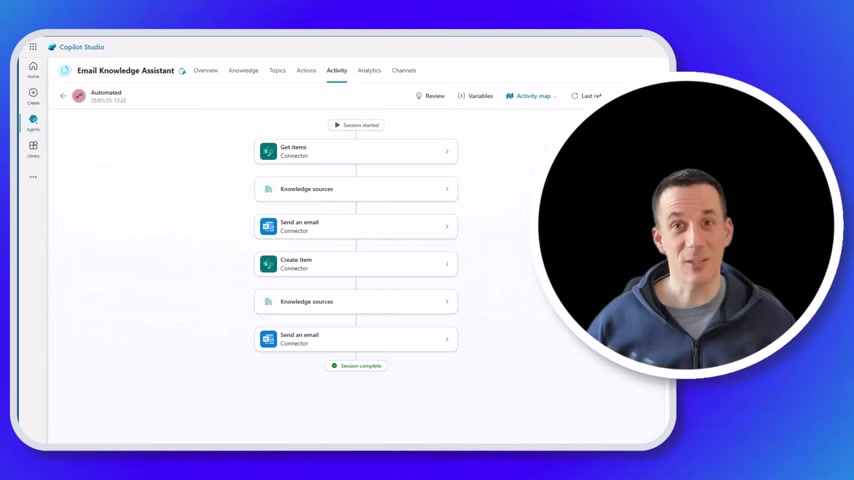
Unlike traditional bots that require explicit instructions at every step, autonomous agents can make decisions and execute tasks independently, dynamically adjusting their actions based on the situation. Within Copilot Studio, this capability opens up vast possibilities for automating complex workflows and freeing up human agents to focus on more strategic initiatives.
The core concept is empowering the agent with a set of instructions and the ability to access both internal and external knowledge sources. This allows the agent to understand the user's intent, devise a plan to fulfill that intent, and then execute the plan without requiring constant human intervention. It’s a move towards task completion, not just information retrieval.
Building a Proof of Concept: Core Elements and Key Considerations
When embarking on building your autonomous agent within Copilot Studio, it is important to focus on the core elements required for its efficient function. Building a proof of concept (POC) is a good start. You may not need to develop the full end-to-end workflow right away, but you should be able to explain the autonomous functionality . Below are the key parts:
- Knowledge: The agent leverages general world knowledge for broader application.
- Actions: The agent is enabled to complete specific tasks. Actions involve actions such as retrieving data (Retrieval) and executing task (Tasks).
- Instructions: Explicit and clear directions that guide the agent's behavior. The instructions define how different actions are orchestrated.
- Triggers: Set up the agent to activate when certain events happen, such as receiving an email. Autonomous agents need triggers.
Understanding General Knowledge in Copilot Studio
General knowledge capabilities is key to autonomous agent development. Copilot Studio agents access a vast amount of information from across the web, drawing insights from the models they were trained on. It's important to understand the AI used was trained in October 2023.
This access enables agents to interpret user requests and formulate responses, but it's important to consider whether or not this access should be limited to only internal knowledge sources depending on agent use.
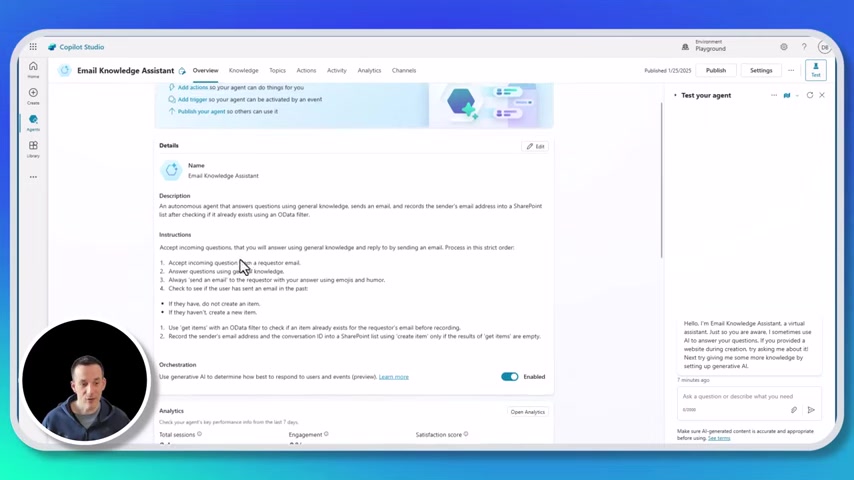
A good strategy is to ensure only the ‘General Knowledge’ is turned on.
Turning on this setting allows the AI to use its own general knowledge to give more accurate responses.
Actions: Empowering Your Agent to Do More
Actions empower your Copilot Studio agent to complete specific tasks.
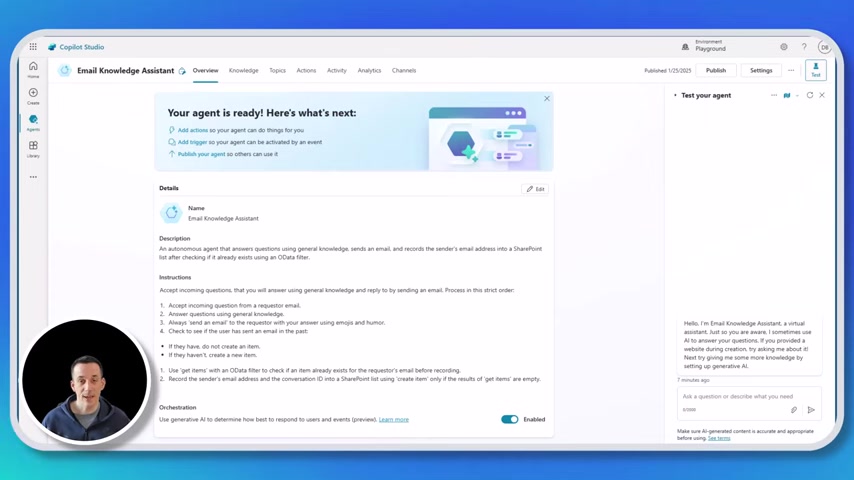
These are pre-built connectors to systems and services that enable your agent to interact with the real world. Examples include:
- Sending an Email: Allows the agent to communicate information or updates to users.
- Creating Items in SharePoint: Useful for logging requests, tasks, or other data points.
- Getting Items from SharePoint: Enables the agent to retrieve information from a SharePoint list, which can be used for decision-making or providing personalized responses.
Triggers: The Key to Autonomous Function
Triggers are what set autonomous agents apart from traditional chatbots. Rather than waiting for a user to initiate a conversation, autonomous agents are activated by specific events.
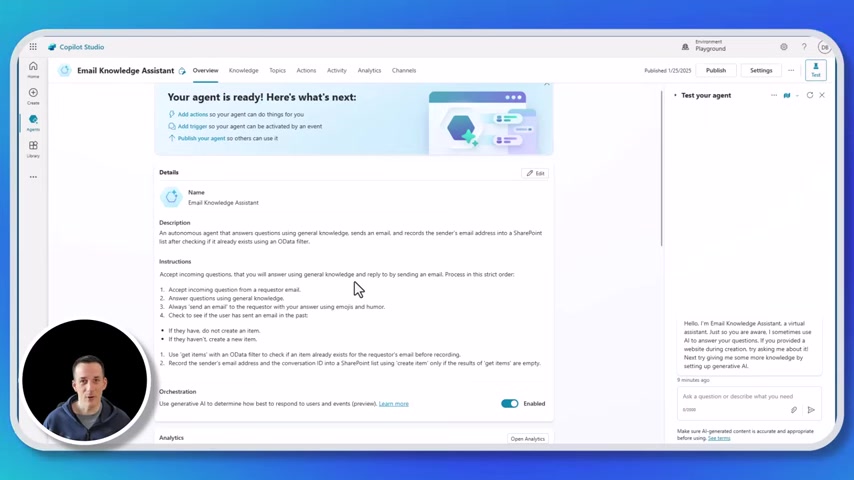
This means agents will be able to perform autonomous tasks through the trigger capabilities.
In this case, the trigger will be when a new email arrives. In other words, setting up your agent to activate when certain events occur.
By setting up a trigger you will then be able to trigger the agent.
The Magic of Generative Orchestration
Generative AI orchestration is the engine that drives the decision-making process of the autonomous agent.
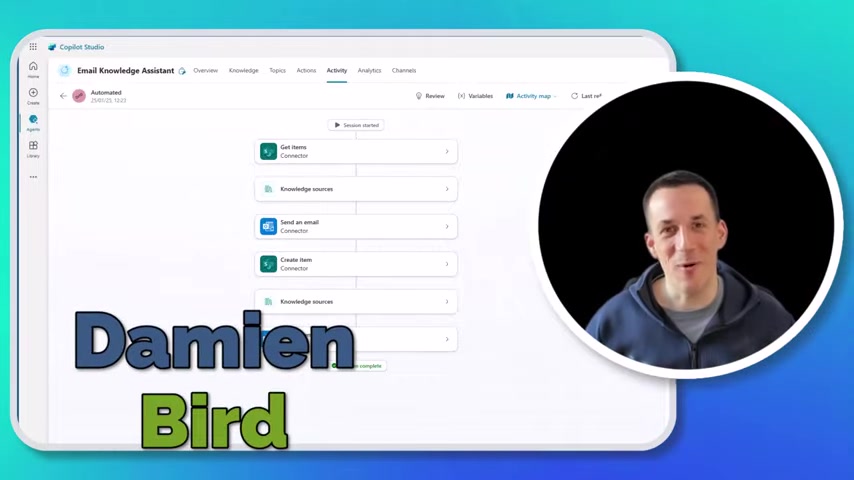
It enables the agent to determine the best Course of action based on the information it has access to, the instructions it has been given, and the specific user's context. This is where the agent decides how actions are performed, and what order they follow.
Understanding Activity and Analytics
Copilot Studio provides tools for debugging and understanding the behavior of your autonomous agents.
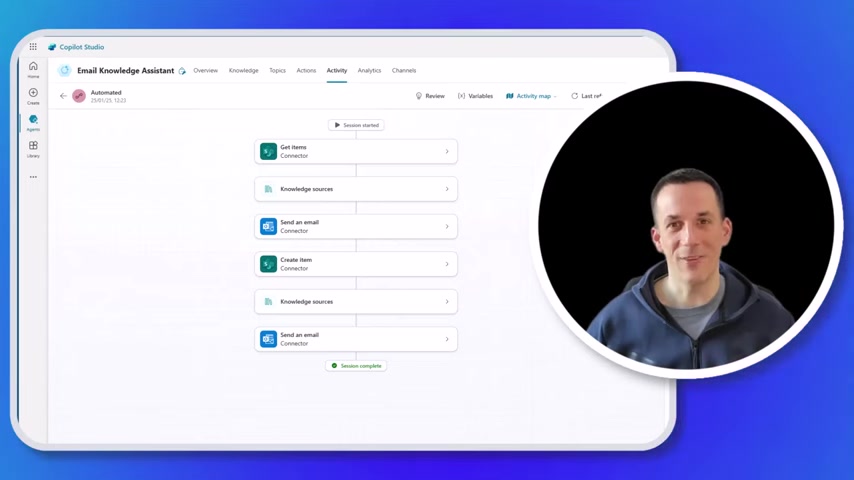
The activity tab will provide information to allow you to view the series of different conversations that you have with your agent.
By reviewing the transcripts and you will gain insights into how your agent is interpreting requests, how it is using knowledge sources, and how it is performing its actions. This data allows for continuous refinement and improvement of the agent's performance.





Most people like


































Report
Please select a reason for reporting
- 13 Reasons to Switch from Snapchat to Text Messaging
- 7 Powerful Speech to Text Apps to Boost Productivity
- 10 Best Speech to Text Tools for Effortless Transcription
- 13 Free Tools to Easily Transcribe Audio to Text
- 15 Surprising Ways Google's Speech-to-Text Boosts Productivity
- 7 Best Free Online Audio to Text Transcription Tools
- 9 Tips to Transcribe Speech to Text Faster and Better
- 13 Best Speech to Text Software for Windows 10 in 2023
- 7 Tips for Choosing the Best Transcriber for Audio to Text
- 11 Reasons Why Dragon Speech-to-Text Apps are Game-Changers
- 6 Secrets to Enhance Your Speech to Text Transcription
- 6 Brilliant Ways to Boost Productivity with Talk-to-Text on Your MacBook
- 6 Ways Transcription Software Converts Audio to Text
- 8 Tips to Transcribe Speech to Text Like a Pro
- 6 Reasons IBM Watson Speech to Text is a Game-Changer
- 14 Powerful Ways Talk-to-Text Improves Your Workflow
- 12 Top Windows Speech-to-Text Software for Efficient Transcription
- 12 Game-Changing Benefits of Apple's Speech to Text Technology
- 9 Powerful Use Cases for AWS Speech to Text Technology
- 10 Easy Steps to Transcribe YouTube Videos to Text
- transcription audio en texte
- online audio transcription
- free audio file transcription
- free ai audio transcription
- audio transcription service
- audio transcription online free
- audio transcription free online
- audio to transcription software
- audio and transcript
- ai audio transcription free
- voice recording to text converter
- translate voice recording to text
- record voice to text
- audio recording to text converter
- voice recording and transcription
- chatgpt voice to text
- gmail voice to text
- speech to text reader
- speech to text ai free
- speech to talk
- ChatGPT Knows Ford. It Just Doesn't Quote Ford
- Meshy AI: How to Create 3D Models from Text and Images
- How SEO and Marketing Dashboards Empower Agencies to Drive Results
- How to Use AI Tools to Find Internal Linking Opportunities Across a Business Website
- Discover Your Perfect Haircut with AI Hairstyle Apps
- Free Reputation Calculator Tools: How They're Adapting to Score AI Visibility, Not Just Rankings
- Design Professional Flyers for Free on Your Phone
- Best Free Flyer Maker Apps for Android: Design Like a Pro
- How to Know If Your Business Is Ready for an AI Customer Service Agent
- Revolutionizing Storytelling: From Novels to Screenplays with AI
- Your Business Data Could Be Worth Up to $4M. Find Out Without Uploading a Single File.
- Can an eSIM Plan Save You Time During Travel Setup?
- AI Video Editor Review: A Hands-On Look at Prompt-Based Video Editing
- Keep Characters Consistent Across Scenes With Image-to-Video AI
- How to Convert BTC to HNT
- ProxyWing DuckDuckGo Proxy Review: Plans, Setup and Who It Is For
- ChatGPT Knows Ford. It Just Doesn't Quote Ford
- Automate Lead Generation: A Comprehensive Guide with AI Agents
- Revideo.io: The Future of Reverse Video Search Technology
- Revolutionizing Email Marketing Agency with AI

Copyright ©2026 toolify