































Table of Contents
- Key Points
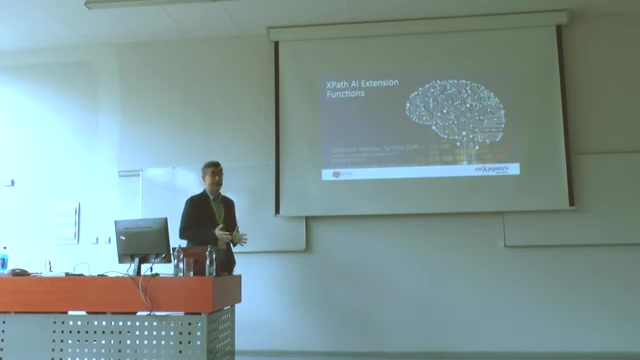
- XPath AI Extension Functions: Revolutionizing XML Content
- A Deeper Look Into Ai's Role
- How to use Xpath AI extension functions
- FAQ
- Related Questions



XPath AI Extension Functions: Revolutionizing XML Content
Harnessing AI for Content Transformation
The core idea is that you can leverage AI to dramatically transform content.
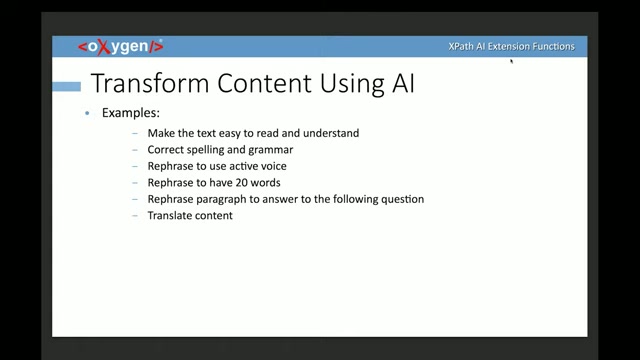
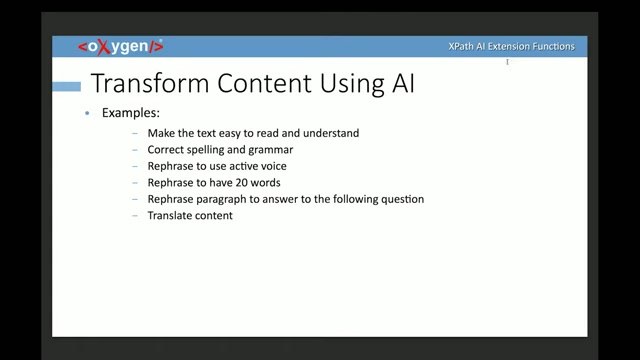
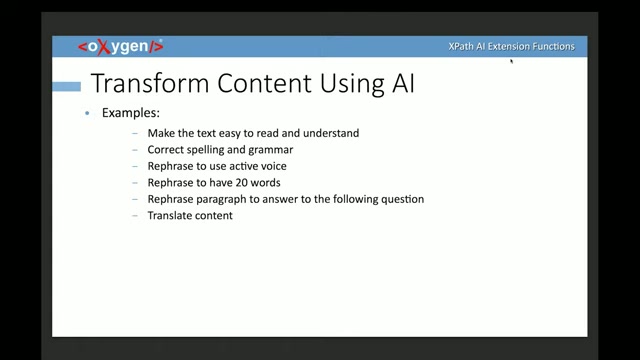
This is especially beneficial when dealing with large XML documents or when aiming for specific stylistic or readability goals. Some examples include:
- Simplifying Text for Readability: AI can make complex technical jargon more accessible to a wider audience.
- Correcting Spelling and Grammar: Ensure accuracy and professionalism with automated error correction.
- Active Voice Conversion: Transform passive voice into a more engaging and direct active voice.
- Content Length Optimization: Rephrasing to meet specific WORD count requirements.
- Question Answering: AI can adapt paragraphs to directly answer specific questions, improving information retrieval.
- Translation: Seamlessly Translate XML content between languages. These capabilities can significantly reduce the time and effort involved in content refinement, allowing users to focus on the core message and its effective delivery.
AI-Powered Content Generation
AI can also be used to automatically generate contents!
Beyond transformation, AI can also be instrumental in generating XML content from scratch. This opens up new possibilities for automated documentation and content creation. Consider these use cases:
- Template File Generation: Quickly generate a template file.
- Table Completion: Use AI to add missing cells to tables.
- Schema-Based Content: Automatically create content that conforms to a defined XML schema.
- Code Documentation: Automate the creation of documentation for code segments.
- Code Explanation: AI can explain the function for current code blocks. By leveraging AI for content generation, you can accelerate development cycles and ensure consistency across your XML documents.
AI-Driven Content Verification
AI verification can offer an unparalleled level of quality control for XML content. AI offers powerful tools for verifying the accuracy, style, and overall quality of XML content. Some examples of verification with AI are as follows:
- Readability Assessment: Determine if the text is easy to read and understand.
- Spelling and Grammar Checks: Perform advanced grammar checks.
- Active/Passive Voice Analysis: Verify the correct use of voice.
- Style Guide Adherence: Ensure content adheres to a predefined style guide.
- Question Alignment: Check if the content answers specific questions. By using AI to check, the content generated follows all rules or guidelines. This is especially critical in highly regulated industries or when dealing with complex technical documentation where accuracy is paramount.
XPath AI Extension Functions in Detail
The core of this AI integration lies in new XPath extension functions that call AI engine APIs.
The extension functions allow users to interact with the AI engine through Xpath expressions. These functions can differ depending on the AI model you are using.
The 2 main functions provided are as follows:
- ai:transform-content(): This function transforms content based on an instruction provided by the user. It takes an instruction STRING and the content to be transformed as input and returns the generated content.
- ai:verify-content(): This function verifies content against a user-provided instruction. It takes an instruction string and the content as input and returns a boolean value (true or false) indicating whether the content meets the specified criteria. These functions provide a flexible and powerful way to integrate AI into your XML workflows directly within the XPath environment.
Transform Content Function Explained
The transform content function provides a specific Prompt on built in prompts, using the user specified instruction, along with the content to be transformed. This function gives OxygenXML users 2 parameters:
- Instruction
- Content
For example, consider that Oxygen XML Editor is automatically adding the following built in prompt: 'You are a developer and you need to perform the following task:'. Adding the prompt:' Rephrase to use active voice'. Oxygen will automatically convert from passive to active voices!
Verify Content Function Explained
This function allows the user to verify all content by specifying the instructions, and the content that is meant to be verified with true or false. It makes use of a built-in prompt function.
Like you're a technical Writer you need to verify the following and respond to the question or request with 'true or false'
'Is active voice used in the description'!
This uses the string parameter instruction to verify the content and return either true or false based on this.
Advanced Transform Content: Context-Aware Transformations
Recent enhancements introduce a more detailed context using (user, agent) pairs. This expands the capabilities of the transform content function by incorporating a history of the discussion, enabling more nuanced and context-aware transformations. To do so, use the following method ai:transform-content(instruction,(user,agent)*, content).
The example they use uses the following action: Act as a technical writer and perform the following task. rephrase to use active voice. Choose the best variant based on the strong points. Provide 3 variants. Provide strong points. Adding User entry: how to correct. What this does is it allows the writer to use specific users based to the strong points! It helps create a better output in all facets!
Leveraging AI Functions in Schematron and SQF
These functions, in turn, enables Schematron and SQF to check and automatically correct things in XML files.
XPath AI extension functions can also be used in Schematron and SQF rules, enabling automated content verification and correction. This allows you to embed AI-powered quality control directly into your validation workflows.
Example functionalities include:
- Schematron: Automatically verify that documents can use AI.
- SQF: Correct the code to work with AI. This integration ensures that your XML content adheres to your quality standards.
Unlocking AI Potential in XSL and XQuery
These allow the power of AI to automatically change content in code, with features including:
- Using AI to automatically translate content.
- Adding refactoring based on AI!







Most people like






























Report
Please select a reason for reporting
- 13 Reasons to Switch from Snapchat to Text Messaging
- 7 Powerful Speech to Text Apps to Boost Productivity
- 10 Best Speech to Text Tools for Effortless Transcription
- 13 Free Tools to Easily Transcribe Audio to Text
- 15 Surprising Ways Google's Speech-to-Text Boosts Productivity
- 7 Best Free Online Audio to Text Transcription Tools
- 9 Tips to Transcribe Speech to Text Faster and Better
- 13 Best Speech to Text Software for Windows 10 in 2023
- 7 Tips for Choosing the Best Transcriber for Audio to Text
- 11 Reasons Why Dragon Speech-to-Text Apps are Game-Changers
- 6 Secrets to Enhance Your Speech to Text Transcription
- 6 Brilliant Ways to Boost Productivity with Talk-to-Text on Your MacBook
- 6 Ways Transcription Software Converts Audio to Text
- 8 Tips to Transcribe Speech to Text Like a Pro
- 6 Reasons IBM Watson Speech to Text is a Game-Changer
- 14 Powerful Ways Talk-to-Text Improves Your Workflow
- 12 Top Windows Speech-to-Text Software for Efficient Transcription
- 12 Game-Changing Benefits of Apple's Speech to Text Technology
- 9 Powerful Use Cases for AWS Speech to Text Technology
- 10 Easy Steps to Transcribe YouTube Videos to Text
- transcription audio en texte
- online audio transcription
- free audio file transcription
- free ai audio transcription
- audio transcription service
- audio transcription online free
- audio transcription free online
- audio to transcription software
- audio and transcript
- ai audio transcription free
- voice recording to text converter
- translate voice recording to text
- record voice to text
- audio recording to text converter
- voice recording and transcription
- chatgpt voice to text
- gmail voice to text
- speech to text reader
- speech to text ai free
- speech to talk
- How SEO and Marketing Dashboards Empower Agencies to Drive Results
- How to Use AI Tools to Find Internal Linking Opportunities Across a Business Website
- Discover Your Perfect Haircut with AI Hairstyle Apps
- Free Reputation Calculator Tools: How They're Adapting to Score AI Visibility, Not Just Rankings
- Design Professional Flyers for Free on Your Phone
- Best Free Flyer Maker Apps for Android: Design Like a Pro
- How to Know If Your Business Is Ready for an AI Customer Service Agent
- Revolutionizing Storytelling: From Novels to Screenplays with AI
- Create Engaging Animated Explainer Videos with a Free AI Tool
- Stop Multi-Subscribing: Benchmark Top AI Visual Models in One Canvas
- Frame to Video Review: A Practical Look at Turning Two Still Frames Into Motion
- NVIDIA NIM: Revolutionizing Supply Chain Data Analysis with AI
- Top AI Tools That Help Brands Stand Out Offline (Not Just Online)
- Top 5 Cold Email Software: Maximize Your Outreach in 2025
- Magic School AI: Revolutionizing Quiz & Assessment Generation
- Create Your Own Email Bot and Automate Your Email Tasks
- Beyond Pure Prompts: Optimizing Production with 'Text With Reference' Generation
- Stop Using Boring TTS: My Honest Deep Dive Into VideoAI and the Hunt for the Perfect Custom Voices
- AI & Elections: Defending Democracy Against Misinformation
- Navigating Political Discourse: AI, Deepfakes, and Reality Checks

Copyright ©2026 toolify