































Table of Contents
- Key Points
- Setting Up Your YouTube Script Summarizer
- Practical Tips and Considerations
- Advantages and Limitations of GenAI Tools
- FAQ
- Related Questions



Setting Up Your YouTube Script Summarizer
Understanding the Project Goals
The goal of this project is to create a tool that automatically summarizes the script from any YouTube video. This involves several key steps:
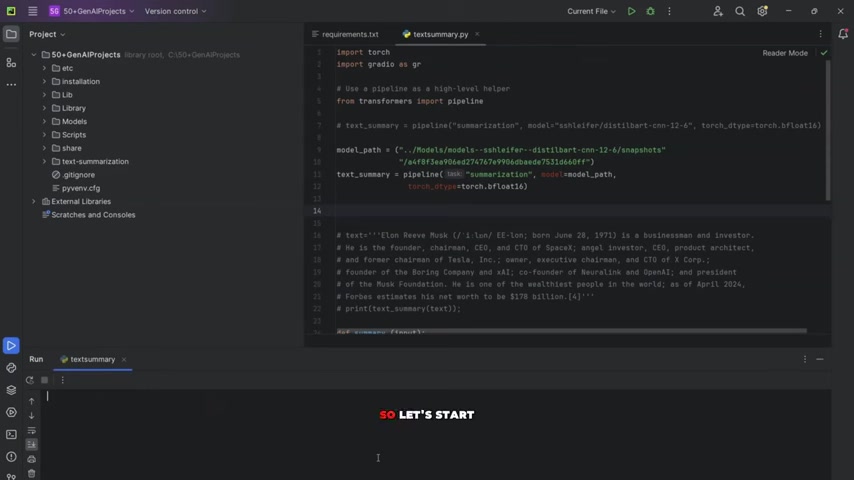
- Extracting the Transcript: The first step is to extract the transcript from a YouTube video using its URL. This is crucial for obtaining the text content that needs to be summarized.
- Summarizing the Text: Next, we need to summarize the extracted text. This is where the DistilBART CNN 12-6 model comes into play. It will condense the lengthy transcript into a shorter, more digestible summary.
- Creating a User Interface: To make the tool accessible and user-friendly, we will create a simple user interface using Gradio. This interface will allow users to input a YouTube URL and receive the summarized text.
- Deployment: Finally, we'll deploy the entire project on Hugging Face. This makes the Summarizer accessible to anyone with an internet connection and a Hugging Face account, promoting collaboration and sharing.
By the end of this Tutorial, you'll have a working YouTube script summarizer that you can use for your own projects or share with others. This project will boost your SEO efforts by easily creating concise descriptions for videos or providing quick summaries for research purposes. Remember, this script summarizer utilizes GenAI and open-source models to deliver top-notch results.
Leveraging DistilBART CNN 12-6 for Summarization
The DistilBART CNN 12-6 model is a powerful open-source model specifically designed for text summarization. It is a distilled version of the BART (Bidirectional and Auto-Regressive Transformer) model, making it smaller and faster while maintaining high summarization quality.
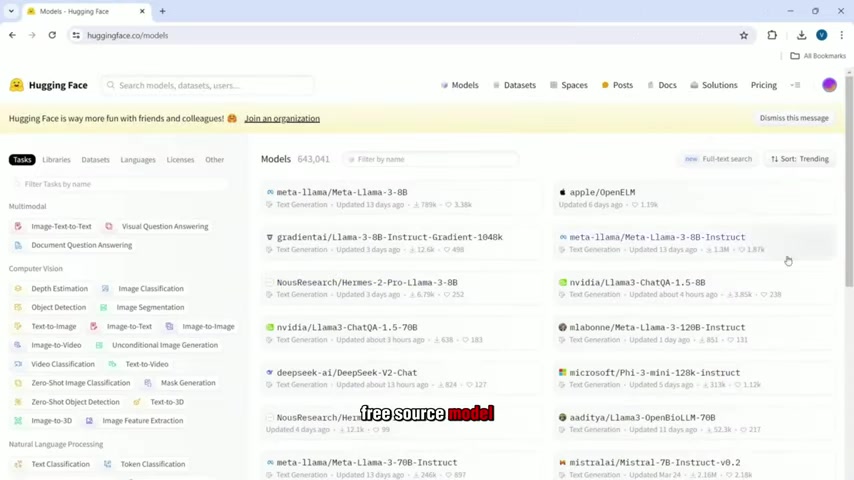
- Why DistilBART CNN 12-6? This model is ideal for our project because it balances efficiency and accuracy. Its smaller size means it requires less computational power, making it suitable for deployment on platforms like Hugging Face. Its transformer-based architecture enables it to understand context and generate coherent summaries.
- How It Works: DistilBART CNN 12-6 utilizes a bidirectional encoder and an auto-regressive decoder. The encoder processes the input text (the YouTube transcript), and the decoder generates the summary based on the encoded information. The model is pre-trained on a large corpus of text and fine-tuned for summarization tasks, ensuring it can handle a wide range of content.
Using this model, you can be confident that your YouTube script summarizer will deliver accurate and concise summaries efficiently. This is especially useful for SEO, where short and precise descriptions can improve search rankings and attract more viewers.
Extracting YouTube Transcripts with Python
Before summarizing, we need the actual text from the YouTube video. This is achieved by extracting the video's transcript using Python. There are several libraries available for this purpose, including youtube-transcript-api.
- Why Use
youtube-transcript-api? This library is specifically designed for extracting transcripts from YouTube videos. It's simple to use and handles various complexities, such as videos with automatically generated captions or videos with multiple language captions. -
Installation: To use the
youtube-transcript-api, you need to install it using pip. Open your terminal and run the following command:pip install youtube_transcript_api -
Code Snippet: Here’s a basic Python snippet to extract the transcript:
from youtube_transcript_api import YouTubeTranscriptApi

try:
    transcript = YouTubeTranscriptApi.get_transcript(video_id)
    for entry in transcript:
        print(entry['text'])
except Exception as e:
    print(f"An error occurred: {e}")
This code snippet demonstrates how to fetch and print the transcript from a YouTube video. Remember to replace video_id with the actual ID of your YouTube video. This is a foundational step for creating an efficient YouTube script summarizer that works every time.
Gradio Interface for Easy Summarization
To make your YouTube script summarizer user-friendly, creating a graphical interface is essential. Gradio is a Python library that simplifies the process of building customizable user interfaces for machine learning models. Gradio excels at allowing users to interact with models without complex coding.
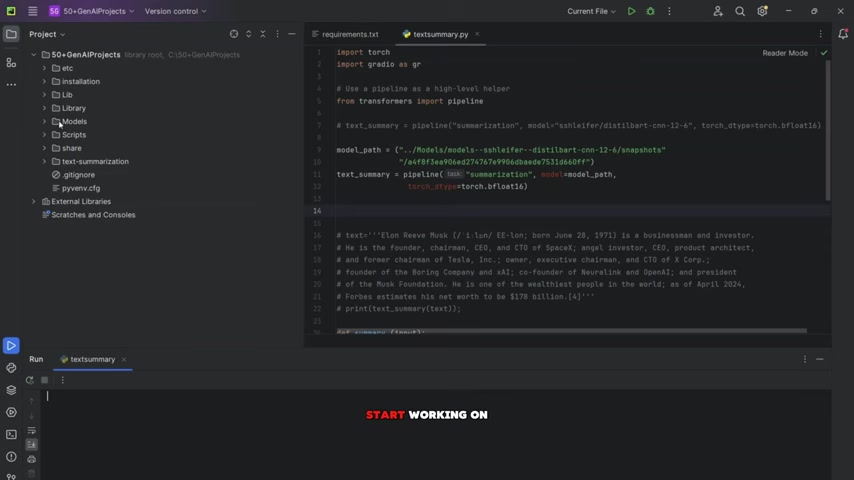
- Why Gradio? Gradio is easy to learn and use. You can quickly create an interface with just a few lines of code. Gradio supports various input and output types, including text, images, audio, and video. It's also designed for easy deployment on platforms like Hugging Face.
-
Installation: Install Gradio using pip:
pip install gradio -
Code Snippet: Below is a basic Gradio interface for the text summarizer:
import gradio as gr

def summarize_text(input_text):
    # Your summarization logic here
    return "Summarized text"

iface = gr.Interface(
    fn=summarize_text,
    inputs="text",
    outputs="text",
    title="YouTube Script Summarizer",
    description="Enter a YouTube URL to summarize its transcript."
)
iface.launch()
This code snippet provides a basic Gradio interface with a text input box and a text output box. Replace the placeholder summarization logic with your DistilBART CNN 12-6 model to make the interface functional. This interface will make it easy for anyone to use your YouTube script summarizer without technical expertise.
Step-by-Step Guide: Integrating Components and Deploying
Now, let's combine all components to create a fully functional and deployed YouTube script summarizer. Here’s a step-by-step guide:
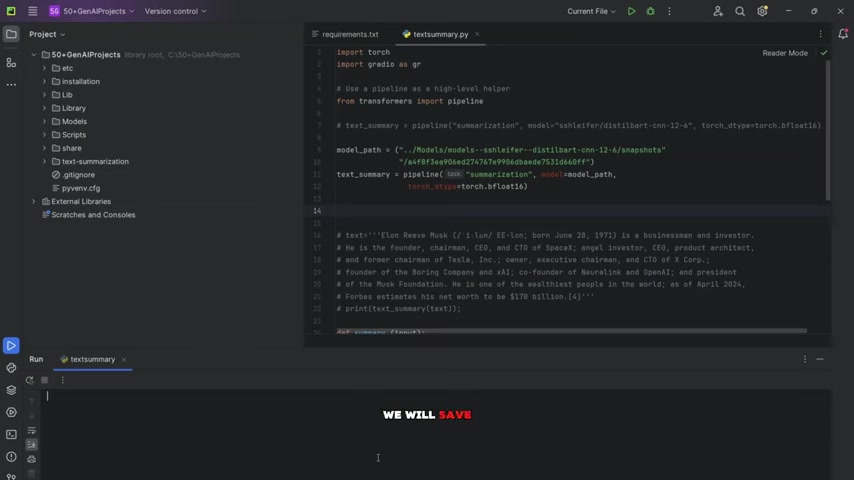
- Extract YouTube Transcript Function: Begin by crafting a Python function that takes a YouTube URL as input and outputs the video’s transcript. Utilize the
youtube-transcript-apifor this task. Error handling is vital. - Summary Creation: Integrate the DistilBART CNN 12-6 model, using the text obtained from step 1. You’ll first load the model and the tokenizer, then summarize the text. Consider limiting the maximum length of the generated summary for optimal results.
- Putting It All Together with Gradio: Connect the transcript extraction function with the text summarization model. Create a Gradio interface that allows users to input the YouTube URL and displays the resulting summary. The input should be a text box, and the output can also be a text box. Set the title and description to make the interface intuitive.
- Create a
requirements.txtFile: Create arequirements.txtfile with all the necessary dependencies. This file is used by Hugging Face to install the required libraries for your project. Include the dependencies transformers, torch, and gradio. - Ready for Hugging Face Deployment: Upload all files to your Hugging Face repository, including the Python script with your Gradio interface and the
requirements.txtfile.
| Library | Version |
|---|---|
| Transformers | Latest |
| Torch | Latest |
| Gradio | Latest |
| youtube_transcript_api | Latest |
This table shows which library has been used.
With these steps, you'll create a deployment-ready project that offers an effective way to summarize YouTube content and enhance SEO efforts.
Practical Tips and Considerations
Enhancing SEO with Summarized YouTube Content
Using a YouTube script summarizer can significantly enhance your SEO strategy. Here’s how:
-
Optimized Video Descriptions: Creating concise and keyword-rich descriptions for your YouTube videos can improve their visibility in search results. Use the summarizer to generate a short summary and then add relevant keywords to the description.
-
Content Repurposing: Repurpose the summarized content for blog posts, social media updates, or newsletters. This allows you to reach a wider audience and drive traffic to your YouTube channel.
-
Improved User Engagement: Providing a summary of your video can help viewers quickly understand the content, encouraging them to watch the full video and engage with your channel.
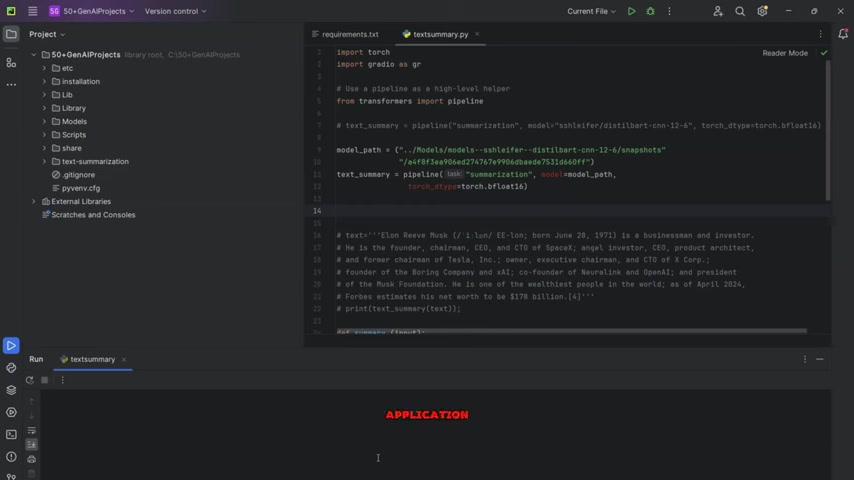
By implementing these strategies, you can leverage summarized YouTube content to boost your SEO and attract more viewers to your channel. In this video I’ll walk you through the simple and easy to follow steps to create stunning animations using a simple tool, the Tuneu model.





Most people like


































Report
Please select a reason for reporting
- 13 Reasons to Switch from Snapchat to Text Messaging
- 7 Powerful Speech to Text Apps to Boost Productivity
- 10 Best Speech to Text Tools for Effortless Transcription
- 13 Free Tools to Easily Transcribe Audio to Text
- 15 Surprising Ways Google's Speech-to-Text Boosts Productivity
- 7 Best Free Online Audio to Text Transcription Tools
- 9 Tips to Transcribe Speech to Text Faster and Better
- 13 Best Speech to Text Software for Windows 10 in 2023
- 7 Tips for Choosing the Best Transcriber for Audio to Text
- 11 Reasons Why Dragon Speech-to-Text Apps are Game-Changers
- 6 Secrets to Enhance Your Speech to Text Transcription
- 6 Brilliant Ways to Boost Productivity with Talk-to-Text on Your MacBook
- 6 Ways Transcription Software Converts Audio to Text
- 8 Tips to Transcribe Speech to Text Like a Pro
- 6 Reasons IBM Watson Speech to Text is a Game-Changer
- 14 Powerful Ways Talk-to-Text Improves Your Workflow
- 12 Top Windows Speech-to-Text Software for Efficient Transcription
- 12 Game-Changing Benefits of Apple's Speech to Text Technology
- 9 Powerful Use Cases for AWS Speech to Text Technology
- 10 Easy Steps to Transcribe YouTube Videos to Text
- transcription audio en texte
- online audio transcription
- free audio file transcription
- free ai audio transcription
- audio transcription service
- audio transcription online free
- audio transcription free online
- audio to transcription software
- audio and transcript
- ai audio transcription free
- voice recording to text converter
- translate voice recording to text
- record voice to text
- audio recording to text converter
- voice recording and transcription
- chatgpt voice to text
- gmail voice to text
- speech to text reader
- speech to text ai free
- speech to talk
- Meshy AI: How to Create 3D Models from Text and Images
- How SEO and Marketing Dashboards Empower Agencies to Drive Results
- How to Use AI Tools to Find Internal Linking Opportunities Across a Business Website
- Discover Your Perfect Haircut with AI Hairstyle Apps
- Free Reputation Calculator Tools: How They're Adapting to Score AI Visibility, Not Just Rankings
- Design Professional Flyers for Free on Your Phone
- Best Free Flyer Maker Apps for Android: Design Like a Pro
- How to Know If Your Business Is Ready for an AI Customer Service Agent
- Revolutionizing Storytelling: From Novels to Screenplays with AI
- Create Engaging Animated Explainer Videos with a Free AI Tool
- Meshy AI: How to Create 3D Models from Text and Images
- ASOMobile Helps Teams Benchmark App Store Screenshots Against Competitors
- How to Match LMS Software With Your Organization's Training Plan
- Revolutionizing Email Marketing Agency with AI
- How to Convert BTC to HNT
- Unleashing the Power of AI: Cognizant's Roadmap for Transformation
- Frame to Video Review: A Practical Look at Turning Two Still Frames Into Motion
- NVIDIA NIM: Revolutionizing Supply Chain Data Analysis with AI
- Top AI Tools That Help Brands Stand Out Offline (Not Just Online)
- Top 5 Cold Email Software: Maximize Your Outreach in 2025

Copyright ©2026 toolify