























Zed Editor: Unleashing AI-Powered Code Editing

Updated on Mar 29,2025








Table of Contents
- Key Points
- Understanding Zed Editor's AI Integration
- The Fast Edit Model: A Revolution in Code Modification
- How to Use Zed Editor's Fast Edit Model: A Step-by-Step Guide
- Analyzing the Advantages and Disadvantages
- Frequently Asked Questions
- Related Questions


Understanding Zed Editor's AI Integration
What is Zed Editor?
Zed Editor is designed as a communication platform for software developers, combined with a world-class editor. It distinguishes itself by integrating advanced AI capabilities directly into the coding environment, aiming to provide an efficient and intelligent coding experience. One of the key aspects is the integration of AI models like Claude Sonnet, which helps in understanding, modifying, and generating code. Zed is more than just a text editor; it's a collaborative coding environment enhanced by AI. Its goal is to make the coding process smarter and more streamlined, helping developers write better code faster. The editor has been around since 2021, and is available on Zed.dev. The project was founded by Thorsten Ball and Eduardo Mercardo.
Accessing Zed's AI-Powered Models
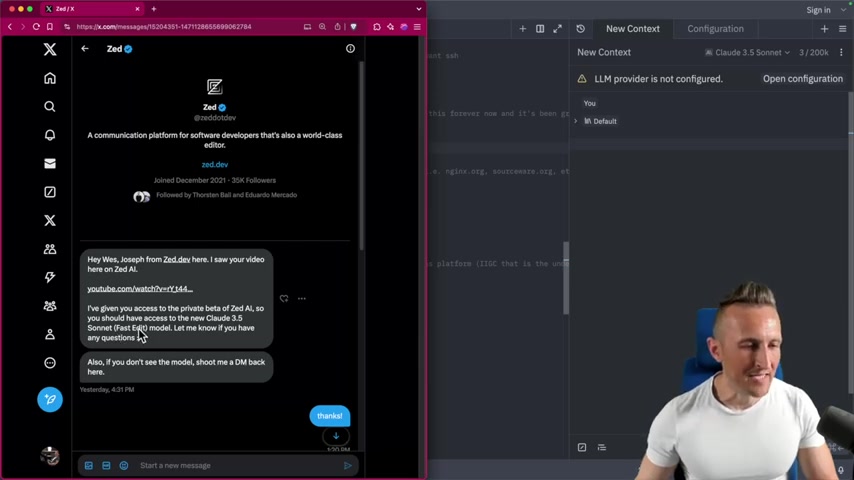
To fully leverage the AI functionalities within Zed Editor, it's crucial to authenticate your account. Accessing Zed-hosted AI models, requires a straightforward sign-in process
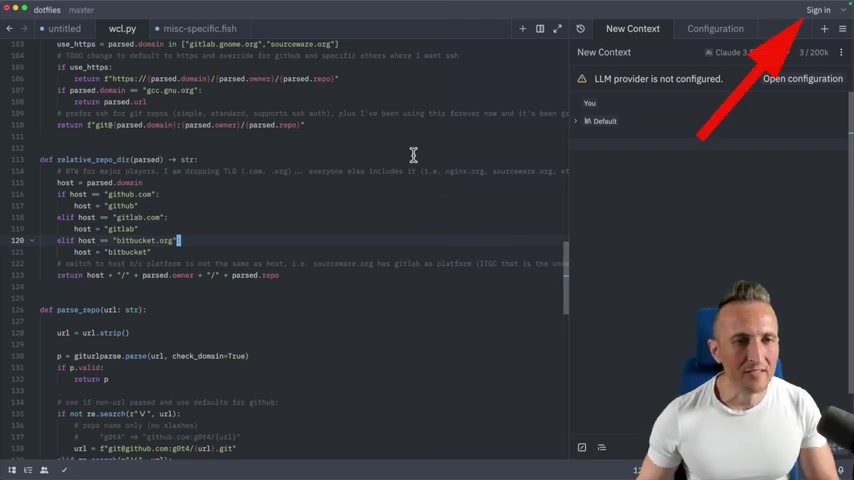
. By signing in you unlock the potential of Zed's AI and open the doors to code smarter, faster, and more effectively.
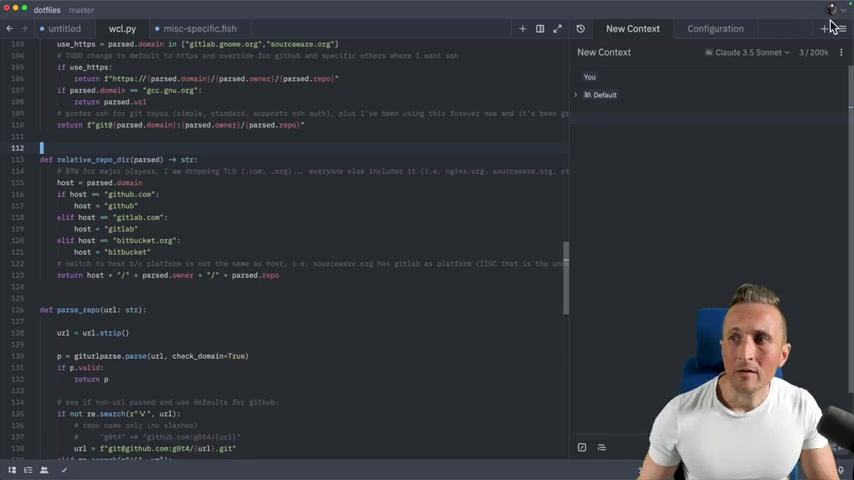
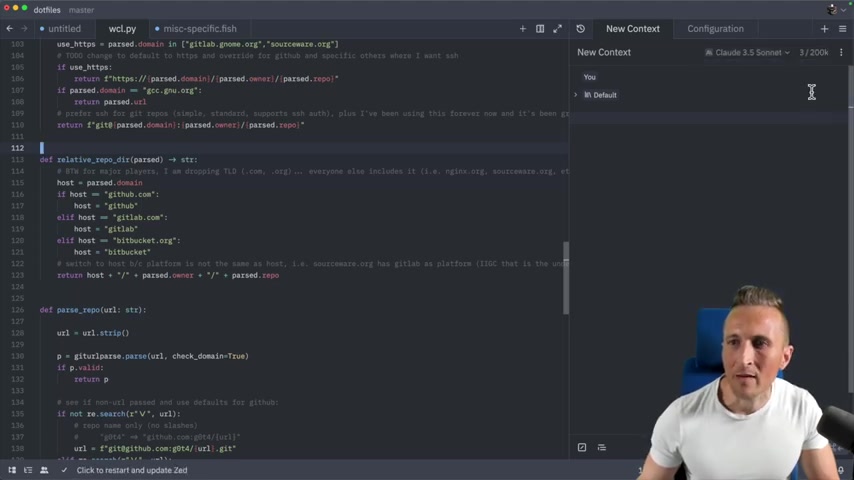
Once logged in, a user icon appears in the upper right, confirming that you're authenticated. This is your signal that you can now tap into the AI models hosted by Zed. This authentication is necessary to access the new fast edit model.
Claude Sonnet and Zed AI: A Powerful Combination
Claude Sonnet, an AI model, plays a pivotal role in Zed Editor's AI capabilities. It's designed to assist developers by understanding code context, suggesting improvements, and even generating code snippets. Claude Sonnet's presence significantly enhances the coding process within Zed.
Zed makes it easy to access the Claude Sonnet models directly inside the IDE by simply selecting a model from a drop-down.
The integration of Claude Sonnet elevates Zed from a mere editor to an intelligent coding partner, capable of understanding and assisting with complex coding tasks.
The Fast Edit Model: A Revolution in Code Modification
Understanding the Fast Edit Model
The fast edit model represents a significant leap in code modification speed within Zed Editor. Unlike traditional methods that require complete code regeneration, the fast edit model leverages existing code to expedite modifications. This means that instead of rewriting entire sections, Zed focuses on pinpointing and altering only the necessary parts.
This targeted approach drastically reduces processing time, making the entire coding workflow more efficient.
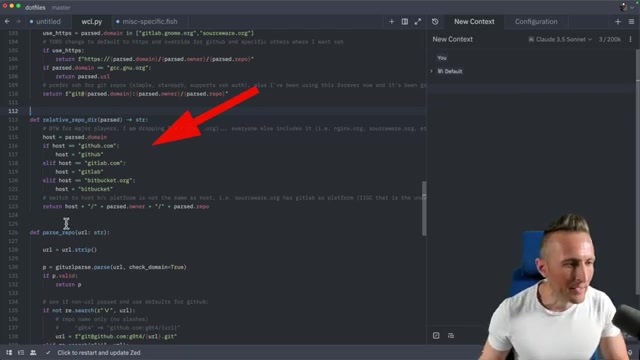
The presenter gives an example of using a Prompt to 'add more prominent Git hosts' to his list of hosts in the relative_repo_dir function. Previously this involved editing code, or regenerating all the code with the AI. However, with the fast edit model, the AI can simply target the Relevant code, and add the new hosts without disturbing the original code.
Identifying the Models in Zed Editor
Distinguishing between the standard and fast edit models in Zed Editor is straightforward
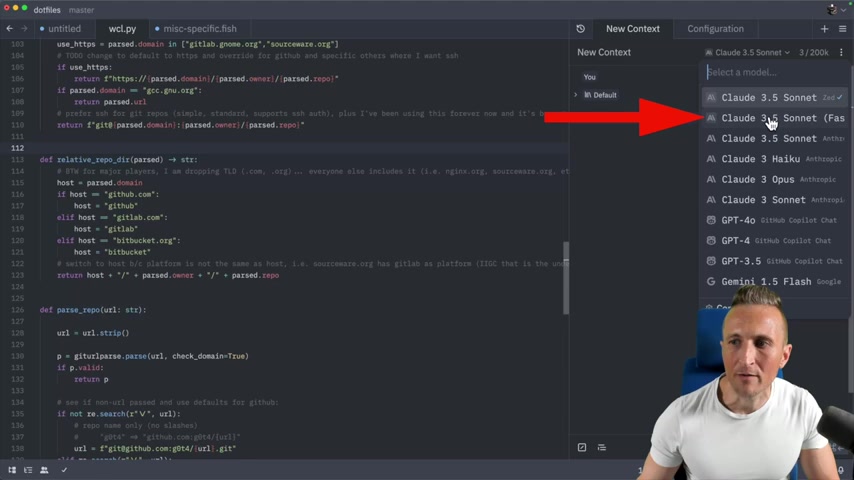
. The fast edit model is listed right below the regular Claude Sonnet model in the configuration panel. An easy visual cue is the Anthropic logo. Zed is hosting two models, one a dark gray logo, one a regular logo. A key indicator is also the explicit label stating 'Fast Edit' next to the model name.
Comparing the Fast and Regular Models
The presenter compares the fast and regular Claude Sonnet models.
After selecting a function and the prompt 'Add more prominent Git hosts', it can be seen that there's a slight flicker in the initial code.
After only a few seconds, the new Git hosts are added to the hosts list.
Then, the fast edit model is selected, the prompt is modified by adding a space, and is Rerun. In this instance, the code is almost Instantly generated . The speed is almost instantaneous.
A Deep Dive into Rewrite Times
To truly illustrate the effectiveness of the fast edit model, the presenter performs a more comprehensive test . Instead of targeting a specific function, he selects the entire file. Then he uses the prompt 'Add more prominent Git hosts'.
The regular Claude Sonnet model takes a long time to scroll through the entire file to make the edits. The presenter suggests that the edits took around 30 seconds in total.
The file is then reset, and the Claude Sonnet fast model is chosen. With a stopwatch running, the entire code is modified in just 2.71 seconds
! The presenter states that this is around 14x faster!







Most people like





























Report
Please select a reason for reporting
- 13 Reasons to Switch from Snapchat to Text Messaging
- 7 Powerful Speech to Text Apps to Boost Productivity
- 10 Best Speech to Text Tools for Effortless Transcription
- 13 Free Tools to Easily Transcribe Audio to Text
- 15 Surprising Ways Google's Speech-to-Text Boosts Productivity
- 7 Best Free Online Audio to Text Transcription Tools
- 9 Tips to Transcribe Speech to Text Faster and Better
- 13 Best Speech to Text Software for Windows 10 in 2023
- 7 Tips for Choosing the Best Transcriber for Audio to Text
- 11 Reasons Why Dragon Speech-to-Text Apps are Game-Changers
- 6 Secrets to Enhance Your Speech to Text Transcription
- 6 Brilliant Ways to Boost Productivity with Talk-to-Text on Your MacBook
- 6 Ways Transcription Software Converts Audio to Text
- 8 Tips to Transcribe Speech to Text Like a Pro
- 6 Reasons IBM Watson Speech to Text is a Game-Changer
- 14 Powerful Ways Talk-to-Text Improves Your Workflow
- 12 Top Windows Speech-to-Text Software for Efficient Transcription
- 12 Game-Changing Benefits of Apple's Speech to Text Technology
- 9 Powerful Use Cases for AWS Speech to Text Technology
- 10 Easy Steps to Transcribe YouTube Videos to Text
- transcription audio en texte
- online audio transcription
- free audio file transcription
- free ai audio transcription
- audio transcription service
- audio transcription online free
- audio transcription free online
- audio to transcription software
- audio and transcript
- ai audio transcription free
- voice recording to text converter
- translate voice recording to text
- record voice to text
- audio recording to text converter
- voice recording and transcription
- chatgpt voice to text
- gmail voice to text
- speech to text reader
- speech to text ai free
- speech to talk
- Create Engaging Animated Explainer Videos with a Free AI Tool
- Stop Multi-Subscribing: Benchmark Top AI Visual Models in One Canvas
- Best Seedance 2.5 API Provider: Every Price on the Market, Checked at Source
- AI OnlyFans: How to Generate $30,000/Month (Legally)
- Transform Your Script into an Engaging Video with AI Video Maker!
- AI Marketing Automation: A Comprehensive Guide for Small Businesses
- Midjourney Alternative for Anime Art Creators: Why PixAI May Be Better for Character Workflows
- 10 Things Most People Get Wrong About AI Image Search
- AI Girlfriend Apps: Top Choices Redefining Relationships 2025
- How to Reduce Quoting Errors in Salesforce with AI-Assisted Quote Creation
- AI Resume Builders: EnhanceCV, ResumeNerd AI, & Teal Compared
- ResumeAI: Crafting ATS-Optimized Resumes with AI
- AI in Resume Writing: A New Era for Job Seekers
- AI Resume Tools: Streamline Your Job Search and Land Your Dream Role
- AI Resume Optimization: The Right Way to Land Interviews
- Crafting a Killer Resume with AI: A Step-by-Step Guide
- Crafting a Winning Resume: AI Tools and Expert Tips
- AI Job Search: Level Up Your Career with AI Automation
- Empower Your Career Journey: Dynamic Resumes with AI
- AI Resume Builder: Create Professional Resumes Effortlessly

Copyright ©2026 toolify