































Maximizing Gaming Performance: Understanding FPS and Hertz


Table of Contents
- Introduction
- Understanding Hertz and Frames Per Second (FPS)
- The Relationship Between Hertz and FPS
- The Importance of Hertz and FPS in Gaming
- Choosing the Right Monitor for Gaming
- Optimizing Hertz and FPS for a Smooth Gaming Experience
- Overcoming Limitations with Hertz and FPS
- Upgrading Your Graphics Card for Better FPS
- The Future of Hertz and FPS Technology
- Conclusion
Introduction
Welcome to this article where I will explain the differences between Frames Per Second (FPS) and Hertz (Hz). These terms are often used in the context of gaming and Video Recording and understanding them is crucial for optimal gaming experiences. In this article, we will delve deeper into the significance of FPS and Hertz, their relationship, and how they impact your gaming performance.
Understanding Hertz and Frames Per Second (FPS)
Hertz refers to the frequency at which your monitor refreshes its display. It represents the number of times the screen is redrawn in a single second. For instance, a monitor with 60Hz refreshes the screen 60 times in one second. On the other HAND, FPS represents the number of frames that your computer generates and sends to the monitor per second. It is essentially the output your computer provides to your monitor.
The Relationship Between Hertz and FPS
While Hertz and FPS are related, they serve different purposes. Hertz determines how many times the monitor can refresh the screen, while FPS reflects how many frames your computer can generate. To ensure a smooth gaming experience, both Hertz and FPS need to be considered. If the FPS outputted by your computer exceeds the Hertz of your monitor, it may result in wasted frames as the monitor cannot display them. Conversely, if your FPS is lower than the Hertz, you may experience screen tearing or stuttering.
The Importance of Hertz and FPS in Gaming
When it comes to gaming, Hertz and FPS play a crucial role in determining the visual quality and overall smoothness of gameplay. Higher Hertz values allow for more fluid and responsive visuals, minimizing motion blur and input lag. Similarly, a higher FPS count ensures smoother gameplay, especially in fast-paced action games. Gamers often strive for a balance between Hertz and FPS to achieve the best gaming experience.
Choosing the Right Monitor for Gaming
Selecting the right gaming monitor involves considering both Hertz and FPS capabilities. It is advisable to choose a monitor with a high Hertz value, such as 144Hz or even 240Hz, to ensure optimal performance. However, it is equally important to have a computer system that can generate a corresponding FPS to make full use of the monitor's capabilities. Finding the right balance between Hertz and FPS is key to unlocking the full potential of your gaming setup.
Optimizing Hertz and FPS for a Smooth Gaming Experience
To achieve a smooth gaming experience, it is crucial to optimize both Hertz and FPS. Adjusting the settings on your monitor to match the FPS output can help synchronize the two, preventing screen tearing or stuttering. Additionally, ensuring that your computer is capable of consistently delivering high FPS requires proper hardware configurations and system optimizations. Overclocking your graphics card or upgrading to a more powerful one can significantly improve FPS and overall gaming performance.
Overcoming Limitations with Hertz and FPS
In some cases, you may encounter limitations that prevent you from maximizing the potential of Hertz and FPS. For example, if you have a high Hertz monitor but a lower-end graphics card that cannot generate enough FPS, you might not fully experience the benefits of the high refresh rate. Conversely, if you have a powerful graphics card but a lower Hertz monitor, you may not be able to fully appreciate the smoother gameplay that the high FPS provides. Understanding these limitations can help you make informed decisions when upgrading your gaming equipment.
Upgrading Your Graphics Card for Better FPS
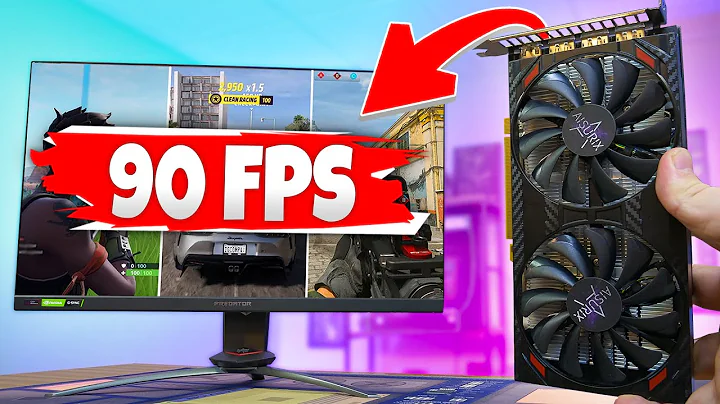
Upgrading your graphics card is often a viable solution to improve FPS and overall gaming performance. A more powerful graphics card can handle intensive graphics processing and generate higher FPS, resulting in smoother gameplay. However, it is important to consider the compatibility between your new graphics card and the capabilities of your monitor, especially in terms of Hertz. Upgrading both your graphics card and monitor may be necessary to achieve the desired gaming experience.
The Future of Hertz and FPS Technology
As technology continues to advance, we can expect further developments in Hertz and FPS capabilities. Manufacturers are constantly pushing the boundaries with higher Hertz monitors and more powerful graphics cards to meet the demands of gamers. The future holds the promise of even smoother and more immersive gaming experiences as Hertz and FPS technologies continue to evolve.
Conclusion
In conclusion, Hertz and FPS both play crucial roles in defining the visual quality and smoothness of gaming experiences. Understanding the relationship between the two and finding the right balance is essential for optimal performance. By choosing a monitor with a suitable Hertz value, optimizing FPS output, and considering potential limitations, you can unlock the full potential of your gaming setup and enjoy an immersive gaming experience like never before.
👉 Pros:
- Higher Hertz values provide more fluid and responsive visuals.
- Higher FPS counts result in smoother gameplay.
- Upgrading graphics card and monitor can significantly improve gaming performance.
👉 Cons:
- Limitations may arise when Hertz and FPS capabilities do not match.
- Upgrading gaming equipment can be costly.
Highlights
- Understanding the differences between Hertz and Frames Per Second (FPS) is crucial for optimal gaming experiences.
- Hertz represents the refresh rate of the monitor, while FPS reflects the output generated by the computer.
- Both Hertz and FPS contribute to the visual quality and smoothness of gameplay, with higher values desired for a better experience.
- Choosing the right monitor and graphics card, optimizing settings, and considering limitations are key factors in achieving the best gaming performance.
- Future advancements in technology will continue to enhance Hertz and FPS capabilities, promising even more immersive gaming experiences.
FAQ
Q: Can I have a high Hertz monitor with a low FPS output? A: While it is possible, you may not fully experience the benefits of a high refresh rate if your FPS output is lower than the monitor's capabilities.
Q: Can I upgrade my graphics card to improve FPS without changing my monitor? A: Yes, upgrading your graphics card can improve FPS, but it is important to ensure compatibility with your monitor's Hertz capabilities.
Q: What is screen tearing, and how does it relate to Hertz and FPS? A: Screen tearing occurs when the monitor displays multiple frames at the same time due to a mismatch between the monitor's refresh rate (Hertz) and the computer's FPS output.
Q: Do all games benefit from higher Hertz and FPS? A: While higher Hertz and FPS generally enhance the gaming experience, the extent of the benefits may vary depending on the game's graphics demands and your hardware capabilities.
Resources:












Most people like


























Report
Please select a reason for reporting
- 13 Reasons to Switch from Snapchat to Text Messaging
- 7 Powerful Speech to Text Apps to Boost Productivity
- 10 Best Speech to Text Tools for Effortless Transcription
- 13 Free Tools to Easily Transcribe Audio to Text
- 15 Surprising Ways Google's Speech-to-Text Boosts Productivity
- 7 Best Free Online Audio to Text Transcription Tools
- 9 Tips to Transcribe Speech to Text Faster and Better
- 13 Best Speech to Text Software for Windows 10 in 2023
- 7 Tips for Choosing the Best Transcriber for Audio to Text
- 11 Reasons Why Dragon Speech-to-Text Apps are Game-Changers
- 6 Secrets to Enhance Your Speech to Text Transcription
- 6 Brilliant Ways to Boost Productivity with Talk-to-Text on Your MacBook
- 6 Ways Transcription Software Converts Audio to Text
- 8 Tips to Transcribe Speech to Text Like a Pro
- 6 Reasons IBM Watson Speech to Text is a Game-Changer
- 14 Powerful Ways Talk-to-Text Improves Your Workflow
- 12 Top Windows Speech-to-Text Software for Efficient Transcription
- 12 Game-Changing Benefits of Apple's Speech to Text Technology
- 9 Powerful Use Cases for AWS Speech to Text Technology
- 10 Easy Steps to Transcribe YouTube Videos to Text
- transcription audio en texte
- online audio transcription
- free audio file transcription
- free ai audio transcription
- audio transcription service
- audio transcription online free
- audio transcription free online
- audio to transcription software
- audio and transcript
- ai audio transcription free
- voice recording to text converter
- translate voice recording to text
- record voice to text
- audio recording to text converter
- voice recording and transcription
- chatgpt voice to text
- gmail voice to text
- speech to text reader
- speech to text ai free
- speech to talk
- Create Engaging Animated Explainer Videos with a Free AI Tool
- Stop Multi-Subscribing: Benchmark Top AI Visual Models in One Canvas
- Best Seedance 2.5 API Provider: Every Price on the Market, Checked at Source
- AI OnlyFans: How to Generate $30,000/Month (Legally)
- Transform Your Script into an Engaging Video with AI Video Maker!
- AI Marketing Automation: A Comprehensive Guide for Small Businesses
- Midjourney Alternative for Anime Art Creators: Why PixAI May Be Better for Character Workflows
- 10 Things Most People Get Wrong About AI Image Search
- AI Girlfriend Apps: Top Choices Redefining Relationships 2025
- How to Reduce Quoting Errors in Salesforce with AI-Assisted Quote Creation
- AI Resume Builders: EnhanceCV, ResumeNerd AI, & Teal Compared
- ResumeAI: Crafting ATS-Optimized Resumes with AI
- AI in Resume Writing: A New Era for Job Seekers
- AI Resume Tools: Streamline Your Job Search and Land Your Dream Role
- AI Resume Optimization: The Right Way to Land Interviews
- Crafting a Killer Resume with AI: A Step-by-Step Guide
- Crafting a Winning Resume: AI Tools and Expert Tips
- AI Job Search: Level Up Your Career with AI Automation
- Empower Your Career Journey: Dynamic Resumes with AI
- AI Resume Builder: Create Professional Resumes Effortlessly

Copyright ©2026 toolify