































Optimize your Gaming Experience: How to Limit your Frame Rate


Table of Contents
- Introduction
- The Disadvantage of Overusing Your Video Card
- The Relationship Between Frame Rate and Power Usage
- The Importance of Matching Your Monitor's Refresh Rate
- Limiting Your Frame Rate for Optimized Performance
- Examples of Limiting Frame Rate in Video Games
- The Benefits of Limiting GPU Usage for Content Creators
- How to Limit Your GPU Usage
- 8.1 Limiting Frame Rate on Nvidia Graphics Cards
- 8.2 Limiting Frame Rate on Radeon Cards
- 8.3 Using Riva Tuner Statistics Server for Frame Rate Limitation
- Conclusion
🌟The Disadvantage of Overusing Your Video Card🌟
When it comes to gaming on a PC, many gamers believe that the more frames their video card can produce, the better their gaming experience will be. However, this belief is not entirely accurate. In fact, overusing your video card can actually put you at a disadvantage. Let's explore why.
🎮 The Relationship Between Frame Rate and Power Usage
The number of frames your video card produces directly affects its power consumption. The more frames your video card produces, the more power it consumes. While this may seem like a good thing at first, it can lead to inefficiencies and drawbacks.
💻 The Importance of Matching Your Monitor's Refresh Rate
Most people still use 60 hertz monitors, which means their monitors are only capable of displaying 60 frames per Second. So if your video card is producing more frames than your monitor can display, it's essentially wasting power. It's like running a car at its maximum speed on a road with a lower speed limit.
⚡ Limiting Your Frame Rate for Optimized Performance
To avoid wasting power and optimize your gaming performance, it is recommended to cap your video Game's frame rate to match your monitor's refresh rate. By doing this, you can ensure that your video card is not overworked and that the available GPU power can be utilized for other tasks, such as streaming or Recording gameplay.
🎮 Examples of Limiting Frame Rate in Video Games
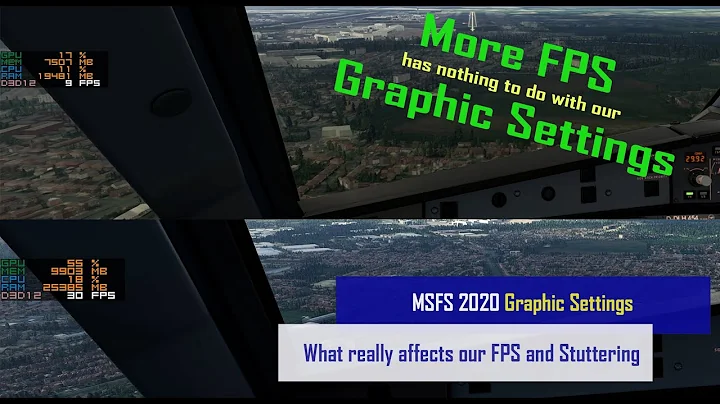
Let's take a look at a couple of examples to demonstrate the impact of frame rate limitation. In the video game "The Outer Worlds," limiting the frame rate results in reduced GPU usage while still maintaining a smooth gaming experience. Similarly, in "Battlefield," capping the frame rate allows the GPU to allocate resources more efficiently and regain some performance. Another benchmark example with "World War Z" illustrates how limiting frame rate can be beneficial for content creators who require additional GPU power for tasks like video composition and v-tuber software.
🎥 The Benefits of Limiting GPU Usage for Content Creators
Content creators often multitask, running various programs alongside their gameplay. Limiting GPU usage becomes crucial in such cases to ensure that these additional programs, such as OBS Studio, VC Face, or Nvidia Broadcast, have access to sufficient GPU power. By capping the frame rate, content creators can avoid dropped frames, lag, and maintain a smooth and uninterrupted streaming or recording experience.
🚀 How to Limit Your GPU Usage 🚀
Depending on your graphics card, there are several ways to limit your frame rate and optimize GPU usage:
8.1 Limiting Frame Rate on Nvidia Graphics Cards
If you're using an Nvidia graphics card, you can access the Nvidia Control Panel to limit your frame rate. Simply right-click on your desktop, select "Nvidia Control Panel," then go to "Manage 3D Settings." Scroll down to find the "Max Frame Rate" option and turn it on. Choose your desired frame rate and apply the changes. These settings will ensure that your GPU does not exceed the specified frame rate limit.
8.2 Limiting Frame Rate on Radeon Cards
Radeon users can utilize the Adrenaline software to limit their frame rate. Within the global game settings, find the option for "Radeon Chill" and enable it. From there, set your minimum and maximum desired frame rates and apply the changes. Radeon Chill will then dynamically adjust your GPU's performance to match the specified range, avoiding unnecessary power consumption.
8.3 Using Riva Tuner Statistics Server for Frame Rate Limitation
An alternative option is to use a third-party software called Riva Tuner Statistics Server. After installing the program, navigate to the frame rate limit settings and input your desired limit. The changes will take effect immediately. Remember to set Riva Tuner Statistics Server to start with Windows to ensure your settings reload upon reboot.
👍 Conclusion
By understanding the relationship between frame rate, power usage, and your monitor's refresh rate, you can optimize your gaming experience and overall system performance. Limiting your frame rate according to your monitor's capabilities can prevent wasted GPU power and ensure smoother multitasking for content creators. With the right settings and adjustments, you can strike a balance between performance and efficiency, providing an enjoyable gaming experience without sacrificing other essential tasks.
Highlights:
- Overusing your video card can put you at a disadvantage in gaming.
- Matching your monitor's refresh rate when limiting frame rate is crucial for optimized performance.
- Content creators benefit from limiting GPU usage to allocate power for other tasks.
- Nvidia and Radeon users can use built-in tools and software to easily limit frame rate.
- Third-party software like Riva Tuner Statistics Server provides additional options for frame rate limitation.
FAQ
Q: Will limiting the frame rate affect the overall gaming experience?
A: Limiting the frame rate to match your monitor's refresh rate will not negatively impact your gaming experience. In fact, it can lead to smoother gameplay by optimizing GPU usage.
Q: Can limiting the frame rate help reduce system lag while streaming or recording gameplay?
A: Yes, by capping the frame rate, you can ensure that your system has enough GPU power to handle streaming or recording software without causing dropped frames or lag.
Q: Are there any downsides to limiting the frame rate?
A: The only potential downside of limiting the frame rate is that it may slightly reduce the overall graphics quality. However, the difference is often negligible, especially when the frame rate is still within a reasonable range.
Q: Can I use third-party software to limit frame rates in games without built-in options?
A: Yes, third-party software like Riva Tuner Statistics Server allows you to limit frame rates in games that may not have built-in frame rate limiters.
Resources:






Most people like




































Report
Please select a reason for reporting
- 13 Reasons to Switch from Snapchat to Text Messaging
- 7 Powerful Speech to Text Apps to Boost Productivity
- 10 Best Speech to Text Tools for Effortless Transcription
- 13 Free Tools to Easily Transcribe Audio to Text
- 15 Surprising Ways Google's Speech-to-Text Boosts Productivity
- 7 Best Free Online Audio to Text Transcription Tools
- 9 Tips to Transcribe Speech to Text Faster and Better
- 13 Best Speech to Text Software for Windows 10 in 2023
- 7 Tips for Choosing the Best Transcriber for Audio to Text
- 11 Reasons Why Dragon Speech-to-Text Apps are Game-Changers
- 6 Secrets to Enhance Your Speech to Text Transcription
- 6 Brilliant Ways to Boost Productivity with Talk-to-Text on Your MacBook
- 6 Ways Transcription Software Converts Audio to Text
- 8 Tips to Transcribe Speech to Text Like a Pro
- 6 Reasons IBM Watson Speech to Text is a Game-Changer
- 14 Powerful Ways Talk-to-Text Improves Your Workflow
- 12 Top Windows Speech-to-Text Software for Efficient Transcription
- 12 Game-Changing Benefits of Apple's Speech to Text Technology
- 9 Powerful Use Cases for AWS Speech to Text Technology
- 10 Easy Steps to Transcribe YouTube Videos to Text
- transcription audio en texte
- online audio transcription
- free audio file transcription
- free ai audio transcription
- audio transcription service
- audio transcription online free
- audio transcription free online
- audio to transcription software
- audio and transcript
- ai audio transcription free
- voice recording to text converter
- translate voice recording to text
- record voice to text
- audio recording to text converter
- voice recording and transcription
- chatgpt voice to text
- gmail voice to text
- speech to text reader
- speech to text ai free
- speech to talk
- Meshy AI: How to Create 3D Models from Text and Images
- How SEO and Marketing Dashboards Empower Agencies to Drive Results
- How to Use AI Tools to Find Internal Linking Opportunities Across a Business Website
- Discover Your Perfect Haircut with AI Hairstyle Apps
- Free Reputation Calculator Tools: How They're Adapting to Score AI Visibility, Not Just Rankings
- Design Professional Flyers for Free on Your Phone
- Best Free Flyer Maker Apps for Android: Design Like a Pro
- How to Know If Your Business Is Ready for an AI Customer Service Agent
- Revolutionizing Storytelling: From Novels to Screenplays with AI
- Create Engaging Animated Explainer Videos with a Free AI Tool
- Automate Lead Generation: A Comprehensive Guide with AI Agents
- Revideo.io: The Future of Reverse Video Search Technology
- Revolutionizing Email Marketing Agency with AI
- Breaking the Character Drift Dilemma: A Practical Test of Smart Shot
- Meshy AI: How to Create 3D Models from Text and Images
- ASOMobile Helps Teams Benchmark App Store Screenshots Against Competitors
- How to Match LMS Software With Your Organization's Training Plan
- How to Convert BTC to HNT
- Unleashing the Power of AI: Cognizant's Roadmap for Transformation
- Frame to Video Review: A Practical Look at Turning Two Still Frames Into Motion

Copyright ©2026 toolify