































Optimizing Gaming Performance with PCIe Risers


Table of Contents:
- Introduction
- testing the PCIe Risers
- System Specifications
- Benchmarking and Results
- Performance with GTX 1080
- Performance with RTX 3080
- Comparison of Performance
- Pros and Cons of Using PCIe Risers
- Alternatives to PCIe Risers
- Why Do Miners Use PCIe Risers?
- Conclusion
Article:
Introduction
In this article, we will be examining the performance of graphics cards when connected via a mining adapter. Many of us are familiar with those cheap little PCIe risers that are often used to mine cryptocurrency. But can these risers be used for gaming as well? In a previous video, I attempted to Game on a PCIe riser by plugging a graphics card into an old laptop, and to my surprise, it somewhat worked. However, this time, we will be using more modern graphics cards and testing their performance on a dedicated system.
Testing the PCIe Risers
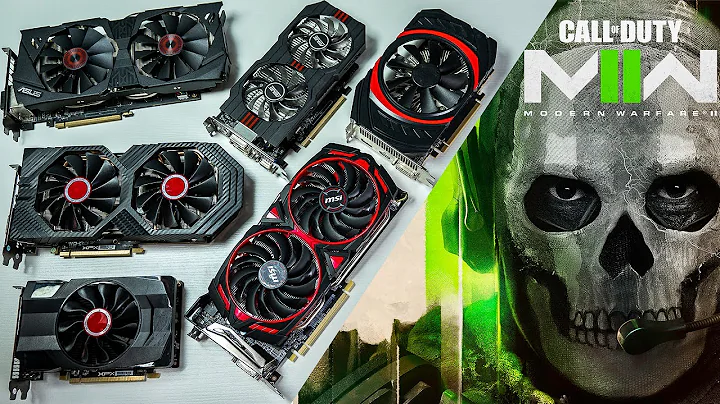
To conduct our tests, we will be using a computer with an Intel 9700K processor, 32GB of DDR4 memory, and 2.5TB of storage. The graphics cards we will be testing are the Dell OEM GTX 1080 and the MSI GamingX Trio RTX 3080. These cards should provide a good benchmark for assessing the impact of the PCIe risers on performance. We will be running three different games: Refunct, Titanfall 2, and Fallout 76. Refunct and Titanfall 2 were chosen as they would yield higher frame rates, making any performance differences more noticeable. Fallout 76 was included to test both the hardware and the game's stability.
System Specifications
Before diving into the benchmark results, let's take a quick look at the system specifications used for testing. The system consists of an Intel 9700K processor, 32GB of DDR4 memory, and 2.5TB of storage. These specifications should provide a solid foundation for testing the graphics cards' performance.
Benchmarking and Results
We conducted our benchmarking tests by connecting the graphics cards to a PCIe 1 to 16 times adapter, plugged into the slot closest to the CPU on the motherboard. All games were played at 1440p resolution with the highest settings, but without Vsync.
Performance with GTX 1080
With the GTX 1080 connected via the PCIe riser, the average frame rate in Refunct was 161, in Fallout 76 it was 45, and in Titanfall 2 it was 78. Refunct and Titanfall 2 ran smoothly and were completely playable. However, Fallout 76 experienced significant stuttering, making it difficult to play.
Performance with RTX 3080
Next, we tested the RTX 3080 in the same configuration. In Refunct, it achieved 222 fps, in Titanfall 2 it reached 112 fps, and in Fallout 76 it experienced a very stuttery 56 fps. While the performance was better than the GTX 1080, it still didn't reach its full potential.
Comparison of Performance
To further compare the performance, we unplugged the RTX 3080 from the riser and connected it directly to the motherboard. In Refunct, the average frame rate increased to 261, in Titanfall 2 it rose to 144, and in Fallout 76 it remained at 56 fps. Connecting the card directly to the motherboard resulted in improved performance in most cases.
Pros and Cons of Using PCIe Risers
Using PCIe risers does have its advantages and disadvantages. On the positive side, they allow for vertical or external GPU mounting, which can be aesthetically pleasing or provide flexibility in certain setups. However, using risers does result in a decrease in in-game frame rates, degrading overall performance.
Alternatives to PCIe Risers
If you prefer not to use a PCIe riser, there are alternatives available. One option is to use a 16 times to 16 times riser, which doesn't degrade performance unless several are daisy-chained together. This provides a direct connection to the motherboard, eliminating any potential drawbacks.
Why Do Miners Use PCIe Risers?
You may be Wondering why miners continue to use PCIe risers if they result in decreased performance. The reason is that mining doesn't require the same level of data transfer as gaming. Mining can take advantage of multiple PCIe lanes at once, while gaming primarily relies on a single lane. This means miners can optimize their setups for mining without sacrificing performance.
Conclusion
In conclusion, connecting a graphics card via a PCIe riser will result in decreased in-game frame rates. However, this doesn't render the card useless for gaming. If you prefer a vertically mounted or external GPU setup, you can use a 16 times to 16 times riser, which won't significantly degrade performance. On the other HAND, if you prioritize gaming performance, connecting the graphics card directly to the motherboard will provide the best results. Miners, on the other hand, can continue to benefit from using PCIe risers due to their specific requirements. It's important to consider your specific needs and preferences when deciding how to connect your graphics card.
Resources:






Most people like































Report
Please select a reason for reporting
- 13 Reasons to Switch from Snapchat to Text Messaging
- 7 Powerful Speech to Text Apps to Boost Productivity
- 10 Best Speech to Text Tools for Effortless Transcription
- 13 Free Tools to Easily Transcribe Audio to Text
- 15 Surprising Ways Google's Speech-to-Text Boosts Productivity
- 7 Best Free Online Audio to Text Transcription Tools
- 9 Tips to Transcribe Speech to Text Faster and Better
- 13 Best Speech to Text Software for Windows 10 in 2023
- 7 Tips for Choosing the Best Transcriber for Audio to Text
- 11 Reasons Why Dragon Speech-to-Text Apps are Game-Changers
- 6 Secrets to Enhance Your Speech to Text Transcription
- 6 Brilliant Ways to Boost Productivity with Talk-to-Text on Your MacBook
- 6 Ways Transcription Software Converts Audio to Text
- 8 Tips to Transcribe Speech to Text Like a Pro
- 6 Reasons IBM Watson Speech to Text is a Game-Changer
- 14 Powerful Ways Talk-to-Text Improves Your Workflow
- 12 Top Windows Speech-to-Text Software for Efficient Transcription
- 12 Game-Changing Benefits of Apple's Speech to Text Technology
- 9 Powerful Use Cases for AWS Speech to Text Technology
- 10 Easy Steps to Transcribe YouTube Videos to Text
- transcription audio en texte
- online audio transcription
- free audio file transcription
- free ai audio transcription
- audio transcription service
- audio transcription online free
- audio transcription free online
- audio to transcription software
- audio and transcript
- ai audio transcription free
- voice recording to text converter
- translate voice recording to text
- record voice to text
- audio recording to text converter
- voice recording and transcription
- chatgpt voice to text
- gmail voice to text
- speech to text reader
- speech to text ai free
- speech to talk
- How to Use AI Tools to Find Internal Linking Opportunities Across a Business Website
- Discover Your Perfect Haircut with AI Hairstyle Apps
- Free Reputation Calculator Tools: How They're Adapting to Score AI Visibility, Not Just Rankings
- Design Professional Flyers for Free on Your Phone
- Best Free Flyer Maker Apps for Android: Design Like a Pro
- How to Know If Your Business Is Ready for an AI Customer Service Agent
- Revolutionizing Storytelling: From Novels to Screenplays with AI
- Create Engaging Animated Explainer Videos with a Free AI Tool
- Stop Multi-Subscribing: Benchmark Top AI Visual Models in One Canvas
- Best Seedance 2.5 API Provider: Every Price on the Market, Checked at Source
- Top AI Social Media Management Tools: Automate Your Content Strategy
- Free AI Text to Video Generator: Create Stunning Videos from Text
- Discover 17 ChatGPT Alternatives: A Comprehensive Comparison
- Character.AI vs. Janitor AI: Which AI Chat Platform Reigns Supreme?
- Top Virtual Assistant Companies in 2026: Reviews, Pricing, and Plans Compared
- Unveiling FaceCheck.ID: Revolutionizing Reverse Image Searches with AI
- 11 Best AI Dialers in 2026: Features, Pricing, Pros and Cons
- How I Direct Consistent AI Clips: A Hands-On Guide to Multi-Model Generation
- A Realistic Review of the Photo Generator Image Tool
- Playwright MCP Server: Automated Web Testing with Agent Mode

Copyright ©2026 toolify