


Audyo


What is Audyo?
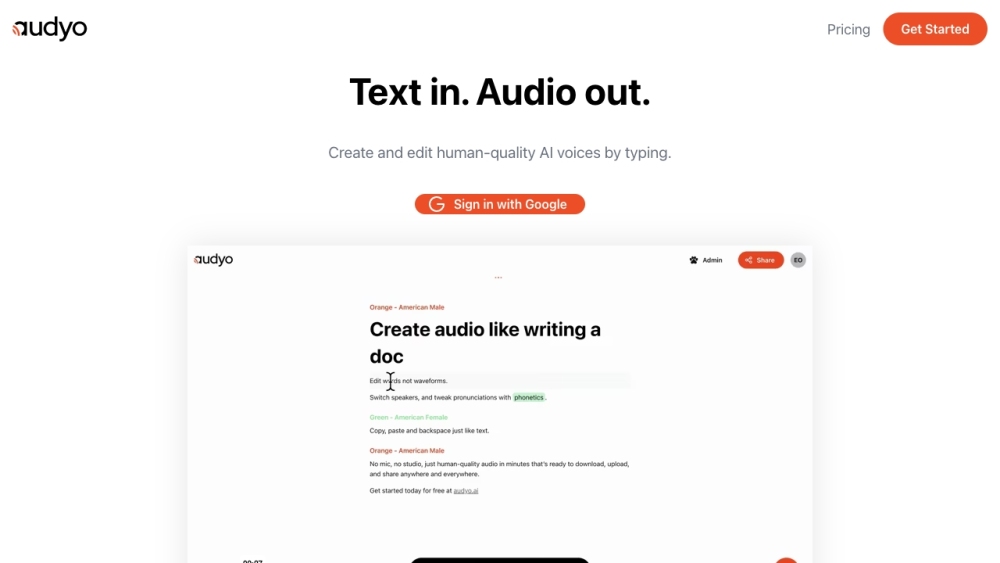
Audyo is a platform that allows users to create human-quality audio by editing text, not waveforms. It offers features like switching speakers, tweaking pronunciations with phonetics, and supports multiple languages. Users can download, upload, and share the generated audio anywhere.
How to use Audyo?
Users can create audio by typing or pasting text into the Audyo editor. They can then select from a variety of voices, adjust pronunciations using phonetics, and download the audio for use in videos, podcasts, or presentations.
Audyo's Core Features
Text-to-speech conversion
Phonetic pronunciation editing
Multiple language support
Speaker selection
AI Audio Assistant
Markdown formatting
Audyo's Use Cases
Creating videos
Generating voice-overs
Producing podcasts
Making audiobooks
FAQ from Audyo
What languages do you support?
Do I own what I create?
What can I use Audyo for?
How much audio can I generate with a free account?
Audyo Login
Audyo Login Link: https://www.audyo.ai/login
Audyo Pricing
Audyo Pricing Link: https://www.audyo.ai/#pricing
Audyo Reviews (0)
Analytic of Audyo
Audyo Website Traffic Analysis
Audyo Launch embeds
Use website badges to drive support from your community for your Toolify Launch. They're easy to embed on your homepage or footer.



Alternative of Audyo


More Content About Audyo

8 Easy Ways to Convert RCA Audio to AUX
By Elodie on August 18 2024
Unlock the Secret: Convert RCA Audio to AUX with These 8 Simple Steps!
Social Listening