


Blockscape





What is Blockscape?
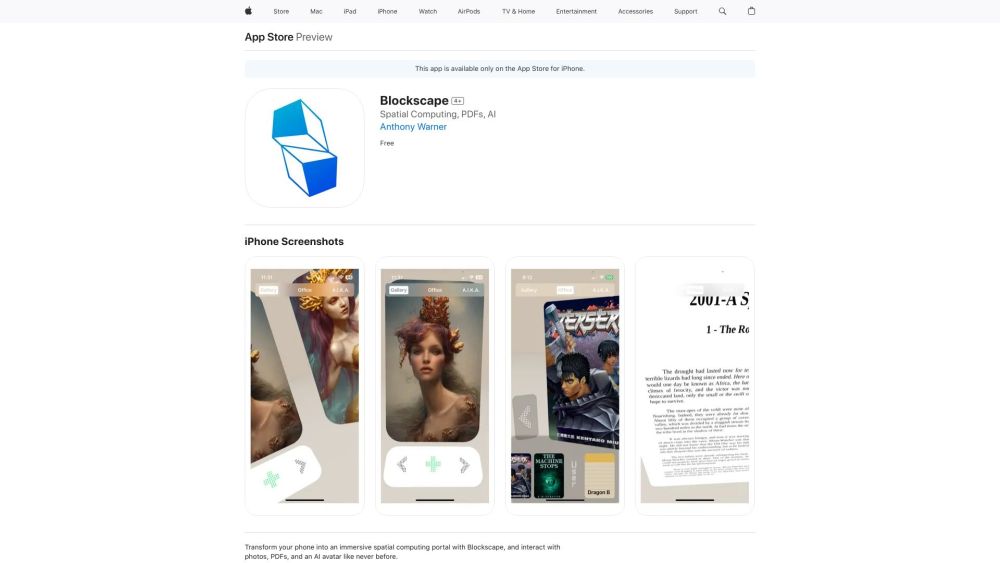
Blockscape is an iPhone application developed by Anthony Warner that transforms your phone into an immersive spatial computing portal. It allows users to interact with photos, PDFs, and an AI avatar in a 3D environment without needing a headset. It's designed to provide a VR-like experience directly from your iPhone, making communication more comfortable and engaging.
How to use Blockscape?
Download Blockscape from the App Store and install it on your iPhone. Upload photos and PDFs to explore them in a 3D environment. Interact with the AI avatar, A.I.K.A., for conversation and guidance within the app.
Blockscape's Core Features
Immersive spatial computing experience on iPhone
3D interaction with photos and PDFs
AI avatar for conversation and guidance
Blockscape's Use Cases
Exploring photos in a new dimension
Interacting with PDFs in an immersive reading experience
Chatting with an AI avatar for companionship and guidance
FAQ from Blockscape
What devices are compatible with Blockscape?
Is Blockscape free to use?
What type of data does Blockscape collect?
Blockscape Reviews (0)
Blockscape Launch embeds
Use website badges to drive support from your community for your Toolify Launch. They're easy to embed on your homepage or footer.



Alternative of Blockscape


More Content About Blockscape
15 iPhone Voice Recognition Tricks You Didn't Know
By Charlotte on July 22 2024
Unveil the hidden secrets of iPhone voice recognition with these 15 surprising tricks. Click now to revolutionize your iPhone experience!
7 Easy Steps to Record High-Quality Voice Memos on iPhone
By Genevieve on July 26 2024
Discover how to easily capture crystal-clear voice memos on your iPhone with just 7 simple steps. Perfect for musicians, journalists, and anyone on the go.
13 Smart Tips to Master Voice-to-Text on Your iPhone
By Carlisle on August 05 2024
Unlock the full potential of your iPhone with these 13 genius voice-to-text tips. Become a texting pro in no time!