


CueCam Presenter
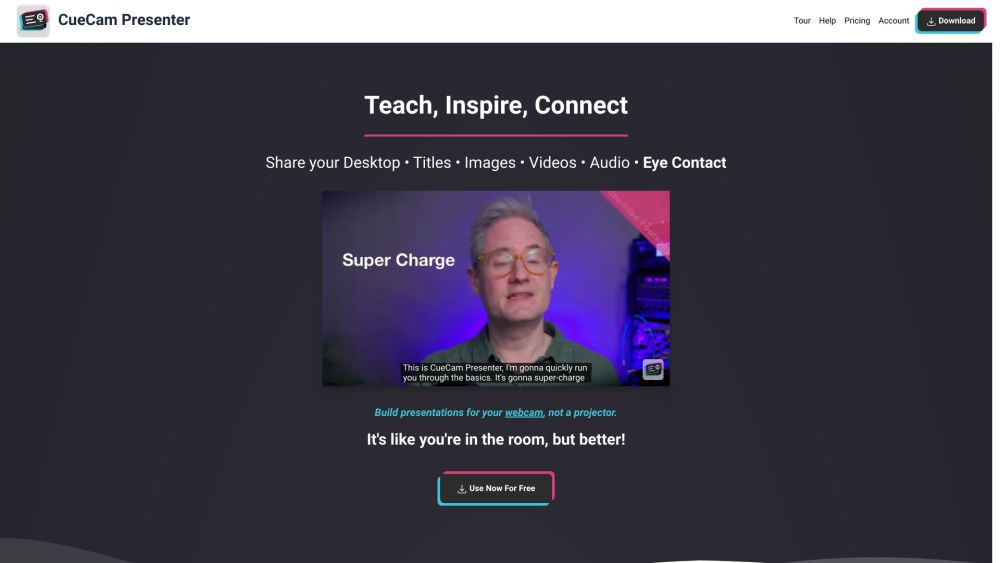





What is CueCam Presenter?
CueCam lets you bring content into your video calls by giving your Mac a new virtual camera and mic. It connects to your iPhone and iPad to add drawing, cameras and extra screens. Smart scripts power your teleprompter and breeze through high quality demos. CueCam Presenter is a Mac app that lets you share anything on your webcam. Use your iPhone as a camera, teleprompter and extra screen. Use your iPad to draw on anything.
How to use CueCam Presenter?
Download the CueCam Presenter app on your Mac. Connect your iPhone and iPad to add cameras, drawing capabilities, and extra screens. Use smart scripts for teleprompting and high-quality demos.
CueCam Presenter's Core Features
Virtual camera and mic for Mac
iPhone and iPad connectivity for additional features
Teleprompter with smart scripts
Live annotation with iPad
Screen sharing
CueCam Presenter's Use Cases
Present dynamically in remote calls, YouTube streams, and lessons
Annotate live during presentations
Integrate video seamlessly into remote communications
Demonstrating Music Gear
Presenting An Architectural Plan
Teaching Genetics
Coaching Your Team & Inspiring Them To Victory
Sales Calls and Software Demos
FAQ from CueCam Presenter
What is CueCam Presenter?
What devices are compatible with CueCam Presenter?
What can I do with CueCam Presenter?
How can I get help with CueCam Presenter?
CueCam Presenter Support Email & Customer service contact & Refund contact etc.
Here is the CueCam Presenter support email for customer service: [email protected] . More Contact, visit the contact us page(https://squares.tv/contact)
CueCam Presenter Company
CueCam Presenter Company name: Good To Hear Ltd .
More about CueCam Presenter, Please visit the about us page(https://squares.tv/about).
CueCam Presenter Pricing
CueCam Presenter Pricing Link: https://cuecam-presenter.com/pricing
CueCam Presenter Youtube
CueCam Presenter Youtube Link: https://youtube.com/@CueCamPresenter
CueCam Presenter Reviews (0)
CueCam Presenter Pricing
Connect
Download Free
Watermark appears when you present a script.
Essentials
$4.99/month
All Connect features, Share anything, watermark-free, Build & run presentations, Use your iPhone as a teleprompter, Remote-control your iPhone camera, Record videos, Unlocks core iPhone and iPad features
Suite
$9.99/month
All Connect and Script features, Unlocks all iPhone and iPad upgrades, Live Streaming to YouTube and Twitch, Teleprompter Window, Audio Delay Calculator, Stream Deck Plugin, Green Screen / Chroma Key, Camera LUTs, Multiple Audio Inputs, Control Ecamm Live, mimoLive and OBS, Control other apps with keystroke and OSC triggers, Music Cues, 60 FPS Video, Record Isolated Video Tracks, Generous discounts for existing Shoot, Video Pencil and Beat Sheet users, Personal support from the developer
For the latest pricing, please visit this link: https://cuecam-presenter.com/pricing
Analytic of CueCam Presenter
CueCam Presenter Website Traffic Analysis
Geography
Top 1 Regions

CueCam Presenter Launch embeds
Use website badges to drive support from your community for your Toolify Launch. They're easy to embed on your homepage or footer.




Social Listening