


GetAudify
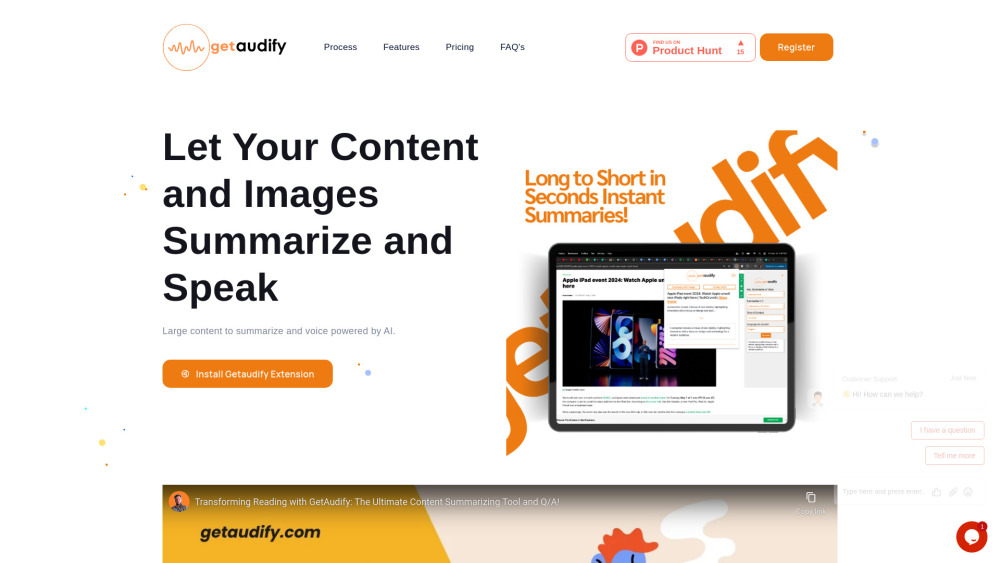


What is GetAudify?
GetAudify is a powerful AI-based Chrome extension designed to enhance productivity and information consumption for professionals, students, and enthusiasts. It offers features such as text summarization, text-to-voice conversion, Q&A from text and images, code analysis, and image analysis. The platform also includes a dashboard for managing credits, API keys, and viewing usage history. It aims to help users summarize large content, convert images to text, ask questions, and enjoy multilingual capabilities with customized tones.
How to use GetAudify?
To use GetAudify, first create a free account to receive 20 free credits and generate an API key from the dashboard. Next, download the GetAudify Chrome extension and sign in using your API key. To summarize content or convert it to voice, right-click on selected text or an image on a webpage and choose the 'GetAudify' option. For images, a popup will appear with summarization options like 'Summary Only' or 'Summary with Voice'. To ask a question about text or an image, select it, right-click, choose 'GetAudify', and then 'Ask Question' to reveal a new question field. The dashboard, accessible via email and password login, allows you to manage your credits, settings, and API keys.
GetAudify's Core Features
AI-powered text summarization
Text-to-voice conversion (narration) with dual voices (male/female), customizable tone, and multilingual support
Q&A functionality for text and images
Image analysis (summarize images, convert images to text)
Code analysis
Dashboard for credit management, API key generation, and usage history tracking
Instant summarization and voice generation
GetAudify's Use Cases
Enhancing productivity and information consumption for professionals and students.
Summarizing lengthy articles, documents, or web content quickly.
Converting written content into audio for easier consumption.
Getting quick answers from text or images on a webpage.
Managing and tracking content summarization and voice generation history.
Assisting students, researchers, and programmers in understanding complex or lengthy content efficiently.
FAQ from GetAudify
What does the extension do?
How does the summarization feature work?
Can I listen to the summarized content?
Is there a limit to the length of content I can summarize?
How do I purchase credits?
How do I summarize text using an image?
How do I ask a question about text or an image on a webpage?
What's the minimum number of credits required for purchase?
How long are purchased credits valid?
Who can benefit from this extension?
How can I authenticate the extension and access its features?
How can I access the dashboard?
What options are available for summarizing text with an image?
What happens after selecting the 'Ask Question' option?
GetAudify Support Email & Customer service contact & Refund contact etc.
More Contact, visit the contact us page(https://getaudify.com/contact_us.html)
GetAudify Company
GetAudify Company name: GetAudify .
More about GetAudify, Please visit the about us page(https://getaudify.com/about_us.html).
GetAudify Login
GetAudify Login Link: https://app.getaudify.com
GetAudify Sign up
GetAudify Sign up Link: https://app.getaudify.com
GetAudify Pricing
GetAudify Pricing Link: https://getaudify.com/?utm_source=toolify#pricing
GetAudify Reviews (0)
GetAudify Pricing
Free
0 $
For individuals looking for GetAudify features. Includes 20 free credits, 10 listed summaries/voice history. Consumes 0.5 credit per summary, 1 credit per voice, and 0.25 credit for selected content over 1200 words.
Professional
$0.6 per credit
Designed for Students, Content Creators, Article Readers, Researchers, etc. Includes 20 free credits and unlimited listed summaries/voice history. Consumes 0.5 credit per summary, 1 credit per voice, and 0.25 credit for selected content over 1200 words. A minimum purchase of 20 credits is required.
For the latest pricing, please visit this link: https://getaudify.com/?utm_source=toolify#pricing
Analytic of GetAudify
GetAudify Website Traffic Analysis
GetAudify Launch embeds
Use website badges to drive support from your community for your Toolify Launch. They're easy to embed on your homepage or footer.




Social Listening