


Meme is Game
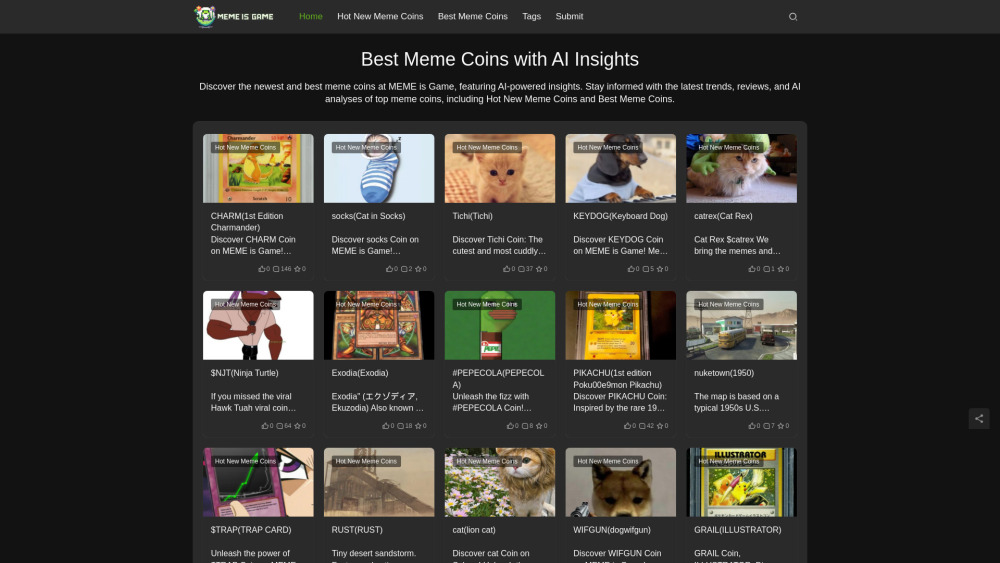


What is Meme is Game?
Meme is Game is a crypto trading simulator where users can experience the thrill of meme coin trading in a risk-free environment. It allows players to learn market dynamics through interactive gameplay and strategic decision-making, using virtual currency to trade meme coins inspired by internet culture.
How to use Meme is Game?
Start by creating an account, then use starter coins to begin trading meme coins. Analyze market trends, develop strategies, and connect with other players to share tips and improve your trading skills.
Meme is Game's Core Features
Realistic meme coin market simulation with live price updates
Risk-free learning environment
Community-driven platform for sharing strategies
Browser-based platform with no downloads required
Meme is Game's Use Cases
Learning about cryptocurrency trading without risking real money
Developing and testing trading strategies
Engaging with a community of meme coin enthusiasts
Participating in trading tournaments and challenges
FAQ from Meme is Game
What is Meme Coin and how does it work in Meme is Game?
How can I start trading Meme Coins in Meme is Game?
What makes Meme Coins valuable in the game?
Meme is Game Support Email & Customer service contact & Refund contact etc.
Here is the Meme is Game support email for customer service: [email protected] . More Contact, visit the contact us page(mailto:[email protected])
Meme is Game Facebook
Meme is Game Facebook Link: https://www.facebook.com/sharer/sharer.php?u=https%3A%2F%2Fmemeisgame.com%2F
Meme is Game Linkedin
Meme is Game Twitter
Meme is Game Twitter Link: https://twitter.com/intent/tweet?text=Best%20Meme%20Coins%20with%20AI%20Insights%20at%20MEME%20is%20Game&url=https%3A%2F%2Fmemeisgame.com%2F&via=https%3A%2F%2Fmemeisgame.com
Meme is Game Pinterest
Meme is Game Pinterest Link: https://www.pinterest.com/pin/create/button/?description=Best%20Meme%20Coins%20with%20AI%20Insights%20at%20MEME%20is%20Game&media=&url=https%3A%2F%2Fmemeisgame.com%2F
Meme is Game Whatsapp
Meme is Game Whatsapp Link: https://web.whatsapp.com/send?text=https%3A%2F%2Fmemeisgame.com%2F
Meme is Game Reviews (0)
Analytic of Meme is Game
Meme is Game Website Traffic Analysis
Meme is Game Launch embeds
Use website badges to drive support from your community for your Toolify Launch. They're easy to embed on your homepage or footer.





Social Listening