Sponsored by
YouArt



Tali AI - Chrome Extension
5
11 Reviews
0 Saved
Introduction:
Chrome extension for dictating medical notes and accessing medical databases within EHR systems.
Updated Time
Sep 09 2026
Active Users
10.0K

Wondershare Filmora
AI video editor with tools for all skill levels and creative assets.

Rekam AI-Your One-Stop Voice Creation Platform
All-in-one AI voice creation platform for text-to-speech, voice clone, and speech-to-text.

Vmake AI
AI Social Video Studio: Create, enhance, and optimize social videos that sell.

Clico
AI assistant that brings writing, summarization, and search to every browser text box.

Cheetu AI
Your Lightweight Interpreter & AI Notetaker

Free
Tali AI AI Chrome Extension Information
What is Tali AI ai chrome extension?
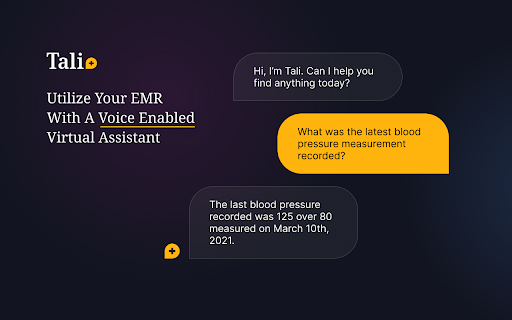
Tali AI is a Chrome extension designed to streamline medical note-taking and information retrieval for healthcare professionals. It allows users to dictate notes directly into Electronic Health Records (EHR) software and access evidence-based medical databases at the point of care, all without leaving the EHR interface.
How to use Tali AI ai chrome extension?
1. Install the Tali Chrome extension. 2. Log in with your Google account. 3. Select a text area in your EHR. 4. Click the microphone icon to start dictating. 5. Speak clearly to enter notes directly into the EHR.
Tali AI ai chrome extension's Core Features
Dictation of medical notes directly into EHR systems
Access to evidence-based medical databases within the EHR
Voice-to-text transcription
Integration with Google accounts
Tali AI ai chrome extension's Use Cases
#1
Dictating patient notes during or after consultations
#2
Looking up drug information or treatment guidelines while reviewing a patient's chart
#3
Creating progress notes quickly and efficiently
#4
Searching for relevant medical literature during patient encounters
FAQ from Tali AI
How do I install the Tali Chrome extension?
How do I start dictating notes?
Do I need a Google account to use Tali?
Tripo AI
AI-powered 3D model generator from images and text.
Try Now
AD
APIMart
AI API, 99.9% SLA. Your AI, Always On.
Try Now
AD
Analytic of Tali AI AI Chrome Extension
Tali AI Active Users
Total Installed User
10.0K
Alternative of Tali AI AI Chrome Extension

More Content About Tali AI
12 Fascinating Insights from Medical Transcripts
By Adelaide on July 26 2024
Discover intriguing revelations from medical documents in this captivating read! Uncover 12 eye-opening insights that will leave you wanting more.
Recommend To Learn
software speech recognition
voice to text chrome
speech to text voice
voice recognition notes
voice to speech ai
voice to ai
speech to speech ai
speech to speech
chrome speech to text
to text to speech
ai speech recognition
ai voice recognition
voice to voice ai
speech recognition software
voice recognition voice recognition
voice recognition software
recognition voice
voice recognition
voz
Text-To-Speech
Speech-To-Text
Software
Text-to-speech
speech to text
Speech
Voice-to-Text
Text-to-video
Image-to-image
Voice
Text To Voice
texto a voz