






Total runs:
419.1K
Run Growth:
136.1K
Growth Rate:
32.48%
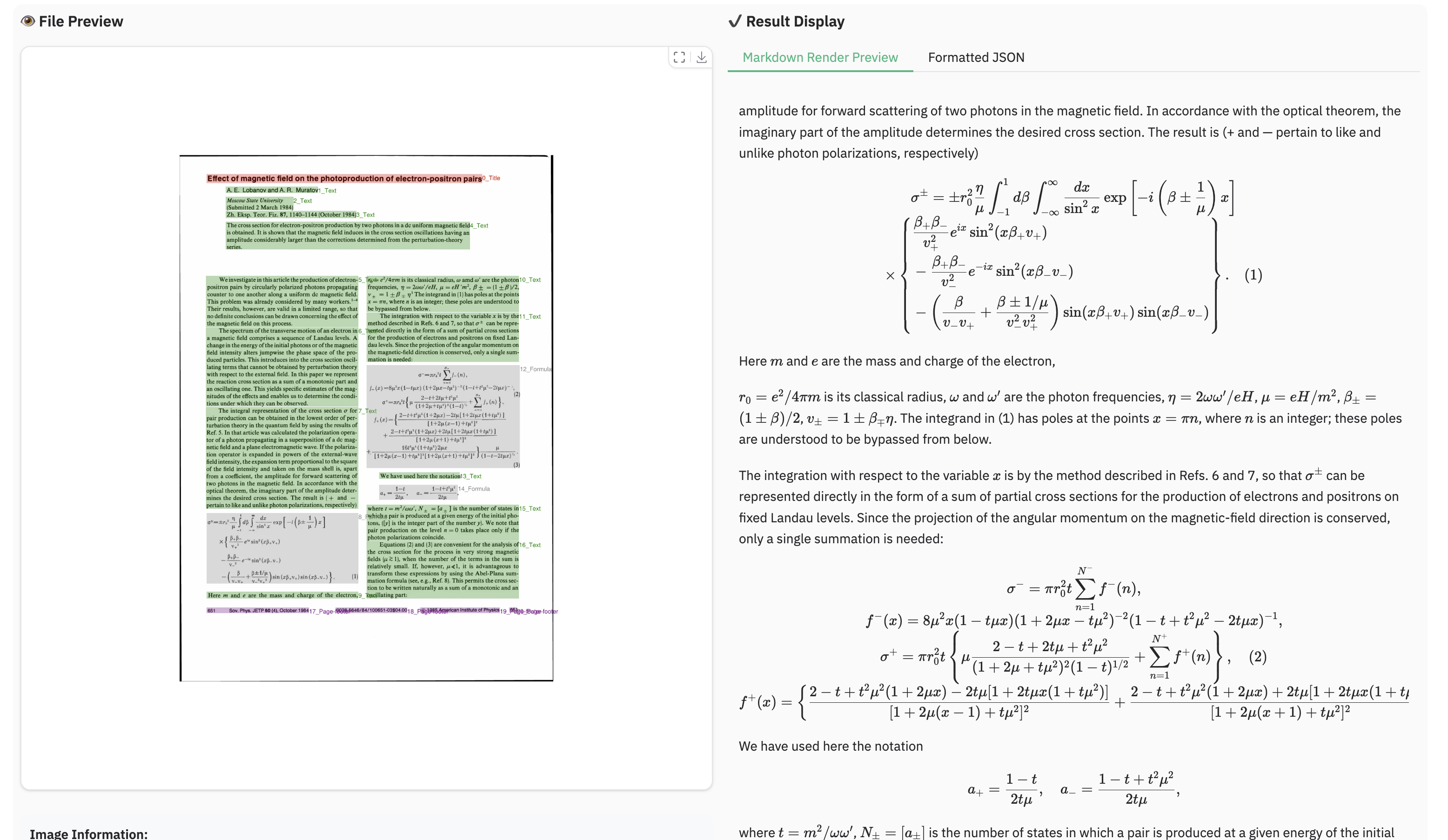
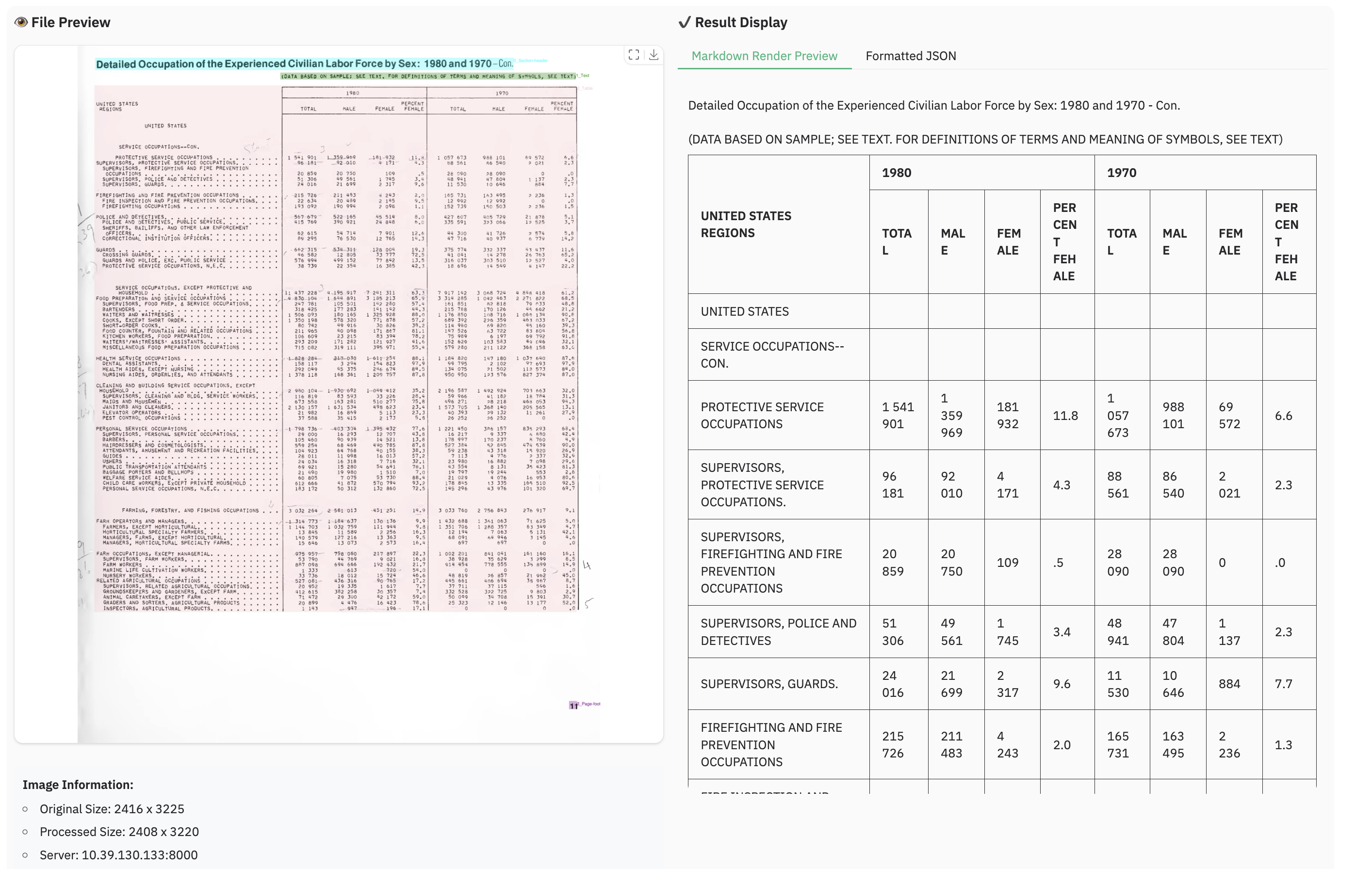
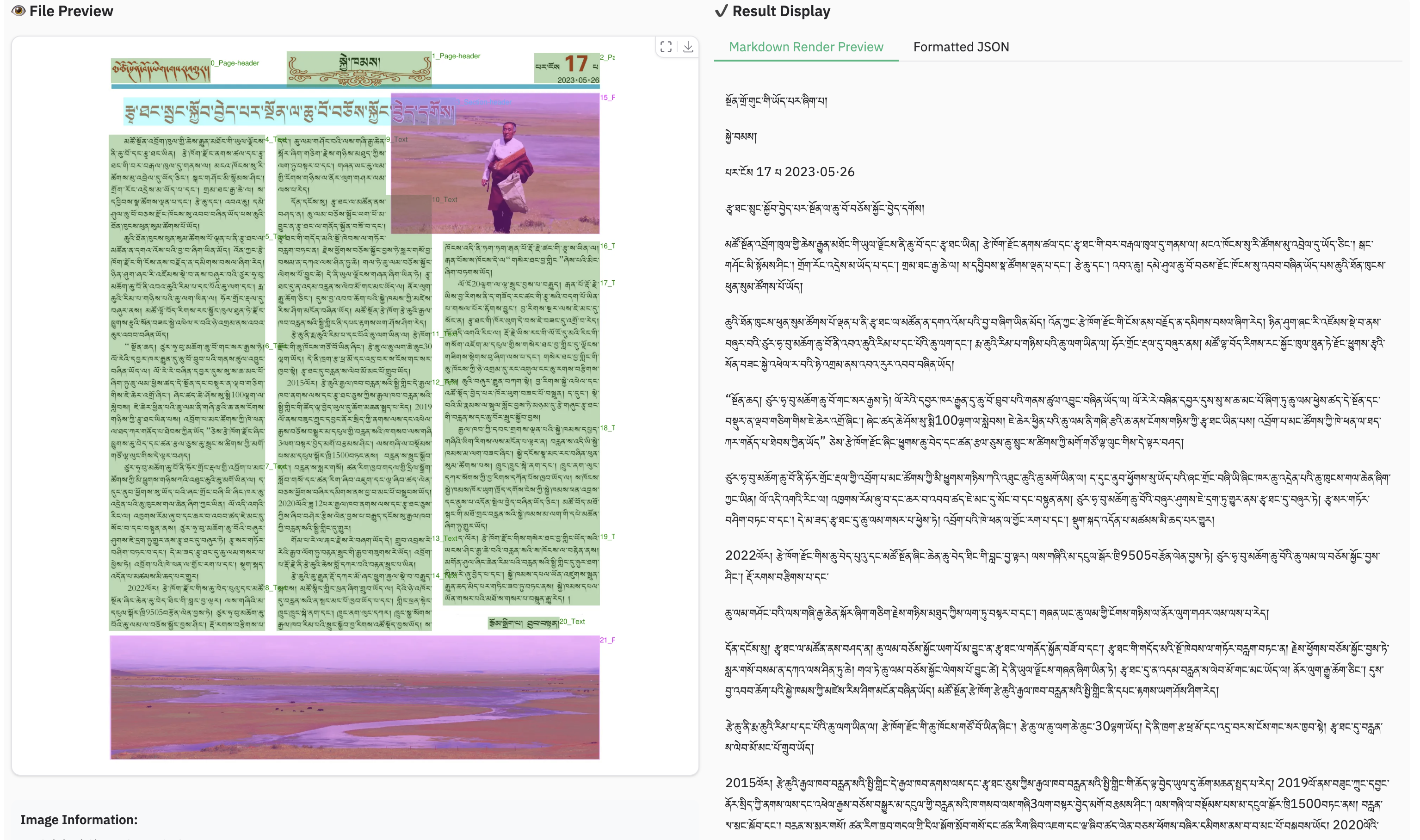
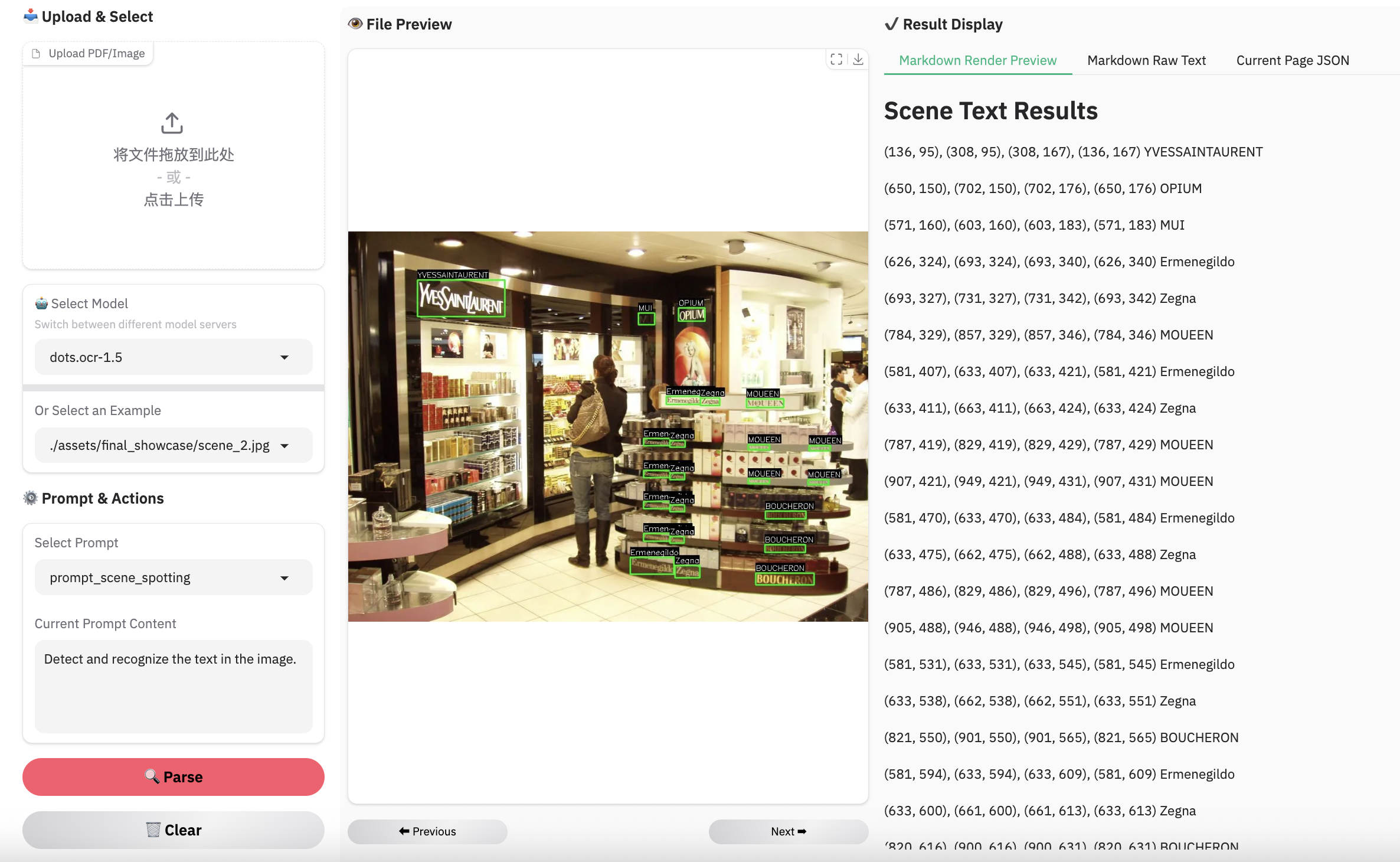
We present dots.ocr-1.5 , a 3B-parameter multimodal model composed of a 1.2B vision encoder and a 1.7B language model. Designed for universal accessibility, it possesses the capability to recognize virtually any human script. Beyond achieving state-of-the-art (SOTA) performance in standard multilingual document parsing among models of comparable size, dots.ocr-1.5 excels at converting structured graphics (e.g., charts and diagrams) directly into SVG code, parsing web screens and spotting scene text. Furthermore, the model demonstrates competitive performance in general OCR, object grounding & counting tasks.
| models | olmOCR-Bench | OmniDocBench (v1.5) | XDocParse |
|---|---|---|---|
| GLM-OCR | 859.9 | 937.5 | 742.1 |
| PaddleOCR-VL-1.5 | 873.6 | 965.6 | 797.6 |
| HuanyuanOCR | 978.9 | 974.4 | 895.9 |
| dots.ocr | 1027.4 | 994.7 | 1133.4 |
| dots.ocr-1.5 | 1089.0 | 1025.8 | 1157.1 |
| Gemini 3 Pro | 1171.2 | 1102.1 | 1273.9 |
Notes:
- Results for Gemini 3 Pro, PaddleOCR-VL-1.5, and GLM-OCR were obtained via APIs, while HuanyuanOCR results were generated using local inference.
- The Elo score evaluation was conducted using Gemini 3 Flash. The prompt can be found at: Elo Score Prompt . These results are consistent with the findings on ocrarena .
| Model | ArXiv | Old scans math | Tables | Old scans | Headers & footers | Multi column | Long tiny text | Base | Overall |
|---|---|---|---|---|---|---|---|---|---|
| Mistral OCR API | 77.2 | 67.5 | 60.6 | 29.3 | 93.6 | 71.3 | 77.1 | 99.4 | 72.0±1.1 |
| Marker 1.10.1 | 83.8 | 66.8 | 72.9 | 33.5 | 86.6 | 80.0 | 85.7 | 99.3 | 76.1±1.1 |
| MinerU 2.5.4* | 76.6 | 54.6 | 84.9 | 33.7 | 96.6 | 78.2 | 83.5 | 93.7 | 75.2±1.1 |
| DeepSeek-OCR | 77.2 | 73.6 | 80.2 | 33.3 | 96.1 | 66.4 | 79.4 | 99.8 | 75.7±1.0 |
| Nanonets-OCR2-3B | 75.4 | 46.1 | 86.8 | 40.9 | 32.1 | 81.9 | 93.0 | 99.6 | 69.5±1.1 |
| PaddleOCR-VL* | 85.7 | 71.0 | 84.1 | 37.8 | 97.0 | 79.9 | 85.7 | 98.5 | 80.0±1.0 |
| Infinity-Parser 7B* | 84.4 | 83.8 | 85.0 | 47.9 | 88.7 | 84.2 | 86.4 | 99.8 | 82.5±? |
| olmOCR v0.4.0 | 83.0 | 82.3 | 84.9 | 47.7 | 96.1 | 83.7 | 81.9 | 99.7 | 82.4±1.1 |
| Chandra OCR 0.1.0* | 82.2 | 80.3 | 88.0 | 50.4 | 90.8 | 81.2 | 92.3 | 99.9 | 83.1±0.9 |
| dots.ocr | 82.1 | 64.2 | 88.3 | 40.9 | 94.1 | 82.4 | 81.2 | 99.5 | 79.1±1.0 |
| dots.ocr-1.5 | 85.9 | 85.5 | 90.7 | 48.2 | 94.0 | 85.3 | 81.6 | 99.7 | 83.9±0.9 |
Note:
- The metrics are from olmocr , and our own internal evaluations.
- We delete the Page-header and Page-footer cells in the result markdown.
| Model Type | Methods | Size |
OmniDocBench(v1.5)
TextEdit↓ |
OmniDocBench(v1.5)
Read OrderEdit↓ |
pdf-parse-bench |
|---|---|---|---|---|---|
| GeneralVLMs | Gemini-2.5 Pro | - | 0.075 | 0.097 | 9.06 |
| Qwen3-VL-235B-A22B-Instruct | 235B | 0.069 | 0.068 | 9.71 | |
| gemini3pro | - | 0.066 | 0.079 | 9.68 | |
| SpecializedVLMs | Mistral OCR | - | 0.164 | 0.144 | 8.84 |
| Deepseek-OCR | 3B | 0.073 | 0.086 | 8.26 | |
| MonkeyOCR-3B | 3B | 0.075 | 0.129 | 9.27 | |
| OCRVerse | 4B | 0.058 | 0.071 | -- | |
| MonkeyOCR-pro-3B | 3B | 0.075 | 0.128 | - | |
| MinerU2.5 | 1.2B | 0.047 | 0.044 | - | |
| PaddleOCR-VL | 0.9B | 0.035 | 0.043 | 9.51 | |
| HunyuanOCR | 0.9B | 0.042 | - | - | |
| PaddleOCR-VL1.5 | 0.9B | 0.035 | 0.042 | - | |
| GLMOCR | 0.9B | 0.04 | 0.043 | - | |
| dots.ocr | 3B | 0.048 | 0.053 | 9.29 | |
| dots.ocr-1.5 | 3B | 0.031 | 0.029 | 9.54 |
Note:
- Metrics are sourced from OmniDocBench and other model publications. pdf-parse-bench results are reproduced by Qwen3-VL-235B-A22B-Instruct.
- Formula and Table metrics for OmniDocBench1.5 are omitted due to their high sensitivity to detection and matching protocols.
Visual languages (e.g., charts, graphics, chemical formulas, logos) encapsulate dense human knowledge. dots.ocr-1.5 unifies the interpretation of these elements by parsing them directly into SVG code .
| Methods | Unisvg | Chartmimic | Design2Code | Genexam | SciGen | ChemDraw | ||
|---|---|---|---|---|---|---|---|---|
| Low-Level | High-Level | Score | ||||||
| OCRVerse | 0.632 | 0.852 | 0.763 | 0.799 | - | - | - | 0.881 |
| Gemini 3 Pro | 0.563 | 0.850 | 0.735 | 0.788 | 0.760 | 0.756 | 0.783 | 0.839 |
| dots.ocr-1.5 | 0.850 | 0.923 | 0.894 | 0.772 | 0.801 | 0.664 | 0.660 | 0.790 |
| dots.ocr-1.5-svg | 0.860 | 0.931 | 0.902 | 0.905 | 0.834 | 0.8 | 0.797 | 0.901 |
Note:
- We use the ISVGEN metric from UniSVG to evaluate the parsing result. For benchmarks that do not natively support image parsing, we use the original images as input, and calculate the ISVGEN score between the rendered output and the original image.
- OCRVerse results are derived from various code formats (e.g., SVG, Python), whereas results for Gemini 3 Pro and dots.ocr-1.5 are based specifically on SVG code.
- Due to the capacity constraints of a 3B-parameter VLM, dots.ocr-1.5 may not excel in all tasks yet like svg. To complement this, we are simultaneously releasing dots.ocr-1.5-svg. We plan to further address these limitations in future updates.
| Model | CharXiv_descriptive | CharXiv_reasoning | OCR_Reasoning | infovqa | docvqa | ChartQA | OCRBench | AI2D | CountBenchQA | refcoco |
|---|---|---|---|---|---|---|---|---|---|---|
| Qwen3vl-2b-instruct | 62.3 | 26.8 | - | 72.4 | 93.3 | - | 85.8 | 76.9 | 88.4 | - |
| dots.ocr-1.5 | 77.4 | 55.3 | 22.85 | 73.76 | 91.85 | 83.2 | 86.0 | 82.16 | 94.46 | 80.03 |
conda create -n dots_ocr python=3.12
conda activate dots_ocr

git clone https://github.com/rednote-hilab/dots.ocr.git
cd dots.ocr

# Install pytorch, see https://pytorch.org/get-started/previous-versions/ for your cuda version
pip install torch==2.7.0 torchvision==0.22.0 torchaudio==2.7.0 --index-url https://download.pytorch.org/whl/cu128
pip install -e .
If you have trouble with the installation, try our Docker Image for an easier setup, and follow these steps:
git clone https://github.com/rednote-hilab/dots.ocr.git
cd dots.ocr
pip install -e .
💡 Note: Please use a directory name without periods (e.g.,
DotsOCR_1_5instead ofdots.ocr-1.5) for the model save path. This is a temporary workaround pending our integration with Transformers.
python3 tools/download_model.py
We highly recommend using vllm for deployment and inference.
# launch vllm server
## dots.ocr-1.5
CUDA_VISIBLE_DEVICES=0 vllm serve rednote-hilab/dots.ocr-1.5 --tensor-parallel-size 1 --gpu-memory-utilization 0.9 --chat-template-content-format string --served-model-name model --trust-remote-code

## dots.ocr-1.5-svg
CUDA_VISIBLE_DEVICES=0 vllm serve rednote-hilab/dots.ocr-1.5-svg --tensor-parallel-size 1 --gpu-memory-utilization 0.9 --chat-template-content-format string --served-model-name model --trust-remote-code

# vllm api demo
## document parsing
python3 ./demo/demo_vllm.py --prompt_mode prompt_layout_all_en
## web parsing
python3 ./demo/demo_vllm.py --prompt_mode prompt_web_parsing --image_path ./assets/showcase_dots_ocr_1_5/origin/webpage_1.png
## scene spoting
python3 ./demo/demo_vllm.py --prompt_mode prompt_scene_spotting --image_path ./assets/showcase_dots_ocr_1_5/origin/scene_1.jpg
## image parsing with svg code
python3 ./demo/demo_vllm_svg.py --prompt_mode prompt_image_to_svg
## general qa
python3 ./demo/demo_vllm_general.py
python3 demo/demo_hf.py
import torch
from transformers import AutoModelForCausalLM, AutoProcessor, AutoTokenizer
from qwen_vl_utils import process_vision_info
from dots_ocr.utils import dict_promptmode_to_prompt

model_path = "./weights/DotsOCR_1_5"
model = AutoModelForCausalLM.from_pretrained(
    model_path,
    attn_implementation="flash_attention_2",
    torch_dtype=torch.bfloat16,
    device_map="auto",
    trust_remote_code=True
)
processor = AutoProcessor.from_pretrained(model_path, trust_remote_code=True)

image_path = "demo/demo_image1.jpg"
prompt = """Please output the layout information from the PDF image, including each layout element's bbox, its category, and the corresponding text content within the bbox.

1. Bbox format: [x1, y1, x2, y2]

2. Layout Categories: The possible categories are ['Caption', 'Footnote', 'Formula', 'List-item', 'Page-footer', 'Page-header', 'Picture', 'Section-header', 'Table', 'Text', 'Title'].

3. Text Extraction & Formatting Rules:
    - Picture: For the 'Picture' category, the text field should be omitted.
    - Formula: Format its text as LaTeX.
    - Table: Format its text as HTML.
    - All Others (Text, Title, etc.): Format their text as Markdown.

4. Constraints:
    - The output text must be the original text from the image, with no translation.
    - All layout elements must be sorted according to human reading order.

5. Final Output: The entire output must be a single JSON object.
"""

messages = [
        {
            "role": "user",
            "content": [
                {
                    "type": "image",
                    "image": image_path
                },
                {"type": "text", "text": prompt}
            ]
        }
    ]

# Preparation for inference
text = processor.apply_chat_template(
    messages,
    tokenize=False,
    add_generation_prompt=True
)
image_inputs, video_inputs = process_vision_info(messages)
inputs = processor(
    text=[text],
    images=image_inputs,
    videos=video_inputs,
    padding=True,
    return_tensors="pt",
)

inputs = inputs.to("cuda")

# Inference: Generation of the output
generated_ids = model.generate(**inputs, max_new_tokens=24000)
generated_ids_trimmed = [
    out_ids[len(in_ids) :] for in_ids, out_ids in zip(inputs.input_ids, generated_ids)
]
output_text = processor.batch_decode(
    generated_ids_trimmed, skip_special_tokens=True, clean_up_tokenization_spaces=False
)
print(output_text)
Based on vLLM server , you can parse an image or a pdf file using the following commands:
# Parse all layout info, both detection and recognition
# Parse a single image
python3 dots_ocr/parser.py demo/demo_image1.jpg
# Parse a single PDF
python3 dots_ocr/parser.py demo/demo_pdf1.pdf  --num_thread 64  # try bigger num_threads for pdf with a large number of pages

# Layout detection only
python3 dots_ocr/parser.py demo/demo_image1.jpg --prompt prompt_layout_only_en

# Parse text only, except Page-header and Page-footer
python3 dots_ocr/parser.py demo/demo_image1.jpg --prompt prompt_ocr
demo_image1.json
): A JSON file containing the detected layout elements, including their bounding boxes, categories, and extracted text.
demo_image1.md
): A Markdown file generated from the concatenated text of all detected cells.
demo_image1_nohf.md
, is also provided, which excludes page headers and footers for compatibility with benchmarks like Omnidocbench and olmOCR-bench.
demo_image1.jpg
): The original image with the detected layout bounding boxes drawn on it.
Have fun with the live demo .
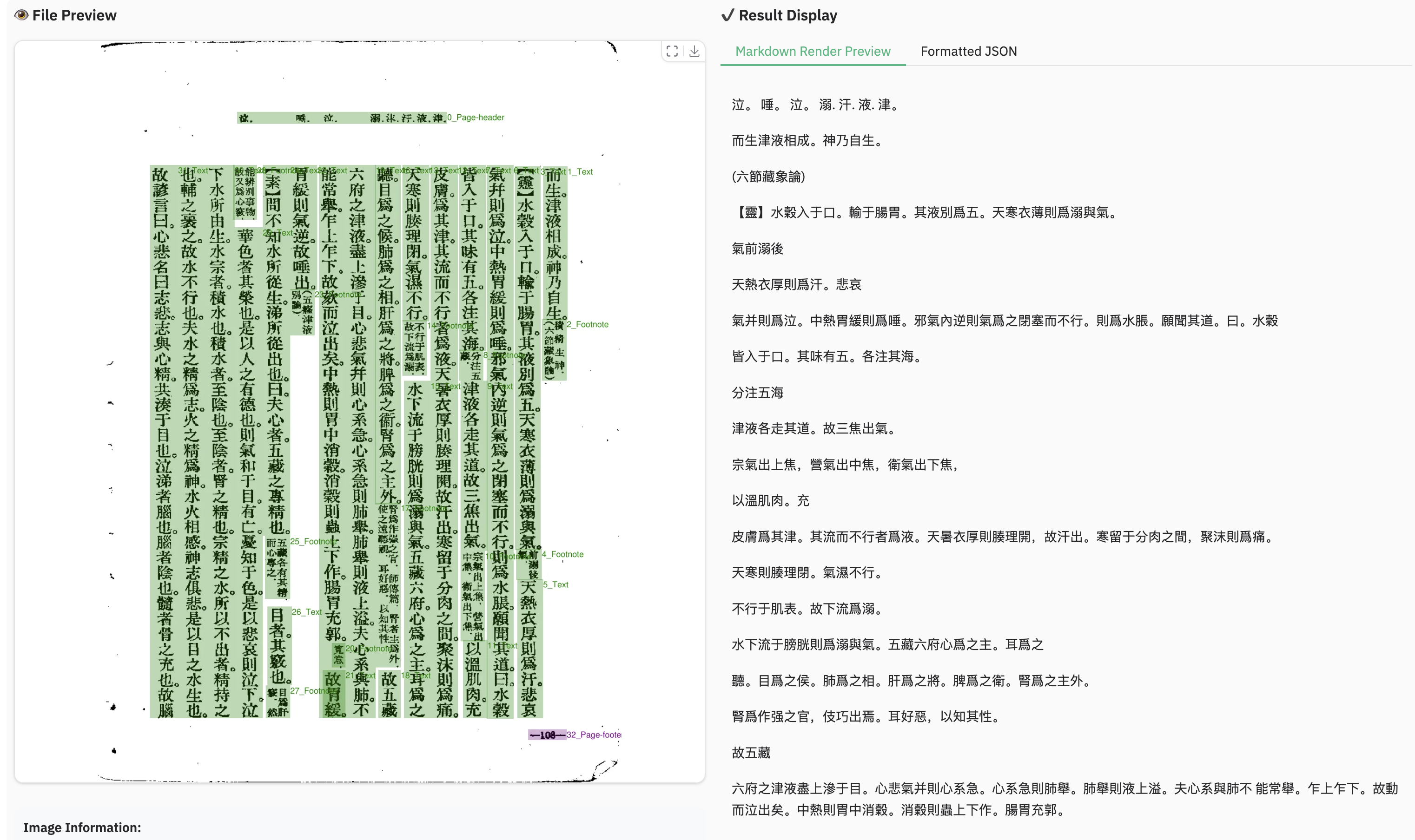
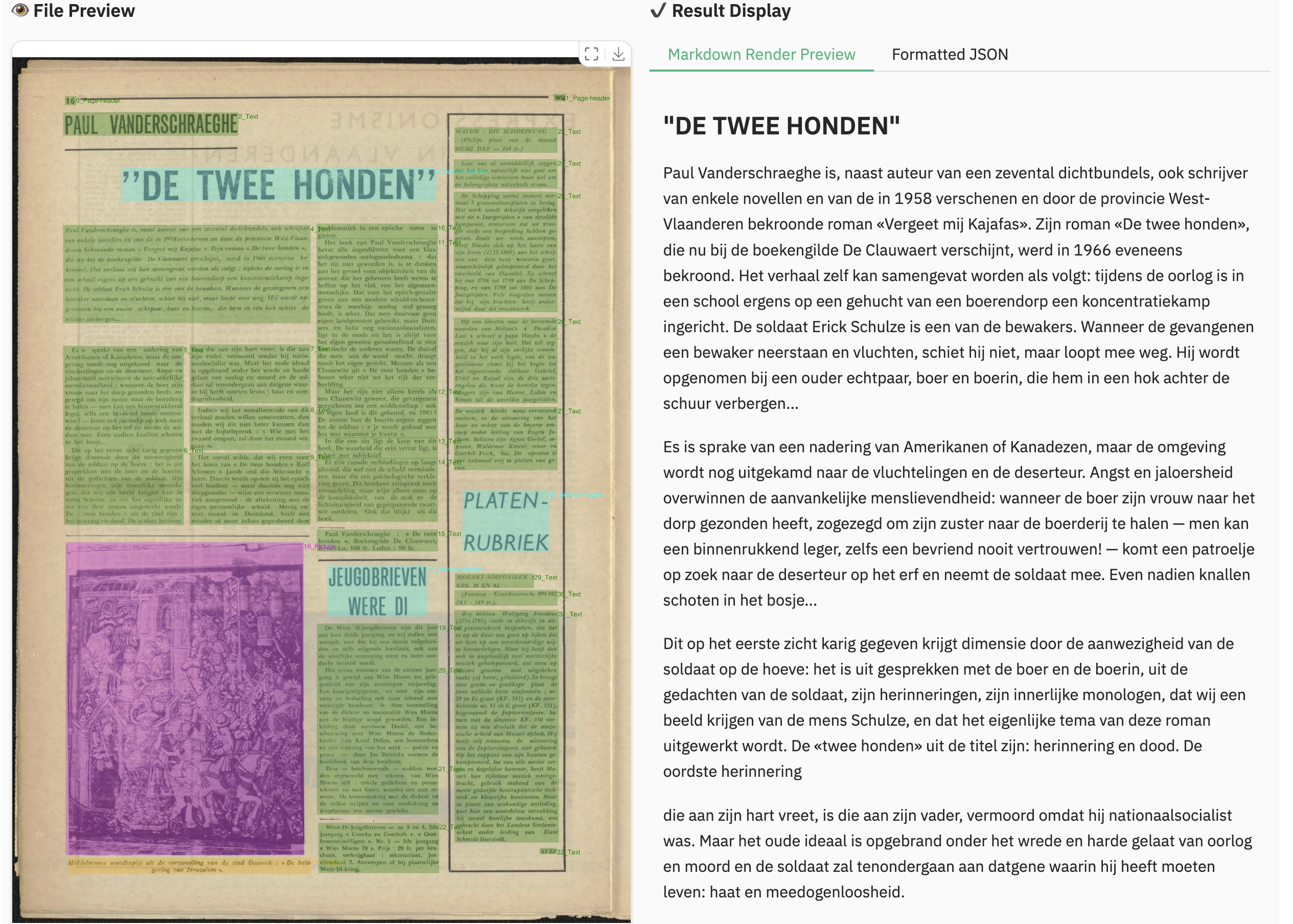
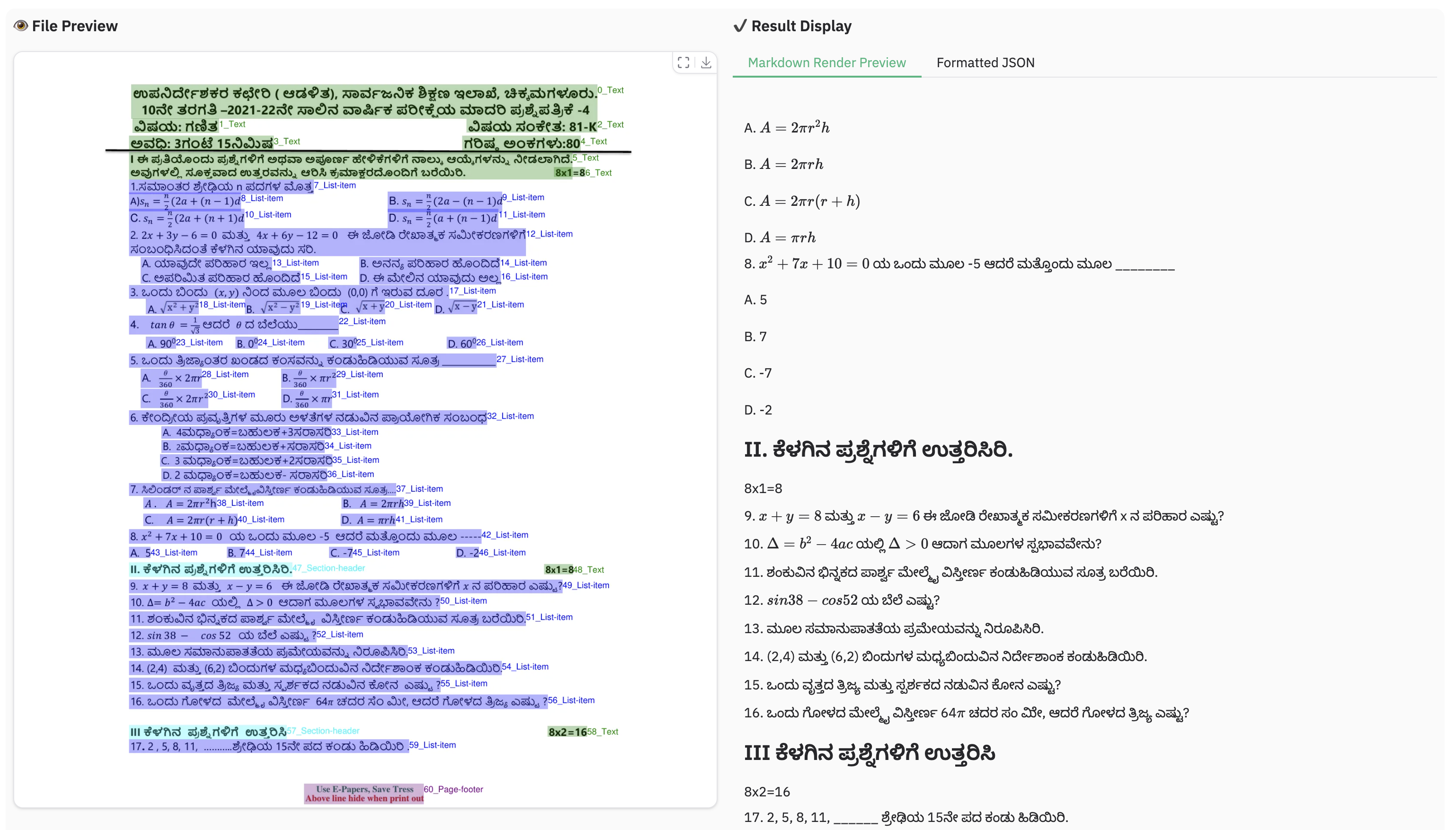
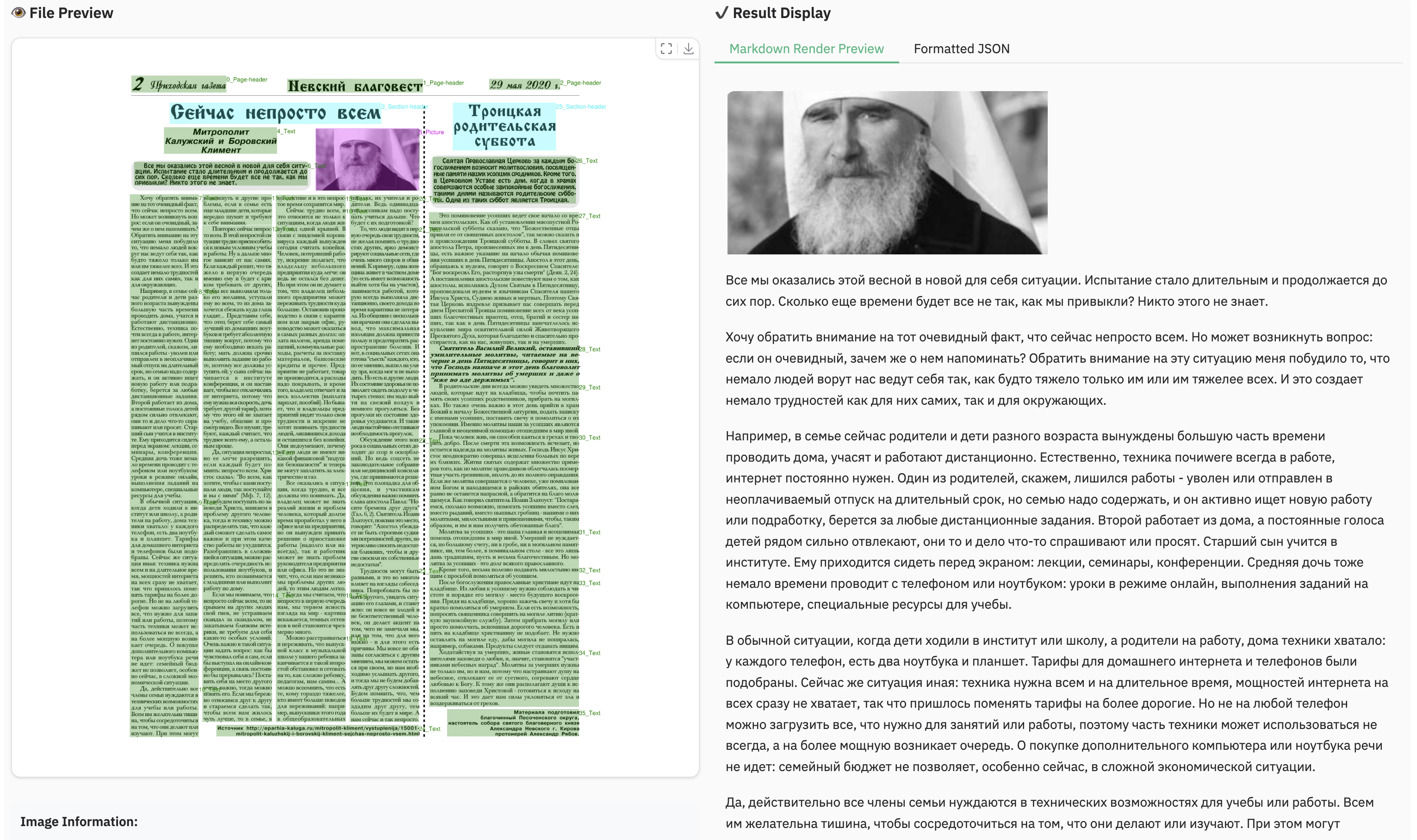
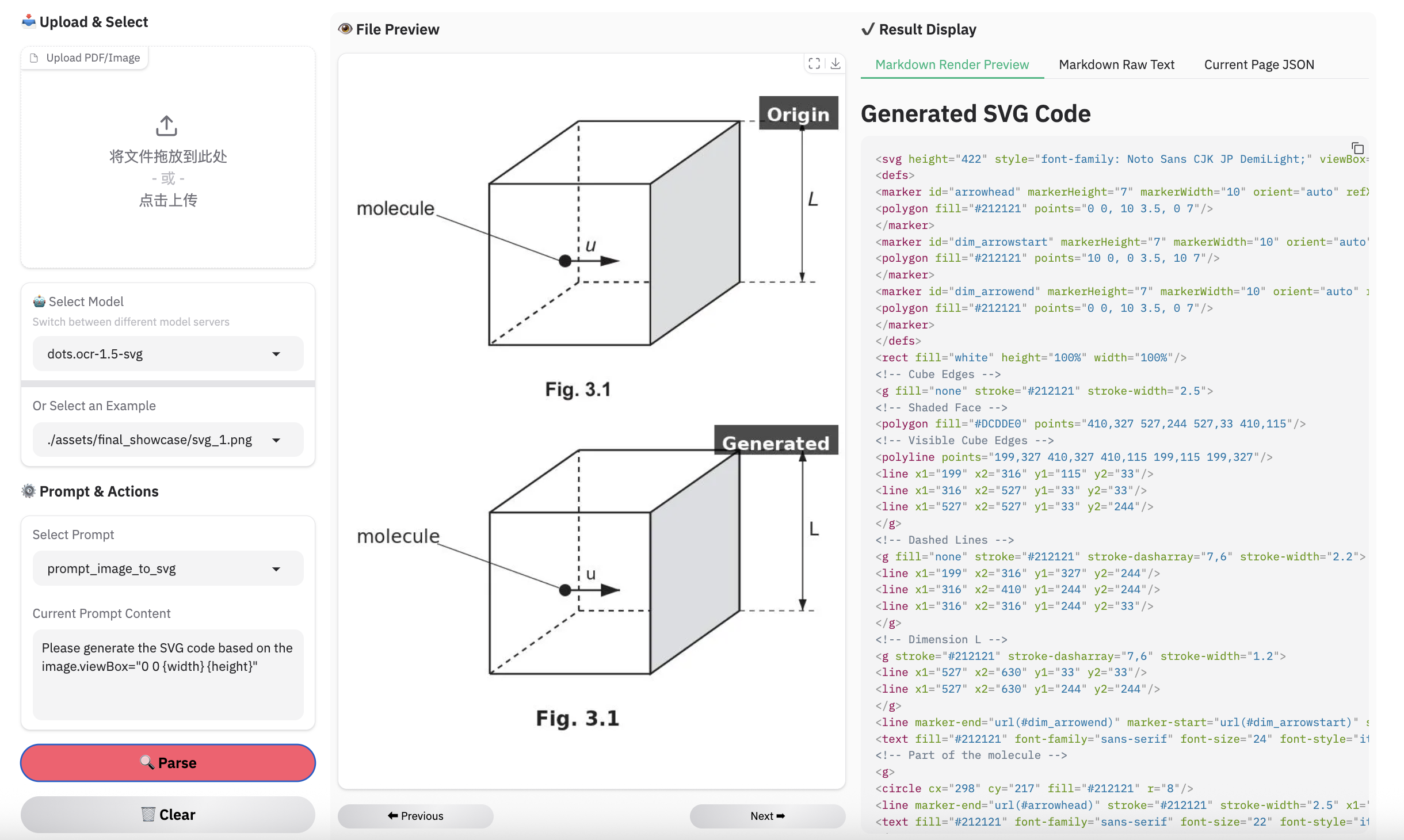
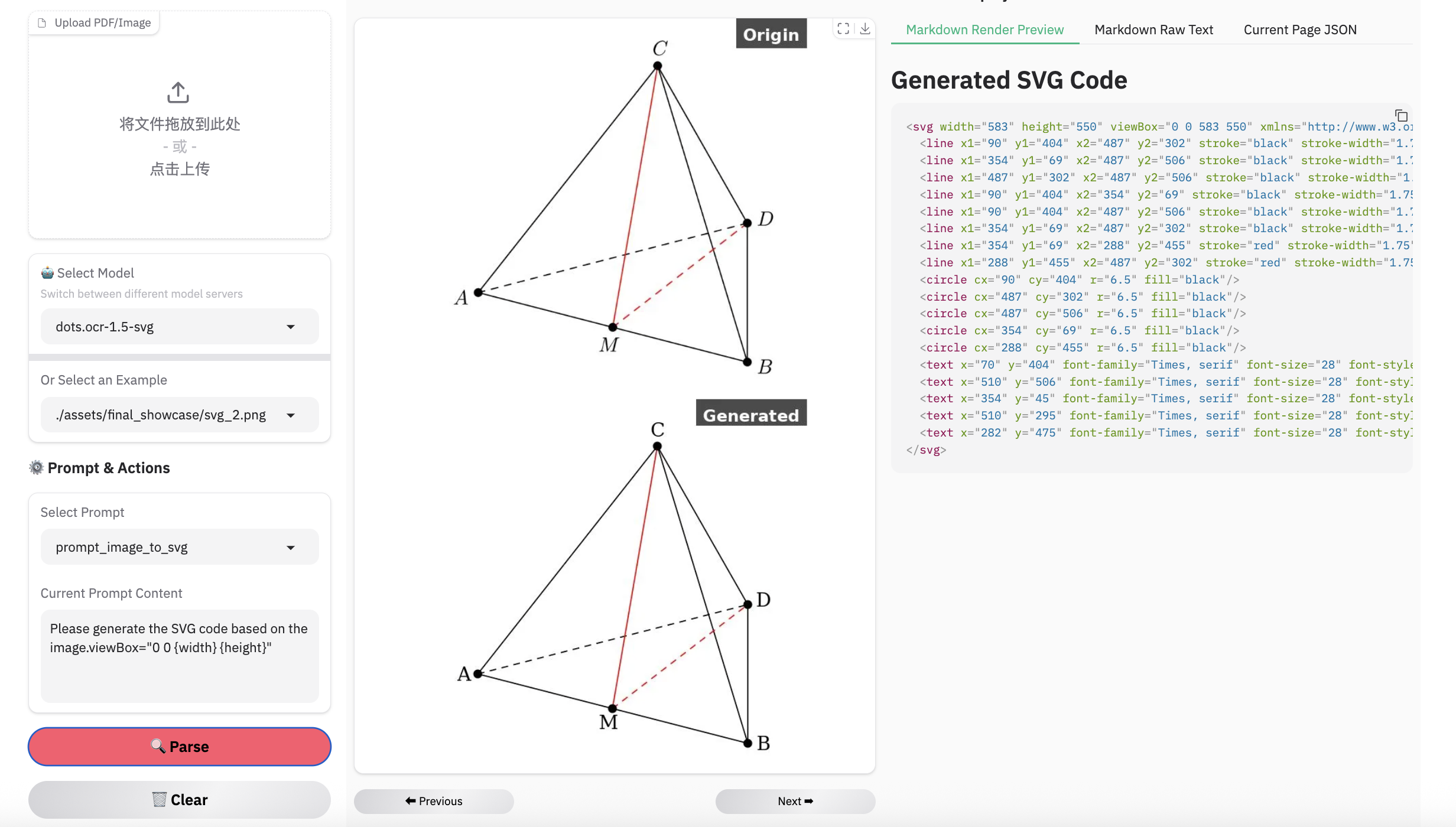
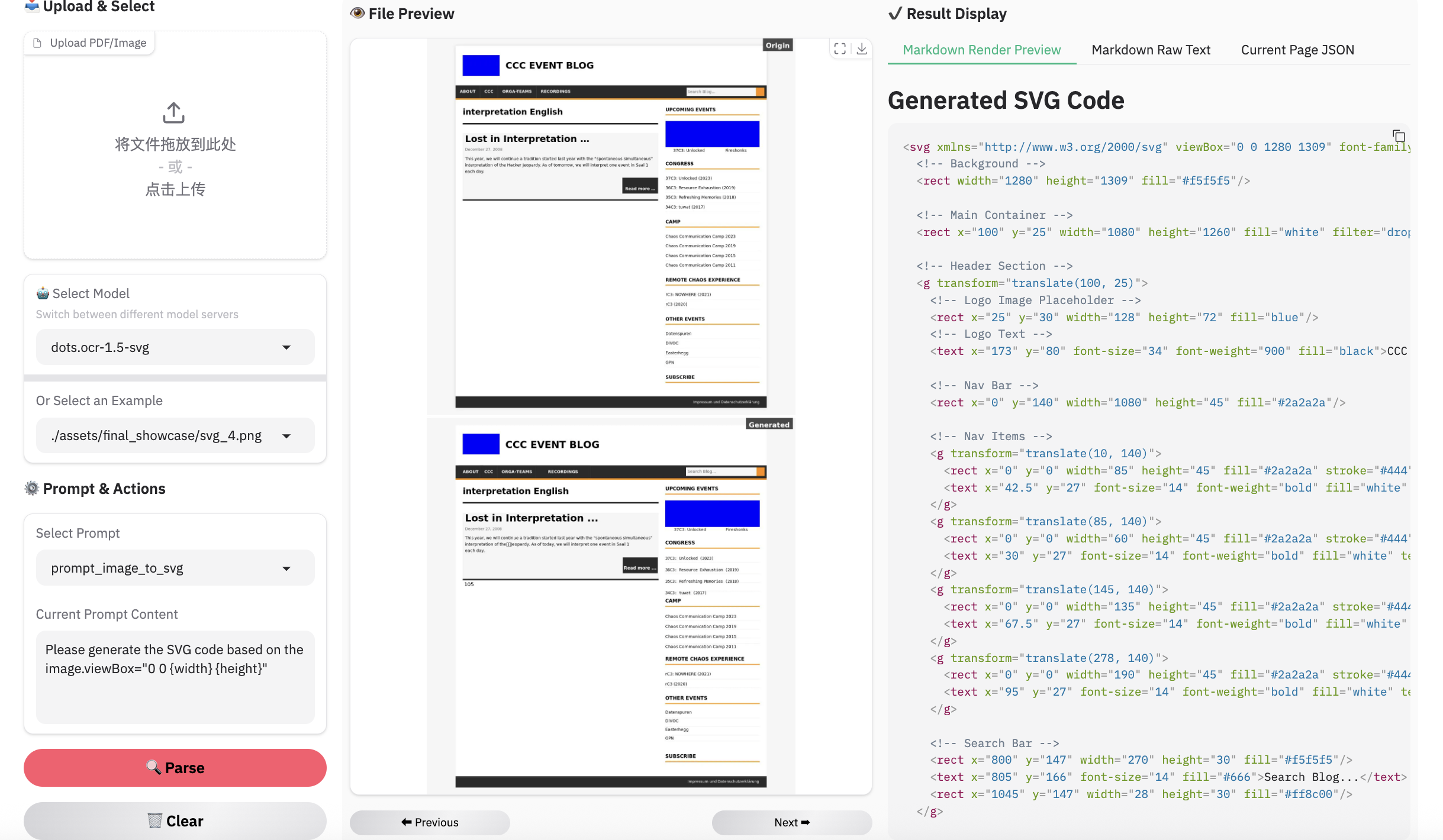
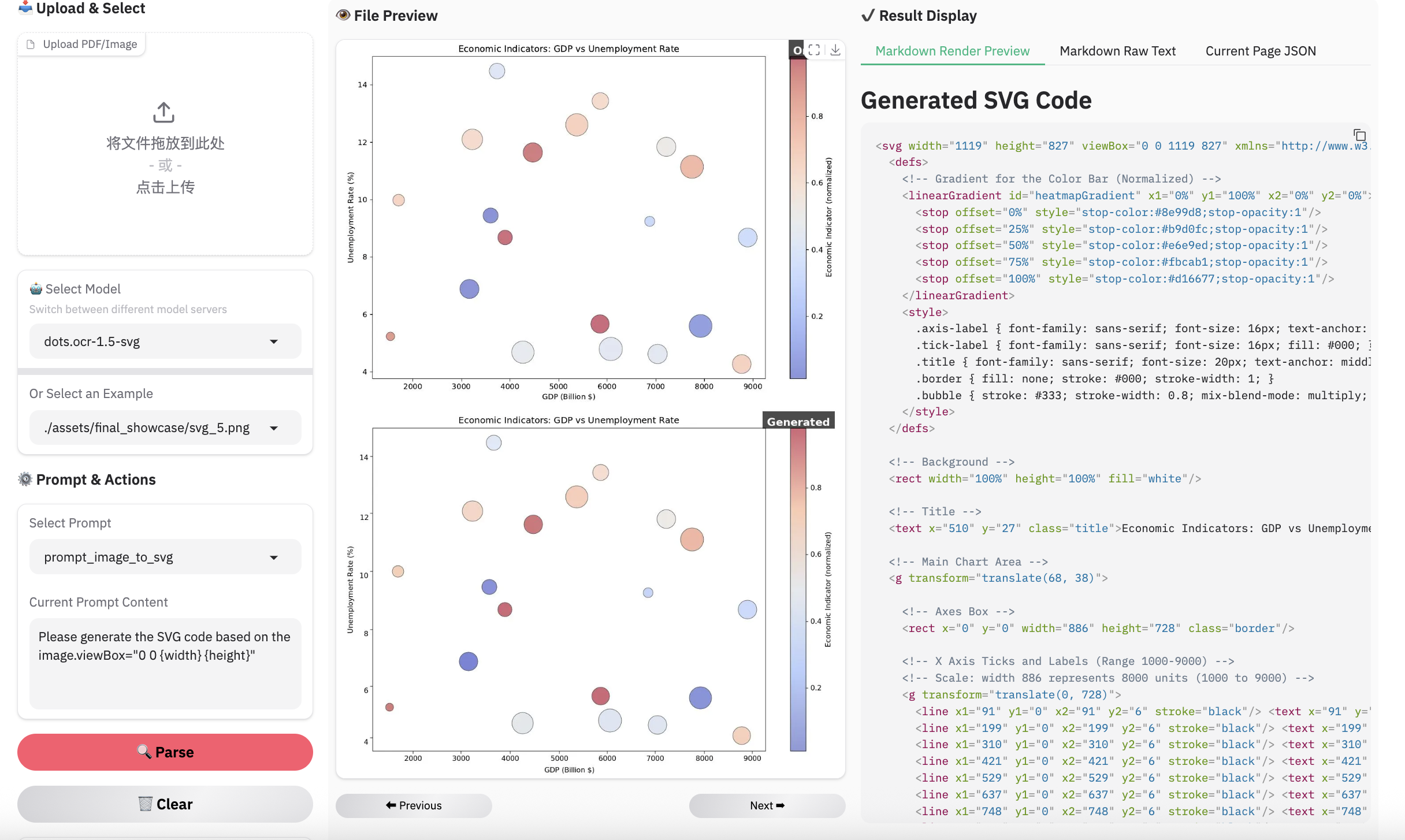
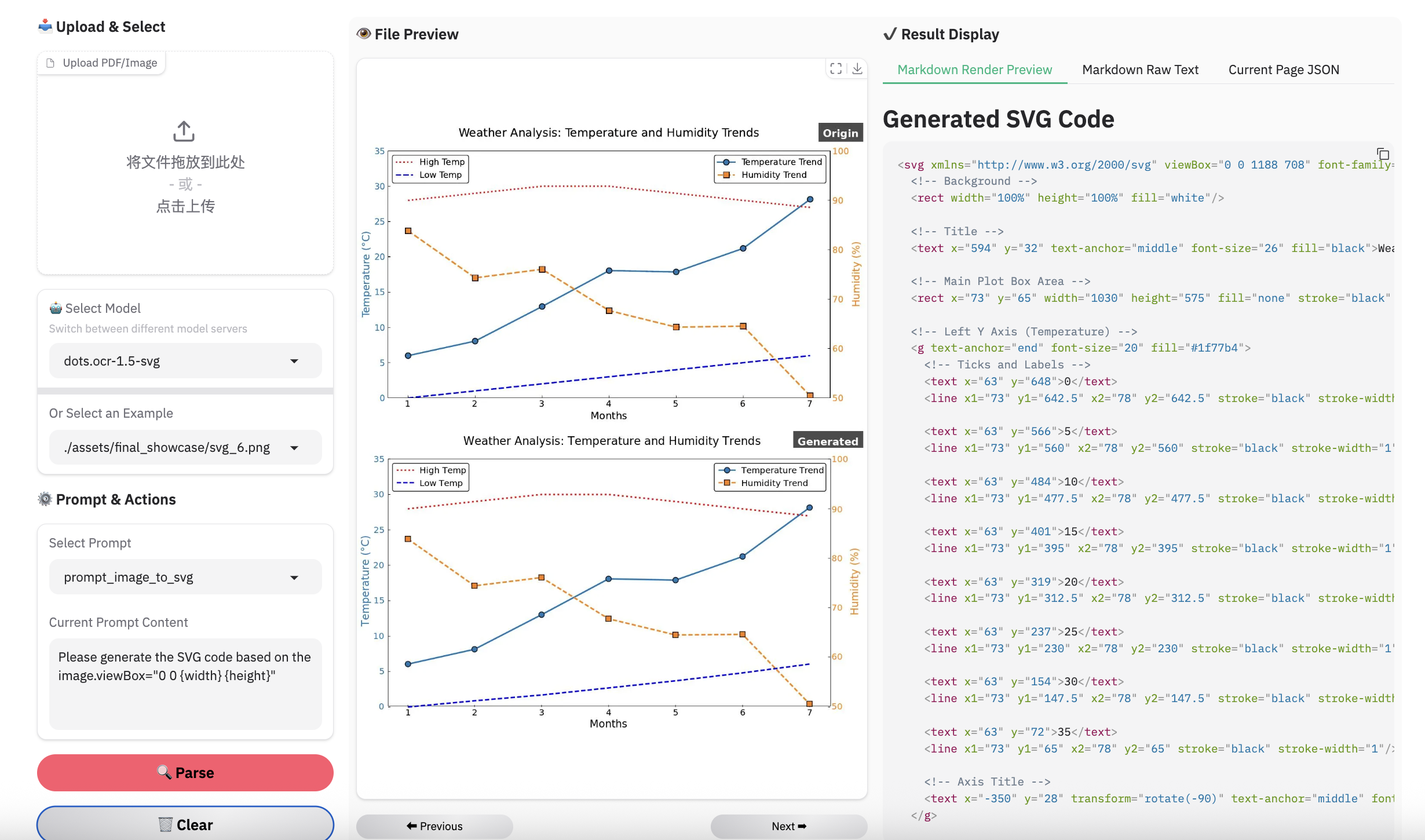
Note:
- Inferenced by dots.ocr-1.5-svg
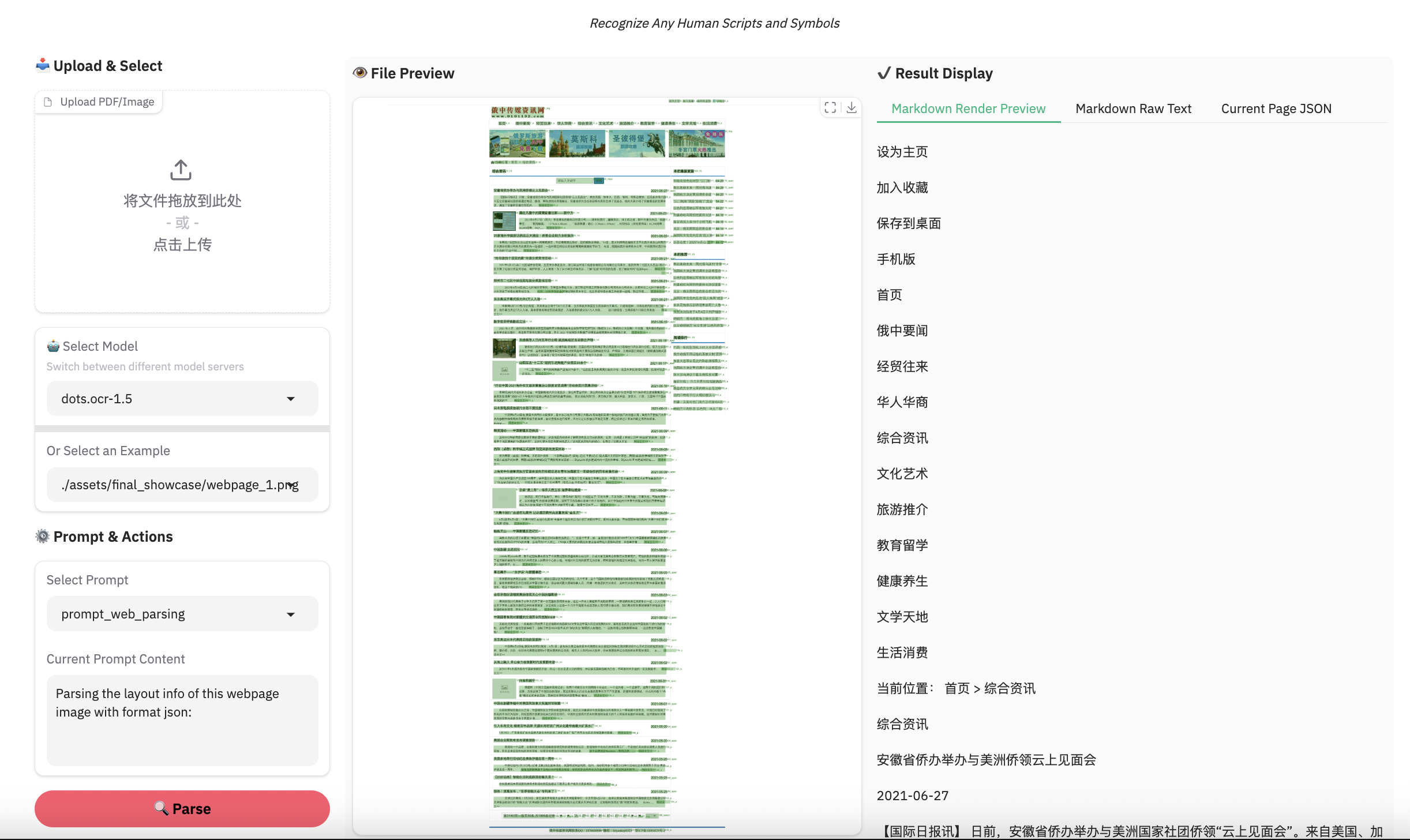
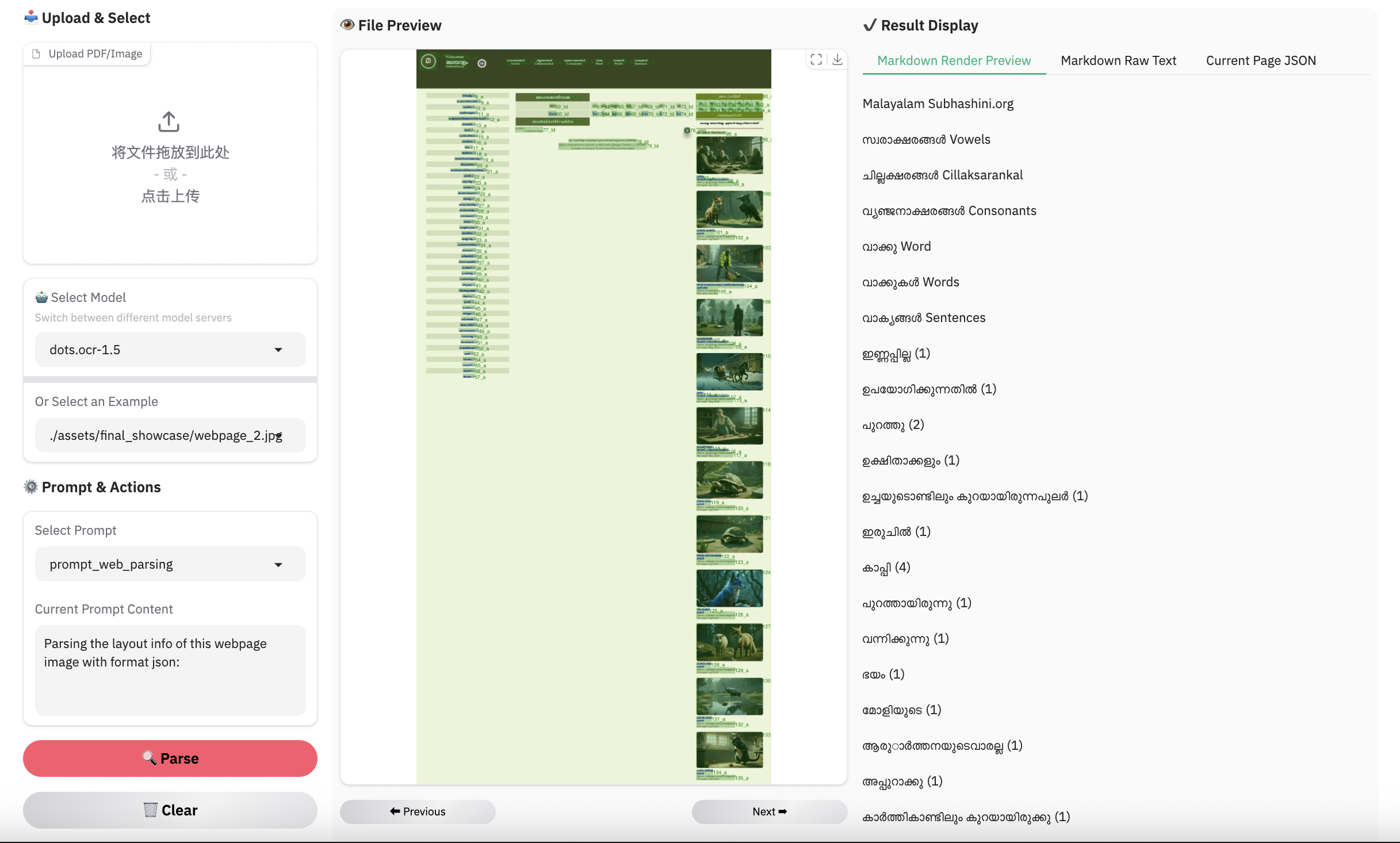
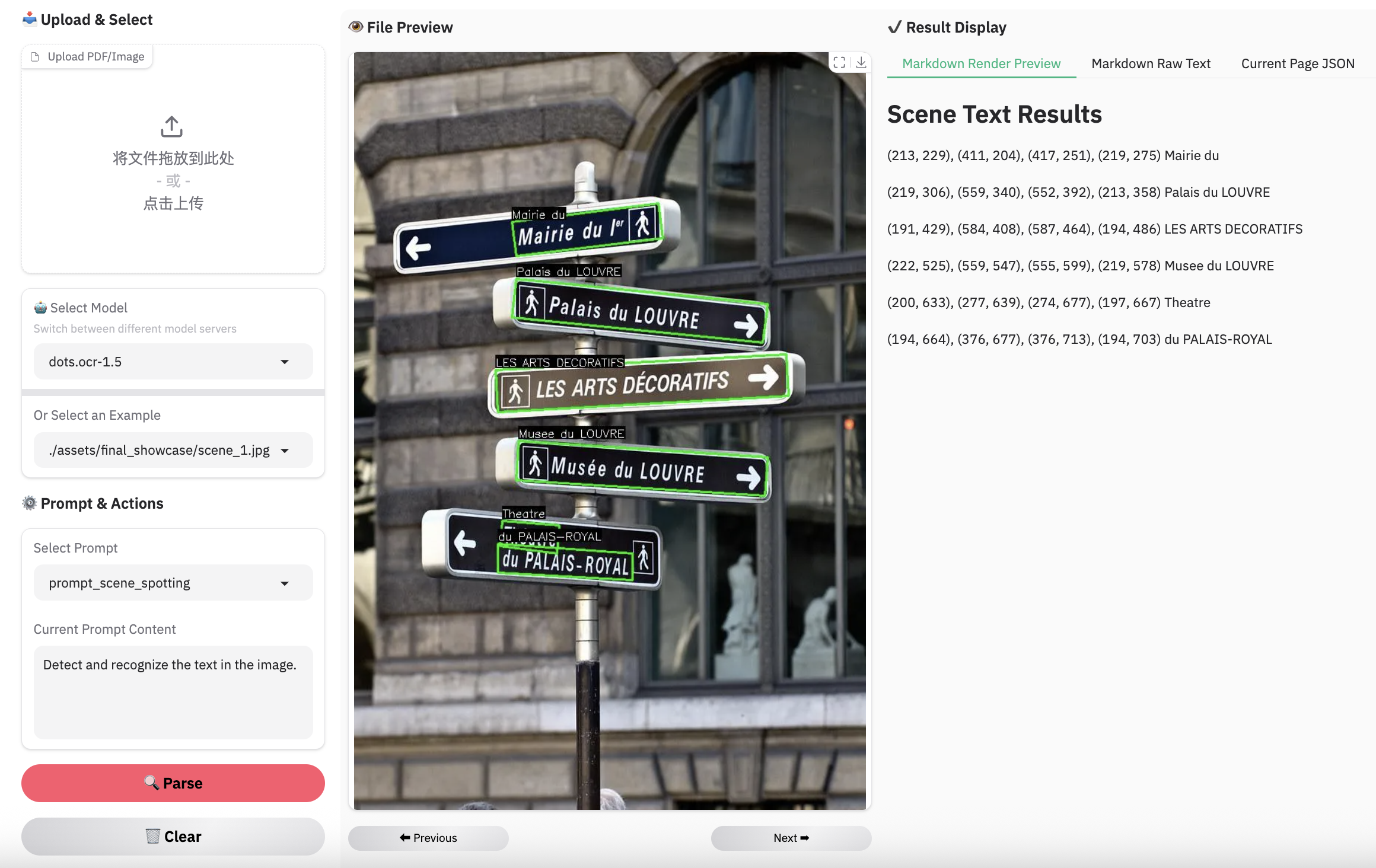
Complex Document Elements:
Parsing Failures: While we have reduced the rate of parsing failures compared to the previous version, these issues may still occur occasionally. We remain committed to further resolving these edge cases in future updates.