































Table of Contents
- Key Points
- Understanding the Role of AI Code Detector Pro
- Advanced Features and Capabilities
- Getting Started with AI Code Detector Pro: A Step-by-Step Guide
- Understanding the Pricing Plans of AI Code Detector Pro
- Weighing the Benefits and Drawbacks: AI Code Detector Pro
- Frequently Asked Questions
- Related Questions


Understanding the Role of AI Code Detector Pro
What is AI Code Detection?
AI Code Detector Pro is at the forefront of code analysis, offering a unique ability to differentiate between code written by humans and code generated by artificial intelligence
. As AI becomes increasingly integrated into coding processes, this tool provides a critical layer of security and verification.
The core functionality of the AI Code Detector Pro is to analyze code snippets or entire projects, assessing the likelihood that the code was produced by an AI algorithm. This analysis helps in maintaining code quality, ensuring originality, and preventing the introduction of unexpected bugs or vulnerabilities often associated with AI-generated content. The tool supports several languages, including Java, Python, Javascript, C#, and PHP.
The importance of such a tool cannot be overstated, particularly in environments where code integrity is critical. For instance, in financial applications or critical infrastructure software, the assurance that code has been thoroughly vetted by human experts is essential. AI Code Detector Pro provides that assurance, helping to uphold the highest standards of code trustworthiness.
Advanced Features and Capabilities
Supported Programming Languages
AI Code Detector Pro supports multiple programming languages, making it a versatile tool for different coding environments
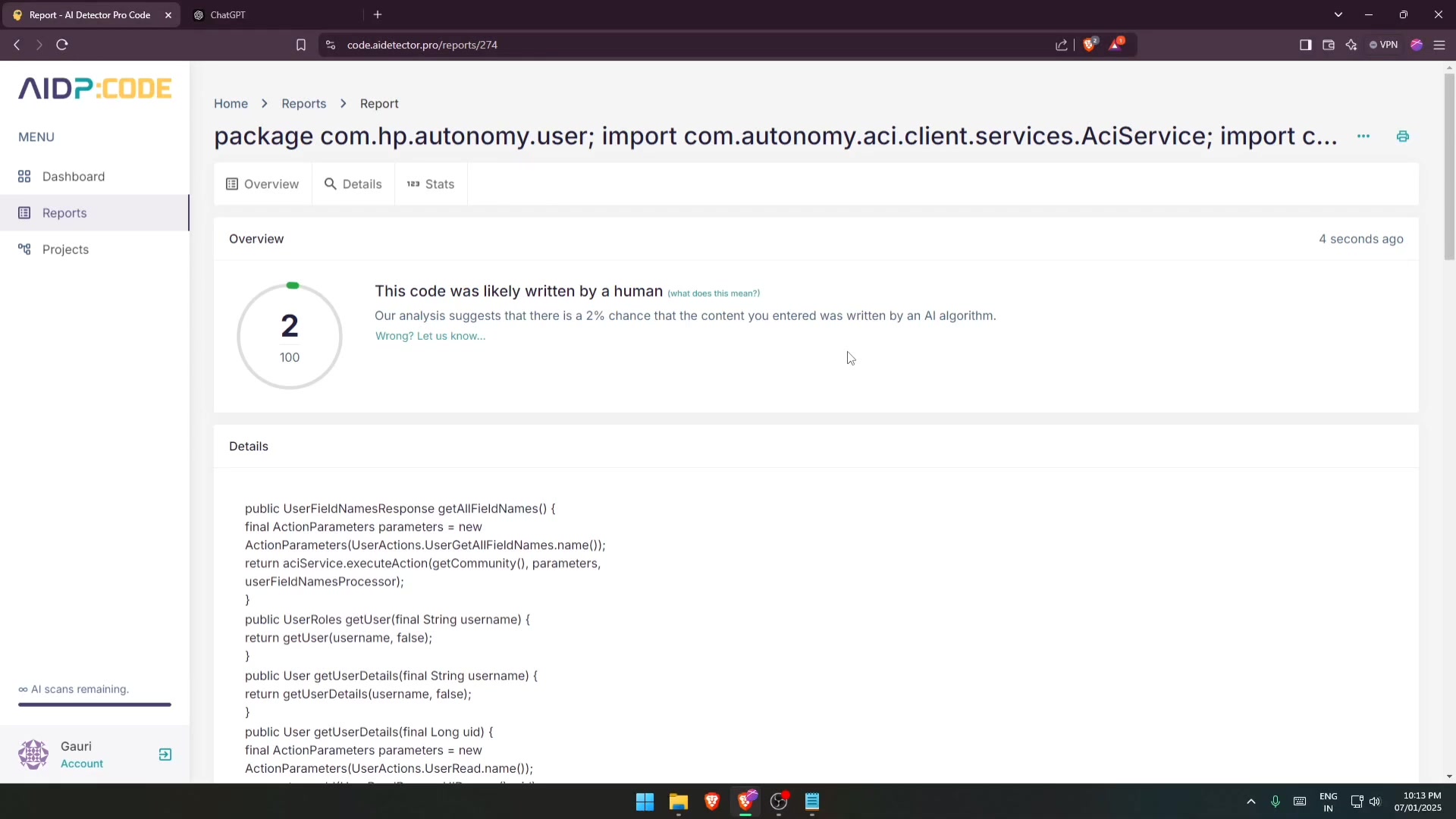
. The tool can analyze code written in:
- Java
- Python
- JavaScript
- C#
- PHP
This multi-language support ensures that developers working across various platforms and technologies can benefit from AI code detection capabilities.
Types of Reports Generated
The reports generated by AI Code Detector Pro are comprehensive and provide clear insights into the analyzed code
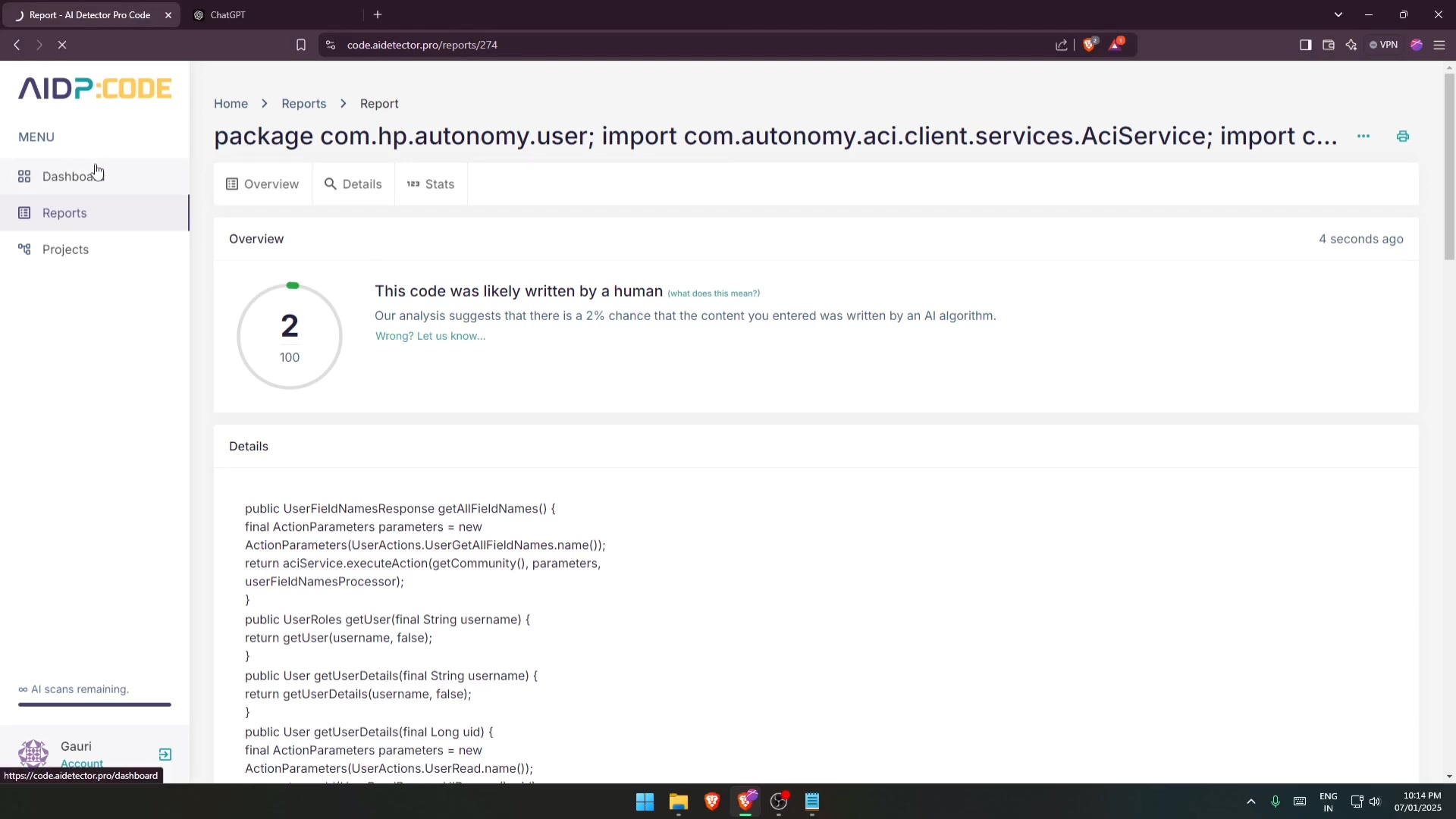
. Key components of the reports include:
- Overall AI Probability: An assessment of the overall likelihood that the code was generated by AI.
- Highlighted AI Sections: Specific segments of the code that are flagged as AI-generated, marked with red lines .
- Detailed Analysis: An explanation of why certain code segments are suspected to be AI-generated.
- Human vs AI Breakdown: A comparison of the amount of human-written versus AI-generated code.
These detailed reports help developers quickly identify and address any concerns about code authenticity and integrity.
Getting Started with AI Code Detector Pro: A Step-by-Step Guide
Registration and Account Setup
Before leveraging the capabilities of AI Code Detector Pro, registration is required
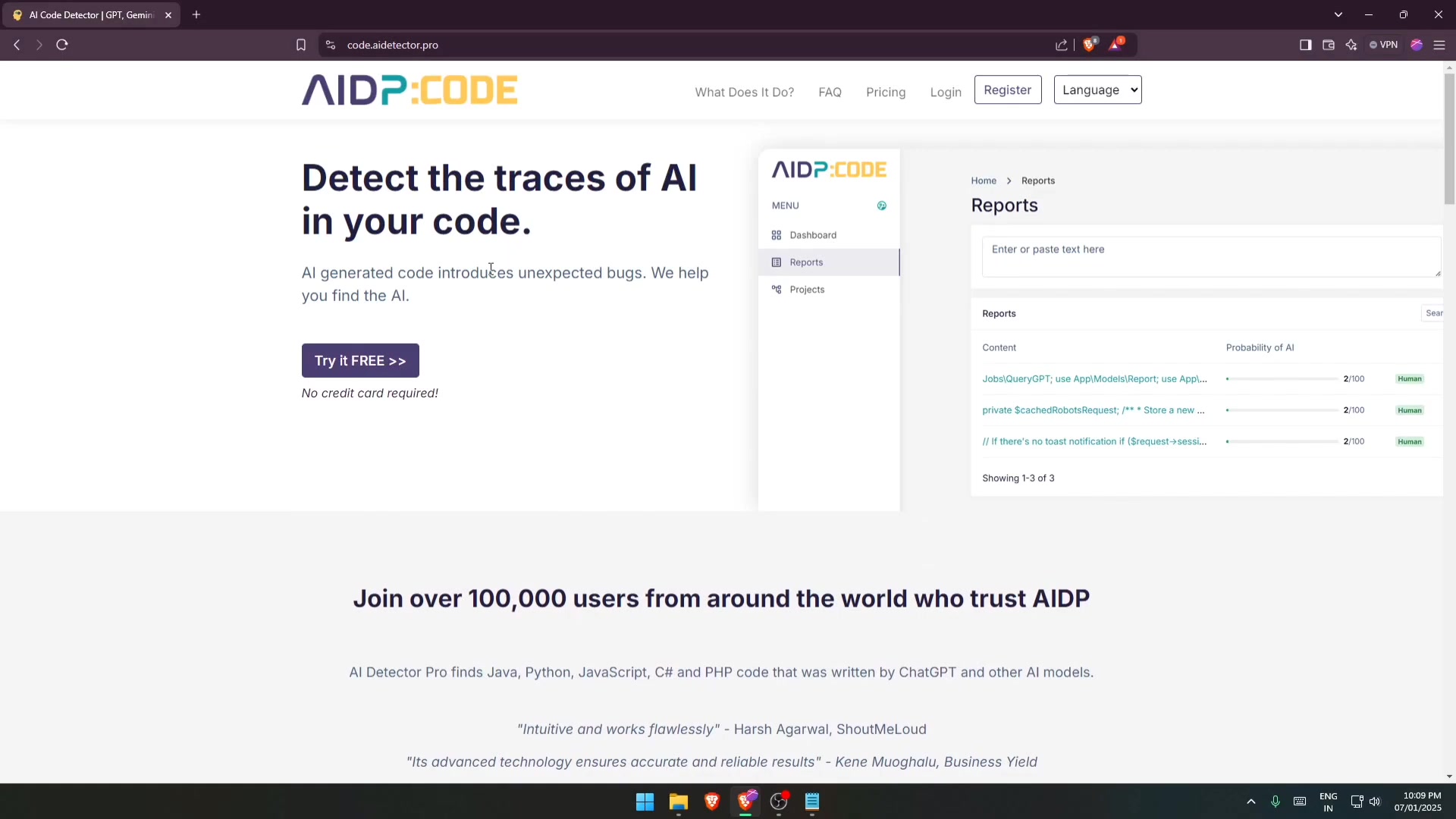
. Here’s how to get started:
- Visit the Website: Navigate to
code.aide.ai/detector.pro. - Registration: Click on the 'Register' button located at the top right of the homepage. You’ll be directed to a registration page where you will be asked to enter personal details like name, email address, and a secure password.
- Fill in the Form: Provide all necessary information accurately.
- Accept Terms: Agree to the terms of service and privacy policy to proceed with your registration .
- Confirmation Email: After submitting the form, check your email for a verification link. Click on the link to verify your account, which is a necessary step to activate it fully.
Once your email is verified, you’re ready to log in and start using the tool.
Navigating the Dashboard
The dashboard is designed for intuitive use
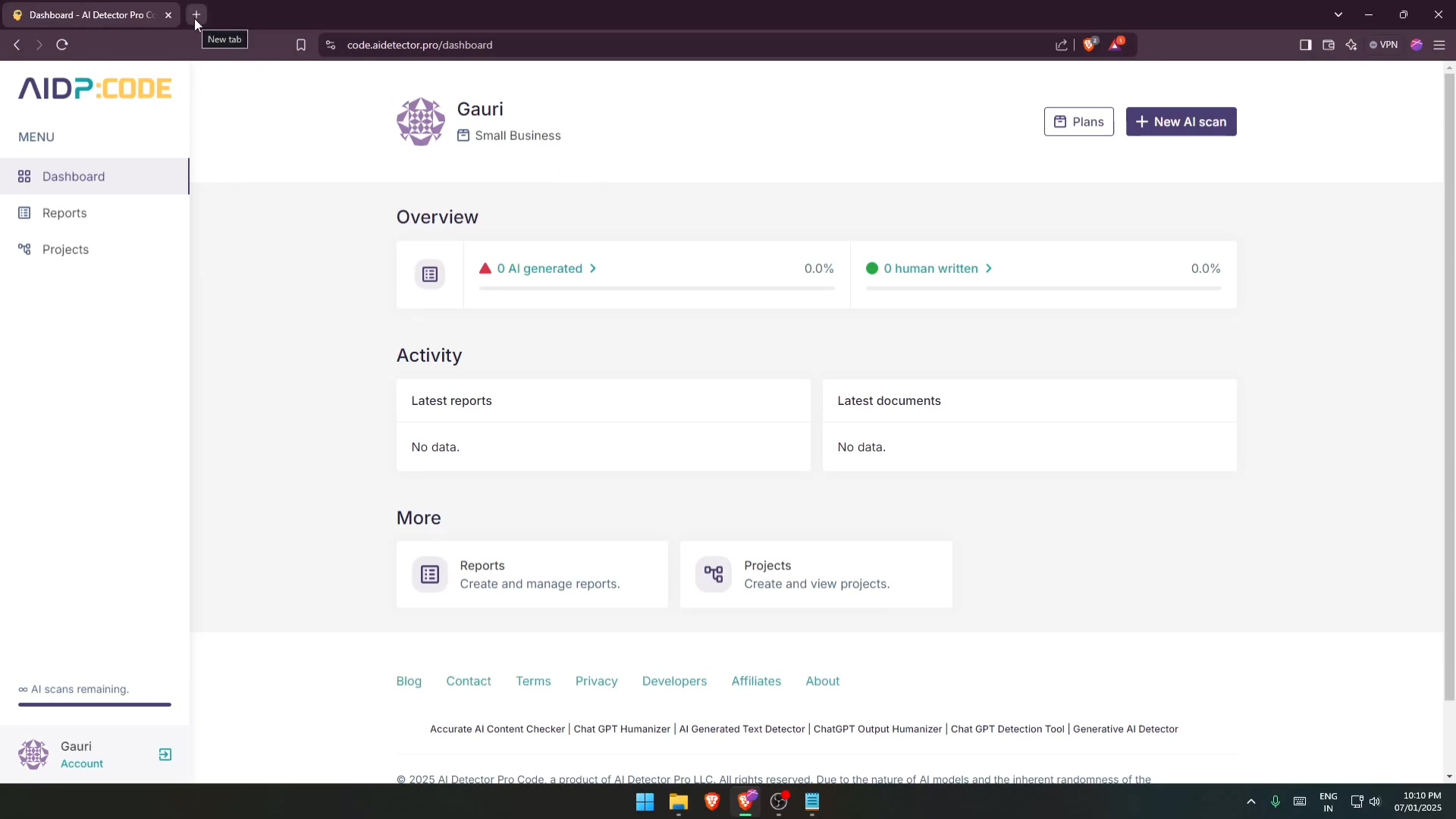
. Key features include:
- Overview: A summary of AI-generated versus human-written code scanned.
- Activity: Recent reports and scanned documents .
- Reports: Create and manage your analysis reports.
- Projects: Organize and view your coding projects.
This layout allows users to quickly access key functionalities and manage their code analysis tasks efficiently.
Performing an AI Code Scan
Follow these steps to perform your first scan:
- Access the Scanning Tool: Click on ‘New AI Scan’ to initiate a new scan
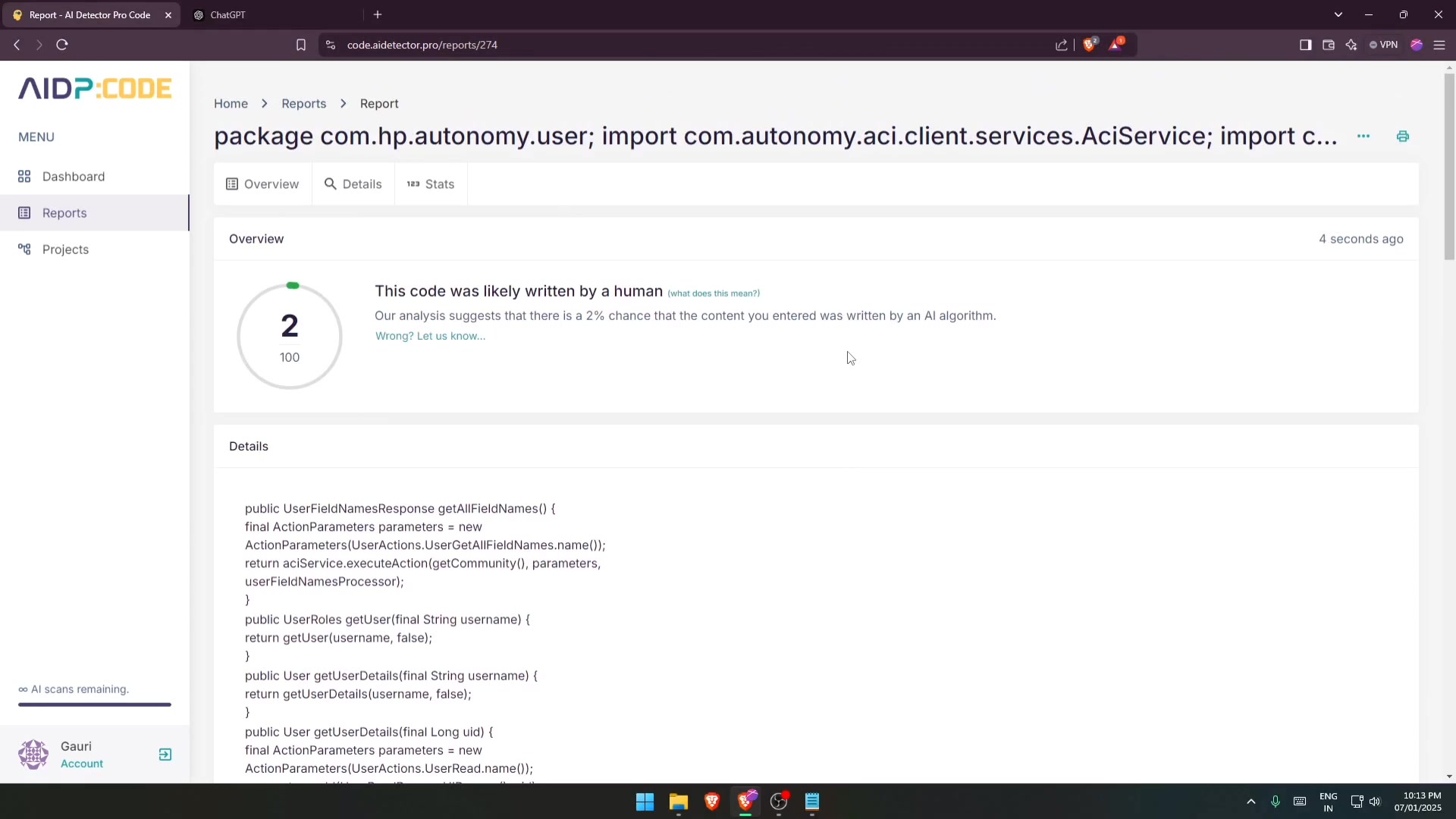
.
- Input Code: Copy and paste your code into the text area provided. This can be a code snippet or an entire file .
- Select Language: Choose the appropriate programming language from the dropdown menu (e.g., Java, Python, JavaScript) .
- Analyze: Click the ‘Analyze’ button to start the AI detection process .
- Review Report: Once the scan is complete, a detailed report will be generated, highlighting sections of code identified as potentially AI-generated . Red lines indicate AI-written code , and the overall likelihood is provided.





Most people like



































Report
Please select a reason for reporting
- 13 Reasons to Switch from Snapchat to Text Messaging
- 7 Powerful Speech to Text Apps to Boost Productivity
- 10 Best Speech to Text Tools for Effortless Transcription
- 13 Free Tools to Easily Transcribe Audio to Text
- 15 Surprising Ways Google's Speech-to-Text Boosts Productivity
- 7 Best Free Online Audio to Text Transcription Tools
- 9 Tips to Transcribe Speech to Text Faster and Better
- 13 Best Speech to Text Software for Windows 10 in 2023
- 7 Tips for Choosing the Best Transcriber for Audio to Text
- 11 Reasons Why Dragon Speech-to-Text Apps are Game-Changers
- 6 Secrets to Enhance Your Speech to Text Transcription
- 6 Brilliant Ways to Boost Productivity with Talk-to-Text on Your MacBook
- 6 Ways Transcription Software Converts Audio to Text
- 8 Tips to Transcribe Speech to Text Like a Pro
- 6 Reasons IBM Watson Speech to Text is a Game-Changer
- 14 Powerful Ways Talk-to-Text Improves Your Workflow
- 12 Top Windows Speech-to-Text Software for Efficient Transcription
- 12 Game-Changing Benefits of Apple's Speech to Text Technology
- 9 Powerful Use Cases for AWS Speech to Text Technology
- 10 Easy Steps to Transcribe YouTube Videos to Text
- transcription audio en texte
- online audio transcription
- free audio file transcription
- free ai audio transcription
- audio transcription service
- audio transcription online free
- audio transcription free online
- audio to transcription software
- audio and transcript
- ai audio transcription free
- voice recording to text converter
- translate voice recording to text
- record voice to text
- audio recording to text converter
- voice recording and transcription
- chatgpt voice to text
- gmail voice to text
- speech to text reader
- speech to text ai free
- speech to talk
- How to Use AI Tools to Find Internal Linking Opportunities Across a Business Website
- Discover Your Perfect Haircut with AI Hairstyle Apps
- Free Reputation Calculator Tools: How They're Adapting to Score AI Visibility, Not Just Rankings
- Design Professional Flyers for Free on Your Phone
- Best Free Flyer Maker Apps for Android: Design Like a Pro
- How to Know If Your Business Is Ready for an AI Customer Service Agent
- Revolutionizing Storytelling: From Novels to Screenplays with AI
- Create Engaging Animated Explainer Videos with a Free AI Tool
- Stop Multi-Subscribing: Benchmark Top AI Visual Models in One Canvas
- Best Seedance 2.5 API Provider: Every Price on the Market, Checked at Source
- Top AI Social Media Management Tools: Automate Your Content Strategy
- Free AI Text to Video Generator: Create Stunning Videos from Text
- Discover 17 ChatGPT Alternatives: A Comprehensive Comparison
- Character.AI vs. Janitor AI: Which AI Chat Platform Reigns Supreme?
- Top Virtual Assistant Companies in 2026: Reviews, Pricing, and Plans Compared
- Unveiling FaceCheck.ID: Revolutionizing Reverse Image Searches with AI
- 11 Best AI Dialers in 2026: Features, Pricing, Pros and Cons
- How I Direct Consistent AI Clips: A Hands-On Guide to Multi-Model Generation
- A Realistic Review of the Photo Generator Image Tool
- Playwright MCP Server: Automated Web Testing with Agent Mode

Copyright ©2026 toolify