































Table of Contents
- Key Points
- Unleashing AI: FacePoke and Expression Editor for Creative Face Manipulation
- Deep Dive: LivePortrait's Capabilities
- Step-by-Step Guide to Using FacePoke
- Pricing: Free Access to Creative AI
- FacePoke vs. Expression Editor: Pros and Cons
- Core Features of FacePoke and Expression Editor
- Unlock Creativity: Use Cases for FacePoke and Expression Editor
- Frequently Asked Questions about FacePoke and Expression Editor
- Dive Deeper: Related Questions About AI and Face Manipulation



Unleashing AI: FacePoke and Expression Editor for Creative Face Manipulation
Introduction to FacePoke and Expression Editor
FacePoke and Expression Editor are revolutionizing how we interact with digital images of faces. These AI-driven tools, built upon the foundation of LivePortrait, offer intuitive interfaces for manipulating facial features and creating unique expressions. Both are free of charge and open source, ensuring broad access and collaborative development. This makes them ideal for artists, content creators, and anyone interested in exploring the capabilities of AI in image manipulation. Key benefits of using face manipulation tools:
- Accessibility: Both FacePoke and Expression Editor are accessible via web browsers, eliminating the need for specialized software or expensive hardware.
- Creative potential: These tools enable a wide range of creative applications, from animating historical portraits to creating personalized emojis.
- Educational value: They offer a hands-on way to understand how AI can be used to analyze and manipulate complex visual data.
These tools empower users to explore the boundaries of digital art and facial expression manipulation, providing a glimpse into the future of AI-driven creativity. The ability to tweak facial expressions, combined with the accessibility of these platforms, makes them valuable assets for many.
FacePoke: Animate Portraits with Ease
FacePoke, leveraging the advanced capabilities of LivePortrait, allows for a wide range of facial manipulations with intuitive controls. It provides a streamlined, user-friendly experience for animating and modifying portrait photos.
With FacePoke, you can control:
- Head movement: Tilt and turn the head to create dynamic angles and perspectives.
- Eye expressions: Open and close the eyes to convey different emotions or create humorous effects.
- Mouth movements: Adjust the mouth to simulate speech or create various expressions.
FacePoke offers a unique approach to face manipulation by allowing users to control features by clicking and dragging on specific areas of the face. To get started with FacePoke:
- Upload a portrait photo in JPG or WebP format. (PNG is not very stable.)
- Enable the "Show face landmarks on hover" option to identify controllable facial features.
- Move your mouse to drag the face around the photo in order to move the head.
- Download the edited photo with adjusted facial features to your local computer.
FacePoke, while easy to use online, requires some technical skill to install locally. FacePoke offers an accessible gateway into the world of AI-powered face manipulation.
Expression Editor: Slider-Based Precision for Facial Control
Expression Editor provides a different approach to face manipulation, utilizing sliders for precise control over various facial parameters.
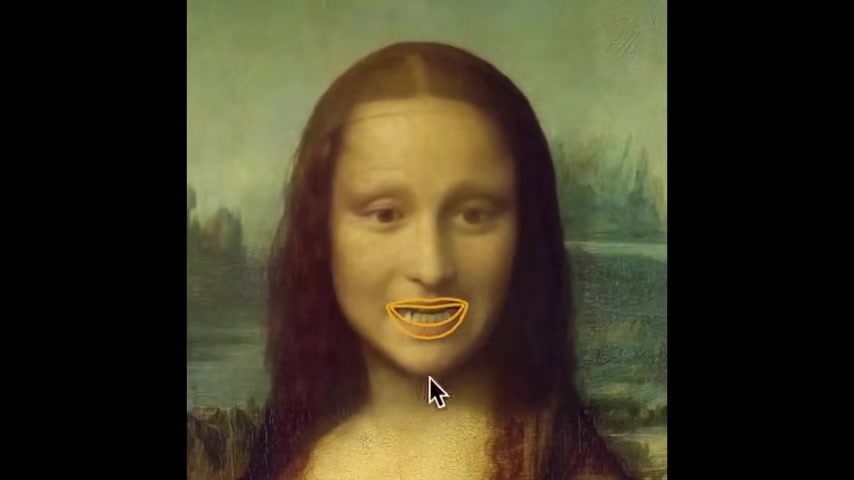
Also based on LivePortrait, it enables users to fine-tune expressions by directly adjusting values for:
- Head: Rotate up and down, left and right and also adjust the tilt.
- Eyes: Control eyebrow height, blink and wink and pupil location.
- Mouth: Precisely change the shape of the mouth.
Expression Editor offers a structured and intuitive way to fine-tune facial expressions, perfect for users who desire a high degree of control over the final result. It is a simple web platform so does not require local installation. With the latest models, it is easier than ever to use online tools and add custom expression to face images.
Deep Dive: LivePortrait's Capabilities
LivePortrait: The Engine Behind AI Face Manipulation
Both FacePoke and Expression Editor rely on the underlying technology of LivePortrait, a powerful AI Tool created by the company behind Kling. LivePortrait takes still images of faces and gives them the ability to move like video. It gives anyone the ability to control anyone's expression in a still picture based on input from a video.
Its core capabilities are:
- Expression control: Modify facial expressions to create a wide range of emotions.
- Head pose adjustment: Control head movements to achieve different angles and perspectives.
- Seamless integration: Works well with various software and platforms.
While LivePortrait itself can be more complex to use directly, its integration into FacePoke and Expression Editor provides a simplified and accessible way to leverage its impressive capabilities. I did a Tutorial video on how to use it, so be sure to check that out!
Step-by-Step Guide to Using FacePoke
Manipulate a Face with FacePoke in Few Easy Steps
Using FacePoke to manipulate faces in photos is simple. Here's a quick guide:
-
Access FacePoke: Open your web browser and go to the FacePoke Hugging Face Space.
-
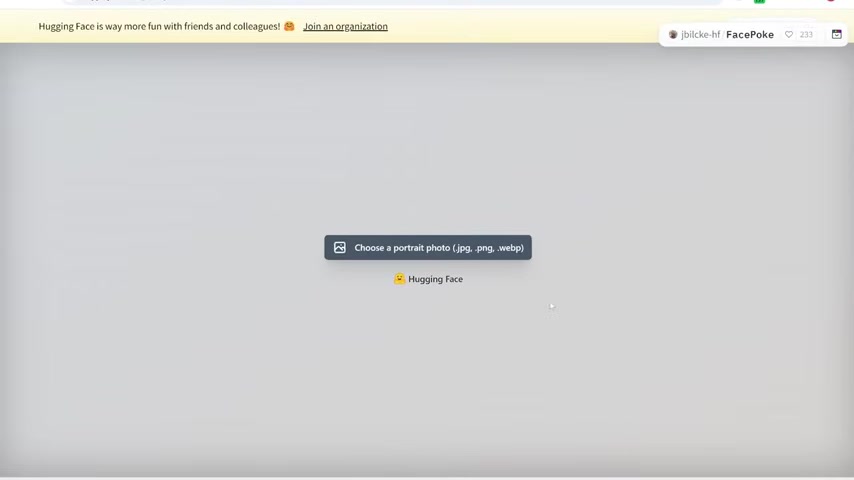
Upload a Photo: Click on the "Choose a portrait photo" button and select a JPG or WebP image of a face from your computer.
-
Enable Landmarks (Optional): Check the "Show face landmarks on hover" box to highlight controllable facial features.
-
Manipulate the Face:
- Head Movement: Drag your mouse across the photo to change the head's position and angle.
- Facial Features: Hover over specific features (eyes, mouth, eyebrows) and drag to adjust their expressions.
-
Download the Result: Once you are happy with the changes, click the "Download" button to save the manipulated image. That completes the face manipulation. Now you can create all sorts of memes with the picture you modified!






Most people like





























Report
Please select a reason for reporting
- 13 Reasons to Switch from Snapchat to Text Messaging
- 7 Powerful Speech to Text Apps to Boost Productivity
- 10 Best Speech to Text Tools for Effortless Transcription
- 13 Free Tools to Easily Transcribe Audio to Text
- 15 Surprising Ways Google's Speech-to-Text Boosts Productivity
- 7 Best Free Online Audio to Text Transcription Tools
- 9 Tips to Transcribe Speech to Text Faster and Better
- 13 Best Speech to Text Software for Windows 10 in 2023
- 7 Tips for Choosing the Best Transcriber for Audio to Text
- 11 Reasons Why Dragon Speech-to-Text Apps are Game-Changers
- 6 Secrets to Enhance Your Speech to Text Transcription
- 6 Brilliant Ways to Boost Productivity with Talk-to-Text on Your MacBook
- 6 Ways Transcription Software Converts Audio to Text
- 8 Tips to Transcribe Speech to Text Like a Pro
- 6 Reasons IBM Watson Speech to Text is a Game-Changer
- 14 Powerful Ways Talk-to-Text Improves Your Workflow
- 12 Top Windows Speech-to-Text Software for Efficient Transcription
- 12 Game-Changing Benefits of Apple's Speech to Text Technology
- 9 Powerful Use Cases for AWS Speech to Text Technology
- 10 Easy Steps to Transcribe YouTube Videos to Text
- transcription audio en texte
- online audio transcription
- free audio file transcription
- free ai audio transcription
- audio transcription service
- audio transcription online free
- audio transcription free online
- audio to transcription software
- audio and transcript
- ai audio transcription free
- voice recording to text converter
- translate voice recording to text
- record voice to text
- audio recording to text converter
- voice recording and transcription
- chatgpt voice to text
- gmail voice to text
- speech to text reader
- speech to text ai free
- speech to talk
- Meshy AI: How to Create 3D Models from Text and Images
- How SEO and Marketing Dashboards Empower Agencies to Drive Results
- How to Use AI Tools to Find Internal Linking Opportunities Across a Business Website
- Discover Your Perfect Haircut with AI Hairstyle Apps
- Free Reputation Calculator Tools: How They're Adapting to Score AI Visibility, Not Just Rankings
- Design Professional Flyers for Free on Your Phone
- Best Free Flyer Maker Apps for Android: Design Like a Pro
- How to Know If Your Business Is Ready for an AI Customer Service Agent
- Revolutionizing Storytelling: From Novels to Screenplays with AI
- Create Engaging Animated Explainer Videos with a Free AI Tool
- Meshy AI: How to Create 3D Models from Text and Images
- ASOMobile Helps Teams Benchmark App Store Screenshots Against Competitors
- How to Match LMS Software With Your Organization's Training Plan
- Revolutionizing Email Marketing Agency with AI
- How to Convert BTC to HNT
- Unleashing the Power of AI: Cognizant's Roadmap for Transformation
- Frame to Video Review: A Practical Look at Turning Two Still Frames Into Motion
- NVIDIA NIM: Revolutionizing Supply Chain Data Analysis with AI
- Top AI Tools That Help Brands Stand Out Offline (Not Just Online)
- Top 5 Cold Email Software: Maximize Your Outreach in 2025

Copyright ©2026 toolify