























AI Face Swap: MIO Create Tutorial & Safe Usage Guide

Updated on Sep 10,2025








Table of Contents
- Key Points
- Understanding AI Face Swapping with MIO Create
- Step-by-Step Guide to Face Swapping with MIO Create
- MIO Create: Understanding Pricing Options
- Weighing the Pros and Cons of MIO Create
- MIO Create: Unlocking the Core Features
- Creative Use Cases for MIO Create
- Frequently Asked Questions about MIO Create
- Related Questions


Understanding AI Face Swapping with MIO Create
What is MIO Create?
MIO Create is an AI-driven platform designed for content creation, with a prominent feature being its AI face swap capability. This technology allows users to replace the face in a video with another face, whether it's their own or someone else's. This has opened new avenues for creative expression, from humorous content to innovative marketing campaigns. However, the power of such a tool requires users to exercise caution and adhere to ethical guidelines. The presenter emphasizes the importance of using MIO Create responsibly, understanding its limitations, and respecting privacy rights.

The platform offers an intuitive interface, making it accessible to users with varying levels of technical expertise. Whether you're a seasoned content creator or a novice exploring AI Tools, MIO Create aims to provide a seamless experience. Keep in mind that while the platform offers a free tier, it also comes with certain restrictions. Understanding these restrictions is key to effectively planning your content creation strategy.
Ethical and Legal Considerations
While AI face swapping can be fun and innovative, it's crucial to consider the ethical and legal implications. Using someone's likeness without their consent can lead to serious repercussions, including legal action. Before engaging in face swapping, ensure you have the necessary permissions from all parties involved. Furthermore, be mindful of how the content is perceived and avoid creating content that could be misleading, defamatory, or harmful.
It's also essential to be aware of deepfake technology and its potential for misuse. Deepfakes can be used to create realistic but fabricated videos, which can have severe consequences if used for malicious purposes. While MIO Create is not specifically designed for creating deepfakes, it's important to understand the broader context of AI-generated content and the responsibilities that come with it.
Key Ethical Guidelines:
- Obtain consent from all individuals whose likenesses are used.
- Avoid creating misleading or harmful content.
- Be transparent about the use of AI in content creation.
- Respect privacy rights and intellectual property laws.
Step-by-Step Guide to Face Swapping with MIO Create
Accessing the MIO Create Platform
- Open Your Web Browser:
Start by opening your preferred web browser on your smartphone or computer.
- Navigate to MIO Create: Type 'miocreate.com' into the address bar and press Enter. This will take you to the MIO Create website. Ensure you're on the official website to avoid potential security risks.
- Find the Face Swap Tool: Once on the homepage, scroll down to locate the 'Free Face Swap Now' option. Click on this button to access the face swapping tool.
Uploading Your Media
- Choose Video or Photo Face Swap: Decide whether you want to swap faces in a video or a photo. Select the appropriate option.
- Upload Your Video/Photo:
Click on 'Upload Video' or 'Upload Photo' to select the media you want to use. Ensure your video is shorter than 15 seconds for quicker processing.
- Upload the Face You Want to Use: Upload the photo containing the face you want to replace the existing one with. Make sure the photo is clear and of good quality for better results.
Initiating the Face Swap
- Start the Face Swap Process: After uploading both the video/photo and the face, click on 'Swap Face Now'.
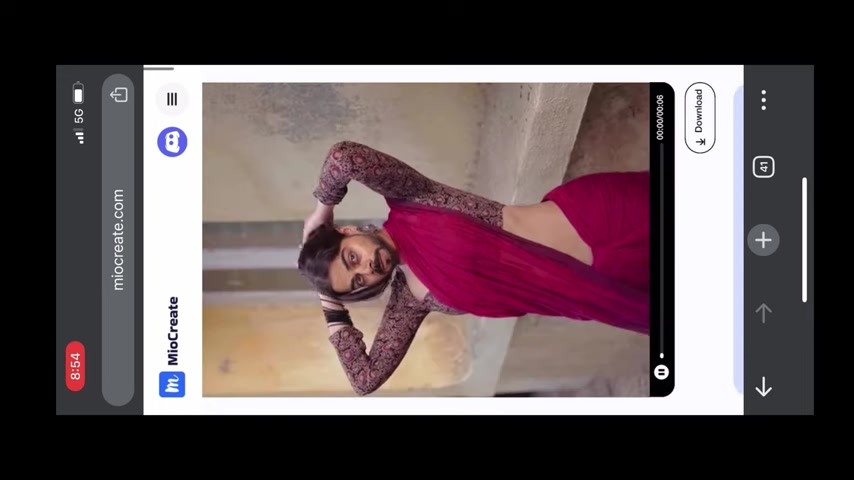
The platform will begin processing your request. Note that the time it takes to complete the swap depends on the size and length of your video.
- Wait for Processing: The platform will display a progress bar, showing the percentage of completion. Be patient and avoid refreshing the page during this process.
Downloading Your Face-Swapped Media
- Sign In:
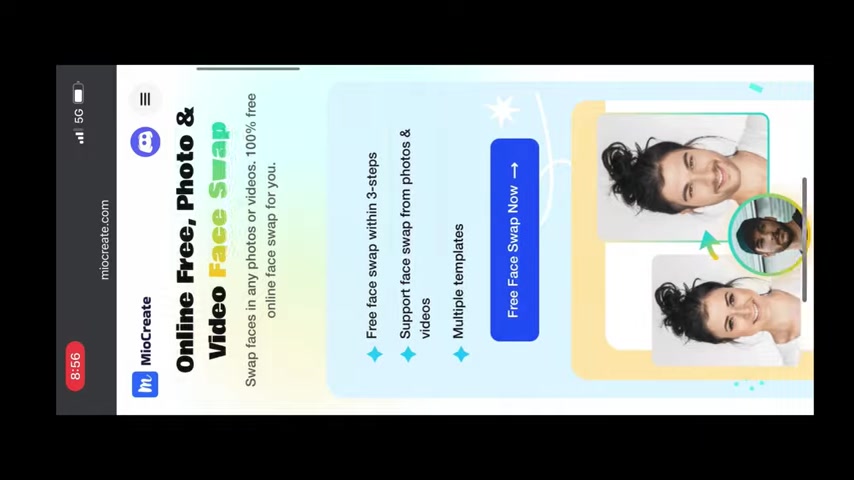
Once the face swap is complete, you'll be prompted to sign in to download your creation. You can use your Google account for a quick and easy sign-in.
- Download Your Video/Photo: After signing in, the download option will become available. Click on 'Download' to save the face-swapped media to your device.
- Check Your Gallery: Verify that the video has been properly saved to your gallery or downloads folder. You're now ready to share your creative masterpiece!
Addressing the 'Maximum Limit Exceeded' Error
- Understand the Limitation: MIO Create's free tier allows only one video creation per day. If you try to create another video, you'll encounter the 'Maximum Limit Exceeded' error.
- Sign Out: To bypass this limitation, sign out of your current account.
- Wait or Use Another Account: You can either wait 24 hours to use the platform again or sign in with a different Google account to continue creating content.
Note: Abusing this workaround may violate the platform's terms of service, so use it responsibly.





Most people like
































Report
Please select a reason for reporting
- 13 Reasons to Switch from Snapchat to Text Messaging
- 7 Powerful Speech to Text Apps to Boost Productivity
- 10 Best Speech to Text Tools for Effortless Transcription
- 13 Free Tools to Easily Transcribe Audio to Text
- 15 Surprising Ways Google's Speech-to-Text Boosts Productivity
- 7 Best Free Online Audio to Text Transcription Tools
- 9 Tips to Transcribe Speech to Text Faster and Better
- 13 Best Speech to Text Software for Windows 10 in 2023
- 7 Tips for Choosing the Best Transcriber for Audio to Text
- 11 Reasons Why Dragon Speech-to-Text Apps are Game-Changers
- 6 Secrets to Enhance Your Speech to Text Transcription
- 6 Brilliant Ways to Boost Productivity with Talk-to-Text on Your MacBook
- 6 Ways Transcription Software Converts Audio to Text
- 8 Tips to Transcribe Speech to Text Like a Pro
- 6 Reasons IBM Watson Speech to Text is a Game-Changer
- 14 Powerful Ways Talk-to-Text Improves Your Workflow
- 12 Top Windows Speech-to-Text Software for Efficient Transcription
- 12 Game-Changing Benefits of Apple's Speech to Text Technology
- 9 Powerful Use Cases for AWS Speech to Text Technology
- 10 Easy Steps to Transcribe YouTube Videos to Text
- transcription audio en texte
- online audio transcription
- free audio file transcription
- free ai audio transcription
- audio transcription service
- audio transcription online free
- audio transcription free online
- audio to transcription software
- audio and transcript
- ai audio transcription free
- voice recording to text converter
- translate voice recording to text
- record voice to text
- audio recording to text converter
- voice recording and transcription
- chatgpt voice to text
- gmail voice to text
- speech to text reader
- speech to text ai free
- speech to talk
- How to Use AI Tools to Find Internal Linking Opportunities Across a Business Website
- Discover Your Perfect Haircut with AI Hairstyle Apps
- Free Reputation Calculator Tools: How They're Adapting to Score AI Visibility, Not Just Rankings
- Design Professional Flyers for Free on Your Phone
- Best Free Flyer Maker Apps for Android: Design Like a Pro
- How to Know If Your Business Is Ready for an AI Customer Service Agent
- Revolutionizing Storytelling: From Novels to Screenplays with AI
- Create Engaging Animated Explainer Videos with a Free AI Tool
- Stop Multi-Subscribing: Benchmark Top AI Visual Models in One Canvas
- Best Seedance 2.5 API Provider: Every Price on the Market, Checked at Source
- Top AI Social Media Management Tools: Automate Your Content Strategy
- Free AI Text to Video Generator: Create Stunning Videos from Text
- Discover 17 ChatGPT Alternatives: A Comprehensive Comparison
- Character.AI vs. Janitor AI: Which AI Chat Platform Reigns Supreme?
- Top Virtual Assistant Companies in 2026: Reviews, Pricing, and Plans Compared
- Unveiling FaceCheck.ID: Revolutionizing Reverse Image Searches with AI
- 11 Best AI Dialers in 2026: Features, Pricing, Pros and Cons
- How I Direct Consistent AI Clips: A Hands-On Guide to Multi-Model Generation
- A Realistic Review of the Photo Generator Image Tool
- Playwright MCP Server: Automated Web Testing with Agent Mode

Copyright ©2026 toolify