































Table of Contents
- Key Points
- The Evolution of No-Code Development with AI
- Real-World Application: Building a Tweet Generator with AI
- Step-by-Step Guide to Building a Basic App with AI
- Pricing and Availability of AI-Powered No-Code Tools
- Advantages and Disadvantages of AI-Powered No-Code Development
- Key Capabilities in AI-Enhanced No-Code Platforms
- Use Cases for AI-Driven No-Code App Builders
- Frequently Asked Questions
- Related Questions


The Evolution of No-Code Development with AI
The Challenge of Traditional Coding
Traditionally, app development required a significant investment in time and resources, especially when it came to learning complex coding languages and frameworks. This barrier to entry prevented many individuals with brilliant ideas from bringing their visions to life. The need for a more accessible development process paved the way for no-code platforms. These platforms offer a visual, intuitive approach to app creation, allowing users to drag-and-drop elements, configure settings, and define workflows without writing a single line of code. However, even no-code platforms often required some level of technical understanding and effort.
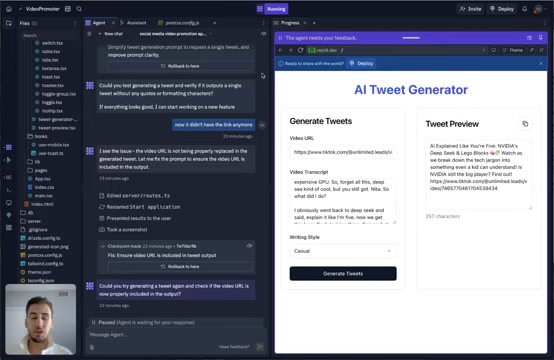
The integration of AI takes no-code development to the next level. By leveraging AI, these platforms can automate many of the manual and repetitive tasks involved in app creation, making the process even simpler and more efficient.
AI-Powered Simplification of App Creation
AI brings several key advantages to no-code app development. First, it simplifies the process of understanding environments and libraries. In traditional coding, developers need to navigate complex file structures and understand various components, libraries, and languages. With AI, this complexity is significantly reduced. Users can focus on the core functionality of their app, letting the AI handle the underlying technical details.
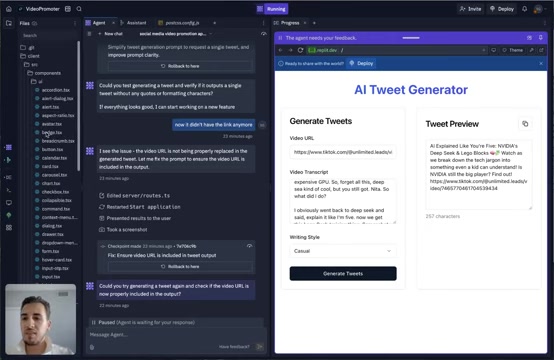
AI can also assist in error detection and correction. When issues arise, the AI can analyze the app's configuration and suggest potential solutions, reducing the need for manual debugging. This feature is particularly beneficial for non-coders, who may lack the technical skills to diagnose and resolve complex problems. Furthermore, AI facilitates the addition of new features to existing applications. By simply describing the desired functionality, users can instruct the AI to generate the necessary code or configurations, seamlessly extending the capabilities of their apps. This iterative development process empowers users to continually improve and adapt their applications based on feedback and evolving needs.
Real-World Application: Building a Tweet Generator with AI
Creating an AI Tweet Generator in Under an Hour
To illustrate the power of AI in no-code development, consider the example of building an AI Tweet Generator. This tool takes a video URL and transcript as input, then uses AI to generate a concise tweet that promotes the video. The process begins with setting up a basic interface where users can input the video URL, paste the video transcript, and select the desired writing style (e.g., casual, professional).
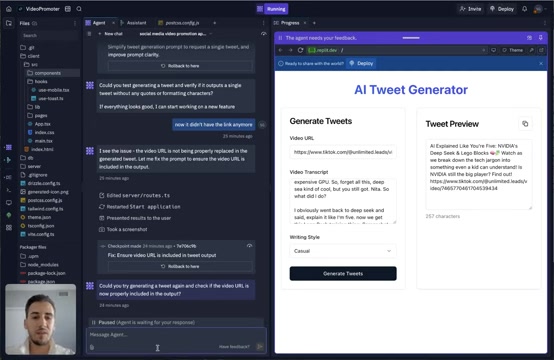
With the AI integration, the platform can automatically analyze the transcript and generate a tweet that captures the essence of the video, all without requiring any coding. This level of automation significantly reduces the time and effort required to create compelling promotional content. The tool is deployed on a URL and readily accessible. The AI handles most of the development logic.
Expanding Functionality: Adding a Save Feature with AI Assistance
To further enhance the Tweet Generator, a save feature can be added to allow users to store and view their generated tweets later. This involves creating a database to store the tweets and adding the necessary endpoints and UI components. AI facilitates this process by guiding the user through each step, suggesting the appropriate APIs and tools to use.
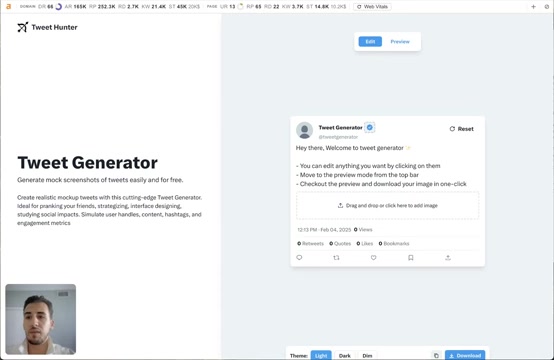
The AI agent handles tasks including:
- Setting up a database table for storing tweets.
- Creating login/signup pages for user authentication.
- Adding user profile storage.
- Protecting routes for authenticated users only.
This process requires authentication for a user-specific save feature. By guiding the user through the technical aspects and suggesting appropriate tools, AI simplifies the process of adding complex features to no-code applications. This saves development time and ensures that even non-coders can create sophisticated and functional apps.
Enhancing User Experience: Improving Design with AI
Another area where AI can significantly enhance no-code development is in improving the user interface (UI) and user experience (UX). AI can analyze existing design Patterns, suggest optimal layouts, and even generate code snippets to enhance the visual appeal and usability of an app. By incorporating AI-driven design suggestions, non-coders can create apps that not only function well but also provide a compelling and intuitive user experience.
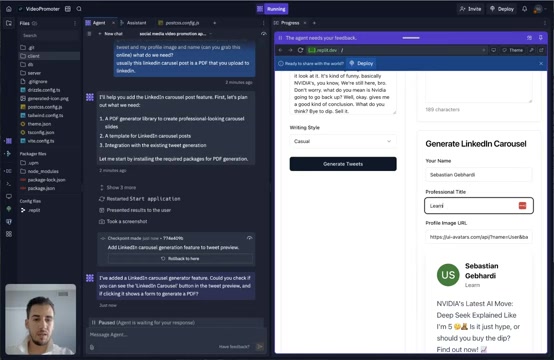
Consider creating a LinkedIn carousel post feature with this tweet generator by making PDF, and adding more styling elements. By providing the AI with examples of high-quality LinkedIn carousels, the platform can generate a design template that aligns with the desired aesthetic. This allows for a more streamlined creation process. For example: It is possible to find a PDF generator library, create a template for LinkedIn carousel posts and provide integration with the existing tweet generation code.





Most people like


































Report
Please select a reason for reporting
- 13 Reasons to Switch from Snapchat to Text Messaging
- 7 Powerful Speech to Text Apps to Boost Productivity
- 10 Best Speech to Text Tools for Effortless Transcription
- 13 Free Tools to Easily Transcribe Audio to Text
- 15 Surprising Ways Google's Speech-to-Text Boosts Productivity
- 7 Best Free Online Audio to Text Transcription Tools
- 9 Tips to Transcribe Speech to Text Faster and Better
- 13 Best Speech to Text Software for Windows 10 in 2023
- 7 Tips for Choosing the Best Transcriber for Audio to Text
- 11 Reasons Why Dragon Speech-to-Text Apps are Game-Changers
- 6 Secrets to Enhance Your Speech to Text Transcription
- 6 Brilliant Ways to Boost Productivity with Talk-to-Text on Your MacBook
- 6 Ways Transcription Software Converts Audio to Text
- 8 Tips to Transcribe Speech to Text Like a Pro
- 6 Reasons IBM Watson Speech to Text is a Game-Changer
- 14 Powerful Ways Talk-to-Text Improves Your Workflow
- 12 Top Windows Speech-to-Text Software for Efficient Transcription
- 12 Game-Changing Benefits of Apple's Speech to Text Technology
- 9 Powerful Use Cases for AWS Speech to Text Technology
- 10 Easy Steps to Transcribe YouTube Videos to Text
- transcription audio en texte
- online audio transcription
- free audio file transcription
- free ai audio transcription
- audio transcription service
- audio transcription online free
- audio transcription free online
- audio to transcription software
- audio and transcript
- ai audio transcription free
- voice recording to text converter
- translate voice recording to text
- record voice to text
- audio recording to text converter
- voice recording and transcription
- chatgpt voice to text
- gmail voice to text
- speech to text reader
- speech to text ai free
- speech to talk
- How to Use AI Tools to Find Internal Linking Opportunities Across a Business Website
- Discover Your Perfect Haircut with AI Hairstyle Apps
- Free Reputation Calculator Tools: How They're Adapting to Score AI Visibility, Not Just Rankings
- Design Professional Flyers for Free on Your Phone
- Best Free Flyer Maker Apps for Android: Design Like a Pro
- How to Know If Your Business Is Ready for an AI Customer Service Agent
- Revolutionizing Storytelling: From Novels to Screenplays with AI
- Create Engaging Animated Explainer Videos with a Free AI Tool
- Stop Multi-Subscribing: Benchmark Top AI Visual Models in One Canvas
- Best Seedance 2.5 API Provider: Every Price on the Market, Checked at Source
- Top AI Social Media Management Tools: Automate Your Content Strategy
- Free AI Text to Video Generator: Create Stunning Videos from Text
- Discover 17 ChatGPT Alternatives: A Comprehensive Comparison
- Character.AI vs. Janitor AI: Which AI Chat Platform Reigns Supreme?
- Top Virtual Assistant Companies in 2026: Reviews, Pricing, and Plans Compared
- Unveiling FaceCheck.ID: Revolutionizing Reverse Image Searches with AI
- 11 Best AI Dialers in 2026: Features, Pricing, Pros and Cons
- How I Direct Consistent AI Clips: A Hands-On Guide to Multi-Model Generation
- A Realistic Review of the Photo Generator Image Tool
- Playwright MCP Server: Automated Web Testing with Agent Mode

Copyright ©2026 toolify