































Table of Contents
- Key Points
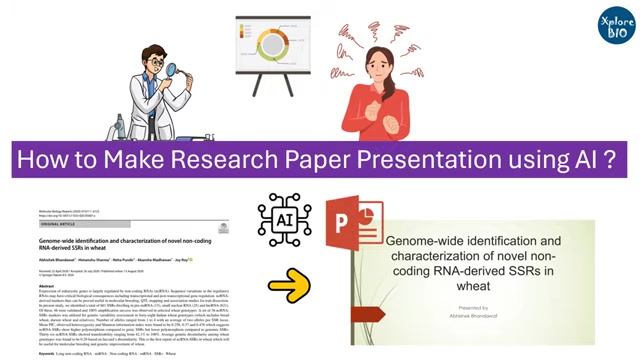
- Streamlining Research Paper Presentations with AI
- Choosing the Right AI Tool
- Step-by-Step Guide: Creating a Research Paper Presentation with AI
- Free AI Presentation Tools: No Cost, Maximum Impact
- The Impact of AI on Research Paper Presentations
- Core Features of AI Presentation Tools
- Use Cases: AI in Research Presentation
- Frequently Asked Questions
- Related Questions


Streamlining Research Paper Presentations with AI
The Challenge of Research Presentations
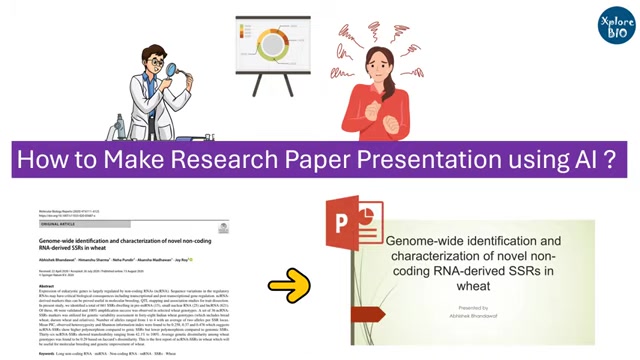
If you're a researcher, you already know how much time and effort goes into crafting a research presentation. From sifting through data to creating compelling visuals, the process can be overwhelming. Many researchers find themselves stressed out and struggling to meet deadlines. The traditional method often involves hours of manual summarization, slide design, and speaker note creation. This is where the power of AI can transform the landscape. AI Tools are designed to automate many of these time-consuming tasks, giving you more time to focus on the core research itself. Embracing artificial intelligence in creating research paper presentations can alleviate stress, save time, and even improve the overall quality of your presentations.
Introducing AI Tools for Presentation Creation
The use of AI is becoming more prevalent in several different fields. This is because of how much it can aid in work processes and alleviate some of the tedious aspects of these processes. AI-powered tools provide a quick and easy method of crafting content-rich slides for your upcoming presentations. In this guide, we will focus on how AI can be harnessed to generate presentation content in a way that is simple, effective, and, most importantly, free. These AI tools are designed to analyze research Papers, extract key findings, and structure them into presentation-ready formats. The core advantage lies in their ability to understand and condense information, creating summaries and speaker notes that align with your specific requirements. We will also look into some additional notes on how to create a presentation.
Choosing the Right AI Tool
Gemini vs. ChatGPT vs. Copilot: A Comparison
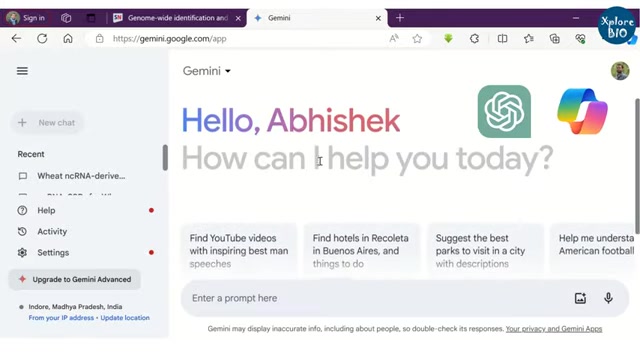
When it comes to AI tools for presentation creation, several options are available, each with unique strengths and weaknesses. While this guide will focus primarily on Gemini, it's helpful to understand how it compares to other popular AI platforms like ChatGPT and Microsoft Copilot. Gemini, known for its superior response generation, is particularly adept at extracting and summarizing complex research findings. This makes it an excellent choice for crafting the core content of your presentation.
ChatGPT is also another popular tool. It's versatile and capable of generating creative content, but may require more fine-tuning to ensure scientific accuracy. Microsoft Copilot, integrated with Microsoft Office, is designed for seamless integration with PowerPoint.
Ultimately, the best choice depends on your specific needs and preferences. But if you're looking for an AI Tool that excels at summarizing and structuring research paper content, Gemini is a strong contender.
Crafting Effective Prompts for AI
The key to getting the most out of any AI tool lies in writing effective prompts. A well-crafted Prompt will guide the AI to generate the specific content you need for your presentation. This step is critical, as it directly influences the quality and relevance of the AI's output. Some tips include:
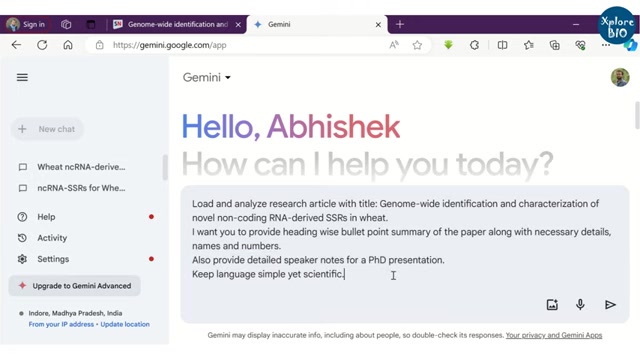
- Be Specific: Clearly state what you want the AI to do. Instead of a vague request like “summarize this paper,” try “Provide a heading-wise, bullet-point summary of the paper, including necessary details, names, and numbers.”
- Specify the Audience: Inform the AI about the intended audience for the presentation. For example, “Also, provide detailed speaker notes for a PhD presentation.”
- Control the Tone: Guide the AI in terms of language and complexity. Prompts like “Keep language simple yet scientific” can ensure the output is both accessible and accurate.
By following these guidelines, you can fine-tune your prompts to yield highly relevant and useful content.
Step-by-Step Guide: Creating a Research Paper Presentation with AI
Step 1: Accessing the AI Tool
Begin by opening your preferred AI tool, such as Gemini. You can access Gemini through a simple Google search and navigate to the platform. Ensure you are logged in to leverage its full capabilities. The user-friendly interface makes it easy to input your research paper details and start generating content.
Step 2: Inputting the Research Paper Details
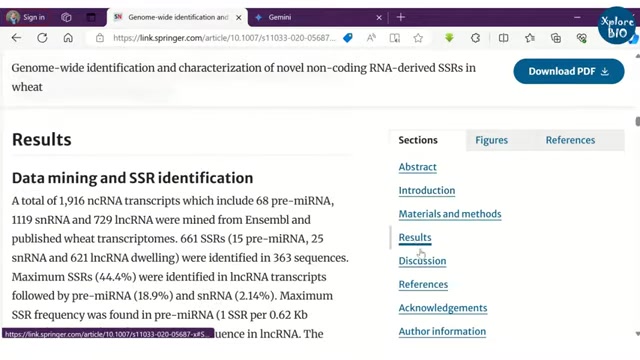
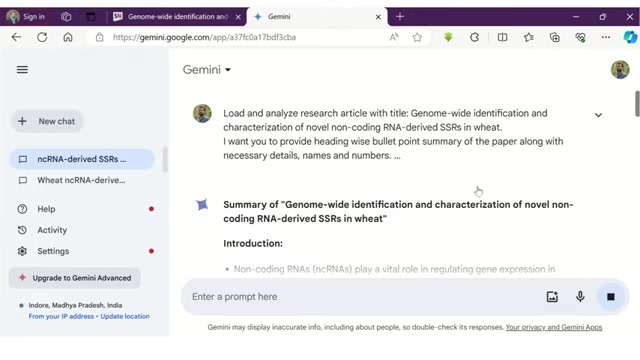
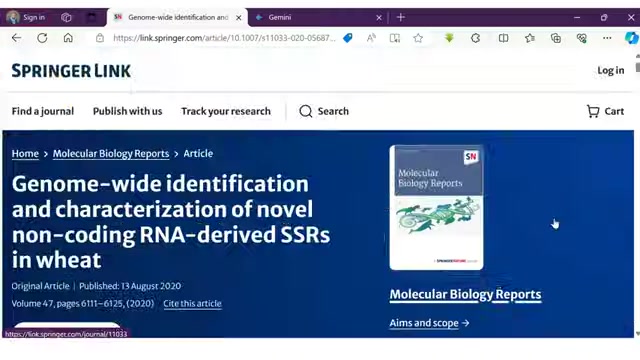
To start, provide the AI tool with the necessary information about your research paper. This usually involves pasting the title of the paper into the prompt box. By providing specific titles, you direct the AI to accurately summarize and create content that aligns with the paper's objectives. This step ensures the AI understands the focus of your presentation and generates relevant summaries.
Step 3: Generating Presentation Content
After providing the title, instruct the AI to generate a detailed, heading-wise, bullet-point summary of your research paper. Include any requirements for speaker notes or simplifications of language. Based on the provided inputs, the AI swiftly generates structured content for each section of your presentation. This output often includes key points from the introduction, methodology, results, and conclusions, all formatted for easy integration into slides.
Step 4: Copying Content to Microsoft Word
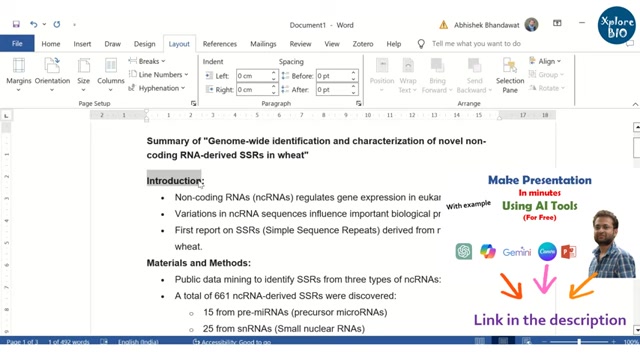
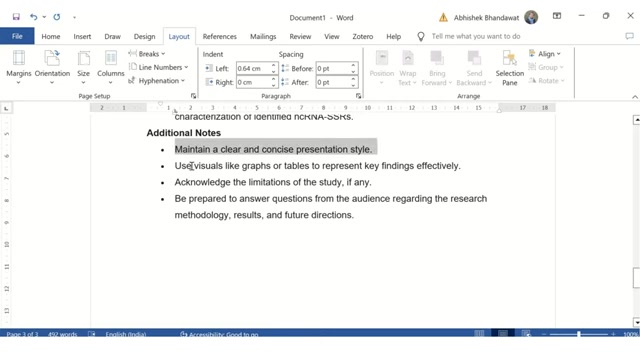
Once the AI has generated the presentation content, copy this output and paste it into a Microsoft Word document. Using Microsoft WORD allows you to edit and customize the content to better suit your needs. You can modify bullet points, shorten descriptions, and add any additional notes or insights. This is all part of finetuning the AI-generated content to fit your preferred presentation style and format.
Step 5: Transferring to PowerPoint and Adding Visuals
After refining the presentation content in Microsoft Word, transfer the structured information into PowerPoint slides. Each section should correspond to a slide, allowing for a logical flow. To improve visual appeal, import relevant figures, tables, and charts from your research paper to enhance each slide. These visuals add depth to your content and keep your audience interested.
Step 6: Enhancing Visual Appeal with PowerPoint Designs
Make the presentation visually appealing by using PowerPoint's built-in design tools. Select themes, color schemes, and transitions that align with the tone of your research. Consistent design elements help maintain a professional look and keep the presentation engaging. The right design can elevate the overall impact of your slides.
Step 7: Incorporating Data Visuals
Visual aids can greatly improve your presentation by conveying complex data. Use graphs, tables, and charts to make your information more accessible. You can add a wealth of resources to improve your delivery. These not only break up text-heavy slides but also emphasize your main findings and results, making your presentation more persuasive and engaging.
Step 8: Finalizing and Practicing
After completing your slides, it’s time to finalize and practice the presentation. Start by reviewing all the content to ensure accuracy and relevance. Then, rehearse the delivery, focusing on clarity and flow. It’s especially useful to practice with speaker notes. These help in articulating complex points smoothly. Getting confident through practice guarantees that you are prepared to interact with the audience during the presentation.
Free AI Presentation Tools: No Cost, Maximum Impact
Cost-Effective Solutions for Every Researcher
The AI tools mentioned in this guide, including Gemini, offer free access to their core features. This is particularly beneficial for students and researchers with limited budgets. By leveraging these free tools, you can create professional-quality presentations without incurring any costs. This accessibility ensures that anyone can take advantage of AI-driven presentation creation. These free tools include Gemini, ChatGPT, and Microsoft Copilot.
Use Cases: AI in Research Presentation
Real-World Applications Across Disciplines
AI tools are used in a number of applications to aid you in your delivery and research efforts. For presentations, AI helps generate a draft to work from. This can be applied to the fields of technology, biological sciences, and even marketing. With new use cases popping up every day, it is difficult to find a field where artificial intelligence has not gained a foothold. As technology evolves, so too does AI, bringing with it even more potential use cases and implementations.





Most people like
































Report
Please select a reason for reporting
- 13 Reasons to Switch from Snapchat to Text Messaging
- 7 Powerful Speech to Text Apps to Boost Productivity
- 10 Best Speech to Text Tools for Effortless Transcription
- 13 Free Tools to Easily Transcribe Audio to Text
- 15 Surprising Ways Google's Speech-to-Text Boosts Productivity
- 7 Best Free Online Audio to Text Transcription Tools
- 9 Tips to Transcribe Speech to Text Faster and Better
- 13 Best Speech to Text Software for Windows 10 in 2023
- 7 Tips for Choosing the Best Transcriber for Audio to Text
- 11 Reasons Why Dragon Speech-to-Text Apps are Game-Changers
- 6 Secrets to Enhance Your Speech to Text Transcription
- 6 Brilliant Ways to Boost Productivity with Talk-to-Text on Your MacBook
- 6 Ways Transcription Software Converts Audio to Text
- 8 Tips to Transcribe Speech to Text Like a Pro
- 6 Reasons IBM Watson Speech to Text is a Game-Changer
- 14 Powerful Ways Talk-to-Text Improves Your Workflow
- 12 Top Windows Speech-to-Text Software for Efficient Transcription
- 12 Game-Changing Benefits of Apple's Speech to Text Technology
- 9 Powerful Use Cases for AWS Speech to Text Technology
- 10 Easy Steps to Transcribe YouTube Videos to Text
- transcription audio en texte
- online audio transcription
- free audio file transcription
- free ai audio transcription
- audio transcription service
- audio transcription online free
- audio transcription free online
- audio to transcription software
- audio and transcript
- ai audio transcription free
- voice recording to text converter
- translate voice recording to text
- record voice to text
- audio recording to text converter
- voice recording and transcription
- chatgpt voice to text
- gmail voice to text
- speech to text reader
- speech to text ai free
- speech to talk
- How to Use AI Tools to Find Internal Linking Opportunities Across a Business Website
- Discover Your Perfect Haircut with AI Hairstyle Apps
- Free Reputation Calculator Tools: How They're Adapting to Score AI Visibility, Not Just Rankings
- Design Professional Flyers for Free on Your Phone
- Best Free Flyer Maker Apps for Android: Design Like a Pro
- How to Know If Your Business Is Ready for an AI Customer Service Agent
- Revolutionizing Storytelling: From Novels to Screenplays with AI
- Create Engaging Animated Explainer Videos with a Free AI Tool
- Stop Multi-Subscribing: Benchmark Top AI Visual Models in One Canvas
- Best Seedance 2.5 API Provider: Every Price on the Market, Checked at Source
- Top AI Social Media Management Tools: Automate Your Content Strategy
- Free AI Text to Video Generator: Create Stunning Videos from Text
- Discover 17 ChatGPT Alternatives: A Comprehensive Comparison
- Character.AI vs. Janitor AI: Which AI Chat Platform Reigns Supreme?
- Top Virtual Assistant Companies in 2026: Reviews, Pricing, and Plans Compared
- Unveiling FaceCheck.ID: Revolutionizing Reverse Image Searches with AI
- 11 Best AI Dialers in 2026: Features, Pricing, Pros and Cons
- How I Direct Consistent AI Clips: A Hands-On Guide to Multi-Model Generation
- A Realistic Review of the Photo Generator Image Tool
- Playwright MCP Server: Automated Web Testing with Agent Mode

Copyright ©2026 toolify