































Table of Contents
- Key Points
- The Problem: Bank Fees for Historical Data
- Ethical and Legal Considerations
- Downloading Bank Statements with Python: Step-by-Step Guide
- Cost Analysis: Automation vs. Bank Fees
- Weighing the Options: Pros and Cons of Automation
- Key Components of a Python Automation Script
- Practical Applications of Automated Bank Statement Downloads
- Frequently Asked Questions
- Related Questions


Ethical and Legal Considerations
Is Automating Bank Statement Downloads Legal?
Automating bank statement downloads using Python raises several ethical and legal questions. While accessing your own financial data programmatically may seem harmless, it can violate a bank's terms of service. Most banks explicitly prohibit Web Scraping or any automated access to their systems. It is crucial to review your bank's terms of service and comply with their guidelines.
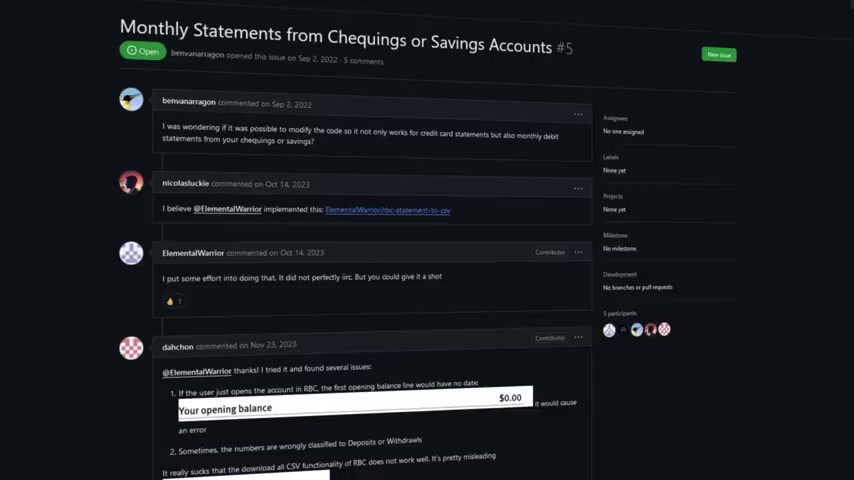
Violating these terms can lead to account suspension or legal action.
Dark Patterns and Terms of Service
Dark patterns are deceptive design practices used to trick users into doing something they wouldn't otherwise do. In the context of banking, dark patterns can include making it difficult to access historical data or charging excessive fees for providing it. These tactics can be seen as unethical, as they exploit users' lack of technical knowledge. However, even if a bank employs dark patterns, it doesn't justify violating their terms of service. It's important to act ethically and seek alternative solutions that don't breach the terms.
Responsible Web Scraping Practices
If you decide to proceed with automating bank statement downloads, follow responsible web scraping practices:
- Rate Limiting: Add delays to your script to avoid overwhelming the bank's servers. This helps prevent your script from being identified as a bot.
- User-Agent: Use a descriptive User-Agent string that identifies your script. This allows the bank to contact you if there are any issues.
- Respect
robots.txt: Check the bank'srobots.txtfile to see if there are any restrictions on accessing specific areas of their website.
By following these practices, you minimize the risk of disrupting the bank's services and reduce the likelihood of being blocked.
Downloading Bank Statements with Python: Step-by-Step Guide
Step 1: Installing Required Libraries
Before you start, you need to install the necessary Python libraries. Open your terminal and run the following commands:
pip install requests
This will install the requests library, which is used for making HTTP requests.
Step 2: Setting up Charles Proxy
- Download and install Charles Proxy from the official website.
- Configure your banking app to use Charles Proxy as its proxy server.
- Launch Charles Proxy and open your banking app.
- Navigate to the section where you can download bank statements.
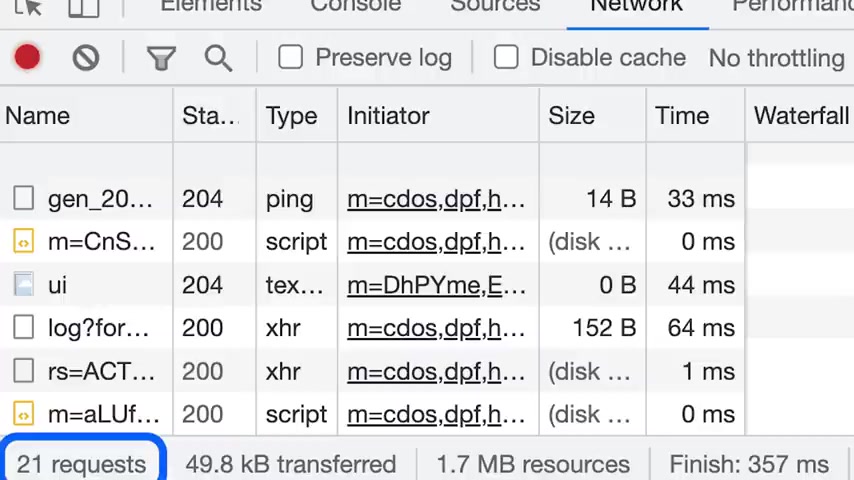
- Observe the network requests in Charles Proxy and identify the relevant URL, headers, and parameters.
Step 3: Constructing the Python Script
Create a new Python file and construct the script using the information gathered from Charles Proxy. Here’s a basic example:
import requests

url = 'your_bank_statement_url'

headers = {
    'Content-Type': 'application/json',
    'User-Agent': 'Your Banking App Agent'
}

params = {
    'accountId': 'your_account_id',
    'startDate': '2024-01-01',
    'endDate': '2024-12-31'
}

cookies = {
    'sessionid': 'your_session_id',
    'authtoken': 'your_auth_token'
}

response = requests.get(url, headers=headers, params=params, cookies=cookies)

if response.status_code == 200:
    with open('statement.pdf', 'wb') as f:
        f.write(response.content)
    print('Statement downloaded successfully!')
else:
    print('Failed to download statement. Status code:', response.status_code)
Replace the placeholder values with the actual URL, headers, parameters, and cookies from your banking app.
Step 4: Running the Script
Save the Python file and run it from your terminal:
python your_script_name.pyIf everything is configured correctly, the script will download the bank statement and save it as statement.PDF.
Step 5: Handling Date Ranges
To automate the date range, modify your script as follows:
import datetime
import requests

end_date = datetime.date.today()
start_date = end_date - datetime.timedelta(days=365) # Last one year

url = 'your_bank_statement_url'

headers = {
    'Content-Type': 'application/json',
    'User-Agent': 'Your Banking App Agent'
}

params = {
    'accountId': 'your_account_id',
    'startDate': start_date.strftime('%Y-%m-%d'),
    'endDate': end_date.strftime('%Y-%m-%d')
}

cookies = {
    'sessionid': 'your_session_id',
    'authtoken': 'your_auth_token'
}

response = requests.get(url, headers=headers, params=params, cookies=cookies)

if response.status_code == 200:
    with open(f'statement_{start_date}_{end_date}.pdf', 'wb') as f:
        f.write(response.content)
    print('Statement downloaded successfully!')
else:
    print('Failed to download statement. Status code:', response.status_code)
This will automatically download the statement for the last year.







Most people like
































Report
Please select a reason for reporting
- 13 Reasons to Switch from Snapchat to Text Messaging
- 7 Powerful Speech to Text Apps to Boost Productivity
- 10 Best Speech to Text Tools for Effortless Transcription
- 13 Free Tools to Easily Transcribe Audio to Text
- 15 Surprising Ways Google's Speech-to-Text Boosts Productivity
- 7 Best Free Online Audio to Text Transcription Tools
- 9 Tips to Transcribe Speech to Text Faster and Better
- 13 Best Speech to Text Software for Windows 10 in 2023
- 7 Tips for Choosing the Best Transcriber for Audio to Text
- 11 Reasons Why Dragon Speech-to-Text Apps are Game-Changers
- 6 Secrets to Enhance Your Speech to Text Transcription
- 6 Brilliant Ways to Boost Productivity with Talk-to-Text on Your MacBook
- 6 Ways Transcription Software Converts Audio to Text
- 8 Tips to Transcribe Speech to Text Like a Pro
- 6 Reasons IBM Watson Speech to Text is a Game-Changer
- 14 Powerful Ways Talk-to-Text Improves Your Workflow
- 12 Top Windows Speech-to-Text Software for Efficient Transcription
- 12 Game-Changing Benefits of Apple's Speech to Text Technology
- 9 Powerful Use Cases for AWS Speech to Text Technology
- 10 Easy Steps to Transcribe YouTube Videos to Text
- transcription audio en texte
- online audio transcription
- free audio file transcription
- free ai audio transcription
- audio transcription service
- audio transcription online free
- audio transcription free online
- audio to transcription software
- audio and transcript
- ai audio transcription free
- voice recording to text converter
- translate voice recording to text
- record voice to text
- audio recording to text converter
- voice recording and transcription
- chatgpt voice to text
- gmail voice to text
- speech to text reader
- speech to text ai free
- speech to talk
- How to Use AI Tools to Find Internal Linking Opportunities Across a Business Website
- Discover Your Perfect Haircut with AI Hairstyle Apps
- Free Reputation Calculator Tools: How They're Adapting to Score AI Visibility, Not Just Rankings
- Design Professional Flyers for Free on Your Phone
- Best Free Flyer Maker Apps for Android: Design Like a Pro
- How to Know If Your Business Is Ready for an AI Customer Service Agent
- Revolutionizing Storytelling: From Novels to Screenplays with AI
- Create Engaging Animated Explainer Videos with a Free AI Tool
- Stop Multi-Subscribing: Benchmark Top AI Visual Models in One Canvas
- Best Seedance 2.5 API Provider: Every Price on the Market, Checked at Source
- Top AI Social Media Management Tools: Automate Your Content Strategy
- Free AI Text to Video Generator: Create Stunning Videos from Text
- Discover 17 ChatGPT Alternatives: A Comprehensive Comparison
- Character.AI vs. Janitor AI: Which AI Chat Platform Reigns Supreme?
- Top Virtual Assistant Companies in 2026: Reviews, Pricing, and Plans Compared
- Unveiling FaceCheck.ID: Revolutionizing Reverse Image Searches with AI
- 11 Best AI Dialers in 2026: Features, Pricing, Pros and Cons
- How I Direct Consistent AI Clips: A Hands-On Guide to Multi-Model Generation
- A Realistic Review of the Photo Generator Image Tool
- Playwright MCP Server: Automated Web Testing with Agent Mode

Copyright ©2026 toolify