































Table of Contents
- Key Points
- Unlocking the Power of Custom AI Chatbots
- Creating a Knowledge Base
- Step-by-Step Guide: Building Your Botpress Chatbot
- Botpress: Evaluating the Advantages and Disadvantages
- Frequently Asked Questions about Botpress
- Related Questions


Unlocking the Power of Custom AI Chatbots
The Limitations of Generic AI Chatbots
Many AI chatbots offer generic, unhelpful responses because they don't understand the intricacies of your business. They provide random guesses instead of real answers. To truly leverage AI, you need a chatbot that can access and process your specific data. This is where Botpress comes in, empowering you to create AI assistants that provide real value.
Introducing Botpress: Your AI Chatbot Solution
Botpress empowers you to train your chatbot using your organization’s internal documents, websites, and various data sources. This is a no-code friendly platform and a knowledge agent that lets you train your bot with a website URL, PDF, text files, and even API requests.
This allows for a chatbot that can handle questions and provide customized responses.
Key Advantages of Botpress
Botpress combines the best of both worlds: no-code friendliness and advanced customization options. You don't need to be a developer to get started, thanks to its drag-and-drop interface for building conversational flows. At the same time, if you're technically inclined, you can dive into custom JavaScript scripting and API integrations to create truly powerful and personalized experiences. Botpress offers a perfect balance for both non-technical and advanced users. It combines the best of both approaches for building AI chatbots.
Botpress is No-Code Friendly
Botpress is a No-Code Friendly tool that gives you a drag and drop interface where you can build conversational flows visually.
For example, you can create a simple FAQ bot by uploading a PDF with your company policies, or set up a welcome message to greet visitors when they land on your site. All without touching a line of code. This is very helpful for people who are non-technical and are looking to easily create AI chatbots.
Here is some functionality that you could easily create in Botpress
- Create FAQs chatbots.
- Welcome messages.
- Customize chatbots.
- And more!
Advanced Customization
However, it also has advanced features if you are technical and want to customize deeply. You can write custom scripts in Javascript, connects APIs, or even integrate with your internal system.
For instance, a developer could connect the chatbot to a CRM like Hubspot, so when a customer asks about their order status, the bot can actually look up the order in real-time instead of giving generic answer.
Creating a Knowledge Base
Creating a Basic Notion Website
To get started you need a Knowledge Base to put inside of your AI Chatbot. Here are some ways to do it:
-
Create a Website: Create a Basic Notion Website to put as the brain to your chatbot.
-
Website Content: Populate your website with content like:
- List of services
- Contact information
- FAQs
- Operations and policies
- Anything that is specific to your business!
Adding a PDF
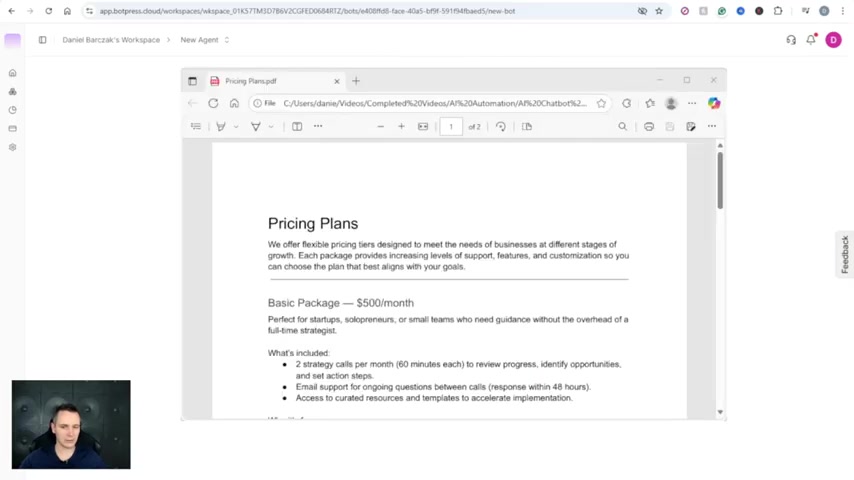
It is also useful to upload PDF files to add to the functionality of the chatbot. One example would be to upload a PDF document with a Pricing Plans to make your chatbot give users dynamic pricing on particular services or business operations.
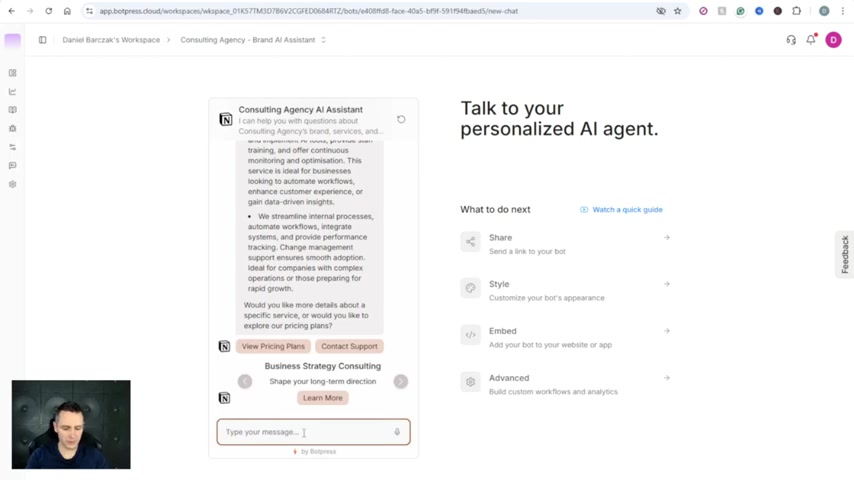
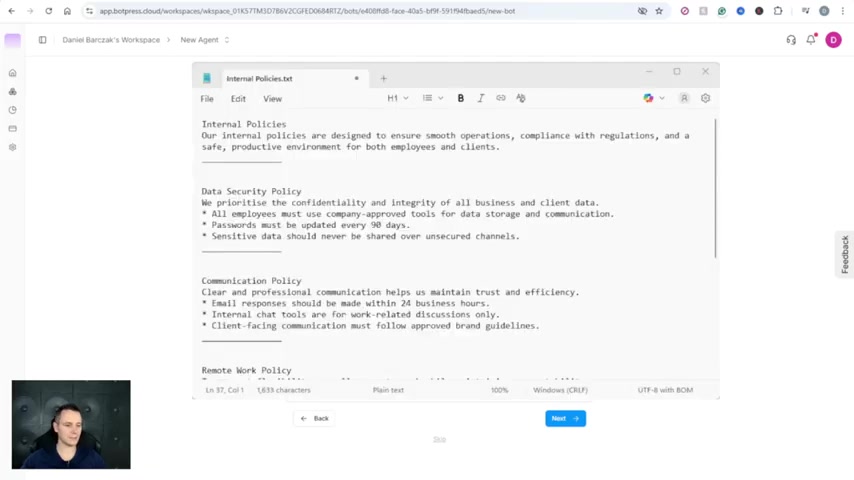
Another document to upload would be an Internal policies text document to give users additional information that may be private to your organization. Uploading all these resources are very important to having your chatbot understand its goal.
Step-by-Step Guide: Building Your Botpress Chatbot
Step 1: Create a New Bot
From the main workspace dashboard, click 'Create Bot.' You will have an overview of different chatbots that you can make. Next, you're going to select an agent. If you are unsure of what to create, use the Brand AI assistant agent. The difference between all of these is inside the instruction Prompt and how the chatbot will respond based on that instruction.
Step 2: Input URLs to Gather from
After creating a new bot, Input the URLs of Notion website to have the AI search and gather information from. After adding you give it a minute to discover all the information.
You can pick and choose which which pages to expose for the chatbot information as well as including and excluding specific patterns. After gathering your URL's, You will want to upload some Files.





Most people like
































Report
Please select a reason for reporting
- 13 Reasons to Switch from Snapchat to Text Messaging
- 7 Powerful Speech to Text Apps to Boost Productivity
- 10 Best Speech to Text Tools for Effortless Transcription
- 13 Free Tools to Easily Transcribe Audio to Text
- 15 Surprising Ways Google's Speech-to-Text Boosts Productivity
- 7 Best Free Online Audio to Text Transcription Tools
- 9 Tips to Transcribe Speech to Text Faster and Better
- 13 Best Speech to Text Software for Windows 10 in 2023
- 7 Tips for Choosing the Best Transcriber for Audio to Text
- 11 Reasons Why Dragon Speech-to-Text Apps are Game-Changers
- 6 Secrets to Enhance Your Speech to Text Transcription
- 6 Brilliant Ways to Boost Productivity with Talk-to-Text on Your MacBook
- 6 Ways Transcription Software Converts Audio to Text
- 8 Tips to Transcribe Speech to Text Like a Pro
- 6 Reasons IBM Watson Speech to Text is a Game-Changer
- 14 Powerful Ways Talk-to-Text Improves Your Workflow
- 12 Top Windows Speech-to-Text Software for Efficient Transcription
- 12 Game-Changing Benefits of Apple's Speech to Text Technology
- 9 Powerful Use Cases for AWS Speech to Text Technology
- 10 Easy Steps to Transcribe YouTube Videos to Text
- transcription audio en texte
- online audio transcription
- free audio file transcription
- free ai audio transcription
- audio transcription service
- audio transcription online free
- audio transcription free online
- audio to transcription software
- audio and transcript
- ai audio transcription free
- voice recording to text converter
- translate voice recording to text
- record voice to text
- audio recording to text converter
- voice recording and transcription
- chatgpt voice to text
- gmail voice to text
- speech to text reader
- speech to text ai free
- speech to talk
- How to Use AI Tools to Find Internal Linking Opportunities Across a Business Website
- Discover Your Perfect Haircut with AI Hairstyle Apps
- Free Reputation Calculator Tools: How They're Adapting to Score AI Visibility, Not Just Rankings
- Design Professional Flyers for Free on Your Phone
- Best Free Flyer Maker Apps for Android: Design Like a Pro
- How to Know If Your Business Is Ready for an AI Customer Service Agent
- Revolutionizing Storytelling: From Novels to Screenplays with AI
- Create Engaging Animated Explainer Videos with a Free AI Tool
- Stop Multi-Subscribing: Benchmark Top AI Visual Models in One Canvas
- Best Seedance 2.5 API Provider: Every Price on the Market, Checked at Source
- Top AI Social Media Management Tools: Automate Your Content Strategy
- Free AI Text to Video Generator: Create Stunning Videos from Text
- Discover 17 ChatGPT Alternatives: A Comprehensive Comparison
- Character.AI vs. Janitor AI: Which AI Chat Platform Reigns Supreme?
- Top Virtual Assistant Companies in 2026: Reviews, Pricing, and Plans Compared
- Unveiling FaceCheck.ID: Revolutionizing Reverse Image Searches with AI
- 11 Best AI Dialers in 2026: Features, Pricing, Pros and Cons
- How I Direct Consistent AI Clips: A Hands-On Guide to Multi-Model Generation
- A Realistic Review of the Photo Generator Image Tool
- Playwright MCP Server: Automated Web Testing with Agent Mode

Copyright ©2026 toolify