































Table of Contents
- Key Points
- Understanding Bubble.io
- Building an App the Traditional Way: A Brief Example
- How to Build CRM app
- Pricing
- Advantages and Disadvantages of Using Bubble.io AI
- Key Features in the AI App Blueprint
- App Blueprint User Stories
- FAQ
- Related Questions


Understanding Bubble.io
What is Bubble.io?
Bubble.io is a leading no-code platform
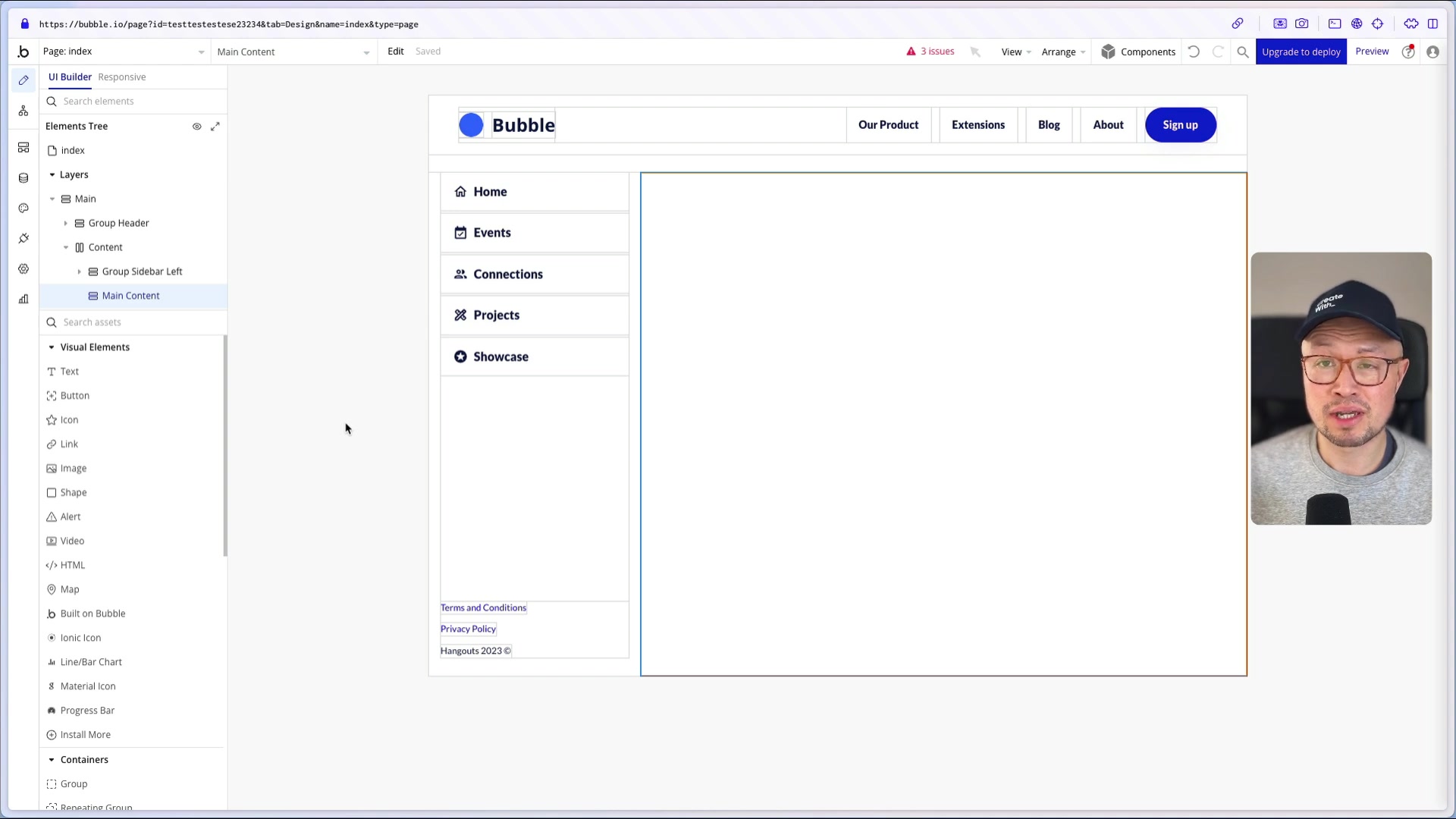
that enables users to build and host web applications without any coding knowledge. It combines a visual drag-and-drop interface with powerful backend capabilities, allowing you to create everything from simple landing pages to complex software-as-a-service (SaaS) platforms. Bubble.io consolidates the database, workflows, and front-end design into a unified stack, making app development accessible to everyone. It is used daily by developers and non-developers alike to quickly create custom solutions to challenging issues. With visual elements that include text, buttons, icons, and shapes, the platform helps you to achieve the precise look and feel you envision. In terms of logic, it offers versatile workflows and actions that cover the majority of required development processes.
Key capabilities of Bubble.io include:
- Visual Editor: Design the user interface (UI) with a drag-and-drop interface.
- Workflow Editor: Define application logic and user interactions.
- Database Management: Create and manage data structures to store application data.
- API Integrations: Connect to external services and APIs to extend functionality.
- Hosting and Deployment: Deploy your application directly from Bubble.io.
Bubble.io offers the flexibility to build a wide range of applications, including:
- SaaS applications
- Customer relationship management (CRM) systems
- Social networks
- Internal tools and dashboards
- E-commerce platforms
Diving into the Visual Editor
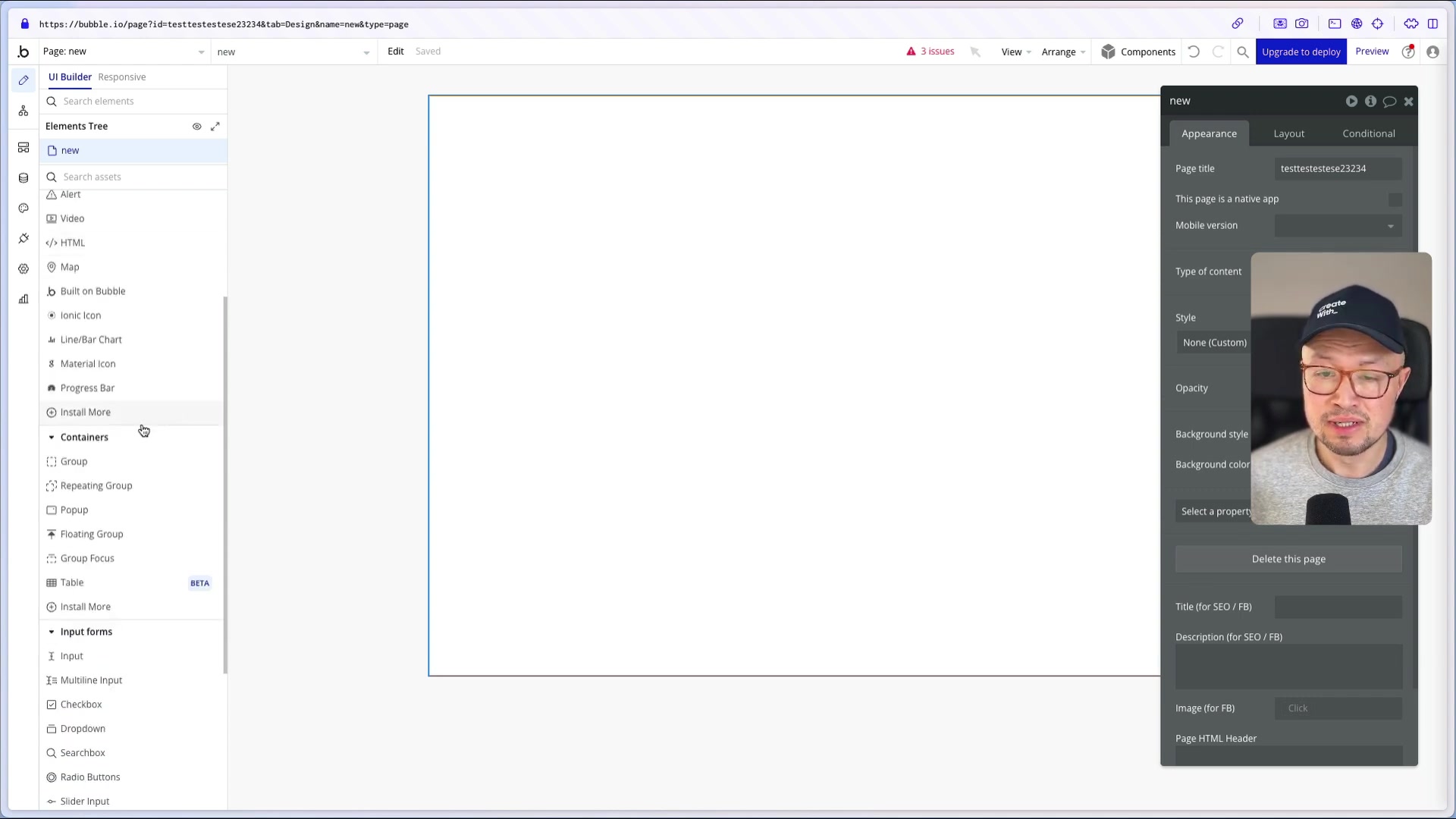
The visual editor
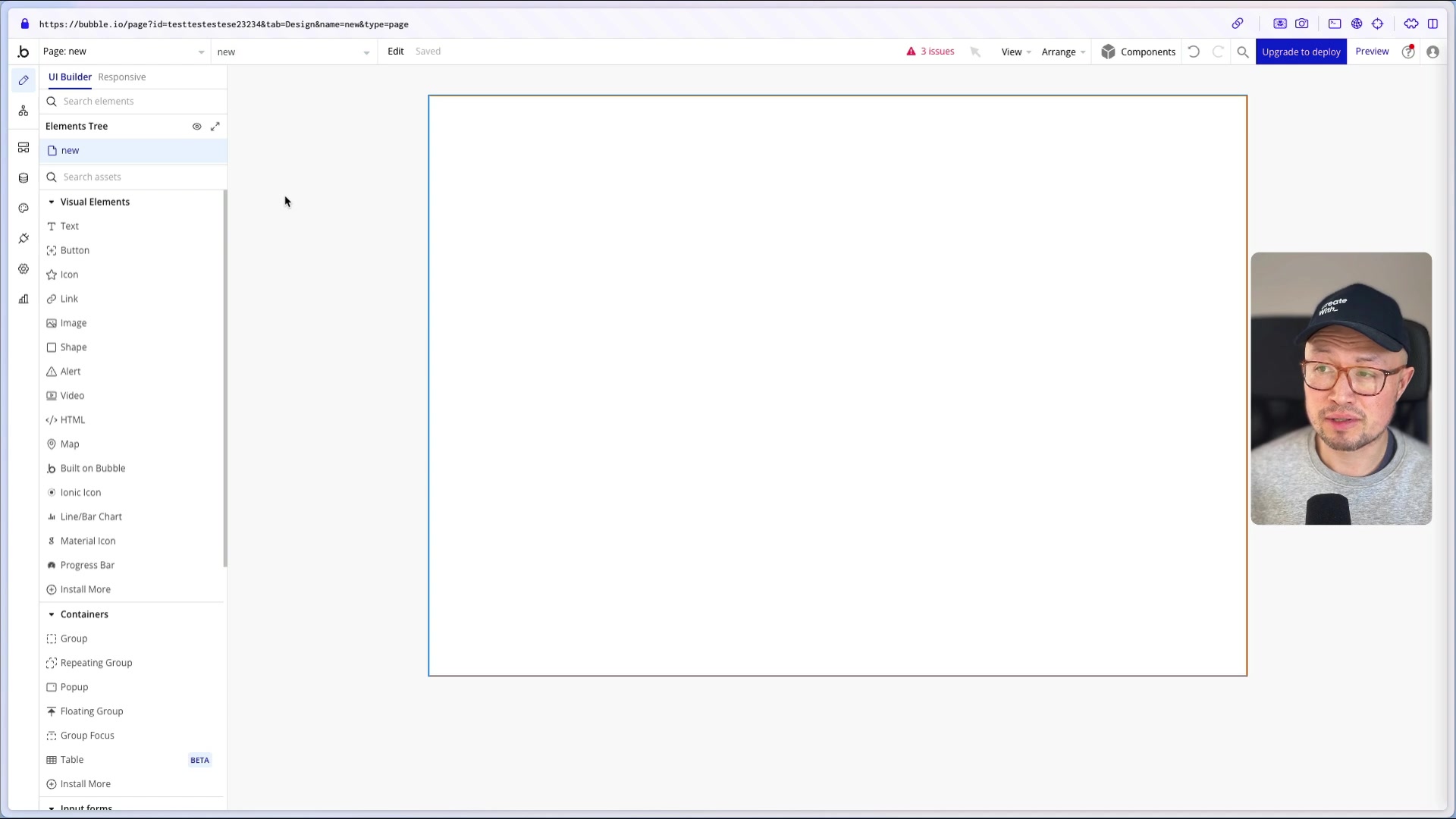
is at the heart of Bubble.io, where you design the look and feel of your application. It provides a canvas where you can drag and drop various elements, such as:
- Text: Add headings, paragraphs, and labels.
- Buttons: Create interactive buttons for user actions.
- Icons: Enhance the UI with visual icons.
- Links: Add hyperlinks to navigate between pages or external websites.
- Images: Incorporate images into your application.
- Shapes: Use shapes for visual design and layout.
- Input Forms: Create forms to collect user input, including text fields, multi-line inputs, checkboxes, dropdowns, and more.
- Containers: Organize elements with groups, repeating groups (for lists), pop-ups, and floating groups.
The visual editor also includes:
- Element Tree: Provides a hierarchical view of all elements on the page for easy navigation and selection.
- Property Editor: Allows you to customize the properties of each element, including appearance, layout, and conditional behaviors.
How to Add Functionality with Workflows
Workflows
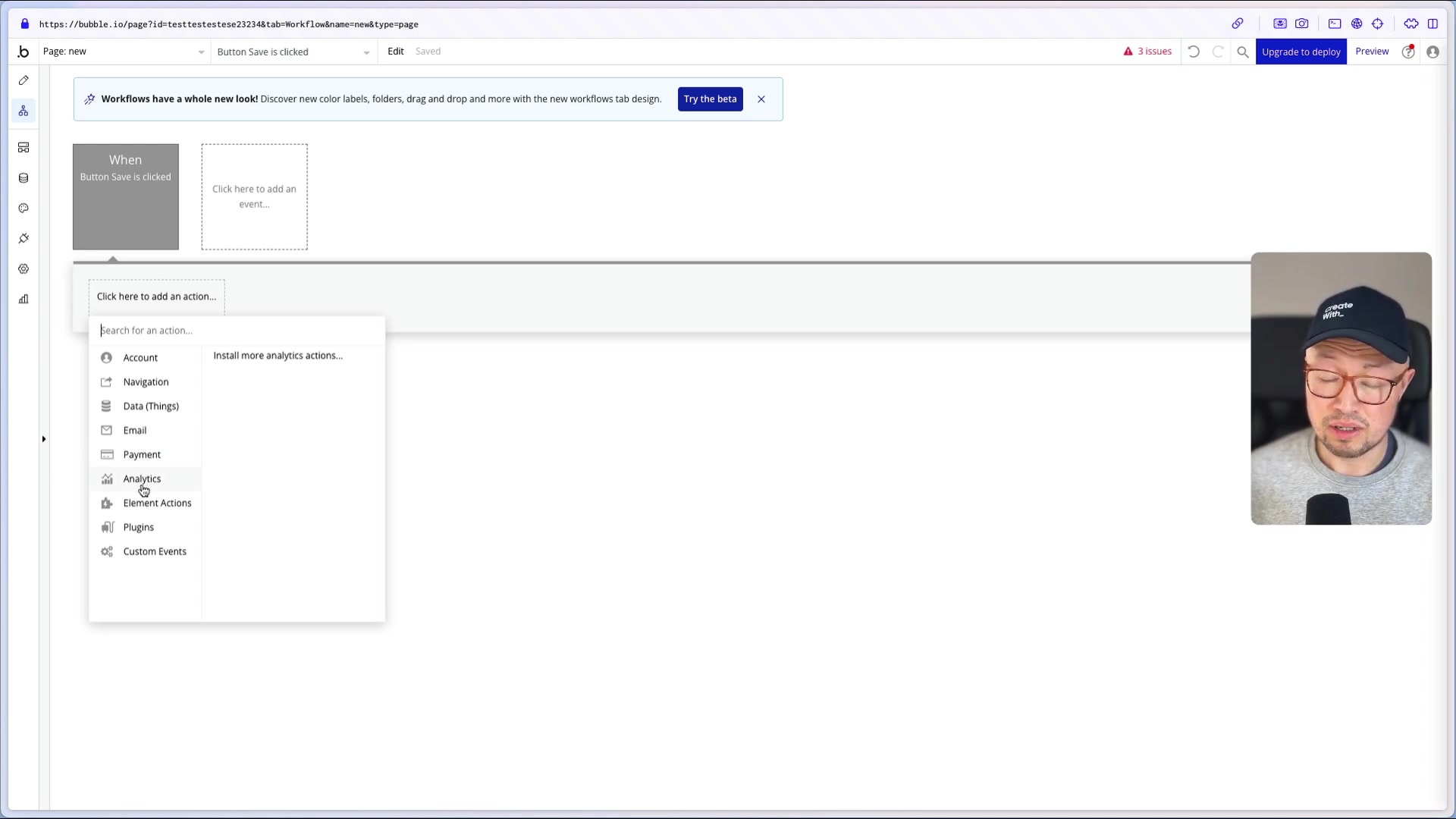
define the logic and actions that occur when users interact with your application. Each workflow is triggered by an event, such as a button click or page load, and consists of a series of actions. You can:
- Create accounts: Sign users up, log them in/out, or manage their credentials.
- Send emails: Send confirmation emails or login links.
- Navigate users: Direct users to different pages or external websites.
- Manage data: Create, modify, or delete data in your database.
- Process payments: Integrate with payment gateways like Stripe to handle transactions.
- Run analytics: Track user behavior and gather insights.
Workflows are the key to making your application interactive and responsive to user actions.
Building an App the Traditional Way: A Brief Example
Creating a Basic Input Form
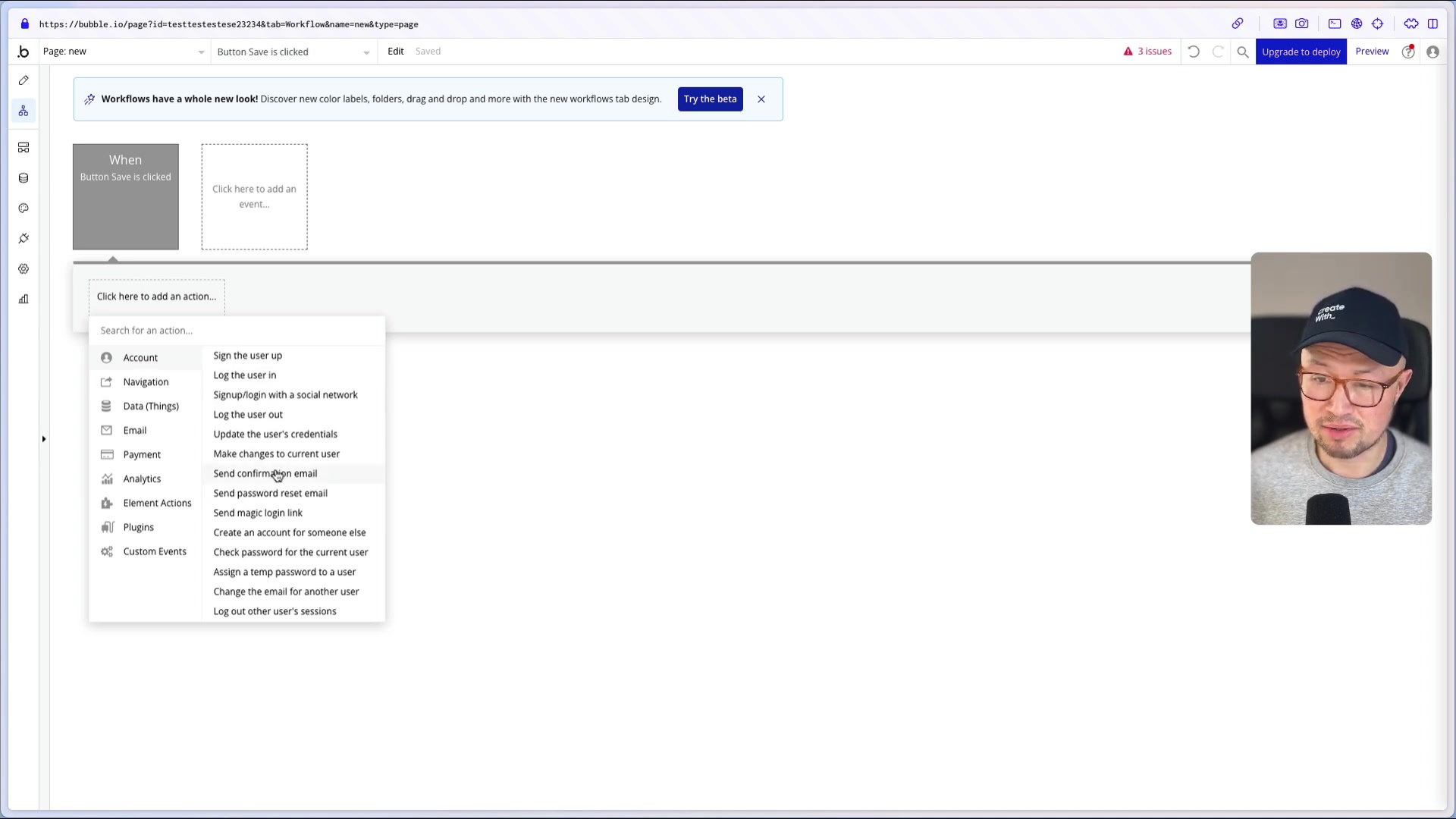
To illustrate Bubble.io's core functionality, let's create a simple form to collect user feedback
.
- Add Elements: Drag and drop a Text element for a heading, an Input element for the name, a Multiline Input for the message, and a Button to submit the feedback.
- Customize Elements: Modify the placeholder text, Font sizes, and button labels to fit your desired design.
- Create a Workflow: Double-click the Button element to open the workflow editor.
- Add Actions: Add a Create a new thing action to store the data in the database. Select your data type and map the input values to the corresponding database fields.
- Reset Inputs: Add a Reset relevant inputs action to clear the form after submission.
This example demonstrates how quickly you can create a functional form in Bubble.io without any code. This type of functionality is essential to provide services to other web applications.
How to Build CRM app
AI-Powered App Generation
Bubble.io's AI app generator takes a different approach. Instead of generating code, it directly creates a fully functional Bubble.io application based on your Prompt
.
To use the AI app generator:
- Go to app settings.
- Generate a blue print of the app you are trying to build.
- Customize to your liking.
Example Prompt:
“I am a freelance developer. I need a CRM to help me track my clients, projects, tasks, and invoices.”
The AI then takes that prompt, to generate a full app, with a client base, ability to assign projects, and a Task Management system. The result can then be quickly reviewed and revised by the developer.





Most people like




































Report
Please select a reason for reporting
- 13 Reasons to Switch from Snapchat to Text Messaging
- 7 Powerful Speech to Text Apps to Boost Productivity
- 10 Best Speech to Text Tools for Effortless Transcription
- 13 Free Tools to Easily Transcribe Audio to Text
- 15 Surprising Ways Google's Speech-to-Text Boosts Productivity
- 7 Best Free Online Audio to Text Transcription Tools
- 9 Tips to Transcribe Speech to Text Faster and Better
- 13 Best Speech to Text Software for Windows 10 in 2023
- 7 Tips for Choosing the Best Transcriber for Audio to Text
- 11 Reasons Why Dragon Speech-to-Text Apps are Game-Changers
- 6 Secrets to Enhance Your Speech to Text Transcription
- 6 Brilliant Ways to Boost Productivity with Talk-to-Text on Your MacBook
- 6 Ways Transcription Software Converts Audio to Text
- 8 Tips to Transcribe Speech to Text Like a Pro
- 6 Reasons IBM Watson Speech to Text is a Game-Changer
- 14 Powerful Ways Talk-to-Text Improves Your Workflow
- 12 Top Windows Speech-to-Text Software for Efficient Transcription
- 12 Game-Changing Benefits of Apple's Speech to Text Technology
- 9 Powerful Use Cases for AWS Speech to Text Technology
- 10 Easy Steps to Transcribe YouTube Videos to Text
- transcription audio en texte
- online audio transcription
- free audio file transcription
- free ai audio transcription
- audio transcription service
- audio transcription online free
- audio transcription free online
- audio to transcription software
- audio and transcript
- ai audio transcription free
- voice recording to text converter
- translate voice recording to text
- record voice to text
- audio recording to text converter
- voice recording and transcription
- chatgpt voice to text
- gmail voice to text
- speech to text reader
- speech to text ai free
- speech to talk
- How SEO and Marketing Dashboards Empower Agencies to Drive Results
- How to Use AI Tools to Find Internal Linking Opportunities Across a Business Website
- Discover Your Perfect Haircut with AI Hairstyle Apps
- Free Reputation Calculator Tools: How They're Adapting to Score AI Visibility, Not Just Rankings
- Design Professional Flyers for Free on Your Phone
- Best Free Flyer Maker Apps for Android: Design Like a Pro
- How to Know If Your Business Is Ready for an AI Customer Service Agent
- Revolutionizing Storytelling: From Novels to Screenplays with AI
- Create Engaging Animated Explainer Videos with a Free AI Tool
- Stop Multi-Subscribing: Benchmark Top AI Visual Models in One Canvas
- An Objective Look at Modern Web-Based Visual Modifications
- My Honest Experience with VideoAI: The Secret Weapon for Creators Who Need Character Voices
- 5 Data Problems That Stall AI Projects in Financial Compliance
- Master Storyboard Drawing: Expert Tips for Non-artists
- The Future of Smart Glasses: Explained & Assembling Guide
- DeepL Translator: The AI-Powered Translation Tool
- AI Video Upscaling: Top Tools Compared for Enhanced Quality
- Bridging the Gap: How One Indie Developer Solved the "Art Asset Nightmare" Using AI Style Transfer
- How I Direct Consistent AI Clips: A Hands-On Guide to Multi-Model Generation
- My Honest Review of VideoAI: The Ultimate Character Voice Generator I've Been Using Lately

Copyright ©2026 toolify