























Build a Full-Stack Python Chatbot with LangGraph: A Comprehensive Guide

Updated on May 14,2025








Table of Contents
- Key Points
- Introduction to Building a Python Chatbot with LangGraph
- Key LangGraph Features for Chatbot Development
- Getting Started: Creating Your LangGraph Project
- Understanding LangGraph Pricing
- Evaluating LangGraph for Chatbot Development
- Core Features of LangGraph
- Use Cases for LangGraph Chatbots
- FAQ
- Related Questions


Introduction to Building a Python Chatbot with LangGraph
What is LangGraph and Why Use It?
LangGraph provides a powerful platform for building and deploying complex AI applications, particularly those involving language models. Its support for custom routes, conversational memory management, and integrated deployment features make it an excellent choice for creating robust and user-friendly chatbots.

With LangGraph, you can handle the entire application lifecycle within a unified environment, streamlining development and deployment processes. This allows you to focus on the core logic of your chatbot, rather than wrestling with infrastructure complexities.
Project Overview: A Full-Stack Chatbot Application
The goal is to create a simple yet functional chatbot that allows users to have multiple, persistent conversations. These conversations are filtered by user and persist across Sessions, providing a seamless experience.
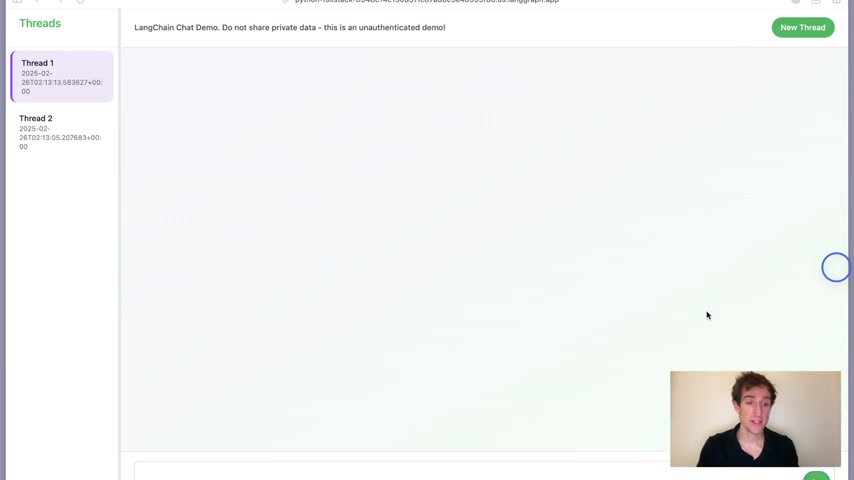
The entire UI is deployed alongside the LangGraph platform instance, ensuring a Cohesive and easily manageable application. This approach leverages LangGraph's ability to handle both the backend logic and the user interface in a single deployment, simplifying the overall architecture.
Key LangGraph Features for Chatbot Development
Custom Routes, Lifespan Events, and Middleware
LangGraph's flexibility allows developers to specify custom routes, manage lifespan events, and implement Middleware. This enables a high degree of control over the application's behavior and customization of its endpoints.

By providing a custom Starlette application, including Fast API or FastHTML apps, you can tailor the chatbot's functionality to meet specific requirements. This approach ensures that the chatbot integrates seamlessly with other services and provides a consistent user experience.
Leveraging FastHTML for UI Development
FastHTML helps build modern UIs entirely in Python. While LangGraph excels as a backend, it does not typically handle frontend UI deployments. To solve for this, FastHTML can be deployed on a LangGraph platform instance alongside your server-side code.

FastHTML offers a clean and efficient way to create dynamic web interfaces using Python code, making the development process more streamlined and accessible. For those familiar with Python, FastHTML provides an intuitive and productive environment for building chatbot UIs.
Getting Started: Creating Your LangGraph Project
Setting Up a New Project
To begin, you'll need to create a new LangGraph project using the provided template. This template includes the necessary files and configurations to get started quickly. Use this command:
langraph new --template=new-langraph-project-python chatbot-and-uiThis command clones the new LangGraph project template, and we'll call the new project chatbot-and-ui. This provides a basic structure that is overwritten in the next step. This can be named whatever you'd like.
Overwriting the Graph File
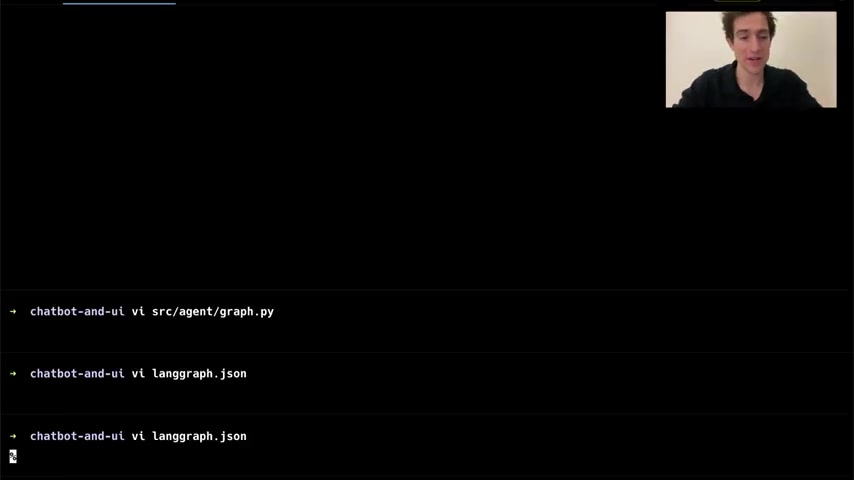
Next, navigate into the new project directory and overwrite the graph.py file with your chatbot's logic.
This file defines the core functionality of your chatbot, including the agent and its interactions. A typical graph.py file might look like this:
from langgraph.prebuilt import create_react_agent

graph = create_react_agent(
    anthropic="claude-3-5-haiku-latest",
    tools=[],
    prompt="You are a friendly, curious, geeky AI."
)
This sets up a simple chatbot using the Claude Anthropic model, with a basic Prompt to guide its behavior.
Configuration and Dependencies
Ensure that the langraph.json file is configured correctly to point to your graph.py file. Also, add any necessary dependencies, such as langchain[Anthropic], to your project.

This configuration tells LangGraph how to run your application and what dependencies it requires. For the cloud deployment, you'll need to install the dependencies:
uv add "langchain[anthropic]"It’s also required to add Fast API as a dependency to your pyproject.toml file.
To verify the configuration, you can run the development server uv run langgraph dev --no-browser
Adding Fast API as a Dependency
Be sure to add Fast API as a dependency to your pyproject.toml file, with the following command:
uv add fastapi





Most people like


































Report
Please select a reason for reporting
- 13 Reasons to Switch from Snapchat to Text Messaging
- 7 Powerful Speech to Text Apps to Boost Productivity
- 10 Best Speech to Text Tools for Effortless Transcription
- 13 Free Tools to Easily Transcribe Audio to Text
- 15 Surprising Ways Google's Speech-to-Text Boosts Productivity
- 7 Best Free Online Audio to Text Transcription Tools
- 9 Tips to Transcribe Speech to Text Faster and Better
- 13 Best Speech to Text Software for Windows 10 in 2023
- 7 Tips for Choosing the Best Transcriber for Audio to Text
- 11 Reasons Why Dragon Speech-to-Text Apps are Game-Changers
- 6 Secrets to Enhance Your Speech to Text Transcription
- 6 Brilliant Ways to Boost Productivity with Talk-to-Text on Your MacBook
- 6 Ways Transcription Software Converts Audio to Text
- 8 Tips to Transcribe Speech to Text Like a Pro
- 6 Reasons IBM Watson Speech to Text is a Game-Changer
- 14 Powerful Ways Talk-to-Text Improves Your Workflow
- 12 Top Windows Speech-to-Text Software for Efficient Transcription
- 12 Game-Changing Benefits of Apple's Speech to Text Technology
- 9 Powerful Use Cases for AWS Speech to Text Technology
- 10 Easy Steps to Transcribe YouTube Videos to Text
- transcription audio en texte
- online audio transcription
- free audio file transcription
- free ai audio transcription
- audio transcription service
- audio transcription online free
- audio transcription free online
- audio to transcription software
- audio and transcript
- ai audio transcription free
- voice recording to text converter
- translate voice recording to text
- record voice to text
- audio recording to text converter
- voice recording and transcription
- chatgpt voice to text
- gmail voice to text
- speech to text reader
- speech to text ai free
- speech to talk
- Design Professional Flyers for Free on Your Phone
- Best Free Flyer Maker Apps for Android: Design Like a Pro
- How to Know If Your Business Is Ready for an AI Customer Service Agent
- Revolutionizing Storytelling: From Novels to Screenplays with AI
- Create Engaging Animated Explainer Videos with a Free AI Tool
- Stop Multi-Subscribing: Benchmark Top AI Visual Models in One Canvas
- Best Seedance 2.5 API Provider: Every Price on the Market, Checked at Source
- AI OnlyFans: How to Generate $30,000/Month (Legally)
- Transform Your Script into an Engaging Video with AI Video Maker!
- AI Marketing Automation: A Comprehensive Guide for Small Businesses
- Design Professional Flyers for Free on Your Phone
- Best Free Flyer Maker Apps for Android: Design Like a Pro
- Unleash Creativity: AI Coloring Pages with ColoringBook.ai
- Generate Stunning AI Photos with Google Gemini: A Guide
- Boost Your Etsy Sales with Stunning Digital Invitations!
- Revolutionize Your Etsy Listing with AI Text Generator
- Create Coloring Pages with AI: A Bing AI Tutorial
- Photo Lab App: Transform Your Photos with Stunning AI Effects
- Effortless Design: Rewriting Text with Microsoft Designer's AI
- Create & Sell Kids' Coloring Books with AI - KDP Guide

Copyright ©2026 toolify