































Table of Contents
- Key Points
- Creating an AI-Powered Web Scraper with Python
- Implementation Details: Core Components and Code Snippets
- Easy step on How to Use AI Web Scrapers
- Bright Data Pricing: Options for Every Scale
- AI Web Scraper: Pros and Cons
- Bright Data's Core Features: Enhancing Web Scraping Capabilities
- Use Cases for an AI Web Scraper
- Frequently Asked Questions
- Related Questions



Creating an AI-Powered Web Scraper with Python
The Vision: Scraping Any Website with AI
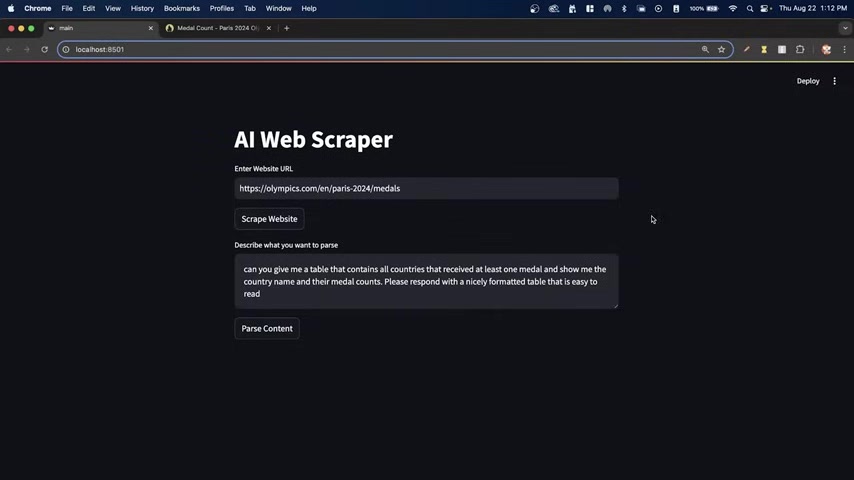
Imagine an application capable of extracting targeted data from any website using the power of AI. This is the vision behind an AI web scraper. Traditional web scrapers rely on predefined rules and selectors, which can break easily with website updates. AI web scrapers, on the other hand, can understand the content and context of a website, allowing them to adapt to changes and extract data more reliably. Combining Web Scraping using AI and frameworks for streamlining can significantly improve data extraction efforts.
This approach revolutionizes data collection, enabling you to gather information from dynamic websites, extract complex data structures, and ultimately gain valuable insights. With Python and the right set of tools, building such a scraper is within reach.
By focusing on artificial intelligence for parsing, and frameworks for scraping the web, we will ensure we provide the best approach to web scraping. This allows us the potential to use it at scale, which is typically what businesses want to do.
Tools of the Trade: Python, Streamlit, Selenium, Langchain
To bring our AI web scraper to life, we'll utilize a powerful combination of Python libraries:
- Python: The foundation of our project, providing the programming language and ecosystem for development.
- Streamlit:
This library will be used for building the front end that will allow us to take in user inputs.
- Selenium: Our web interaction tool, automating browser actions to retrieve dynamic content and navigate complex websites. With Selenium we have the ability to easily extract web data from web pages.
- Langchain: The AI integration layer, enabling us to parse scraped data using natural language prompts.
These tools, combined with readily available cloud services, allow us to extract data efficiently from any website, no matter the scale of it.
Project Demo: Seeing the AI Web Scraper in Action
Let's start with a quick demonstration to illustrate the power of this approach. The interface is designed with simplicity in mind
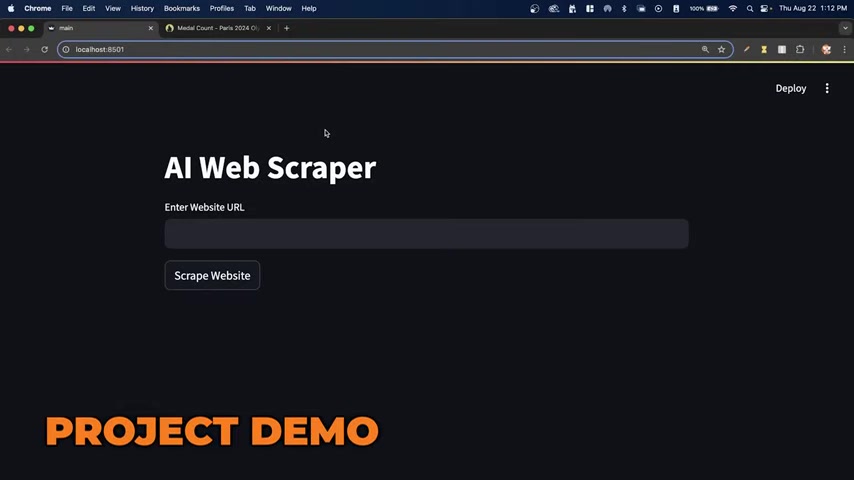
. Users only need to provide the website URL and a Prompt defining the desired data.
For instance, we could start with the Olympics medal table website to extract the medal count for countries:
- Enter the website URL.
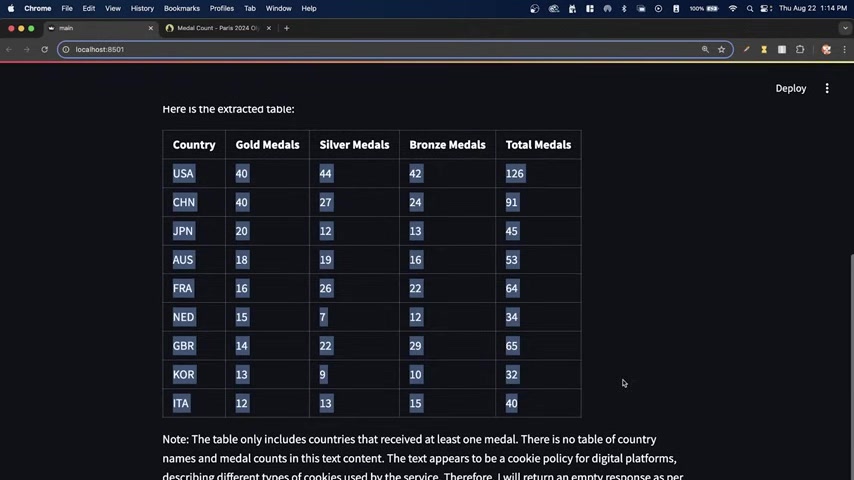
- Provide a prompt. "Can you give me a table of all countries that have received at least one medal and show me the country name and their medal counts. Please respond with a nicely formatted table that is easy to read."
Almost instantly, the AI web scraper returns a neatly formatted table containing the medal counts for all countries participating in the Olympics. This showcases the ability of AI to transform unstructured web data into easily digestible information.
Expanding the Horizons: E-commerce and Real Estate Examples
The versatility of our AI web scraper extends beyond simple data extraction. Consider these examples:
- E-commerce: True Classic Website
Extract product names, prices, currency and ratings of polo shirts. With the rise of e-commerce and the importance of understanding customer perception, this example highlights the ability of our code to extract valuable information from multiple sites. This functionality is key when trying to understand customer perception of e-commerce products.
- Real Estate: Property Finder Website Collect relevant property information, organize it in a table, and analyze average rental prices for apartments in a specific area, such as Dubai Marina. By using artificial intelligence, a process that typically takes days can be reduced down to hours.
These examples underscore the ability of an AI web scraper to adapt to diverse data sources and provide targeted insights.
Implementation Details: Core Components and Code Snippets
Installing Dependencies: Setting Up Your Environment
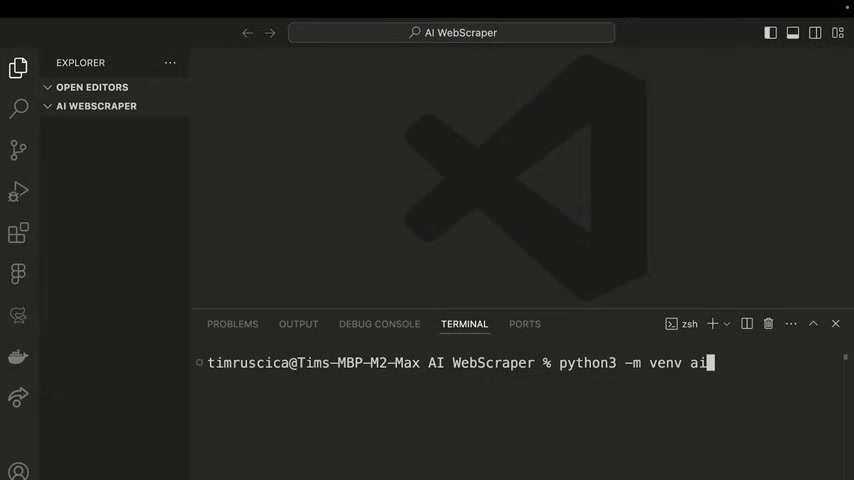
Before diving into the code, we need to set up our development environment. The following Python libraries are crucial:
- Streamlit:
pip install streamlit - Selenium:
pip install selenium - Langchain:
pip install langchain - Beautiful Soup:
pip install beautifulsoup4 - LXML:
pip install lxml - html5lib:
pip install html5lib
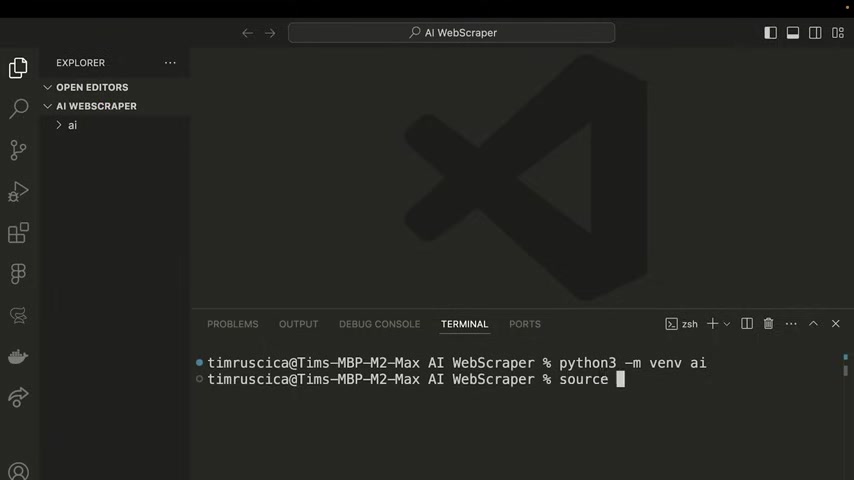
These libraries form the foundation of our AI web scraper. It's also good to setup a virtual environment for these dependancies to be installed.
Selenium: Web Interaction and Dynamic Content Retrieval
Selenium automates web browser interactions. The code snippet below demonstrates how to set up and use Selenium to fetch web page content. For all automation activities, Selenium can provide a means to get access to a web page's data.
When extracting your relevant information, make sure to account for how those attributes will work in your machine to prevent code breaking. In many cases, web pages will be designed in a manner that might prevent a normal, hard-coded approach. In those instances, Selenium can help to overcome them by allowing the code to dynamically find data.
Bright Data: Proxy Management For Scalable Scraping
To bypass anti-scraping measures, Bright Data will be used to help us unblock websites with CAPTCHAS, internet protocol bans, and other blocks that may hinder our ability to extract data:
Bright Data provides proxy management and unblocking services, allowing to scale web scraping projects without facing restrictions. It's an essential aspect that businesses need to consider when building production-grade scrapers.
Easy step on How to Use AI Web Scrapers
Build your AI Web Scraper Using Python
This comprehensive Tutorial walks you through creating an innovative AI Web Scraper using Python, perfect for anyone keen on automating data extraction from the web. We integrate Streamlit for a simple user interface, Selenium for navigating web content, and Langchain for intelligent data parsing with AI, ensuring an adaptive and precise approach to collecting data from diverse websites. This guide also demonstrates how Bright Data can unblock websites, further enhancing the scraper's capabilities. Dive in to discover how to build a practical and powerful tool, transforming unstructured web data into structured insights.
Building the Streamlit UI: Crafting the Front End with Python
First, ensure Streamlit is successfully imported into your Python environment. To make it obvious the title text must start first with st.title. The next step, it to ask for a user to input an url
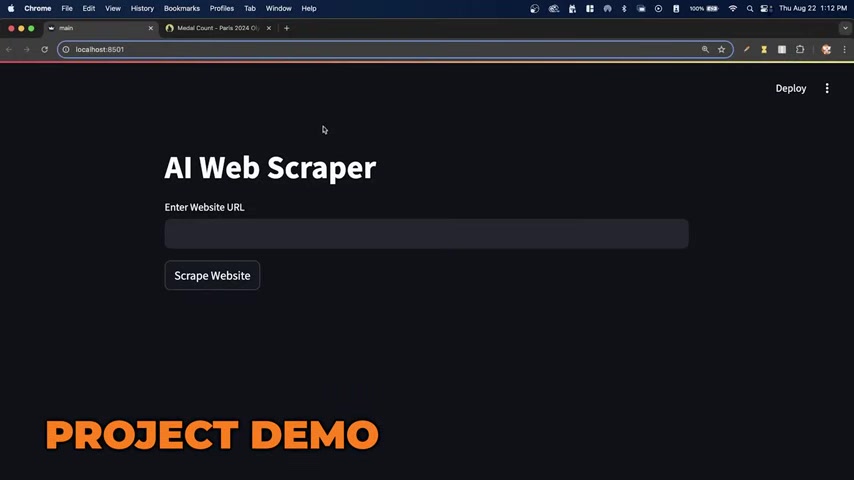
. url = st.text_input("Enter a Website URL:").
Now that we have the website URL, we must provide an option for the user to execute the scraping actions. This can be done by using the following line: st.button("Scrape Site"). After the following actions we will use Python dependancies to streamline the scraping process.
Harnessing Selenium: Web Interaction and Dynamic Content Retrieval
Selenium, a cornerstone of web automation, will handle the interactions that our system will perform on the web. To integrate the use of Selenium with Bright Data, our code must change slightly, to enable the use of features such as proxy connections. To make this effort simpler, we're going to use code provided by the website of Bright Data to show you how to integrate it.
I would recommend that you go on over to our Bright Data integration website to find your code, and make sure to select the correct setting for implementation purposes.
When everything is correct, we must then call the data again. For all automation activities, Selenium can provide a means to get access to a web page's data. By following the instructions here, you have access to the code to get valuable data!





Most people like




































Report
Please select a reason for reporting
- 13 Reasons to Switch from Snapchat to Text Messaging
- 7 Powerful Speech to Text Apps to Boost Productivity
- 10 Best Speech to Text Tools for Effortless Transcription
- 13 Free Tools to Easily Transcribe Audio to Text
- 15 Surprising Ways Google's Speech-to-Text Boosts Productivity
- 7 Best Free Online Audio to Text Transcription Tools
- 9 Tips to Transcribe Speech to Text Faster and Better
- 13 Best Speech to Text Software for Windows 10 in 2023
- 7 Tips for Choosing the Best Transcriber for Audio to Text
- 11 Reasons Why Dragon Speech-to-Text Apps are Game-Changers
- 6 Secrets to Enhance Your Speech to Text Transcription
- 6 Brilliant Ways to Boost Productivity with Talk-to-Text on Your MacBook
- 6 Ways Transcription Software Converts Audio to Text
- 8 Tips to Transcribe Speech to Text Like a Pro
- 6 Reasons IBM Watson Speech to Text is a Game-Changer
- 14 Powerful Ways Talk-to-Text Improves Your Workflow
- 12 Top Windows Speech-to-Text Software for Efficient Transcription
- 12 Game-Changing Benefits of Apple's Speech to Text Technology
- 9 Powerful Use Cases for AWS Speech to Text Technology
- 10 Easy Steps to Transcribe YouTube Videos to Text
- transcription audio en texte
- online audio transcription
- free audio file transcription
- free ai audio transcription
- audio transcription service
- audio transcription online free
- audio transcription free online
- audio to transcription software
- audio and transcript
- ai audio transcription free
- voice recording to text converter
- translate voice recording to text
- record voice to text
- audio recording to text converter
- voice recording and transcription
- chatgpt voice to text
- gmail voice to text
- speech to text reader
- speech to text ai free
- speech to talk
- How SEO and Marketing Dashboards Empower Agencies to Drive Results
- How to Use AI Tools to Find Internal Linking Opportunities Across a Business Website
- Discover Your Perfect Haircut with AI Hairstyle Apps
- Free Reputation Calculator Tools: How They're Adapting to Score AI Visibility, Not Just Rankings
- Design Professional Flyers for Free on Your Phone
- Best Free Flyer Maker Apps for Android: Design Like a Pro
- How to Know If Your Business Is Ready for an AI Customer Service Agent
- Revolutionizing Storytelling: From Novels to Screenplays with AI
- Create Engaging Animated Explainer Videos with a Free AI Tool
- Stop Multi-Subscribing: Benchmark Top AI Visual Models in One Canvas
- Beyond Pure Prompts: Optimizing Production with 'Text With Reference' Generation
- Stop Using Boring TTS: My Honest Deep Dive Into VideoAI and the Hunt for the Perfect Custom Voices
- AI & Elections: Defending Democracy Against Misinformation
- Navigating Political Discourse: AI, Deepfakes, and Reality Checks
- Detecting Political Bias in News Articles: A Powerful AI Algorithm
- AI Bias Unveiled: Political Leanings in ChatGPT & Beyond
- Revolutionize Learning: Discover Quizzes AI for Engaging Interactive Quizzes
- From AI-Generated to Audience-Ready: How Quillbot Humanize AI Is Changing the Content Editing Process
- Building an AI Writing Stack in 2026: LLMs, Detectors, and Humanizers
- 7 Top AI-Powered Database Assistant Platforms

Copyright ©2026 toolify