































Table of Contents
- Key Points
- Component Selection for a High-Performance PC
- How to assemble
- Black & White Build Pros & Cons
- FAQ
- Related Questions


Component Selection for a High-Performance PC
Choosing the Right CPU: AMD Ryzen 7 1700X
The central processing unit (CPU) is the brain of your PC, responsible for executing instructions and performing calculations. For video editing and streaming, a multi-core processor is essential. The AMD Ryzen 7 1700X
offers eight cores and sixteen threads, making it an excellent choice for these tasks. It operates at a base clock speed of 3.4 GHz, with a turbo boost up to 3.8 GHz. While the video creator was deciding between Ryzen 7 1700X and 6850, but the price difference was big and for the price, the 1700X offers a lot more value.
Its multi-core performance shines when rendering videos or encoding streams. While an alternative like the Intel Core i7 might offer slightly better single-core performance, the Ryzen 7 1700X provides a better balance of multi-core capabilities and affordability. Plus, AMD's AM4 platform offers a clear upgrade path, allowing you to upgrade to newer Ryzen processors in the future. Remember to consider the CPU's thermal design power (TDP) when selecting a cooler.
Key Benefits of AMD Ryzen 7 1700X:
- Excellent multi-core performance
- Affordable price point
- Upgradeable AM4 platform
- Suitable for video editing, streaming, and gaming
Selecting a Compatible Motherboard: ASUS ROG Crosshair VI Hero
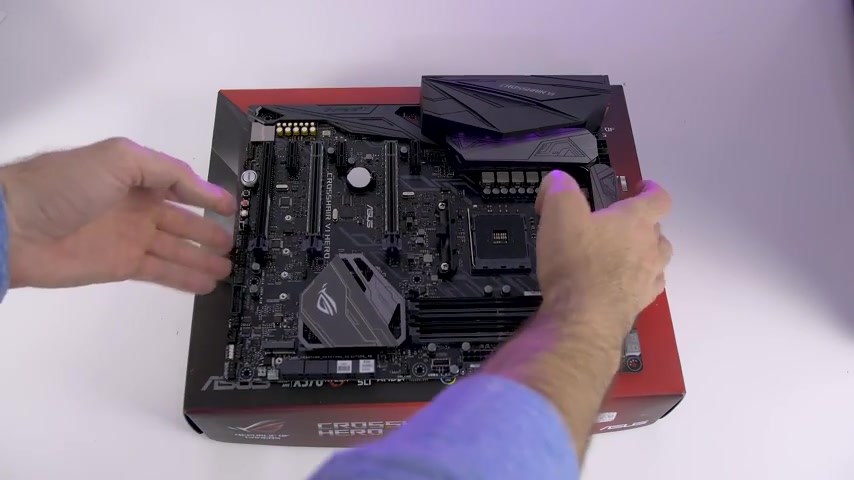
The motherboard serves as the backbone of your PC, connecting all the components and enabling them to communicate. For the Ryzen 7 1700X, a motherboard with an AM4 socket is required. The ASUS ROG Crosshair VI Hero
is an excellent choice, offering a robust feature set and reliable performance. The video creator chose ASUS ROG Crosshair 6 Hero, because it's basically the equivalent of the Maximus version for the Intel platform.
It features multiple PCI-e slots for graphics cards and expansion cards, ample USB ports, and support for high-speed RAM. The Crosshair VI Hero also includes advanced features like enhanced audio codecs, robust power delivery, and customizable RGB lighting. Make sure to check the motherboard's specifications to ensure it supports the amount and speed of RAM you intend to install. A quality motherboard ensures stability and unlocks the full potential of your components.
Key Features of ASUS ROG Crosshair VI Hero:
- AM4 socket for AMD Ryzen processors
- Multiple PCI-e slots for GPU and expansion cards
- High-speed RAM support
- Advanced audio codecs
- Customizable RGB lighting
- Robust power delivery for overclocking
Choosing a Quality GPU: ZOTAC GTX 1080 AMP Edition
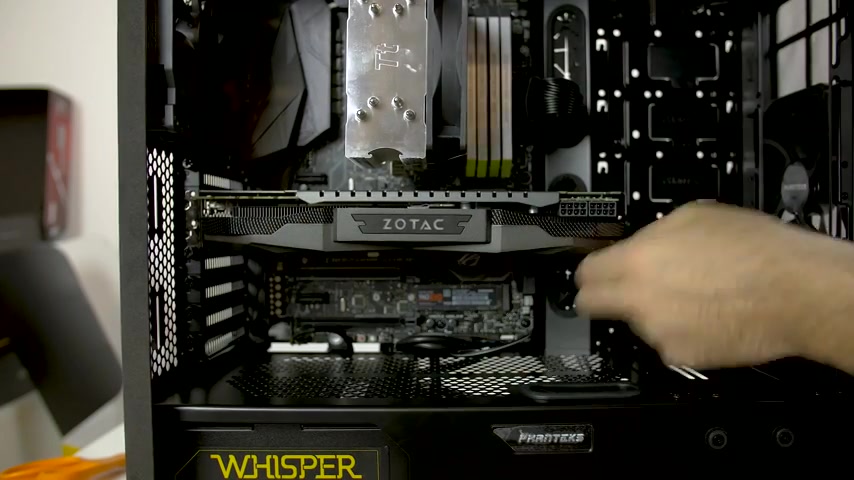
The graphics processing unit (GPU) is responsible for rendering images, videos, and games. For gaming and video editing, a powerful GPU is essential. The ZOTAC GTX 1080 AMP Edition
is a great choice, offering excellent performance at a reasonable price point. It features 8GB of GDDR5X memory and a high clock speed, allowing it to handle demanding games and video editing tasks with ease.
The video creator chose ZOTAC GTX 1080 because the price point was fantastic, and he already had it from his last build. Its AMP Edition provides a boost in performance and the cooling system is optimized to keep the GPU running at stable temperatures. While newer GPUs like the RTX series offer advanced features like ray tracing, the GTX 1080 remains a capable and affordable option. Ensure your power supply can handle the GPU's power requirements. Its not worth it to spend thousands on a graphics card to increase the render time by just one minute.
Key Features of ZOTAC GTX 1080 AMP Edition:
- 8GB GDDR5X memory
- High clock speed
- Optimized cooling system
- Suitable for gaming and video editing
- Affordable price point
- Good balance between performance and cost
Selecting High-Speed RAM: Corsair Dominator Platinum DDR4
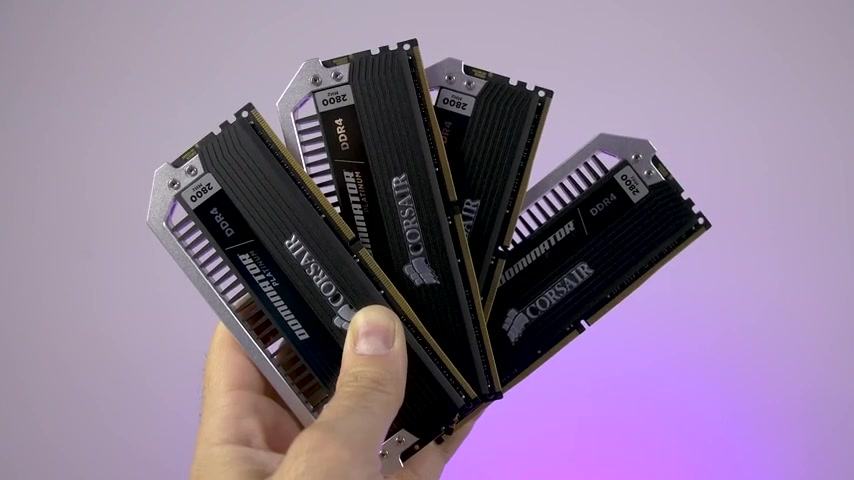
Random access memory (RAM) is used to store data that the CPU needs quickly. For video editing, streaming, and gaming, 16GB of RAM is the minimum, but 32GB or even 64GB is preferable. The Corsair Dominator Platinum DDR4 offers excellent performance and reliability.
The video creator chose Corsair Dominator Platinum RAM because they're black, white, and silver, so it goes with the theme. It has a frequency of 2800 MHz and a low CAS latency, making it ideal for demanding tasks. High-speed RAM improves system responsiveness and reduces load times.
Make sure your motherboard supports the speed and amount of RAM you intend to install. The video creator said he wanted as much RAM as possible for his PC build so that there was enough available while editing video.
Key Features of Corsair Dominator Platinum DDR4:
- High speed (2800 MHz)
- Low CAS latency
- Excellent performance and reliability
- Stylish design
- Suitable for video editing, streaming, and gaming
- Black, White, Silver Color Design
Storage Solutions: Samsung 960 EVO NVMe SSD & Crucial MX300 SSD
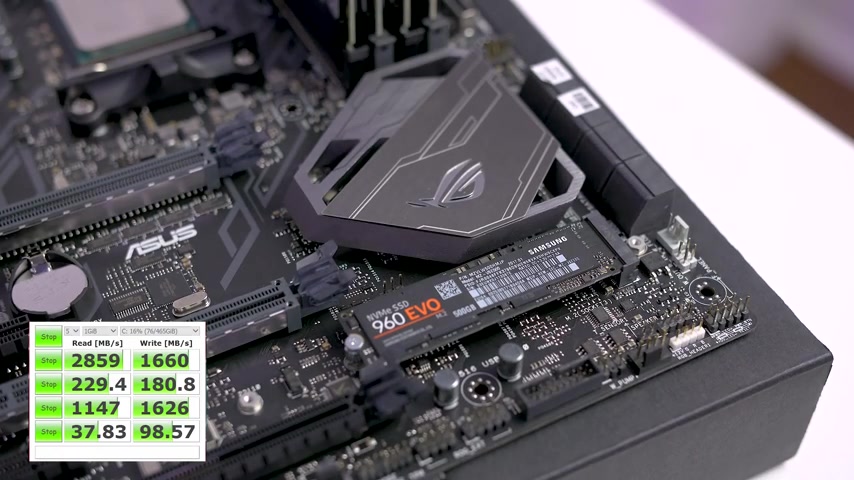
A fast storage solution is essential for quick boot times, application loading, and file access. A solid-state drive (SSD) is significantly faster than a traditional hard disk drive (HDD). The Samsung 960 EVO NVMe SSD is used as the main drive for lightning-fast performance. NVMe SSDs offer significantly faster read and write speeds compared to SATA SSDs.
The Crucial MX300 SSD was chosen because it's a fantastic drive, and for the price, it's totally worth it. The video creator said a 1 terabyte drive is the best bang for your buck. It's used as a secondary drive for storing large files and projects. Ensure you have enough SATA ports on your motherboard for all your storage devices.
Key Features of Samsung 960 EVO NVMe SSD & Crucial MX300 SSD:
- Fast boot times and application loading
- Quick file access
- Reliable performance
- Suitable for operating system, applications, and large files
- Samsung 960 EVO with read speeds of 3200 and write speeds of 1500
Choosing a Suitable Power Supply: BitFenix Whisper M 850W
The power supply unit (PSU) provides power to all the components in your PC. Choosing a PSU with sufficient wattage and reliability is crucial for system stability. The BitFenix Whisper M 850W
is 80+ Gold certified and ensures all components receive the power they need, with headroom for future upgrades.
The video creator wants to have extra wattage so that he can add another GPU or other components to the computer in the future. Always choose a power supply with more wattage than your system currently requires. That way you dont have to buy another PSU.
Key Features of BitFenix Whisper M 850W:
- 850W power output
- 80+ Gold certified for efficiency
- Reliable performance
- Sufficient wattage for high-performance components
- Modular design for easy cable management
Cooling Solutions: Thermaltake Contact Silent 12 & NZXT Kraken X62
Effective cooling is vital for maintaining system stability and preventing overheating. The Thermaltake Contact Silent 12
is used for CPU cooling, providing efficient heat dissipation at a low noise level.
For better CPU cooling NZXT Kraken X62 which is an all in one cooler can be chosen. The Thermaltake is a really cheap heatsink, which is good for the price. The other solution is sitting in the closet and is not used due to not having an AM4 bracket for it.
CPU coolers come in two main types: air coolers and liquid coolers. Air coolers are more affordable and simpler to install, while liquid coolers offer better cooling performance and can be more aesthetically pleasing.
To help prevent the computer from overheating be sure that a suitable cooling solution is used.
Key Features of Thermaltake Contact Silent 12 & NZXT Kraken X62:
- Efficient heat dissipation
- Low noise level
- Affordable price point
- Reliable performance
- Suitable for overclocking
How to assemble
Installing the Components in the Computer Case
First you need to put all your components into the computer case
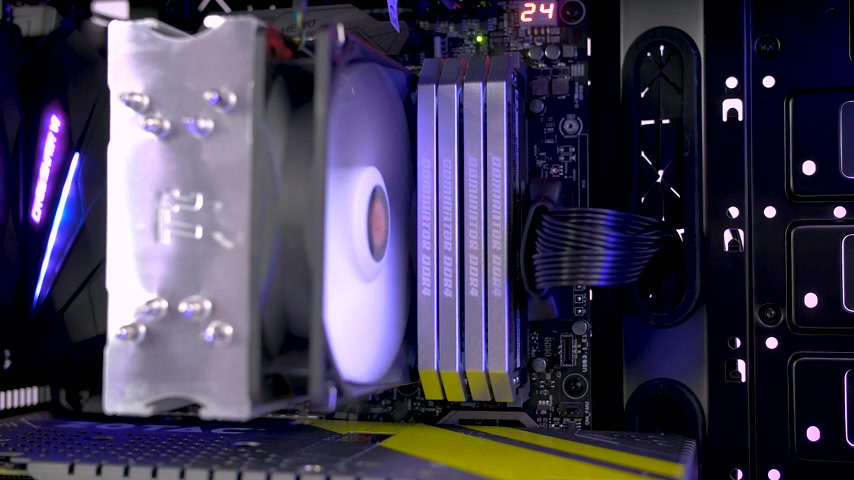
, beginning with the motherboard. Then install the other components after that so it is the easiest for you to assemble the build. You can then continue to assemble the PC and finish the build.








Most people like


































Report
Please select a reason for reporting
- 13 Reasons to Switch from Snapchat to Text Messaging
- 7 Powerful Speech to Text Apps to Boost Productivity
- 10 Best Speech to Text Tools for Effortless Transcription
- 13 Free Tools to Easily Transcribe Audio to Text
- 15 Surprising Ways Google's Speech-to-Text Boosts Productivity
- 7 Best Free Online Audio to Text Transcription Tools
- 9 Tips to Transcribe Speech to Text Faster and Better
- 13 Best Speech to Text Software for Windows 10 in 2023
- 7 Tips for Choosing the Best Transcriber for Audio to Text
- 11 Reasons Why Dragon Speech-to-Text Apps are Game-Changers
- 6 Secrets to Enhance Your Speech to Text Transcription
- 6 Brilliant Ways to Boost Productivity with Talk-to-Text on Your MacBook
- 6 Ways Transcription Software Converts Audio to Text
- 8 Tips to Transcribe Speech to Text Like a Pro
- 6 Reasons IBM Watson Speech to Text is a Game-Changer
- 14 Powerful Ways Talk-to-Text Improves Your Workflow
- 12 Top Windows Speech-to-Text Software for Efficient Transcription
- 12 Game-Changing Benefits of Apple's Speech to Text Technology
- 9 Powerful Use Cases for AWS Speech to Text Technology
- 10 Easy Steps to Transcribe YouTube Videos to Text
- transcription audio en texte
- online audio transcription
- free audio file transcription
- free ai audio transcription
- audio transcription service
- audio transcription online free
- audio transcription free online
- audio to transcription software
- audio and transcript
- ai audio transcription free
- voice recording to text converter
- translate voice recording to text
- record voice to text
- audio recording to text converter
- voice recording and transcription
- chatgpt voice to text
- gmail voice to text
- speech to text reader
- speech to text ai free
- speech to talk
- How to Use AI Tools to Find Internal Linking Opportunities Across a Business Website
- Discover Your Perfect Haircut with AI Hairstyle Apps
- Free Reputation Calculator Tools: How They're Adapting to Score AI Visibility, Not Just Rankings
- Design Professional Flyers for Free on Your Phone
- Best Free Flyer Maker Apps for Android: Design Like a Pro
- How to Know If Your Business Is Ready for an AI Customer Service Agent
- Revolutionizing Storytelling: From Novels to Screenplays with AI
- Create Engaging Animated Explainer Videos with a Free AI Tool
- Stop Multi-Subscribing: Benchmark Top AI Visual Models in One Canvas
- Best Seedance 2.5 API Provider: Every Price on the Market, Checked at Source
- Top AI Social Media Management Tools: Automate Your Content Strategy
- Free AI Text to Video Generator: Create Stunning Videos from Text
- Discover 17 ChatGPT Alternatives: A Comprehensive Comparison
- Character.AI vs. Janitor AI: Which AI Chat Platform Reigns Supreme?
- Top Virtual Assistant Companies in 2026: Reviews, Pricing, and Plans Compared
- Unveiling FaceCheck.ID: Revolutionizing Reverse Image Searches with AI
- 11 Best AI Dialers in 2026: Features, Pricing, Pros and Cons
- How I Direct Consistent AI Clips: A Hands-On Guide to Multi-Model Generation
- A Realistic Review of the Photo Generator Image Tool
- Playwright MCP Server: Automated Web Testing with Agent Mode

Copyright ©2026 toolify