































Table of Contents
- Key Points
- Unlocking the Power of Claude AI and R Markdown
- Generating Survey Questions with Claude AI
- Integrating Claude AI with R Markdown
- Claude AI and R Markdown: Advantages and Disadvantages
- Key R Markdown Features for Data Analysis
- Use Cases: Real-World Applications of Claude AI and R Markdown
- Frequently Asked Questions (FAQ)
- Related Questions



Unlocking the Power of Claude AI and R Markdown
What is Claude AI and Why Use It for Data Analysis?
Claude AI is an advanced AI assistant designed to help with various tasks, from writing and brainstorming to data analysis.
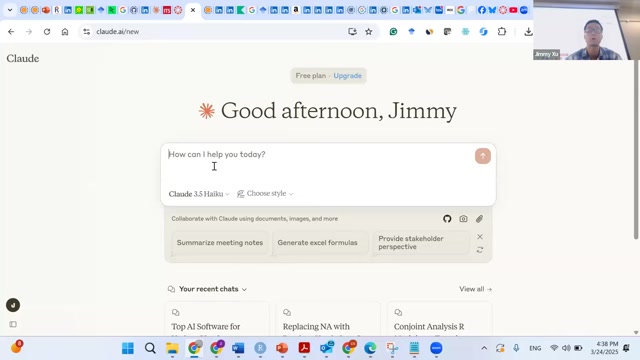
Its ability to understand natural language makes it an ideal tool for interacting with data analysis software like R Markdown. Claude AI can synthesize solutions and code snippets quickly. Here are some key reasons to use Claude AI for data analysis:
- Natural Language Interaction: Communicate your analytical needs in plain English.
- Code Generation: Claude AI can automatically generate R Markdown code, saving time and effort.
- Efficiency: Streamline your data analysis workflow and accelerate report creation.
- Continuous Learning: Claude AI is always evolving, providing access to the latest analytical techniques.
Why R Markdown is Crucial for Data Analysis Reports
R Markdown is a dynamic document format that combines R code, narrative text, and output.
It allows you to create reproducible and easily shareable data analysis reports. Key benefits of R Markdown include:
- Reproducibility: Ensure that your analysis is reproducible by capturing both code and results in a single document.
- Transparency: Clearly document your analytical steps, enhancing transparency and understanding.
- Collaboration: Easily share your reports with colleagues and stakeholders.
- Versatility: Create reports in various formats, including HTML, PDF, and WORD.
- Streamlined Document Creation: Provides easy document creation for people of any skill level.
Generating Survey Questions with Claude AI
Uploading Your Dataset and Initiating the Process
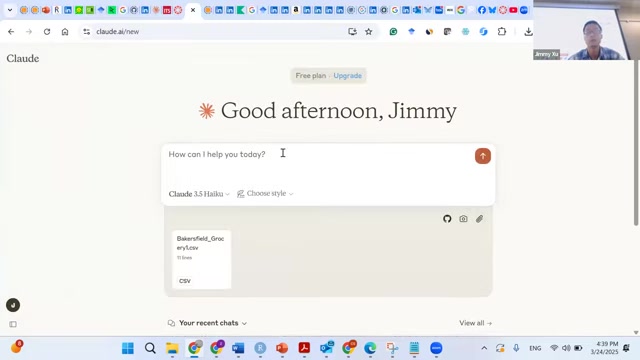
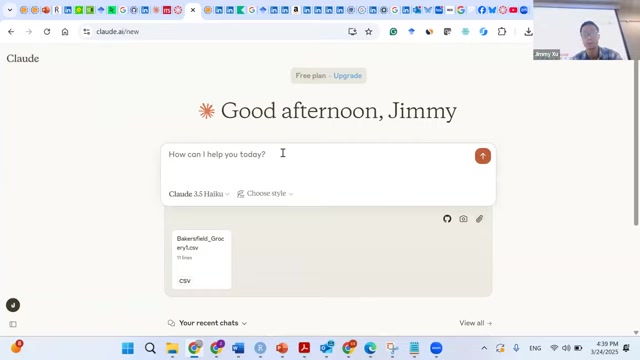
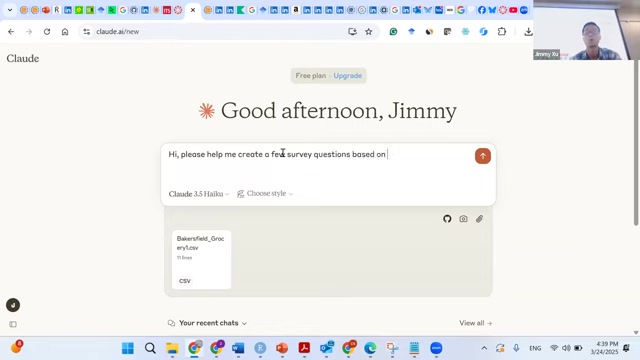
To begin, you'll need to upload your dataset into Claude AI.
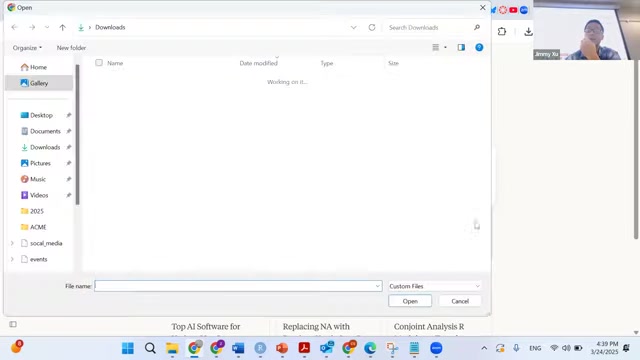
The platform accepts various file types, including CSV files. Once uploaded, you can use natural language to instruct Claude AI to generate survey questions based on the data patterns it identifies.
For example, you can say: “Please help me create a few survey questions related to Airline companies based on the data patterns you found in this attached Excel spreadsheet and propose 1-2 different ways to analyze people’s perceptions toward a few brands. If possible, please propose solutions using R Markdown so that I can document my analysis for me to use in the future.”
Crafting the Perfect Prompt for Desired Survey Questions
Crafting effective prompts is essential for generating relevant survey questions.
The more specific and detailed your Prompt, the better Claude AI can understand your needs and generate tailored questions. Consider these tips when crafting your prompts:
- Specify the Target Audience: Define who you want to survey (e.g., airline customers).
- Outline Key Metrics: Indicate the areas you want to explore (e.g., overall satisfaction, value perception, convenience, service quality, digital experience). This ensures the questions address core aspects of the dataset.
- Request Analysis Methods: Ask Claude AI to suggest ways to analyze the survey data using R Markdown, like R markdown templates.
- Document your goal: Clearly state your objective. For instance, ask Claude AI to create survey questions for airline customer analysis. This helps ensure all generated questions are relevant and purpose-driven.
Reviewing and Refining Generated Survey Questions
After Claude AI generates the survey questions, thoroughly review them to ensure they align with your objectives.
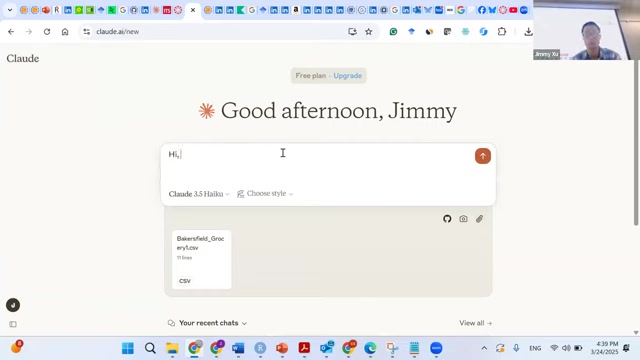
Refine the questions as needed to improve clarity, relevance, and flow. Consider these aspects during your review:
- Clarity: Ensure the questions are easy to understand and avoid jargon.
- Relevance: Check if the questions directly address the metrics you want to measure.
- Unbiased: Ensure questions are not leading or suggestive.
- Open-ended vs. Closed-ended: Mix both question types for comprehensive feedback. Open-ended questions allow respondents to provide detailed insights.
Integrating Claude AI with R Markdown
Generating R Markdown Code with Claude AI
One of the key benefits of using Claude AI is its ability to generate R Markdown code automatically.
After designing your survey questions, you can instruct Claude AI to create the necessary R Markdown code to analyze the data. Here’s how:
- Specify Your Requirements: Clearly describe your desired analysis in natural language.
- Include the Dataset: Provide Claude AI with the relevant dataset.
- Request R Markdown Code: Ask Claude AI to generate the code needed to perform the analysis and create a report.
For example, you can say: “Please generate R Markdown code to calculate average scores across different perception dimensions (overall satisfaction, value perception, convenience, service quality, digital experience) and create a visualization using this airline customer perception survey.”
Analyzing and Customizing the Generated R Markdown Code
After Claude AI generates the R Markdown code, it’s crucial to analyze and customize it to ensure it meets your specific needs.
Follow these steps:
- Review the Code: Carefully read through the generated code to understand what it does.
- Test the Code: Run the code in R Markdown to verify that it produces the expected results.
- Customize the Code: Modify the code as needed to refine the analysis and tailor the report to your specific requirements. Add comments to explain each step.
- Ensure Documentation: Add comments to improve readability and maintainability.
- Adjust Visualizations: Customize plots and charts to best represent your data.





Most people like



































Report
Please select a reason for reporting
- 13 Reasons to Switch from Snapchat to Text Messaging
- 7 Powerful Speech to Text Apps to Boost Productivity
- 10 Best Speech to Text Tools for Effortless Transcription
- 13 Free Tools to Easily Transcribe Audio to Text
- 15 Surprising Ways Google's Speech-to-Text Boosts Productivity
- 7 Best Free Online Audio to Text Transcription Tools
- 9 Tips to Transcribe Speech to Text Faster and Better
- 13 Best Speech to Text Software for Windows 10 in 2023
- 7 Tips for Choosing the Best Transcriber for Audio to Text
- 11 Reasons Why Dragon Speech-to-Text Apps are Game-Changers
- 6 Secrets to Enhance Your Speech to Text Transcription
- 6 Brilliant Ways to Boost Productivity with Talk-to-Text on Your MacBook
- 6 Ways Transcription Software Converts Audio to Text
- 8 Tips to Transcribe Speech to Text Like a Pro
- 6 Reasons IBM Watson Speech to Text is a Game-Changer
- 14 Powerful Ways Talk-to-Text Improves Your Workflow
- 12 Top Windows Speech-to-Text Software for Efficient Transcription
- 12 Game-Changing Benefits of Apple's Speech to Text Technology
- 9 Powerful Use Cases for AWS Speech to Text Technology
- 10 Easy Steps to Transcribe YouTube Videos to Text
- transcription audio en texte
- online audio transcription
- free audio file transcription
- free ai audio transcription
- audio transcription service
- audio transcription online free
- audio transcription free online
- audio to transcription software
- audio and transcript
- ai audio transcription free
- voice recording to text converter
- translate voice recording to text
- record voice to text
- audio recording to text converter
- voice recording and transcription
- chatgpt voice to text
- gmail voice to text
- speech to text reader
- speech to text ai free
- speech to talk
- Meshy AI: How to Create 3D Models from Text and Images
- How SEO and Marketing Dashboards Empower Agencies to Drive Results
- How to Use AI Tools to Find Internal Linking Opportunities Across a Business Website
- Discover Your Perfect Haircut with AI Hairstyle Apps
- Free Reputation Calculator Tools: How They're Adapting to Score AI Visibility, Not Just Rankings
- Design Professional Flyers for Free on Your Phone
- Best Free Flyer Maker Apps for Android: Design Like a Pro
- How to Know If Your Business Is Ready for an AI Customer Service Agent
- Revolutionizing Storytelling: From Novels to Screenplays with AI
- Create Engaging Animated Explainer Videos with a Free AI Tool
- Automate Lead Generation: A Comprehensive Guide with AI Agents
- Revideo.io: The Future of Reverse Video Search Technology
- Revolutionize Learning: Discover Quizzes AI for Engaging Interactive Quizzes
- Revolutionizing Email Marketing Agency with AI
- Breaking the Character Drift Dilemma: A Practical Test of Smart Shot
- Meshy AI: How to Create 3D Models from Text and Images
- ASOMobile Helps Teams Benchmark App Store Screenshots Against Competitors
- How to Match LMS Software With Your Organization's Training Plan
- How to Convert BTC to HNT
- Unleashing the Power of AI: Cognizant's Roadmap for Transformation

Copyright ©2026 toolify