































Table of Contents
- Key Points
- Introduction to Codebase to Tutorial
- Exploring Tutorial Features and Structure
- Getting Started with Codebase to Tutorial
- Pricing of Codebase to Tutorial
- Advantages and Disadvantages of Codebase to Tutorial
- Core Features of Codebase to Tutorial
- Use Cases for Codebase to Tutorial
- Frequently Asked Questions
- Related Questions


Introduction to Codebase to Tutorial
The Challenge of Understanding Complex Codebases
Navigating a complex GitHub project can often feel overwhelming. Developers, especially those new to a project or to programming in general, often face a steep learning curve when trying to understand the structure, logic, and dependencies within a codebase.
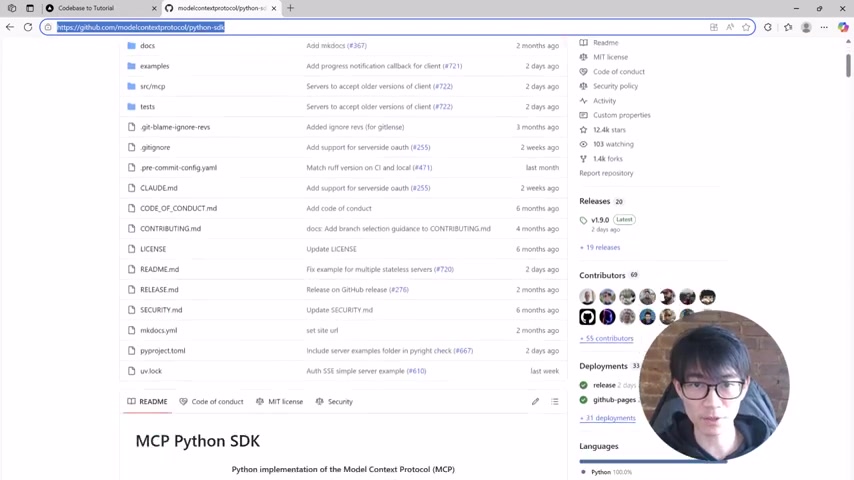
The sheer volume of files, coupled with intricate relationships between modules, can make it difficult to grasp the core concepts and contribute effectively. Many existing resources might not cater to beginners, assuming a level of familiarity that newcomers simply don't possess. This challenge underscores the need for tools that can simplify and streamline the learning process, transforming daunting codebases into accessible educational resources.
Furthermore, understanding the 'why' behind the code is just as important as understanding the 'how.' Often, documentation may be sparse or outdated, leaving developers to infer the purpose and rationale behind different design decisions. This can lead to misunderstandings, inefficient contributions, and even the introduction of bugs. To address these issues, a new approach is needed—one that leverages artificial intelligence to dissect, analyze, and present codebases in a clear, structured, and beginner-friendly manner. Enter Codebase to Tutorial, a groundbreaking service that does just that.
The Solution: AI-Powered Tutorial Generation
Codebase to Tutorial is an innovative online service designed to alleviate the challenges of understanding complex codebases.
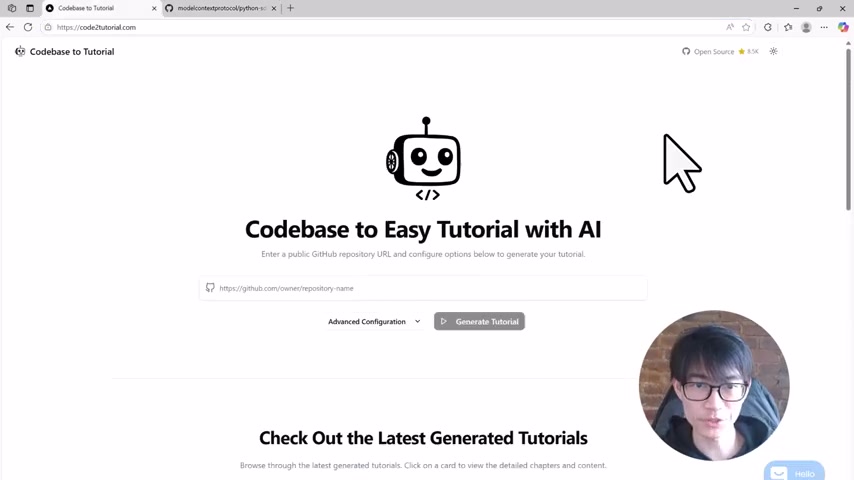
It harnesses the power of artificial intelligence to automatically transform any GitHub repository into a simple, easy-to-follow tutorial. This service is not just about providing documentation; it's about creating a learning experience that guides users through the codebase step by step, explaining key concepts, and illustrating how different components interact. By leveraging AI, Codebase to Tutorial aims to bridge the gap between complex code and developer comprehension, making it easier for anyone to learn, contribute, and innovate.
The primary goal of Codebase to Tutorial is to democratize access to complex software projects. By converting intricate codebases into digestible tutorials, it empowers developers of all skill levels to understand and contribute to projects that might otherwise seem too daunting. The service achieves this by intelligently analyzing the codebase, identifying key abstractions, and presenting them in a structured, narrative format. This includes high-level summaries, visual diagrams, and detailed explanations of individual code components. The result is a comprehensive learning resource that transforms a complex codebase into an engaging and educational experience.
Open Source and Community-Driven
One of the core principles of Codebase to Tutorial is its commitment to being open source.
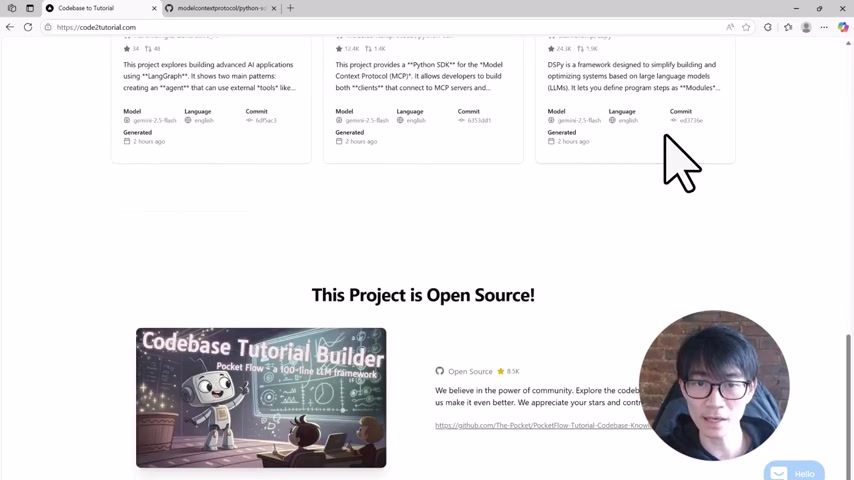
The entire underlying project is open source, encouraging community contributions and ensuring transparency in its operation. This open-source nature not only allows developers to scrutinize and improve the service but also fosters a collaborative environment where users can contribute their expertise to enhance the quality and accessibility of the tutorials. By embracing the open-source ethos, Codebase to Tutorial aims to become a community-driven resource that continuously evolves to meet the needs of developers worldwide.
The open-source nature also ensures that the service remains accessible to everyone, regardless of their financial constraints. By removing the barriers to entry, Codebase to Tutorial empowers developers from all backgrounds to learn and contribute to complex software projects. This commitment to inclusivity is a key factor in the service's mission to democratize access to knowledge and promote innovation within the software development community. The project itself leverages the PocketFlow framework, which is a 100-line LLM (Large Language Model) framework to streamline the process.
Exploring Tutorial Features and Structure
Visual Overview and Key Components
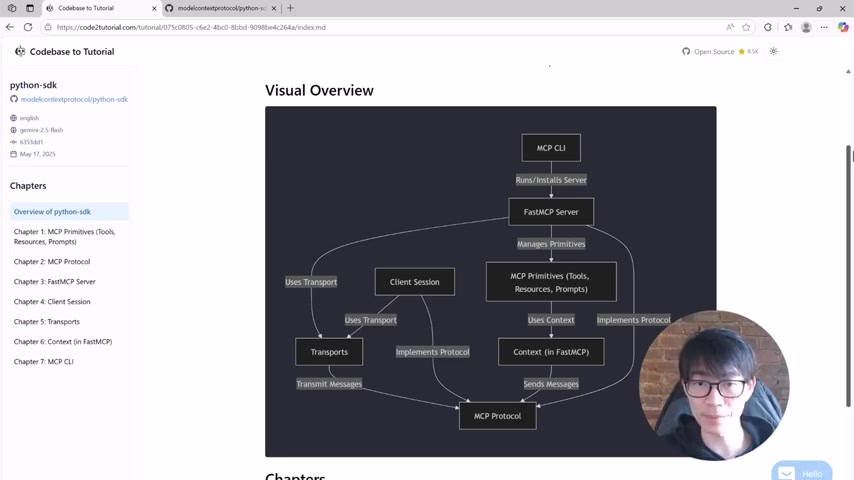
Each tutorial generated by Codebase to Tutorial begins with a visual overview
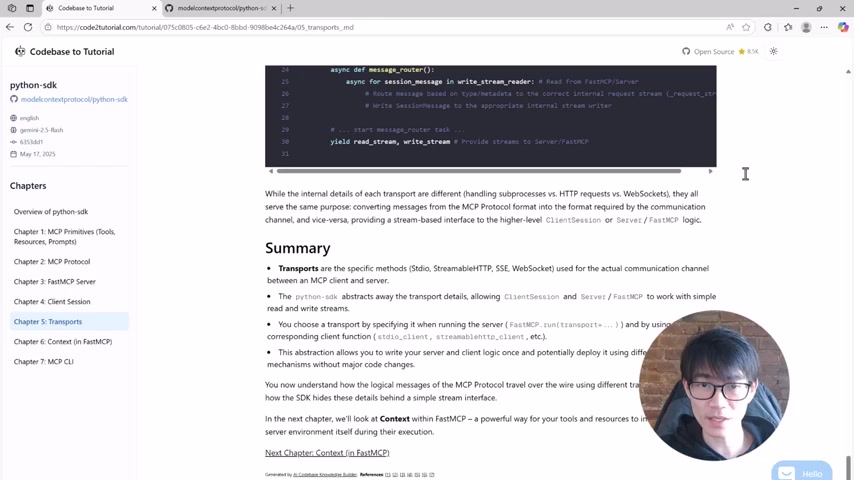
of the project, providing a high-level summary and a diagram that breaks down the core abstractions. This visual representation helps users quickly grasp the key components of the codebase and how they interact. The diagram typically highlights essential elements such as the command-line interface (CLI), FastMCP servers, and key primitives, giving users a solid foundation for further exploration.
Furthermore, the visual overview serves as a roadmap for the rest of the tutorial, allowing users to navigate the codebase in a structured and intuitive manner. By presenting the key components upfront, the service ensures that users are not overwhelmed by the complexity of the project but instead have a clear understanding of the overall architecture and design.
Logically Organized Chapters
The chapters within each tutorial are logically organized to guide users through the codebase in a progressive manner.
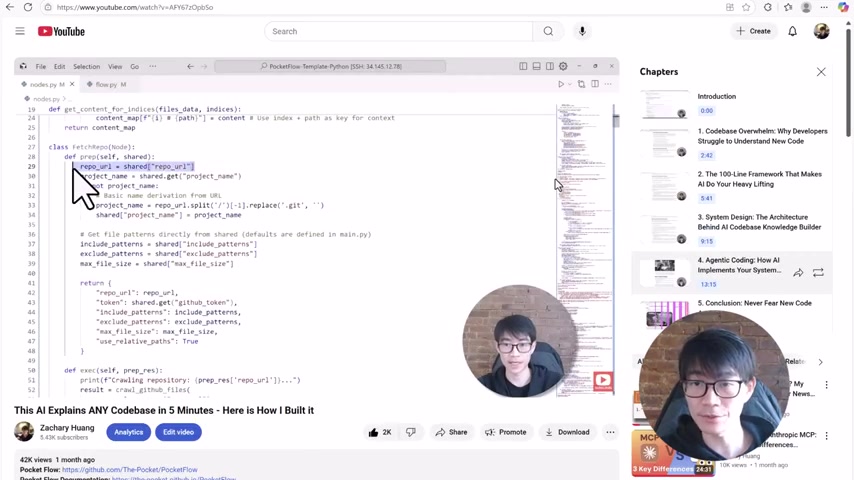
Starting with high-level entry points and basic ideas, the tutorial gradually dives deeper into the implementation details. This approach allows users to build their understanding incrementally, mastering the fundamental concepts before moving on to more advanced topics. Each chapter focuses on a specific aspect of the codebase, providing detailed explanations, code examples, and visual aids to enhance comprehension.
For instance, a chapter might delve into the Model Context Protocol (MCP) services, primitives, and how to use resources, offering practical insights into their functionality and usage. The tutorials also provide helpful sequence diagrams that illustrate what happens behind the scenes, giving users a deeper understanding of the system's internal workings. This combination of high-level explanations and detailed implementation insights ensures that users gain a comprehensive understanding of the codebase.
Deep Dive into Implementation Details
Codebase to Tutorial doesn't just explain how to use a particular technology or library; it also delves into how it is implemented. This level of detail is invaluable for developers who want to understand the inner workings of a system and contribute effectively to its development. For example, the tutorials often include chapters that explore transport layers, such as standard I/O, HTTP, and WebSockets, providing detailed explanations of how these layers function and how they are used within the codebase.
By providing insights into the implementation details, Codebase to Tutorial empowers developers to not only use existing code but also to modify and extend it to meet their specific needs. This deeper understanding is essential for fostering innovation and ensuring that developers can contribute meaningfully to the projects they are working on.
Getting Started with Codebase to Tutorial
Step-by-Step Guide to Generating a Tutorial
Using Codebase to Tutorial is incredibly straightforward.
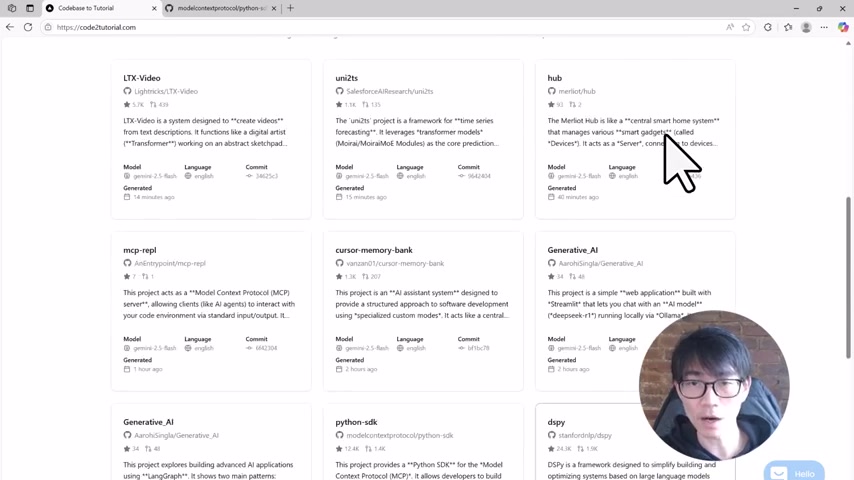
Here’s a step-by-step guide to get you started:
- Paste the GitHub Link: Simply paste the link of the GitHub repository you want to learn about into the input box on the Codebase to Tutorial website.
- Generate the Tutorial: Click the “Generate Tutorial” button. The AI will then begin analyzing the codebase.
- AI Analysis: The AI intelligently crawls the GitHub repository, identifying key files and abstractions.
- Customize (Optional): You can customize the file selection, unchecking things like licenses to focus on core code files.
- Wait for Generation: The process takes approximately five minutes. During this time, the AI builds a Knowledge Graph and structures the tutorial chapter by chapter.
- Review the Tutorial: Once complete, you are automatically redirected to your customized tutorial. The tutorial starts with a high-level summary of the project and a diagram breaking down core abstractions. The chapters are logically organized, starting from high-level entry points and gradually diving deeper.
This simplicity ensures that anyone can quickly transform a daunting codebase into an accessible educational resource.
Core Features of Codebase to Tutorial
AI-Driven Codebase Analysis
The core of Codebase to Tutorial lies in its AI-driven analysis of GitHub repositories. The AI intelligently identifies key files, core abstractions, and relationships within the code, forming a knowledge graph that serves as the basis for the tutorial.
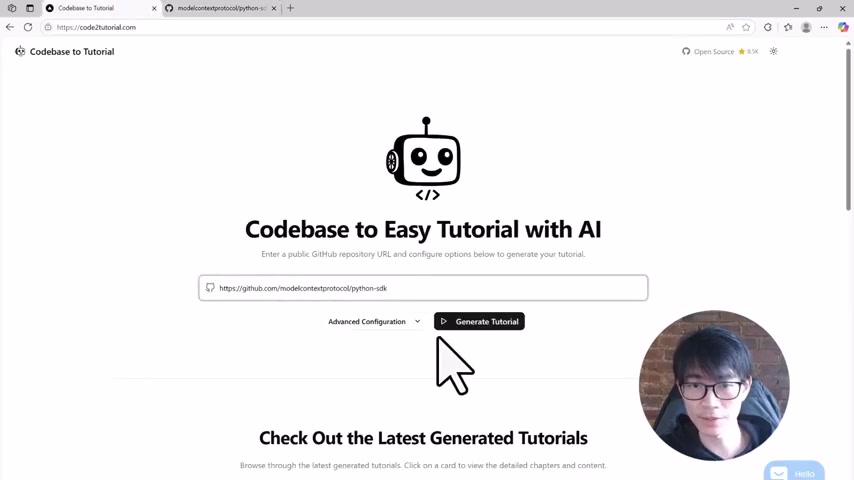
Automatic Tutorial Generation
Once the AI has analyzed the codebase, it automatically generates a structured tutorial, complete with high-level summaries, visual diagrams, and detailed explanations of individual code components. This eliminates the need for manual documentation, saving developers time and effort.
Customizable File Selection
Users have the option to customize the file selection, unchecking things like licenses and focusing on core code files.
This allows users to tailor the tutorial to their specific learning objectives.
Visual Overviews and Diagrams
Each tutorial begins with a visual overview of the project, providing a high-level summary and a diagram that breaks down the core abstractions. This helps users quickly grasp the key components of the codebase and how they interact.
Logically Organized Chapters
The chapters within each tutorial are logically organized to guide users through the codebase in a progressive manner, starting with high-level entry points and gradually diving deeper into the implementation details.
Implementation Insights
Codebase to Tutorial doesn't just explain how to use a particular technology or library; it also delves into how it is implemented, providing valuable insights for developers who want to understand the inner workings of a system.







Most people like





























Report
Please select a reason for reporting
- 13 Reasons to Switch from Snapchat to Text Messaging
- 7 Powerful Speech to Text Apps to Boost Productivity
- 10 Best Speech to Text Tools for Effortless Transcription
- 13 Free Tools to Easily Transcribe Audio to Text
- 15 Surprising Ways Google's Speech-to-Text Boosts Productivity
- 7 Best Free Online Audio to Text Transcription Tools
- 9 Tips to Transcribe Speech to Text Faster and Better
- 13 Best Speech to Text Software for Windows 10 in 2023
- 7 Tips for Choosing the Best Transcriber for Audio to Text
- 11 Reasons Why Dragon Speech-to-Text Apps are Game-Changers
- 6 Secrets to Enhance Your Speech to Text Transcription
- 6 Brilliant Ways to Boost Productivity with Talk-to-Text on Your MacBook
- 6 Ways Transcription Software Converts Audio to Text
- 8 Tips to Transcribe Speech to Text Like a Pro
- 6 Reasons IBM Watson Speech to Text is a Game-Changer
- 14 Powerful Ways Talk-to-Text Improves Your Workflow
- 12 Top Windows Speech-to-Text Software for Efficient Transcription
- 12 Game-Changing Benefits of Apple's Speech to Text Technology
- 9 Powerful Use Cases for AWS Speech to Text Technology
- 10 Easy Steps to Transcribe YouTube Videos to Text
- transcription audio en texte
- online audio transcription
- free audio file transcription
- free ai audio transcription
- audio transcription service
- audio transcription online free
- audio transcription free online
- audio to transcription software
- audio and transcript
- ai audio transcription free
- voice recording to text converter
- translate voice recording to text
- record voice to text
- audio recording to text converter
- voice recording and transcription
- chatgpt voice to text
- gmail voice to text
- speech to text reader
- speech to text ai free
- speech to talk
- Create Engaging Animated Explainer Videos with a Free AI Tool
- Stop Multi-Subscribing: Benchmark Top AI Visual Models in One Canvas
- Best Seedance 2.5 API Provider: Every Price on the Market, Checked at Source
- AI OnlyFans: How to Generate $30,000/Month (Legally)
- Transform Your Script into an Engaging Video with AI Video Maker!
- AI Marketing Automation: A Comprehensive Guide for Small Businesses
- Midjourney Alternative for Anime Art Creators: Why PixAI May Be Better for Character Workflows
- 10 Things Most People Get Wrong About AI Image Search
- AI Girlfriend Apps: Top Choices Redefining Relationships 2025
- How to Reduce Quoting Errors in Salesforce with AI-Assisted Quote Creation
- AI Resume Builders: EnhanceCV, ResumeNerd AI, & Teal Compared
- ResumeAI: Crafting ATS-Optimized Resumes with AI
- AI in Resume Writing: A New Era for Job Seekers
- AI Resume Tools: Streamline Your Job Search and Land Your Dream Role
- AI Resume Optimization: The Right Way to Land Interviews
- Crafting a Killer Resume with AI: A Step-by-Step Guide
- Crafting a Winning Resume: AI Tools and Expert Tips
- AI Job Search: Level Up Your Career with AI Automation
- Empower Your Career Journey: Dynamic Resumes with AI
- AI Resume Builder: Create Professional Resumes Effortlessly

Copyright ©2026 toolify