































Table of Contents
- Key Points
- An Introduction to Codeium
- Codeium for Different Languages
- Weighing the Options: Codeium Pros and Cons
- Exploring Codeium's Key Features for Enhanced Productivity
- Frequently Asked Questions about Codeium
- Further Insights: Exploring AI Code Completion and Generation Tools



An Introduction to Codeium
What is Codeium?
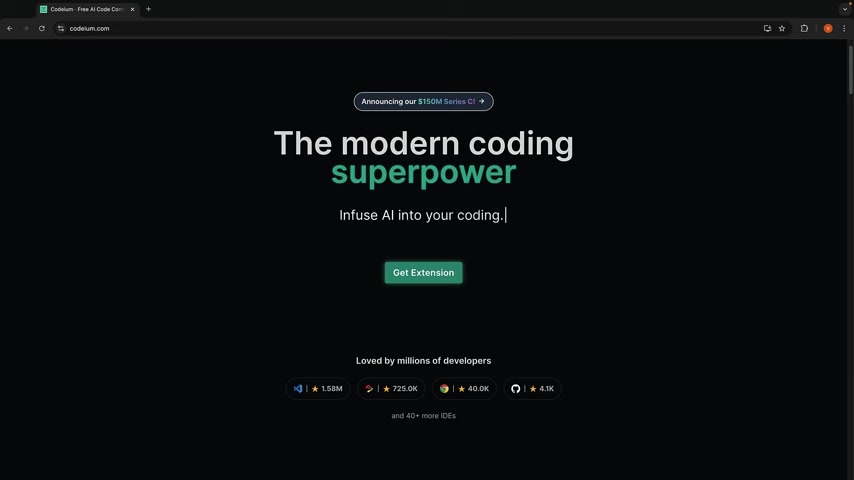
Codeium is presented as a modern coding superpower, an AI-driven tool designed to help developers write code faster and more efficiently. It supports a wide range of programming languages, boasting compatibility with over 70 languages and integration with more than 40 code editors. This extensive support makes Codeium a versatile choice for developers working on diverse projects, from web and mobile app development to more specialized tasks. The tool operates as a freemium model, offering a comprehensive free tier that's accessible to a broad audience, alongside more advanced paid options for professional use. The video reviews Codeium as a VS Code extension to give a fair demo of it's capabilities.
The appeal of Codeium lies in its promise to accelerate the coding process and infuse AI into the daily workflow of developers. By providing intelligent code suggestions, it aims to reduce the time and effort required to write code, allowing developers to focus on higher-level problem-solving and innovation. This is particularly valuable in today's fast-paced development cycles, where efficiency and speed are critical for success.
Codeium's Pricing Model

Codeium operates on a freemium pricing model, providing a range of options to suit different user needs and budgets. Here’s a breakdown of their plans:
- Individual (Free): Offers Rapid AI autocompletion suggestions, unlimited AI chats, and command instructions. It includes basic context awareness, attribution filtering, and limits on indexing. This is the plan the video showcases.
- Pro ($10/month): Unlocks larger Codeium models, expanded context lengths, and GPT-4 access for more advanced AI capabilities. This will also allow for faster autocompletion.
- Teams ($24/seat/month): Adds team management features, organization analytics, and code review assistance for collaborative environments.
- Enterprise (Contact for Pricing): Provides tailored solutions with dedicated support, on-premise deployment options, and advanced security features.
Codeium's accessible pricing structure and comprehensive free tier make it an attractive option for developers seeking to integrate AI into their coding workflow. While AI Tools can be expensive, Codeium's approach ensures that even individual developers can benefit from its capabilities.
Exploring Codeium's Key Features for Enhanced Productivity
Code Completion with Codeium
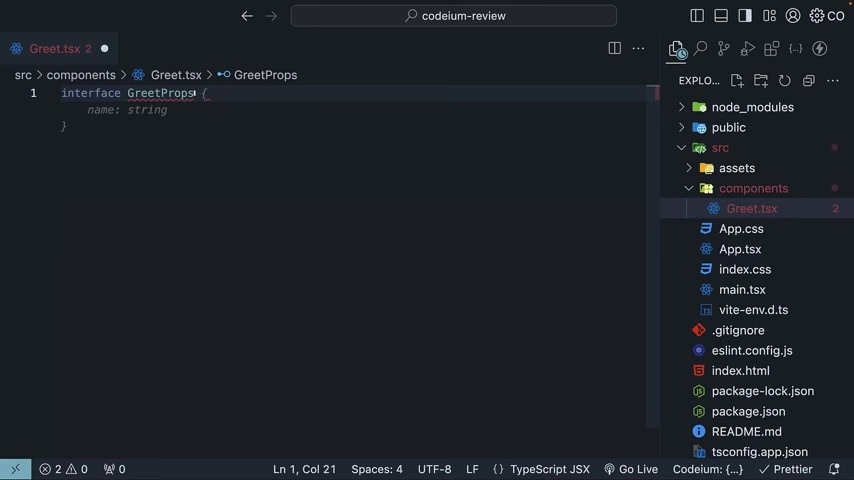
Code completion is a foundational feature of Codeium. It is designed to predict and suggest code snippets as you type, saving time and reducing errors. The video shows that Codeium provides suggestions quickly, showing how the interface provides suggestions and implementations for const, exports and interfaces. This is the key to speeding up your web and mobile application development.
The video explains that while the speed is pretty good, there is an opportunity for speed improvement, using slice instead of substring for example. The accuracy is there but code improvements can still be made.
Code Generation with AI
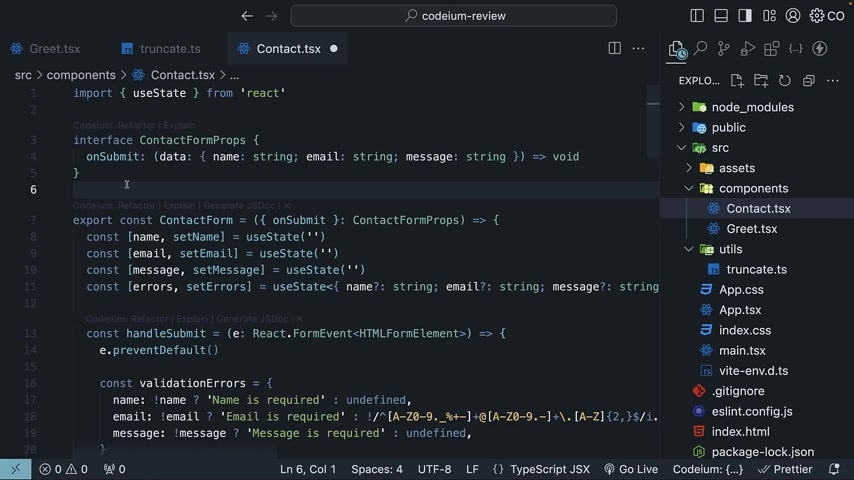
Codeium's code generation capabilities extend beyond simple autocompletion. By using prompts, it assists you in creating more complex code structures. You can simply ask Codeium for a React Typescript function and it will create all the Typescript and CSS files.
With it's ability to quickly set up code with minimal input, Codeium offers efficiency and time saving advantages for mobile app developers.
Code Debugging: Codeium Assitance
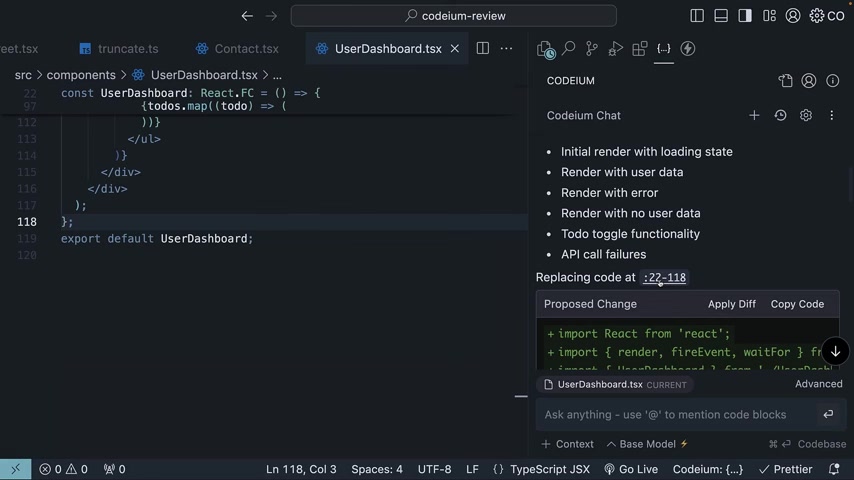
Codeium's AI chat can also be leveraged to help find and correct errors within code. By uploading a code snippet into the AI Chat assistant, it will determine if there are any bugs in the code.
The process is still rough around the edges, but nonetheless helpful. With some UX tweaks, this feature could help programmers quickly audit their code.
Code Explanations
The Code Explanation feature in Codeium is a fantastic tool to help you understand code. With just a click, code explanations will pop up into the chat interface with Relevant points and helpful summarizations.
It's useful when you need to understand code snippets or unfamiliar code.





Most people like


































Report
Please select a reason for reporting
- 13 Reasons to Switch from Snapchat to Text Messaging
- 7 Powerful Speech to Text Apps to Boost Productivity
- 10 Best Speech to Text Tools for Effortless Transcription
- 13 Free Tools to Easily Transcribe Audio to Text
- 15 Surprising Ways Google's Speech-to-Text Boosts Productivity
- 7 Best Free Online Audio to Text Transcription Tools
- 9 Tips to Transcribe Speech to Text Faster and Better
- 13 Best Speech to Text Software for Windows 10 in 2023
- 7 Tips for Choosing the Best Transcriber for Audio to Text
- 11 Reasons Why Dragon Speech-to-Text Apps are Game-Changers
- 6 Secrets to Enhance Your Speech to Text Transcription
- 6 Brilliant Ways to Boost Productivity with Talk-to-Text on Your MacBook
- 6 Ways Transcription Software Converts Audio to Text
- 8 Tips to Transcribe Speech to Text Like a Pro
- 6 Reasons IBM Watson Speech to Text is a Game-Changer
- 14 Powerful Ways Talk-to-Text Improves Your Workflow
- 12 Top Windows Speech-to-Text Software for Efficient Transcription
- 12 Game-Changing Benefits of Apple's Speech to Text Technology
- 9 Powerful Use Cases for AWS Speech to Text Technology
- 10 Easy Steps to Transcribe YouTube Videos to Text
- transcription audio en texte
- online audio transcription
- free audio file transcription
- free ai audio transcription
- audio transcription service
- audio transcription online free
- audio transcription free online
- audio to transcription software
- audio and transcript
- ai audio transcription free
- voice recording to text converter
- translate voice recording to text
- record voice to text
- audio recording to text converter
- voice recording and transcription
- chatgpt voice to text
- gmail voice to text
- speech to text reader
- speech to text ai free
- speech to talk
- Meshy AI: How to Create 3D Models from Text and Images
- How SEO and Marketing Dashboards Empower Agencies to Drive Results
- How to Use AI Tools to Find Internal Linking Opportunities Across a Business Website
- Discover Your Perfect Haircut with AI Hairstyle Apps
- Free Reputation Calculator Tools: How They're Adapting to Score AI Visibility, Not Just Rankings
- Design Professional Flyers for Free on Your Phone
- Best Free Flyer Maker Apps for Android: Design Like a Pro
- How to Know If Your Business Is Ready for an AI Customer Service Agent
- Revolutionizing Storytelling: From Novels to Screenplays with AI
- Create Engaging Animated Explainer Videos with a Free AI Tool
- Meshy AI: How to Create 3D Models from Text and Images
- ASOMobile Helps Teams Benchmark App Store Screenshots Against Competitors
- How to Match LMS Software With Your Organization's Training Plan
- Revolutionizing Email Marketing Agency with AI
- How to Convert BTC to HNT
- Unleashing the Power of AI: Cognizant's Roadmap for Transformation
- Frame to Video Review: A Practical Look at Turning Two Still Frames Into Motion
- NVIDIA NIM: Revolutionizing Supply Chain Data Analysis with AI
- Top AI Tools That Help Brands Stand Out Offline (Not Just Online)
- Top 5 Cold Email Software: Maximize Your Outreach in 2025

Copyright ©2026 toolify