































Table of Contents
- Key Points
- AI-Powered Thumbnail Creation: An Overview
- Step-by-Step Guide: Creating AI Thumbnails with Ideogram and ChatGPT
- How to use Ideogram and ChatGPT?
- Ideogram Pricing Plans
- AI Thumbnail Creation: Pros and Cons
- Ideogram Core Features
- Use Cases for AI Thumbnails
- FAQ
- Related Questions



AI-Powered Thumbnail Creation: An Overview
The Importance of Thumbnails
In the vast ocean of online content, thumbnails serve as a beacon, guiding viewers to your videos. A well-designed thumbnail instantly communicates the essence of your video, enticing viewers to click and watch. Think of thumbnails as mini-posters for your content; they need to be visually appealing, informative, and representative of the video's core theme.
Consider these key elements when designing thumbnails:
- Visual Appeal: Use high-quality images, vibrant colors, and clear typography.
- Relevance: Ensure the thumbnail accurately reflects the video's content.
- Intrigue: Create a sense of curiosity to entice viewers to learn more.
- Branding: Incorporate your brand's visual identity for consistency.
Thumbnails directly impact click-through rates (CTR), a critical metric for YouTube success. A higher CTR signals to YouTube that your content is engaging, leading to increased visibility in search results and recommendations. Investing time and effort in crafting compelling thumbnails is an investment in your channel's growth.
Introducing Ideogram: Your AI Image Generator
Ideogram stands out as a powerful AI Image Generator, offering content creators an accessible platform to bring their thumbnail visions to life. Unlike traditional design software that requires technical expertise, Ideogram harnesses the power of artificial intelligence to create stunning visuals from simple text prompts.
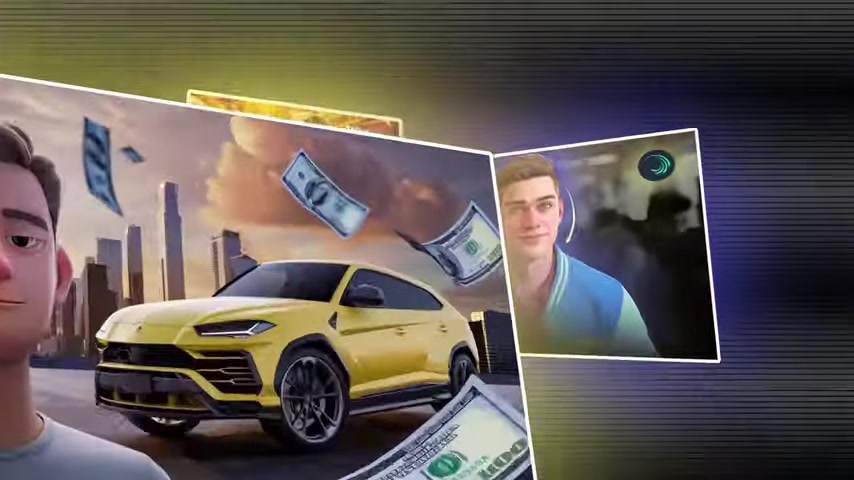
Here's what makes Ideogram a Game-changer:
- User-Friendly Interface: No prior design experience is needed. Simply type in your desired image description, and Ideogram does the rest.
- Versatile Image Generation: Create a wide range of visuals, from realistic photos to stylized illustrations, tailored to your specific needs.
- Customization Options: Fine-tune your images by adjusting parameters like style, color, and composition.
- Time-Saving Efficiency: Generate high-quality thumbnails in minutes, freeing up valuable time for other aspects of content creation.
With Ideogram, the creative possibilities are endless. Whether you need a striking portrait, a captivating landscape, or a unique Graphic Design, Ideogram can transform your ideas into visually compelling thumbnails.
ChatGPT: Crafting the Perfect Prompts
While Ideogram excels at generating images, crafting effective text prompts is key to unlocking its full potential. This is where ChatGPT, an advanced language model, comes in. ChatGPT acts as your creative partner, helping you Translate your thumbnail ideas into precise and descriptive prompts that Ideogram can understand.
Consider the synergy between these two AI Tools:
- Ideogram: The visual artist, responsible for generating the image.
- ChatGPT: The wordsmith, crafting the instructions that guide the artist.
ChatGPT helps in:
- Brainstorming creative thumbnail concepts.
- Refining vague ideas into specific image descriptions.
- Optimizing prompts for clarity and detail.
- Generating variations of prompts for different image styles.
By combining the visual power of Ideogram with the linguistic prowess of ChatGPT, you can create a streamlined thumbnail creation process that yields exceptional results.
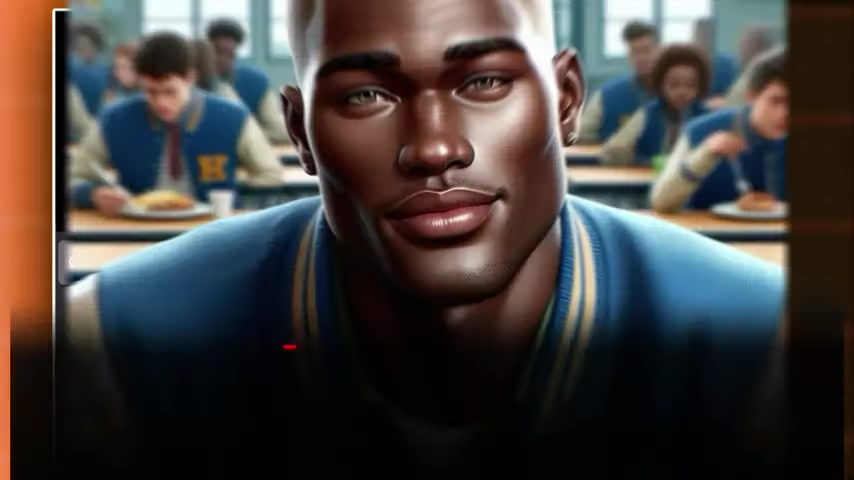
Step-by-Step Guide: Creating AI Thumbnails with Ideogram and ChatGPT
Step 1: Inspiration and Idea Gathering
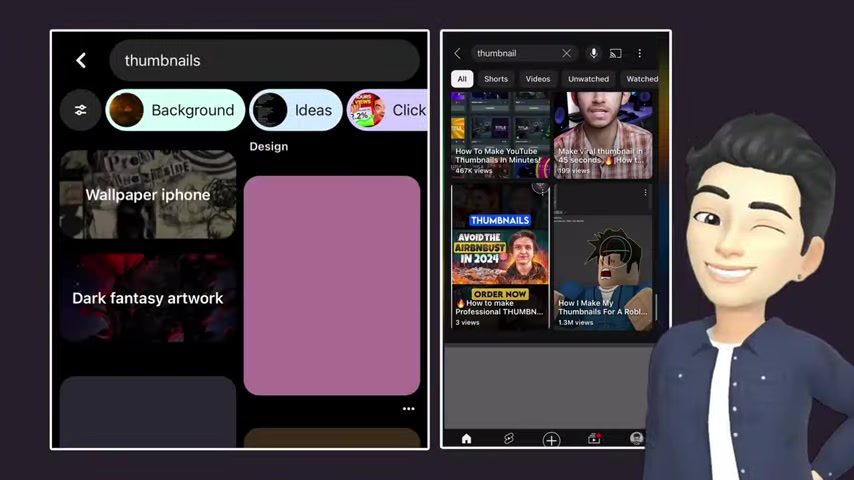
Before diving into the AI tools, take time to gather inspiration and define your thumbnail goals. Analyze successful thumbnails in your niche, paying attention to common themes, visual elements, and overall style. What resonates with your target audience? What makes a thumbnail stand out from the crowd?
Utilize platforms like Pinterest and YouTube to explore thumbnail trends and identify design patterns that appeal to you. Save screenshots of thumbnails that catch your eye, creating a visual library of inspiration.

Consider these questions during your inspiration phase:
- What is the core message of my video?
- Who is my target audience?
- What emotions do I want to evoke with my thumbnail?
- What visual elements will best represent my video's content?
Once you have a clear understanding of your thumbnail goals, you're ready to move on to the Prompt generation phase.
Step 2: Generate Prompts With ChatGPT
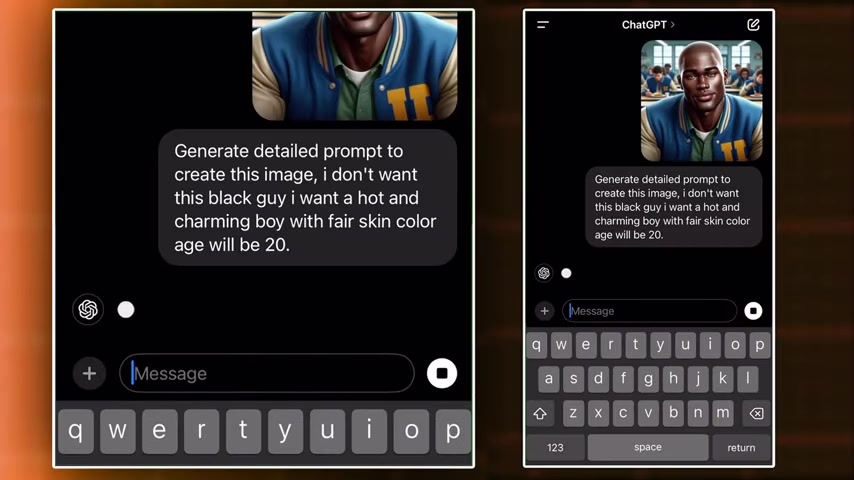
Now it's time to harness the power of ChatGPT to craft detailed prompts for Ideogram. Upload your inspiration screenshots to ChatGPT and provide a brief description of your desired thumbnail. Be specific about the visual elements, style, and overall tone you're aiming for.
Example prompt:
"Generate a detailed prompt to create an image similar to this thumbnail, but featuring a young man in his mid-20s with fair skin, light brown hair, and a light beard, giving a confident yet slightly smug expression. He is positioned in the foreground, wearing a simple white T-shirt, and appears to be in a city setting. In the background, depict a modern urban skyline with tall skyscrapers under a dramatic sunset sky, casting warm, golden light and soft shadows across the scene. To the right of the young man, include a bright yellow luxury SUV that resembles a Lamborghini Urus, with detailed reflections and lighting that highlight its sleek, aerodynamic shape. Around the scene, animate floating U.S. dollar bills that appear to be drifting through the air, adding a sense of movement. In the foreground, create a large, bold, and shiny gold sign with the WORD 'EXPOSED' in capital letters, positioned prominently on a pile of cash, adding texture and depth to the image. The overall atmosphere should be vibrant and dynamic, with the lighting creating a realistic interplay of shadows and highlights that enhance the 3D effect."
ChatGPT will analyze your input and generate a comprehensive prompt tailored to your specific requirements.
Remember, the more detail you provide, the better the resulting prompt will be.
Step 3: Ideogram Image Generation
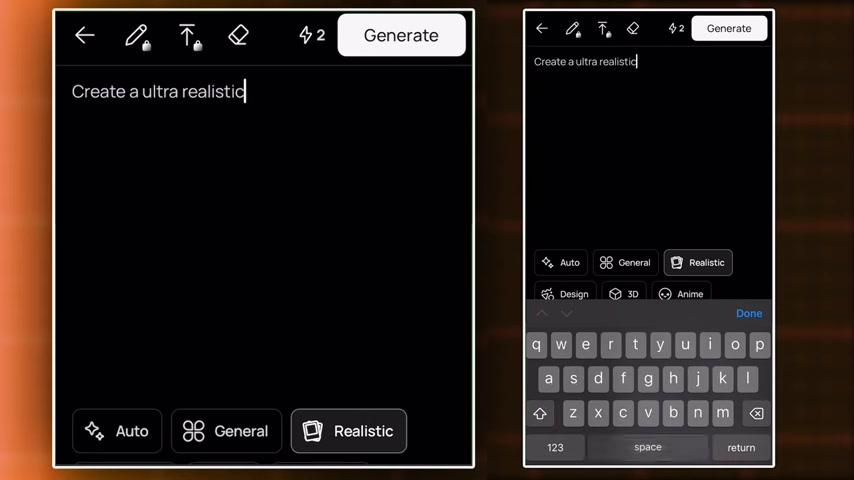
With your refined prompt in hand, head over to Ideogram and paste the text into the image generation field. Ideogram will analyze your prompt and generate a set of images based on your description.
Before generating, you can customize various parameters to fine-tune the results:
- Style: Choose from a variety of styles, such as realistic, artistic, or abstract.
- Aspect Ratio: Select the appropriate aspect ratio for your thumbnail (e.g., 16:9 for YouTube).
- Resolution: Adjust the resolution to ensure a high-quality image.
Experiment with different settings to achieve the desired look and feel. Ideogram often generates multiple variations of the image, allowing you to choose the one that best fits your vision.
If you're not satisfied with the initial results, tweak the prompt and regenerate the images until you find the perfect thumbnail.
Step 4: Thumbnail Refinement and Optimization
Once you've generated an image you're happy with, it's time to refine and optimize it for maximum impact. Use image editing software like Adobe Photoshop or free online tools like Canva to enhance the visual appeal.
Consider these optimization tips:
- Adjust Brightness and Contrast: Make the image pop by enhancing the lighting.
- Add Text Overlays: Include concise and engaging text to convey the video's core message.
- Incorporate Visual Elements: Add arrows, icons, or other graphics to draw attention to key areas.
- Maintain Brand Consistency: Use your brand's colors, fonts, and logo for a cohesive look.
Remember, the goal is to create a thumbnail that is visually appealing, informative, and consistent with your brand. A well-optimized thumbnail will entice viewers to click and watch, boosting your channel's viewership.






Most people like





























Report
Please select a reason for reporting
- 13 Reasons to Switch from Snapchat to Text Messaging
- 7 Powerful Speech to Text Apps to Boost Productivity
- 10 Best Speech to Text Tools for Effortless Transcription
- 13 Free Tools to Easily Transcribe Audio to Text
- 15 Surprising Ways Google's Speech-to-Text Boosts Productivity
- 7 Best Free Online Audio to Text Transcription Tools
- 9 Tips to Transcribe Speech to Text Faster and Better
- 13 Best Speech to Text Software for Windows 10 in 2023
- 7 Tips for Choosing the Best Transcriber for Audio to Text
- 11 Reasons Why Dragon Speech-to-Text Apps are Game-Changers
- 6 Secrets to Enhance Your Speech to Text Transcription
- 6 Brilliant Ways to Boost Productivity with Talk-to-Text on Your MacBook
- 6 Ways Transcription Software Converts Audio to Text
- 8 Tips to Transcribe Speech to Text Like a Pro
- 6 Reasons IBM Watson Speech to Text is a Game-Changer
- 14 Powerful Ways Talk-to-Text Improves Your Workflow
- 12 Top Windows Speech-to-Text Software for Efficient Transcription
- 12 Game-Changing Benefits of Apple's Speech to Text Technology
- 9 Powerful Use Cases for AWS Speech to Text Technology
- 10 Easy Steps to Transcribe YouTube Videos to Text
- transcription audio en texte
- online audio transcription
- free audio file transcription
- free ai audio transcription
- audio transcription service
- audio transcription online free
- audio transcription free online
- audio to transcription software
- audio and transcript
- ai audio transcription free
- voice recording to text converter
- translate voice recording to text
- record voice to text
- audio recording to text converter
- voice recording and transcription
- chatgpt voice to text
- gmail voice to text
- speech to text reader
- speech to text ai free
- speech to talk
- Meshy AI: How to Create 3D Models from Text and Images
- How SEO and Marketing Dashboards Empower Agencies to Drive Results
- How to Use AI Tools to Find Internal Linking Opportunities Across a Business Website
- Discover Your Perfect Haircut with AI Hairstyle Apps
- Free Reputation Calculator Tools: How They're Adapting to Score AI Visibility, Not Just Rankings
- Design Professional Flyers for Free on Your Phone
- Best Free Flyer Maker Apps for Android: Design Like a Pro
- How to Know If Your Business Is Ready for an AI Customer Service Agent
- Revolutionizing Storytelling: From Novels to Screenplays with AI
- Create Engaging Animated Explainer Videos with a Free AI Tool
- Meshy AI: How to Create 3D Models from Text and Images
- ASOMobile Helps Teams Benchmark App Store Screenshots Against Competitors
- How to Match LMS Software With Your Organization's Training Plan
- Revolutionizing Email Marketing Agency with AI
- How to Convert BTC to HNT
- Unleashing the Power of AI: Cognizant's Roadmap for Transformation
- Frame to Video Review: A Practical Look at Turning Two Still Frames Into Motion
- NVIDIA NIM: Revolutionizing Supply Chain Data Analysis with AI
- Top AI Tools That Help Brands Stand Out Offline (Not Just Online)
- Top 5 Cold Email Software: Maximize Your Outreach in 2025

Copyright ©2026 toolify