































Table of Contents
- Key Points
- Setting Up the HTML Structure
- QR Code API
- Step-by-Step Guide to Using the QR Code Generator
- Pros and Cons of Building Your Own QR Code Generator
- FAQ
- Related Questions



Setting Up the HTML Structure
Basic HTML Skeleton
To begin, you need a basic HTML structure. This includes the <!DOCTYPE html>, <html>, <head>, and <body> tags. The <head> section contains metadata, such as character set and viewport settings, while the <body> section holds the actual content of the page.

<!DOCTYPE html>
<html lang="en">
<head>
    <meta charset="UTF-8">
    <meta name="viewport" content="width=device-width, initial-scale=1.0">
    <title>QR Code Generator</title>
</head>
<body>
    <!-- Content will go here -->
</body>
</html>
Important Metadata: The <meta charset="UTF-8"> tag ensures proper character encoding, and the <meta name="viewport" content="width=device-width, initial-Scale=1.0"> tag optimizes the page for different devices. The title is essential for SEO and user experience, as it appears in browser tabs and Search Engine results.
Adding the QR Code Generator Container
Within the <body>, create a container <div> to hold all the elements of the QR Code Generator. This container will help with styling and layout.
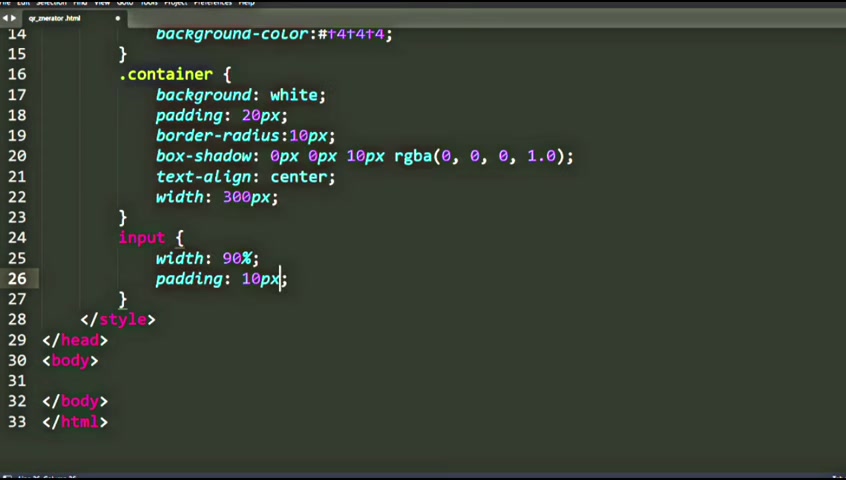
Add this div inside of the <body>:
<div class="container">
    <h2>QR Code Generator</h2>
    <input type="text" id="qrText" placeholder="Enter text or URL" name="">
    <button onclick="generateQR()">Generate QR Code</button>
    <br>
    <img id="qrImage" alt="QR Code">
</div>
Explanation of elements:
<h2>QR Code Generator</h2>: A heading to indicate the purpose of the page.<input type="text" id="qrText" placeholder="Enter text or URL" name="">: A text input field where users can enter the text or URL to be encoded into a QR code. Theidattribute is crucial for JavaScript manipulation.<button onclick="generateQR()">Generate QR Code</button>: A button that triggers thegenerateQR()function when clicked. This function will handle the QR code generation.<br>: A line break for spacing.<img id="qrImage" alt="QR Code">: An image element that will display the generated QR code. Initially, it's empty but will be populated with the QR code image source dynamically.






Most people like

































Report
Please select a reason for reporting
- 13 Reasons to Switch from Snapchat to Text Messaging
- 7 Powerful Speech to Text Apps to Boost Productivity
- 10 Best Speech to Text Tools for Effortless Transcription
- 13 Free Tools to Easily Transcribe Audio to Text
- 15 Surprising Ways Google's Speech-to-Text Boosts Productivity
- 7 Best Free Online Audio to Text Transcription Tools
- 9 Tips to Transcribe Speech to Text Faster and Better
- 13 Best Speech to Text Software for Windows 10 in 2023
- 7 Tips for Choosing the Best Transcriber for Audio to Text
- 11 Reasons Why Dragon Speech-to-Text Apps are Game-Changers
- 6 Secrets to Enhance Your Speech to Text Transcription
- 6 Brilliant Ways to Boost Productivity with Talk-to-Text on Your MacBook
- 6 Ways Transcription Software Converts Audio to Text
- 8 Tips to Transcribe Speech to Text Like a Pro
- 6 Reasons IBM Watson Speech to Text is a Game-Changer
- 14 Powerful Ways Talk-to-Text Improves Your Workflow
- 12 Top Windows Speech-to-Text Software for Efficient Transcription
- 12 Game-Changing Benefits of Apple's Speech to Text Technology
- 9 Powerful Use Cases for AWS Speech to Text Technology
- 10 Easy Steps to Transcribe YouTube Videos to Text
- transcription audio en texte
- online audio transcription
- free audio file transcription
- free ai audio transcription
- audio transcription service
- audio transcription online free
- audio transcription free online
- audio to transcription software
- audio and transcript
- ai audio transcription free
- voice recording to text converter
- translate voice recording to text
- record voice to text
- audio recording to text converter
- voice recording and transcription
- chatgpt voice to text
- gmail voice to text
- speech to text reader
- speech to text ai free
- speech to talk
- How SEO and Marketing Dashboards Empower Agencies to Drive Results
- How to Use AI Tools to Find Internal Linking Opportunities Across a Business Website
- Discover Your Perfect Haircut with AI Hairstyle Apps
- Free Reputation Calculator Tools: How They're Adapting to Score AI Visibility, Not Just Rankings
- Design Professional Flyers for Free on Your Phone
- Best Free Flyer Maker Apps for Android: Design Like a Pro
- How to Know If Your Business Is Ready for an AI Customer Service Agent
- Revolutionizing Storytelling: From Novels to Screenplays with AI
- Create Engaging Animated Explainer Videos with a Free AI Tool
- Stop Multi-Subscribing: Benchmark Top AI Visual Models in One Canvas
- AI & Elections: Defending Democracy Against Misinformation
- Navigating Political Discourse: AI, Deepfakes, and Reality Checks
- Detecting Political Bias in News Articles: A Powerful AI Algorithm
- AI Bias Unveiled: Political Leanings in ChatGPT & Beyond
- Revolutionize Learning: Discover Quizzes AI for Engaging Interactive Quizzes
- From AI-Generated to Audience-Ready: How Quillbot Humanize AI Is Changing the Content Editing Process
- Building an AI Writing Stack in 2026: LLMs, Detectors, and Humanizers
- 7 Top AI-Powered Database Assistant Platforms
- An Objective Look at Modern Web-Based Visual Modifications
- My Honest Experience with VideoAI: The Secret Weapon for Creators Who Need Character Voices

Copyright ©2026 toolify