































Table of Contents
- Key Points
- Understanding Cursor AI
- How to Use Cursor AI to Create a Simple Chatbot
- Pricing and Plans
- Pros and Cons of Using Cursor AI
- Core Features of Cursor AI
- Use Cases for Cursor AI
- Frequently Asked Questions (FAQ)
- Related Questions


Understanding Cursor AI
What is Cursor AI?
Cursor AI is an AI-powered code editor designed to enhance developer productivity by automating many tasks that traditionally require manual coding. The fundamental goal of the AI code editor is to Translate the developer's conceptual ideas into reality, reducing the amount of time and effort spent on repetitive or boilerplate code.

Instead of writing code line by line, developers can think strategically about the desired functionality, and Cursor AI will assist in generating the necessary code snippets and structures. This represents a significant shift in the coding paradigm, emphasizing creativity and innovation over rote memorization and manual execution.
Free vs. Pro: Choosing the Right Version
Cursor AI is available in both free and pro versions. The free version offers a robust set of features suitable for many developers, including a limited number of AI requests. This allows users to experience the benefits of AI-assisted coding without any initial investment. However, for professional developers or larger projects, the pro version of Cursor AI offers unlimited access to advanced features such as faster processing and more frequent AI-driven suggestions. The choice between the free and pro versions depends on the individual's budget, project requirements, and coding intensity. Evaluating the feature set of both options can assist developers in finding what is best for their specific workflow.
Getting Started with Cursor AI: Installation and Setup
To begin using Cursor AI, you'll first need to download and install the software. Here’s a step-by-step guide:

- Search for Cursor AI: Start by searching for “cursor.ai” on Google or your preferred Search Engine.
- Visit the Website: Click on the official website, cursor.com, to access the homepage.
- Sign In: Create an account or sign in using your Google or GitHub account.
- Download the Software: Navigate to the download section and choose the appropriate version for your operating system (macOS or Windows).
- Install the Software: Follow the installation instructions provided after downloading the software.
- Open Cursor AI: Once installed, open the application to access the main dashboard.
- Open a Project: Open an existing project or create a new one to start coding with AI assistance.
Once installed, you can now experience the power of Cursor AI with different projects and coding tasks. After setting up, the next step is to familiarize yourself with the interface and explore its features.
How to Use Cursor AI to Create a Simple Chatbot
Step 1: Setting up the Project
To illustrate the capabilities of Cursor AI, let’s walk through a basic example: creating a simple chatbot. This example will demonstrate how Cursor AI can automate the generation of HTML, CSS, and JavaScript code to build a basic chatbot interface.
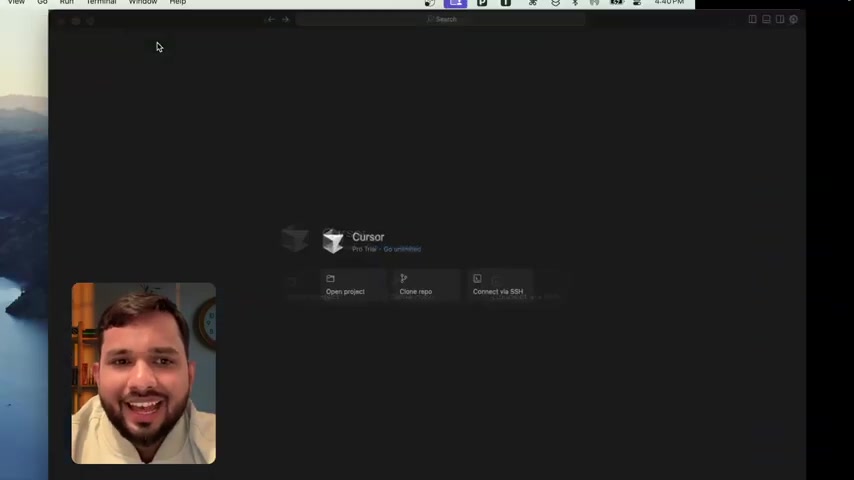
- Create a New Project Folder: Begin by creating a new folder on your desktop named “chatbot.”
- Open Project in Cursor AI: Open Cursor AI and select “Open Project.”
- Select the Folder: Navigate to the “chatbot” folder on your desktop and open it.
- Access the AI Chat Panel: Open the AI Chat panel within Cursor AI. If it’s not visible, you can toggle it on using the AI panel icon in the toolbar.
Step 2: Generating the Chatbot Code
With the project set up, you can now instruct Cursor AI to generate the necessary code for your chatbot.
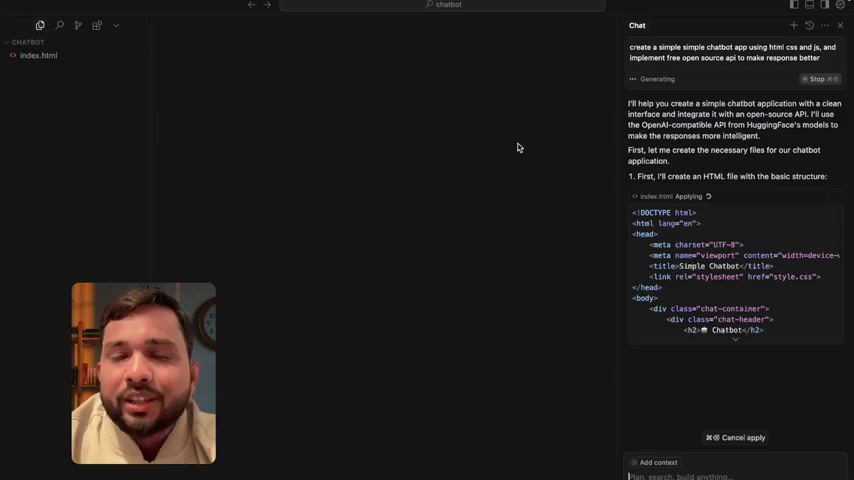
- Input Prompt: In the AI chat panel, enter the following Prompt:
“Create a simple chatbot app using HTML, CSS, and JS, and implement a free open-source API to make responses better.”
- Generate Code: Press enter to submit the prompt. Cursor AI will start generating the HTML, CSS, and JavaScript files for the chatbot.
- Review the Generated Code: Cursor AI will generate the index.html file with the basic structure, the style.css file to style the chatbot, and the script.js file to handle the chat functionality.
Step 3: Accepting the Code and Opening the Chatbot
As Cursor AI generates the code, it will provide previews of each file along with “Accept” and “Reject” options. To proceed with the generated code, follow these steps:
- Review the index.html Code: Examine the generated HTML code to ensure it meets your basic requirements. Select the 'Accept' button to validate the code.
- Review the style.css Code: Examine the generated CSS code to ensure it meets your basic requirements. Select the 'Accept' button to validate the code.
- Review the script.js Code: Examine the generated JavaScript code to ensure it meets your basic requirements. Select the 'Accept' button to validate the code.
- Open the index.html File: Locate the “chatbot” folder on your desktop. Open the index.html file with your web browser.
Step 4: Testing and Using the Chatbot
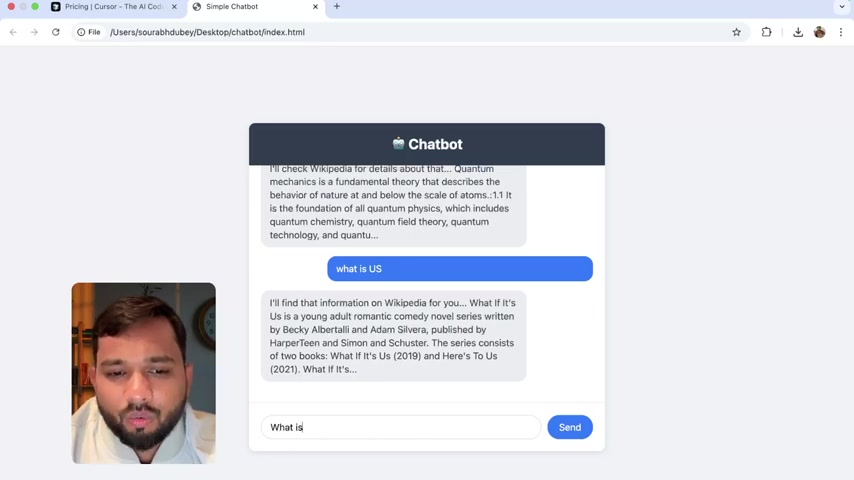
With the HTML file open in your browser, you should now see the basic chatbot interface. Test the chatbot by typing messages and observing the responses. The chatbot is designed to fetch responses from Wikipedia.
- Interact with the Chatbot: Type a message in the input field (e.g., “Hello”) and press send.
- Observe the Response: The chatbot should respond with an automated message.
- Ask a Question: Try asking a question (e.g., “What is quantum physics?”) and see if the chatbot provides a Relevant answer from Wikipedia.





Most people like


































Report
Please select a reason for reporting
- 13 Reasons to Switch from Snapchat to Text Messaging
- 7 Powerful Speech to Text Apps to Boost Productivity
- 10 Best Speech to Text Tools for Effortless Transcription
- 13 Free Tools to Easily Transcribe Audio to Text
- 15 Surprising Ways Google's Speech-to-Text Boosts Productivity
- 7 Best Free Online Audio to Text Transcription Tools
- 9 Tips to Transcribe Speech to Text Faster and Better
- 13 Best Speech to Text Software for Windows 10 in 2023
- 7 Tips for Choosing the Best Transcriber for Audio to Text
- 11 Reasons Why Dragon Speech-to-Text Apps are Game-Changers
- 6 Secrets to Enhance Your Speech to Text Transcription
- 6 Brilliant Ways to Boost Productivity with Talk-to-Text on Your MacBook
- 6 Ways Transcription Software Converts Audio to Text
- 8 Tips to Transcribe Speech to Text Like a Pro
- 6 Reasons IBM Watson Speech to Text is a Game-Changer
- 14 Powerful Ways Talk-to-Text Improves Your Workflow
- 12 Top Windows Speech-to-Text Software for Efficient Transcription
- 12 Game-Changing Benefits of Apple's Speech to Text Technology
- 9 Powerful Use Cases for AWS Speech to Text Technology
- 10 Easy Steps to Transcribe YouTube Videos to Text
- transcription audio en texte
- online audio transcription
- free audio file transcription
- free ai audio transcription
- audio transcription service
- audio transcription online free
- audio transcription free online
- audio to transcription software
- audio and transcript
- ai audio transcription free
- voice recording to text converter
- translate voice recording to text
- record voice to text
- audio recording to text converter
- voice recording and transcription
- chatgpt voice to text
- gmail voice to text
- speech to text reader
- speech to text ai free
- speech to talk
- Meshy AI: How to Create 3D Models from Text and Images
- How SEO and Marketing Dashboards Empower Agencies to Drive Results
- How to Use AI Tools to Find Internal Linking Opportunities Across a Business Website
- Discover Your Perfect Haircut with AI Hairstyle Apps
- Free Reputation Calculator Tools: How They're Adapting to Score AI Visibility, Not Just Rankings
- Design Professional Flyers for Free on Your Phone
- Best Free Flyer Maker Apps for Android: Design Like a Pro
- How to Know If Your Business Is Ready for an AI Customer Service Agent
- Revolutionizing Storytelling: From Novels to Screenplays with AI
- Create Engaging Animated Explainer Videos with a Free AI Tool
- Automate Lead Generation: A Comprehensive Guide with AI Agents
- Revideo.io: The Future of Reverse Video Search Technology
- Revolutionizing Email Marketing Agency with AI
- Breaking the Character Drift Dilemma: A Practical Test of Smart Shot
- Meshy AI: How to Create 3D Models from Text and Images
- ASOMobile Helps Teams Benchmark App Store Screenshots Against Competitors
- How to Match LMS Software With Your Organization's Training Plan
- How to Convert BTC to HNT
- Unleashing the Power of AI: Cognizant's Roadmap for Transformation
- Frame to Video Review: A Practical Look at Turning Two Still Frames Into Motion

Copyright ©2026 toolify