































Table of Contents
- Key Points
- Diving into DeepFaceLive: Real-Time Face Transformation
- Enhancing Your DeepFaceLive Experience
- How to use DeepFaceLive.
- Frequently Asked Questions
- Related Questions


Diving into DeepFaceLive: Real-Time Face Transformation
What is DeepFaceLive?
DeepFaceLive is a cutting-edge software enabling real-time face swapping and animation directly through your webcam. It's a free and open-source project, and offers a wide range of functionalities, allowing users to embody different personas during video calls, live streams, or video recordings. Imagine presenting yourself as a celebrity, historical figure, or even a fantastical character, all in real-time! DeepFaceLive's capabilities open doors for creativity in content creation and online interactions.
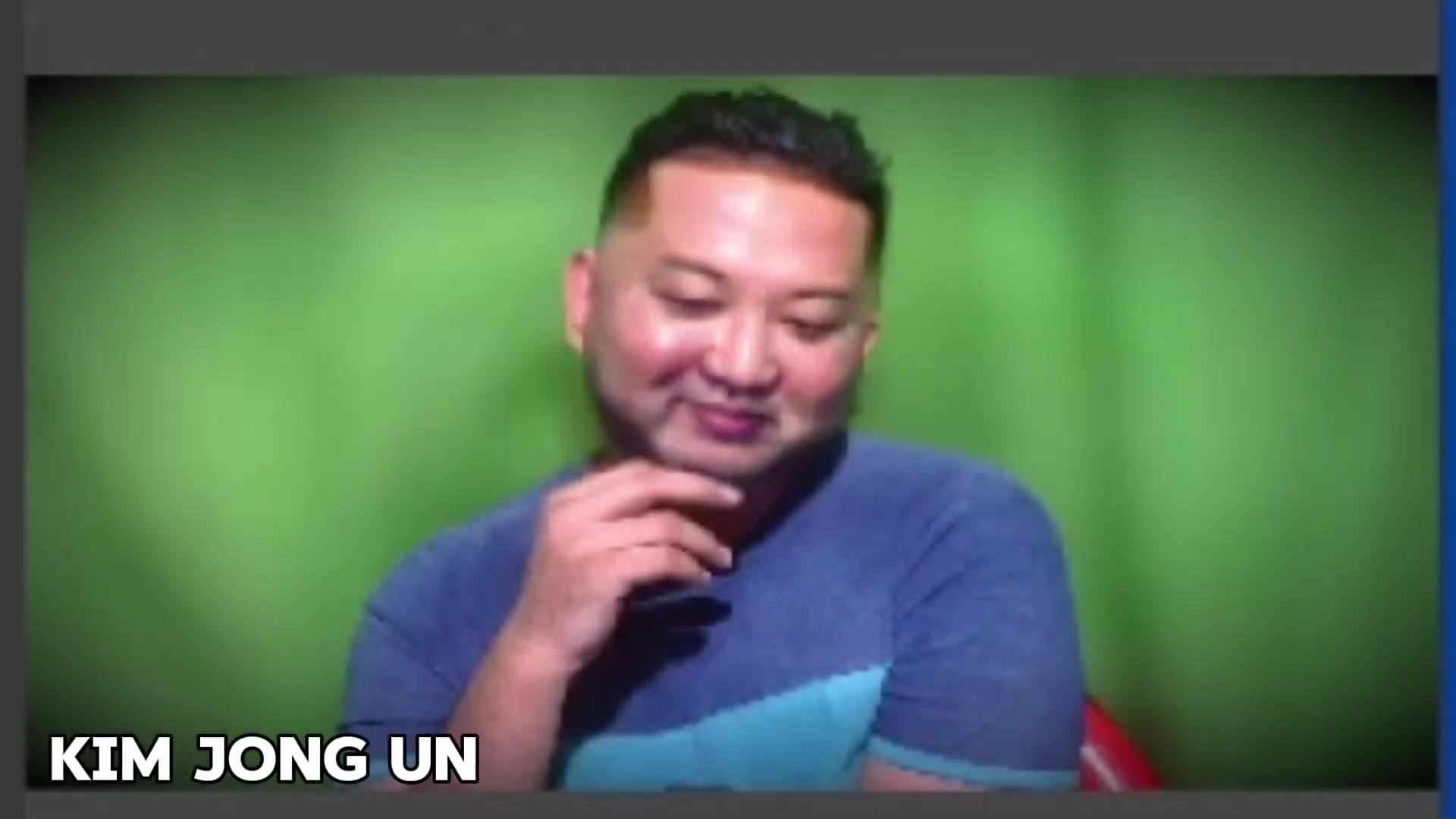
The only limit is your imagination. The software allows you to become anyone from Mr. Putin, Kim Jong-un, Elon Musk, to Shah Rukh Khan, or Salman Khan. Its free and user-friendly features allows for a unique experience.
Keep in mind it is essential to use such software responsibly and ethically. Users are encouraged to be mindful of their content and avoid misrepresentation or harmful use of face-swapping technology.
System Requirements: Ensuring Smooth Performance
Before diving into installation, it's crucial to confirm that your system meets the minimum requirements for DeepFaceLive. A robust system ensures seamless real-time performance. Here's a breakdown of the key components:
-
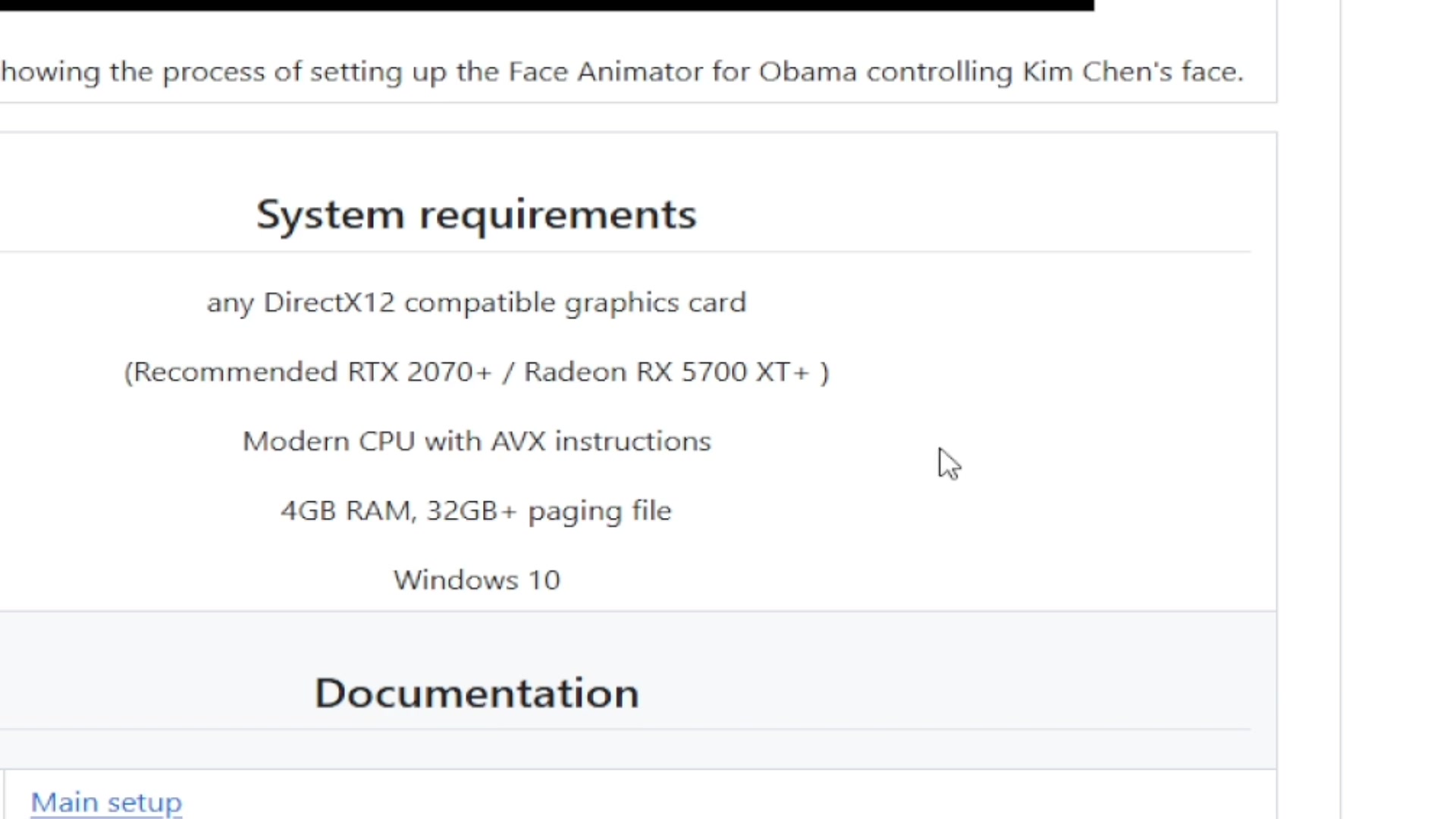
Graphics Card (GPU): Any DirectX 12 compatible graphics card is required. For optimal performance, the software recommends an NVIDIA RTX 2070 or Radeon RX 5700 XT. NVIDIA cards GT730 and above are said to work too but with lower performance.
-
Processor (CPU): A modern CPU with AVX instructions is necessary. This requirement guarantees the central processing unit can handle the software's complex calculations.
-
Memory (RAM): A minimum of 4 GB of RAM is needed. However, you may need more ram.
-
Storage: At least 32GB of free disk space is necessary for software installation and file storage.
-
Operating System: Windows 10 or later is required. Keep your operating system up to date for compatibility and security.
If your system falls below these specifications, expect reduced performance such as lag or delayed rendering. Performance also depends on the resolution you are planning on using the face-swap on, the higher the resolution the stronger pc you need. DirectX12 will have to also be enabled in your windows.
Here is the system requirents listed in a table:
| Component | Requirement |
|---|---|
| Graphics Card | DirectX 12 compatible (RTX 2070+ recommended) |
| Processor | Modern CPU with AVX instructions |
| RAM | 4GB minimum |
| Storage | 32GB free space |
| Operating System | Windows 10 or later |
Step-by-Step Installation Guide
Follow these detailed steps to install DeepFaceLive correctly. Make sure to read and understand every step before proceeding.
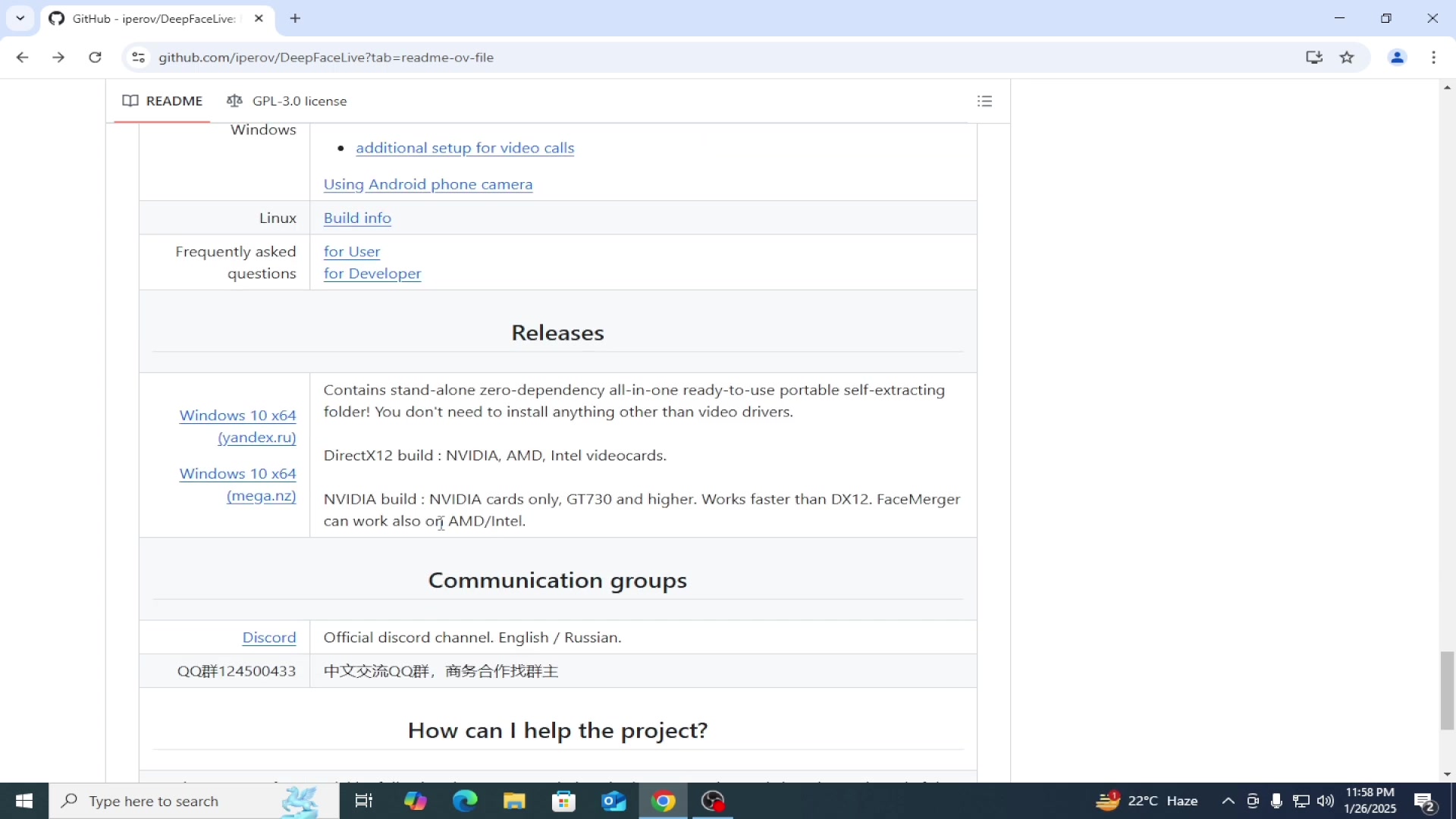
- Download DeepFaceLive: Navigate to the official DeepFaceLive GitHub repository (link provided later). Scroll down to the “Releases” section and find the appropriate version for your Windows system (Windows 10 x64). The two versions (mega.nz and yandex.ru) lead to the same place, it does not matter which one you click.
- Install VPN: You can use the ZenMate VPN on chrome, there is an extension you can add, you can search “Zenmate VPN chrome browser”. Some people said that the two release versions of the program do not work if you live in india. The VPN may be required if the website is blocked. It may take a couple of seconds to install. After its installed click the extension, click the “shield” to activate a VPN location.
- Download the Program: With the VPN on navigate back to the website. Download the program (mega.nz works) by clicking one of the download buttons.
- Extract the Files: Locate the downloaded file, most likely in your downloads folder. Note that you must have 7zip or winrar installed. Extract the file into a folder on your computer. Ideally this should be on your SSD.
- Start the Program: Once you have completed the extraction, navigate into that folder you created. Click the file called “DeepFaceLive”. This will launch a CMD window, you must leave this window open to use the program.
- DeepFaceLive Settings: You should see DeepFaceLive program launch when the Command Prompt is open. Ensure that “Camera Source” is enabled. Set Driver to “Compatible”. Device Index will be your webcam. Finally set the resolution to your wecam's resolution.







Most people like


































Report
Please select a reason for reporting
- 13 Reasons to Switch from Snapchat to Text Messaging
- 7 Powerful Speech to Text Apps to Boost Productivity
- 10 Best Speech to Text Tools for Effortless Transcription
- 13 Free Tools to Easily Transcribe Audio to Text
- 15 Surprising Ways Google's Speech-to-Text Boosts Productivity
- 7 Best Free Online Audio to Text Transcription Tools
- 9 Tips to Transcribe Speech to Text Faster and Better
- 13 Best Speech to Text Software for Windows 10 in 2023
- 7 Tips for Choosing the Best Transcriber for Audio to Text
- 11 Reasons Why Dragon Speech-to-Text Apps are Game-Changers
- 6 Secrets to Enhance Your Speech to Text Transcription
- 6 Brilliant Ways to Boost Productivity with Talk-to-Text on Your MacBook
- 6 Ways Transcription Software Converts Audio to Text
- 8 Tips to Transcribe Speech to Text Like a Pro
- 6 Reasons IBM Watson Speech to Text is a Game-Changer
- 14 Powerful Ways Talk-to-Text Improves Your Workflow
- 12 Top Windows Speech-to-Text Software for Efficient Transcription
- 12 Game-Changing Benefits of Apple's Speech to Text Technology
- 9 Powerful Use Cases for AWS Speech to Text Technology
- 10 Easy Steps to Transcribe YouTube Videos to Text
- transcription audio en texte
- online audio transcription
- free audio file transcription
- free ai audio transcription
- audio transcription service
- audio transcription online free
- audio transcription free online
- audio to transcription software
- audio and transcript
- ai audio transcription free
- voice recording to text converter
- translate voice recording to text
- record voice to text
- audio recording to text converter
- voice recording and transcription
- chatgpt voice to text
- gmail voice to text
- speech to text reader
- speech to text ai free
- speech to talk
- How SEO and Marketing Dashboards Empower Agencies to Drive Results
- How to Use AI Tools to Find Internal Linking Opportunities Across a Business Website
- Discover Your Perfect Haircut with AI Hairstyle Apps
- Free Reputation Calculator Tools: How They're Adapting to Score AI Visibility, Not Just Rankings
- Design Professional Flyers for Free on Your Phone
- Best Free Flyer Maker Apps for Android: Design Like a Pro
- How to Know If Your Business Is Ready for an AI Customer Service Agent
- Revolutionizing Storytelling: From Novels to Screenplays with AI
- Create Engaging Animated Explainer Videos with a Free AI Tool
- Stop Multi-Subscribing: Benchmark Top AI Visual Models in One Canvas
- My Brand New Logo: AI-Powered Logo Design for Startups
- Create Stunning Logos with Free AI Logo Generator!
- AI Logo Maker: Design a Stunning Logo in Minutes
- Elevate Your Zoom Experience with Enhanced Name Tags by Warmly
- Top 5 AI Logo Makers in 2025: Design a Stunning Brand
- Creative Fabrica's AI Tools: Flow, Studio, and Font Generator
- Create Stunning Logos with Canva's Free AI Logo Generator
- Create Professional and Memorable Logos with LogoMaker.ai
- Design Your Own Font: A Step-by-Step Guide with Vectornator Pro
- AI Font Generator: Revolutionizing Typeface Design with AI

Copyright ©2026 toolify