































Table of Contents
- Key Points
- Exploring Filmora's AI-Powered Video Editing Capabilities
- Exploring Specific AI Features Within Filmora
- Mastering Content Creation with Filmora: A Step-by-Step Guide
- Filmora Pricing and Subscription Options
- Benefits and Drawbacks of Using Filmora
- Key Features of Filmora's AI Video Editor
- Practical Applications of Filmora for Content Creators
- Frequently Asked Questions About Filmora
- Related Questions About Video Editing and AI Content Creation


Exploring Filmora's AI-Powered Video Editing Capabilities
What is Filmora?
Filmora is a video editing software that offers a wide range of tools and features, making it suitable for both beginners and professional video editors. Recently, Filmora has integrated Artificial Intelligence to its function, providing even more features in the AI category. One of the things that stands out about Filmora is its all-in-one structure, providing all the service. This is beneficial to creators as it eliminates the need to subscribe to multiple AI Tools, consolidating all of the tools and features in one platform.

When exploring options for video editing and content creation, consider Filmora as an all-inclusive solution. The interface and workflow are designed to promote user-friendliness, and provides a shallow learning curve. For content creators seeking an all-in-one Video Editor, Filmora stands out due to its vast capabilities and centralized structure.
Exploring Specific AI Features Within Filmora
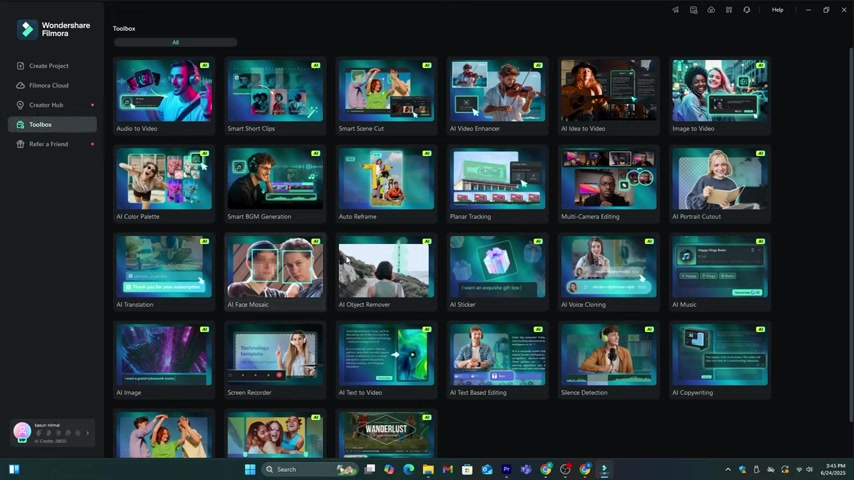
AI-Powered Image and Video Generation
In today's rapidly evolving digital landscape, the ability to quickly generate high-quality images and videos has become a crucial asset for content creators and businesses alike. Filmora, a comprehensive video editing software, integrates advanced AI technology to streamline the content creation process. This article explores the AI-powered image and video generation features of Filmora, providing insights into how they can be used to enhance video projects and create engaging content.
AI-powered video generation enables users to input a text Prompt and receive a fully produced video in a matter of minutes. This feature is particularly beneficial for creating marketing materials, explainer videos, and social media content where speed and efficiency are essential. By automating the initial content creation, Filmora allows users to focus on refining their message and engaging their audience.
Voice Cloning and Text-to-Speech Features
In modern video creation, audio quality and personalization are important factors in the process. Filmora, a comprehensive video editing tool, integrates AI-powered Voice Cloning and Text-to-Speech features to enhance the audio elements of video projects. This article explores these innovative tools, and offers unique perspectives on their applications.
Filmora's voice cloning feature allows users to replicate their own voice or create unique custom voices for narration and dialogue. This tool offers a great way to maintain consistency across a series of videos and allows a brand or individual to have a personalized voice without requiring additional speakers.
The text-to-speech functionality converts written text into natural sounding audio. Filmora's tool is extremely helpful in creating voiceovers and audio descriptions, making it a perfect tool for educational content, and accessibility features for a wide audience. By being able to adjust the tone, accent, and pace, users can make the AI generated audio sound as good as possible.
Mastering Content Creation with Filmora: A Step-by-Step Guide
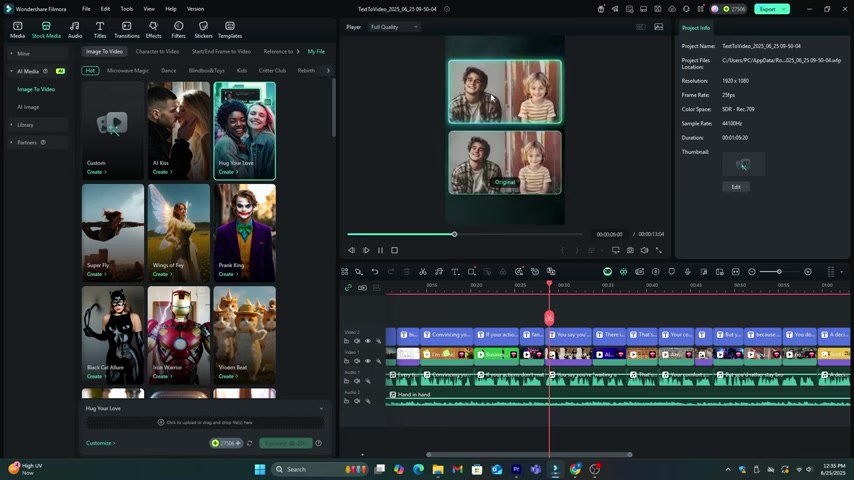
Accessing AI Tools
-
Open Filmora: Launch the Filmora application on your device. This step is required if you have not had the program installed. Download Filmora 14 to your device.
-
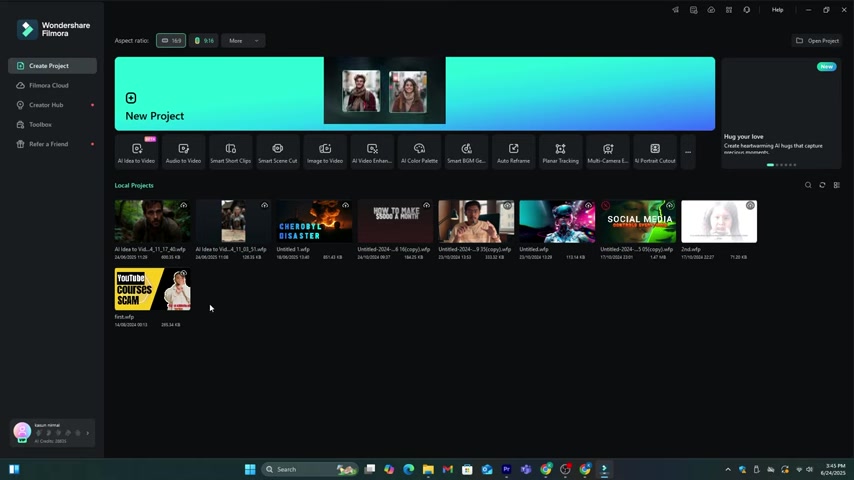
Navigate to Toolbox: Go to the editing dashboard and click on the 'Toolbox' option.
-
Explore AI Tools: In the Toolbox section, you'll find all the AI tools that Filmora offers. This includes AI Voice, AI Image, AI Videos, AI Sound Effects, and many more.
Generating AI Videos with AI Idea to Video
- Select AI Idea to Video: From the AI Tools, select 'AI Idea to Video'.
- Describe the Story: In the text area, describe the characters, stories, and video settings to generate a video. Ensure your prompt is clear to get the best results.
- Set Video Duration and Language: Select the duration of the video and the language for the video.
- Choose Video Style: Select a video style such as realistic, anime, or comic.
- Generate AI Video: Select the 'Generate AI Script' option to create the video. You will be directed to a page with the generated scenes.
- Customize Scenes: You can upload an image to the scene or generate a new image using AI. Review and confirm each scene to proceed.
- Create Main Character: You can create the main character for the video by uploading an image or generating it using AI. The editor will use the same character for the whole video.
- Select AI Voice: Choose a suitable AI voice for the character from the available options.
- Adjust Video Settings: Adjust the video settings as needed, such as the aspect ratio and enhancements. Customize it as you see fit.
- Generate Video: Click on the 'Generate' button to create the video. It will take a few minutes to process, and then you will have an AI-generated video.
- Edit the AI generated video
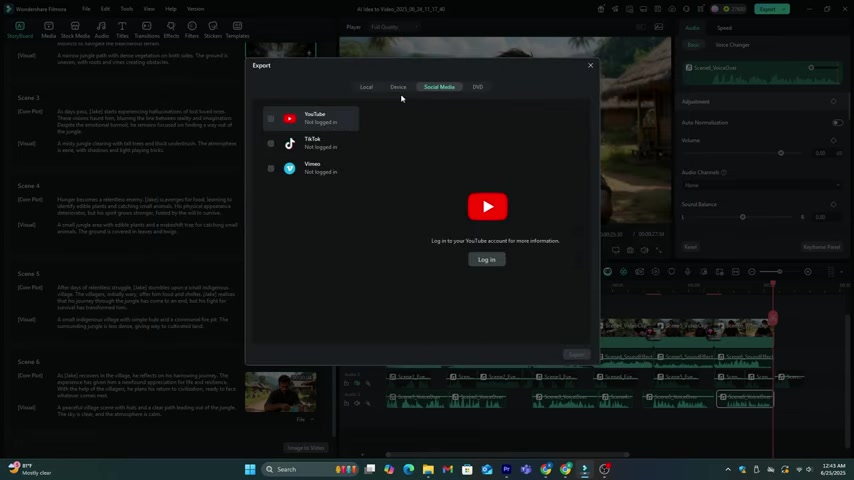
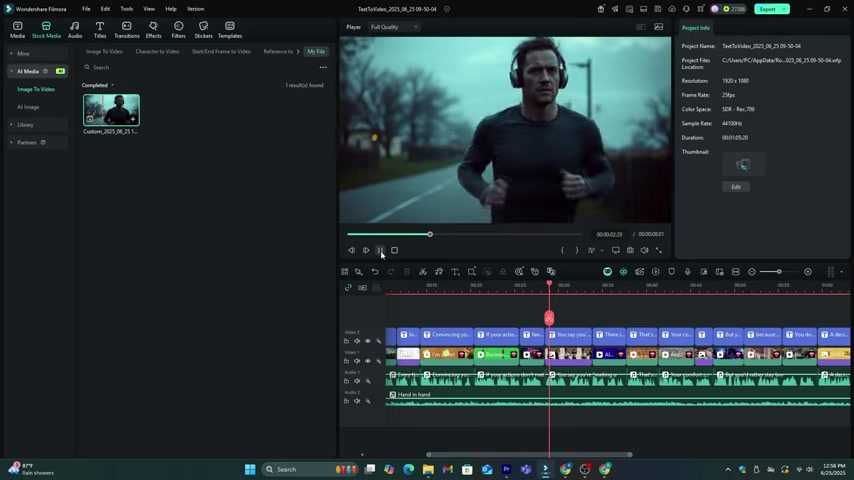
You can edit the Video Clips, voiceovers, and sound effects in the timeline as you prefer.
AI Voice Cloning
- Go to Audio: Navigate to the 'Audio' section on the top menu.
- Select text to speech: Choose the text-to-speech feature to access voice options.
- Clone Voice: To use your own voice, select the 'Clone Voice' option to start the cloning process.
- Record Voice: Record your voice by reading the provided script, ensuring clarity and proper pronunciation.
- Use Cloned Voice: After cloning, you can use your voice in your video projects.
Generating AI Sound Effects
- Go to Audio: Navigate to the 'Audio' section on the top menu.
- Select AI Sound Effect: Choose the option to access the AI sound effects.
- Describe Sound Effect: Type the sound you want to create.
- Generate Sound Effects: The tool will generate sound effects based on your description. Select the one that best fits your video needs.







Most people like

































Report
Please select a reason for reporting
- 13 Reasons to Switch from Snapchat to Text Messaging
- 7 Powerful Speech to Text Apps to Boost Productivity
- 10 Best Speech to Text Tools for Effortless Transcription
- 13 Free Tools to Easily Transcribe Audio to Text
- 15 Surprising Ways Google's Speech-to-Text Boosts Productivity
- 7 Best Free Online Audio to Text Transcription Tools
- 9 Tips to Transcribe Speech to Text Faster and Better
- 13 Best Speech to Text Software for Windows 10 in 2023
- 7 Tips for Choosing the Best Transcriber for Audio to Text
- 11 Reasons Why Dragon Speech-to-Text Apps are Game-Changers
- 6 Secrets to Enhance Your Speech to Text Transcription
- 6 Brilliant Ways to Boost Productivity with Talk-to-Text on Your MacBook
- 6 Ways Transcription Software Converts Audio to Text
- 8 Tips to Transcribe Speech to Text Like a Pro
- 6 Reasons IBM Watson Speech to Text is a Game-Changer
- 14 Powerful Ways Talk-to-Text Improves Your Workflow
- 12 Top Windows Speech-to-Text Software for Efficient Transcription
- 12 Game-Changing Benefits of Apple's Speech to Text Technology
- 9 Powerful Use Cases for AWS Speech to Text Technology
- 10 Easy Steps to Transcribe YouTube Videos to Text
- transcription audio en texte
- online audio transcription
- free audio file transcription
- free ai audio transcription
- audio transcription service
- audio transcription online free
- audio transcription free online
- audio to transcription software
- audio and transcript
- ai audio transcription free
- voice recording to text converter
- translate voice recording to text
- record voice to text
- audio recording to text converter
- voice recording and transcription
- chatgpt voice to text
- gmail voice to text
- speech to text reader
- speech to text ai free
- speech to talk
- How SEO and Marketing Dashboards Empower Agencies to Drive Results
- How to Use AI Tools to Find Internal Linking Opportunities Across a Business Website
- Discover Your Perfect Haircut with AI Hairstyle Apps
- Free Reputation Calculator Tools: How They're Adapting to Score AI Visibility, Not Just Rankings
- Design Professional Flyers for Free on Your Phone
- Best Free Flyer Maker Apps for Android: Design Like a Pro
- How to Know If Your Business Is Ready for an AI Customer Service Agent
- Revolutionizing Storytelling: From Novels to Screenplays with AI
- Create Engaging Animated Explainer Videos with a Free AI Tool
- Stop Multi-Subscribing: Benchmark Top AI Visual Models in One Canvas
- My Honest Experience with VideoAI: The Secret Weapon for Creators Who Need Character Voices
- 5 Data Problems That Stall AI Projects in Financial Compliance
- Master Storyboard Drawing: Expert Tips for Non-artists
- The Future of Smart Glasses: Explained & Assembling Guide
- DeepL Translator: The AI-Powered Translation Tool
- AI Video Upscaling: Top Tools Compared for Enhanced Quality
- Bridging the Gap: How One Indie Developer Solved the "Art Asset Nightmare" Using AI Style Transfer
- How I Direct Consistent AI Clips: A Hands-On Guide to Multi-Model Generation
- My Honest Review of VideoAI: The Ultimate Character Voice Generator I've Been Using Lately
- Why do so many AI tools underdeliver for online stores?

Copyright ©2026 toolify