































Table of Contents
- Key Points
- Understanding GitHub Copilot
- Setting Up GitHub Copilot
- Understanding GitHub Copilot Pricing
- Pros and Cons of GitHub Copilot
- Key Features of GitHub Copilot
- Frequently Asked Questions About GitHub Copilot
- Related Questions on Coding Efficiency


Understanding GitHub Copilot
What is GitHub Copilot?
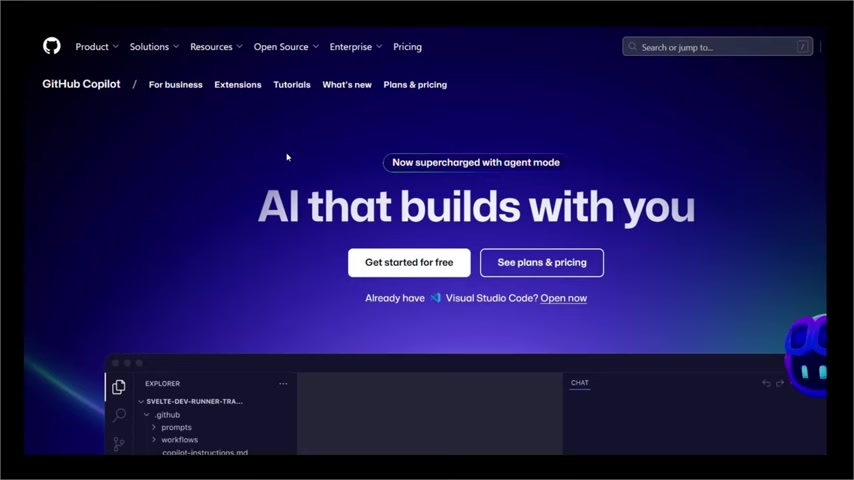
GitHub Copilot is an AI-powered coding assistant designed to integrate directly into your Integrated Development Environment (IDE) to help with code completion, suggest code snippets, and even assist with debugging. It's like having an AI pair programmer that works alongside you, offering real-time suggestions and support to make your coding process more efficient.
It acts as a coding assistant that resides directly within your IDE, providing immediate assistance and suggestions as you type. Whether you're drafting a new function or debugging a complex piece of code, GitHub Copilot is designed to understand your intent and offer relevant, context-aware support.
It is not limited to beginners, and it helps to improve the workflow for professional developers too. It also boost productivity, reduces boilerplates, and helps you learn better code practices.
Understanding GitHub Copilot Pricing
Pricing Plans for Individuals
GitHub Copilot offers three pricing plans tailored for individual users:
- Free: It includes a 50 agent mode/chat request per month, along with a 2,000 completion limit. Access to Claude 3.5 Sonnet, GPT-4o are also available.
- Pro: Priced at $10 USD per month or $100 USD per year, the Pro plan provides unlimited agent mode and chats with GPT-4o, unlimited code completions, and access to code review features. The Claude 3.7 Sonnet is also available, as well as more. Also enjoy 6x more premium requests to use the latest models with a free option to upgrade more.
- Pro+: At $39 USD per month or $390 USD per year, Pro+ offers everything in Pro, with access to all models, including GPT-4.5, and 30x more premium requests to use the latest models.
It's worth noting that GitHub Copilot is free for verified students, teachers, and maintainers of popular open-source projects. This is a great opportunity for those in education or contributing to the open-source community to leverage AI-powered coding assistance at no cost.
Pricing Plans for Business

GitHub Copilot offers the following two plans for business:
- Business: it accelerates workflows with GitHub Copilot, which prices at $19 per user/ month
- Enterprise: scales with AI agent and comprehensive model access, which prices at $39 per user / month
Below are all the details for features you can find inside each pricing plan:
| Feature | Business | Enterprise |
|---|---|---|
| Model Access | Unlimited agent mode and chats with GPT-4o,Unlimited code completions Access to code review, Claude 3.5/3.7 Sonnet | Access to all models, including GPT-4.5 |
| Premium Requests | 300 premium requests to use latest models per user | 3.33x more premium requests to use latest models than Business |
| Other | User management and usage metrics IP indemnity and data privacy | Everything in the business plan is included. |
Key Features of GitHub Copilot
Smart Code Suggestions
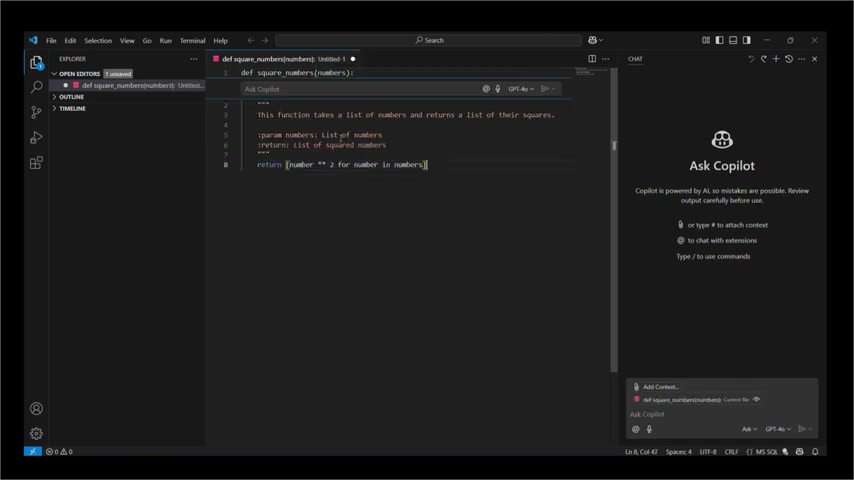
One of the most powerful and impactful aspects of GitHub Copilot is its ability to offer smart code suggestions in real-time. As you begin typing, Copilot analyzes your code and suggests completions, often predicting entire blocks of code with remarkable accuracy.
This is not just simple auto-completion; Copilot understands the context of your code, including variable names, function definitions, and even comments, to provide relevant and intelligent suggestions. This feature is particularly helpful for completing repetitive tasks and reducing boilerplate code, enabling developers to focus on more complex problem-solving.
Just imagine defining a function in VS Code, for example, def square_numbers(numbers):. Copilot immediately understands that you might want to calculate the square of a number and suggests the next line accordingly. If the code suggestion is what you wanted to write next, simply tap the Tab to insert it to the code. This is like autocomplete, but smarter.
Copilot Chat and CLI Support
Coding often involves more than just typing code; it also involves problem-solving, syntax understanding, and debugging. GitHub Copilot addresses these needs with its chat and Command Line Interface (CLI) support.
Coding-related questions can be asked to the copilot chat. If you need clarification on a particular piece of code, guidance on the correct syntax, or help solving an error, you can simply ask Copilot directly through the chat interface. This eliminates the need to switch between your IDE and external resources like Stack Overflow, keeping your workflow seamless and efficient.
Available in IDEs, GitHub website, Github Mobile, and terminal.
AI Code Reviews and Pull Request Help

Collaboration is a cornerstone of modern software development, and GitHub Copilot streamlines this process by assisting with code reviews and pull requests.
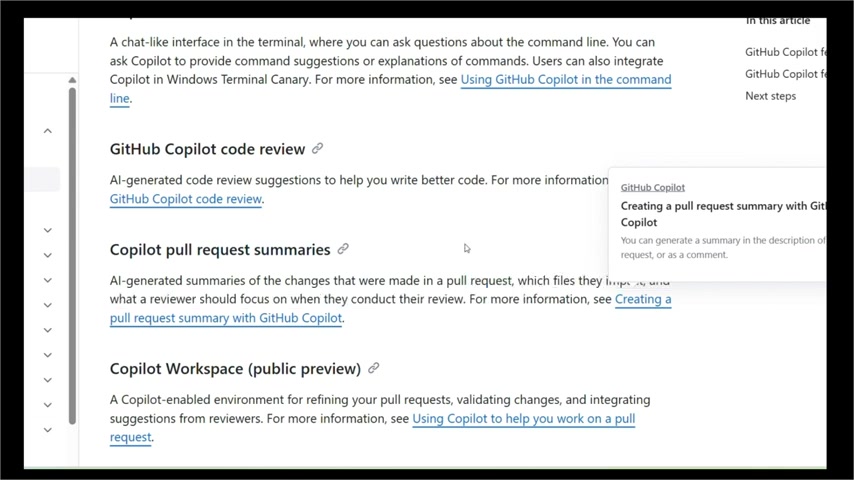
Copilot helps in team code review, creating pull requests and descriptions, so it generates pull request summaries, descriptions and even code review suggestions automatically, ensuring you focus on writing code, rather than documentations.
Customization and Extensions Support

GitHub Copilot is designed to be adaptable to your specific needs and coding preferences. Its customization and extensions support allows you to tailor the tool to fit your unique workflow.
You can tell Copilot which languages or preferences, and Copilot will behave that way. It also helps to customize third-party tools with testing tools and API support. If you are part of any organization, you can use admin log access control, usage tracking and security settings.




Most people like





























Report
Please select a reason for reporting
- 13 Reasons to Switch from Snapchat to Text Messaging
- 7 Powerful Speech to Text Apps to Boost Productivity
- 10 Best Speech to Text Tools for Effortless Transcription
- 13 Free Tools to Easily Transcribe Audio to Text
- 15 Surprising Ways Google's Speech-to-Text Boosts Productivity
- 7 Best Free Online Audio to Text Transcription Tools
- 9 Tips to Transcribe Speech to Text Faster and Better
- 13 Best Speech to Text Software for Windows 10 in 2023
- 7 Tips for Choosing the Best Transcriber for Audio to Text
- 11 Reasons Why Dragon Speech-to-Text Apps are Game-Changers
- 6 Secrets to Enhance Your Speech to Text Transcription
- 6 Brilliant Ways to Boost Productivity with Talk-to-Text on Your MacBook
- 6 Ways Transcription Software Converts Audio to Text
- 8 Tips to Transcribe Speech to Text Like a Pro
- 6 Reasons IBM Watson Speech to Text is a Game-Changer
- 14 Powerful Ways Talk-to-Text Improves Your Workflow
- 12 Top Windows Speech-to-Text Software for Efficient Transcription
- 12 Game-Changing Benefits of Apple's Speech to Text Technology
- 9 Powerful Use Cases for AWS Speech to Text Technology
- 10 Easy Steps to Transcribe YouTube Videos to Text
- transcription audio en texte
- online audio transcription
- free audio file transcription
- free ai audio transcription
- audio transcription service
- audio transcription online free
- audio transcription free online
- audio to transcription software
- audio and transcript
- ai audio transcription free
- voice recording to text converter
- translate voice recording to text
- record voice to text
- audio recording to text converter
- voice recording and transcription
- chatgpt voice to text
- gmail voice to text
- speech to text reader
- speech to text ai free
- speech to talk
- AI Marketing Automation: A Comprehensive Guide for Small Businesses
- Midjourney Alternative for Anime Art Creators: Why PixAI May Be Better for Character Workflows
- 10 Things Most People Get Wrong About AI Image Search
- AI Girlfriend Apps: Top Choices Redefining Relationships 2025
- How to Reduce Quoting Errors in Salesforce with AI-Assisted Quote Creation
- How AI Is Changing Back Office Outsourcing And Why It Matters
- How AI Helps You Spot the Next Friendslop Hit on Steam (Dear Passengers Case)
- AI Angels Review: Create Your Own AI Companion with Voice, Images & Videos
- AI and Real Estate: A New Era for Property Search, Pricing and Investment
- Best AI Sales Training Tools in 2026: Roleplay, Coaching & Onboarding
- 8 Best Social Media Scheduling Tools (2026)
- Pollo AI Review: Evaluating the Multi-Model Generative Media Ecosystem
- Best Free Static QR Code Generators for Gyms and Fitness Studios
- How to Track QR Code Scans: A Complete Guide (2026)
- AI Marketing Automation: A Comprehensive Guide for Small Businesses
- How AI-Powered Businesses Can Build a Strong Online Presence in 2026
- Top AI Facial Recognition Tools in 2026
- Unlocking the Power of Artificial Intelligence: A Comprehensive Guide
- Toolify.ai: Your Ultimate AI Tools Directory & Resource Hub
- Generative AI: Understanding Models, Datasets, and Applications

Copyright ©2026 toolify