































Table of Contents
- Key Points
- Unveiling GitHub Copilot X: The AI Revolution in Coding
- Diving Deeper: Subscription Options and Key Requirements
- Getting Started: A Practical Guide to Using GitHub Copilot X with Visual Studio Code
- Evaluating GitHub Copilot X: Weighing the Pros and Cons
- Frequently Asked Questions
- Related Questions


Diving Deeper: Subscription Options and Key Requirements
Understanding Subscription Plans and Pricing
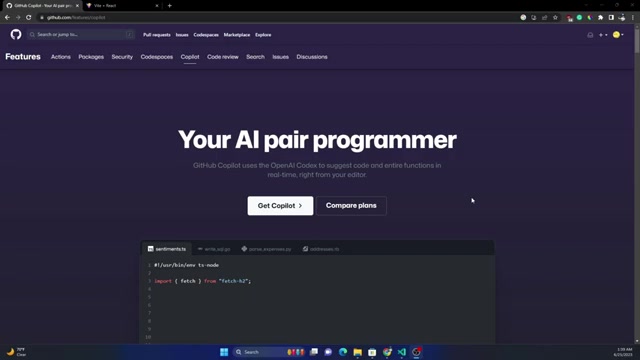
To access the full functionality of GitHub Copilot X, a subscription is required. The cost is $10 per user per month, or a yearly payment of $100, for individuals. A business version also exists that runs $19 per user per month. This competitive pricing makes it affordable for students, independent developers, and large enterprises to leverage the power of AI-assisted coding. Keep an eye out for potential free trials or student discounts that may further reduce the cost of entry.
Here is a breakdown of the pricing options:
| Plan | Price | Features |
|---|---|---|
| Copilot for Individuals | $10/month | Plugs right into your editor, Turns natural language prompts into code, Speeds up test generation |
| Copilot for Individuals | $100/year | Plugs right into your editor, Turns natural language prompts into code, Speeds up test generation |
| Copilot for Business | $19/month | Everything in Individual, Simple license management, Organization-wide policy management |
Note that using copilot helps with finding common coding vulnerabilities.
Keep an eye out for special terms, deals, or discounts on GitHub Copilot subscriptions.
Essential Prerequisites for Using GitHub Copilot X
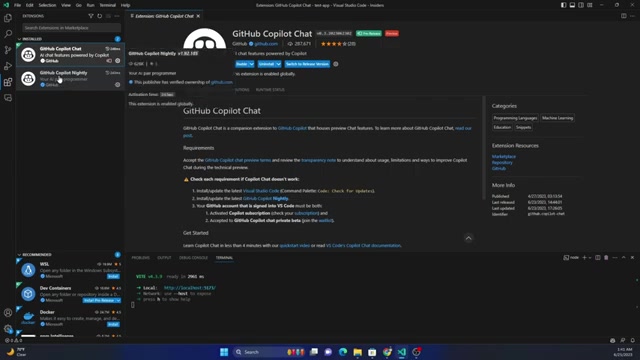
Before diving into GitHub Copilot X, make sure you have taken some preliminary steps. Join the waitlist for the software and wait to be selected. An active subscription to GitHub Copilot is required. Then use the Visual Studio Code Insiders version. Install the GitHub Copilot chat.
If all these things are done then GitHub Copilot X will work as expected.
Getting Started: A Practical Guide to Using GitHub Copilot X with Visual Studio Code
Step-by-Step Instructions for Installation and Setup
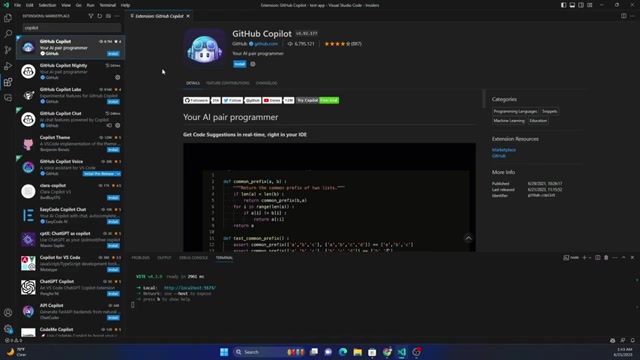
To integrate GitHub Copilot X with Visual Studio Code, you'll need to install the Visual Studio Code Insiders version. This is an early adopter version of VS Code that is updated more frequently than the stable release. Once you have that done then you should install the GitHub Copilot Chat software to start chatting with Copilot.
After, you can install two main extension: GitHub Copilot Chat and GitHub Copilot Nightly. These extensions are required for all the GitHub Copilot Features.
How to Make an Array and Use It.
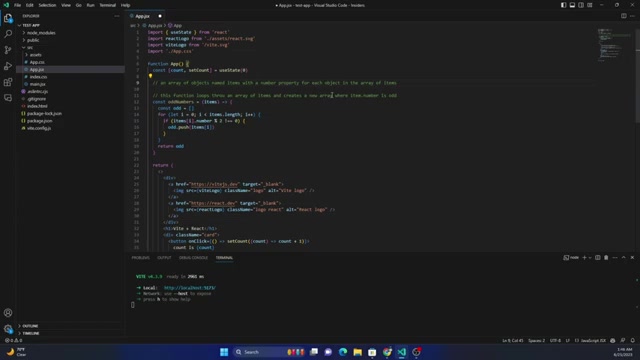
This example will show you how to make an array and then how to use GitHub Copilot to declare variables.
First, we will need to create a blank app by using setState from React. Then we will have to specify that this function loops through an array of items.
After that, enter. You will see the copilot will try to suggest what you should write as code. Press tab and let it use that code. You can enter and continue the same thing to have copilot suggest more options.








Most people like



























Report
Please select a reason for reporting
- 13 Reasons to Switch from Snapchat to Text Messaging
- 7 Powerful Speech to Text Apps to Boost Productivity
- 10 Best Speech to Text Tools for Effortless Transcription
- 13 Free Tools to Easily Transcribe Audio to Text
- 15 Surprising Ways Google's Speech-to-Text Boosts Productivity
- 7 Best Free Online Audio to Text Transcription Tools
- 9 Tips to Transcribe Speech to Text Faster and Better
- 13 Best Speech to Text Software for Windows 10 in 2023
- 7 Tips for Choosing the Best Transcriber for Audio to Text
- 11 Reasons Why Dragon Speech-to-Text Apps are Game-Changers
- 6 Secrets to Enhance Your Speech to Text Transcription
- 6 Brilliant Ways to Boost Productivity with Talk-to-Text on Your MacBook
- 6 Ways Transcription Software Converts Audio to Text
- 8 Tips to Transcribe Speech to Text Like a Pro
- 6 Reasons IBM Watson Speech to Text is a Game-Changer
- 14 Powerful Ways Talk-to-Text Improves Your Workflow
- 12 Top Windows Speech-to-Text Software for Efficient Transcription
- 12 Game-Changing Benefits of Apple's Speech to Text Technology
- 9 Powerful Use Cases for AWS Speech to Text Technology
- 10 Easy Steps to Transcribe YouTube Videos to Text
- transcription audio en texte
- online audio transcription
- free audio file transcription
- free ai audio transcription
- audio transcription service
- audio transcription online free
- audio transcription free online
- audio to transcription software
- audio and transcript
- ai audio transcription free
- voice recording to text converter
- translate voice recording to text
- record voice to text
- audio recording to text converter
- voice recording and transcription
- chatgpt voice to text
- gmail voice to text
- speech to text reader
- speech to text ai free
- speech to talk
- Create Engaging Animated Explainer Videos with a Free AI Tool
- Stop Multi-Subscribing: Benchmark Top AI Visual Models in One Canvas
- Best Seedance 2.5 API Provider: Every Price on the Market, Checked at Source
- AI OnlyFans: How to Generate $30,000/Month (Legally)
- Transform Your Script into an Engaging Video with AI Video Maker!
- AI Marketing Automation: A Comprehensive Guide for Small Businesses
- Midjourney Alternative for Anime Art Creators: Why PixAI May Be Better for Character Workflows
- 10 Things Most People Get Wrong About AI Image Search
- AI Girlfriend Apps: Top Choices Redefining Relationships 2025
- How to Reduce Quoting Errors in Salesforce with AI-Assisted Quote Creation
- AI Resume Builders: EnhanceCV, ResumeNerd AI, & Teal Compared
- ResumeAI: Crafting ATS-Optimized Resumes with AI
- AI in Resume Writing: A New Era for Job Seekers
- AI Resume Tools: Streamline Your Job Search and Land Your Dream Role
- AI Resume Optimization: The Right Way to Land Interviews
- Crafting a Killer Resume with AI: A Step-by-Step Guide
- Crafting a Winning Resume: AI Tools and Expert Tips
- AI Job Search: Level Up Your Career with AI Automation
- Empower Your Career Journey: Dynamic Resumes with AI
- AI Resume Builder: Create Professional Resumes Effortlessly

Copyright ©2026 toolify