































Table of Contents
- Key Points
- The Power of GraphQL and TypeScript Integration
- Automated Type Generation with GraphQL Code Generator
- Step-by-Step Guide to Setting Up GraphQL Code Generator
- GraphQL Code Generator: Pricing
- GraphQL Code Generator: Pros and Cons
- Core Features of GraphQL Code Generator
- Use Cases for GraphQL Code Generator
- Frequently Asked Questions (FAQ)
- Related Questions



The Power of GraphQL and TypeScript Integration
Why GraphQL's Type System Matters
GraphQL's type system is a cornerstone benefit
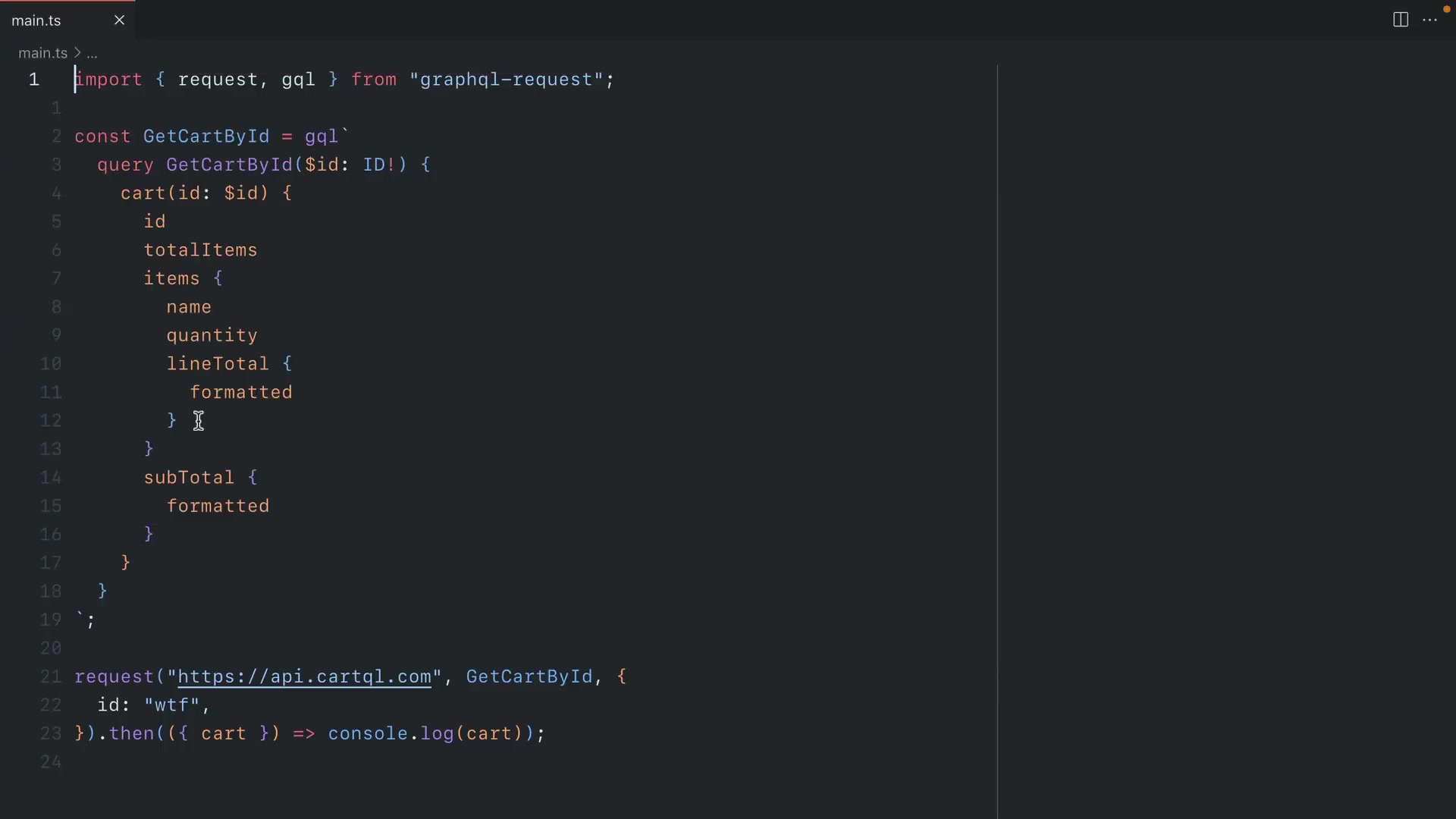
. When working with libraries like graphql-request, leveraging generics allows developers to pass the shape of data and variables, inferring the response structure. This integration dramatically improves code quality, reduces runtime errors, and enhances developer productivity.
However, without explicitly defining types, accessing properties can lack auto-completion and type safety. Manually creating types is an option but is time-consuming and susceptible to errors, especially when API schemas evolve. This is where GraphQL Code Generator becomes invaluable. The key to a robust GraphQL API is integrating with a strong type system, and TypeScript provides that system.
The benefits of a good type system include:
- Early Error Detection: Identifying errors at compile time rather than runtime.
- Improved Code Readability: Clear type definitions make code easier to understand and maintain.
- Enhanced Developer Productivity: Auto-completion and type checking speed up development.
The Pitfalls of Manual Type Management
Manually managing types for GraphQL queries and mutations
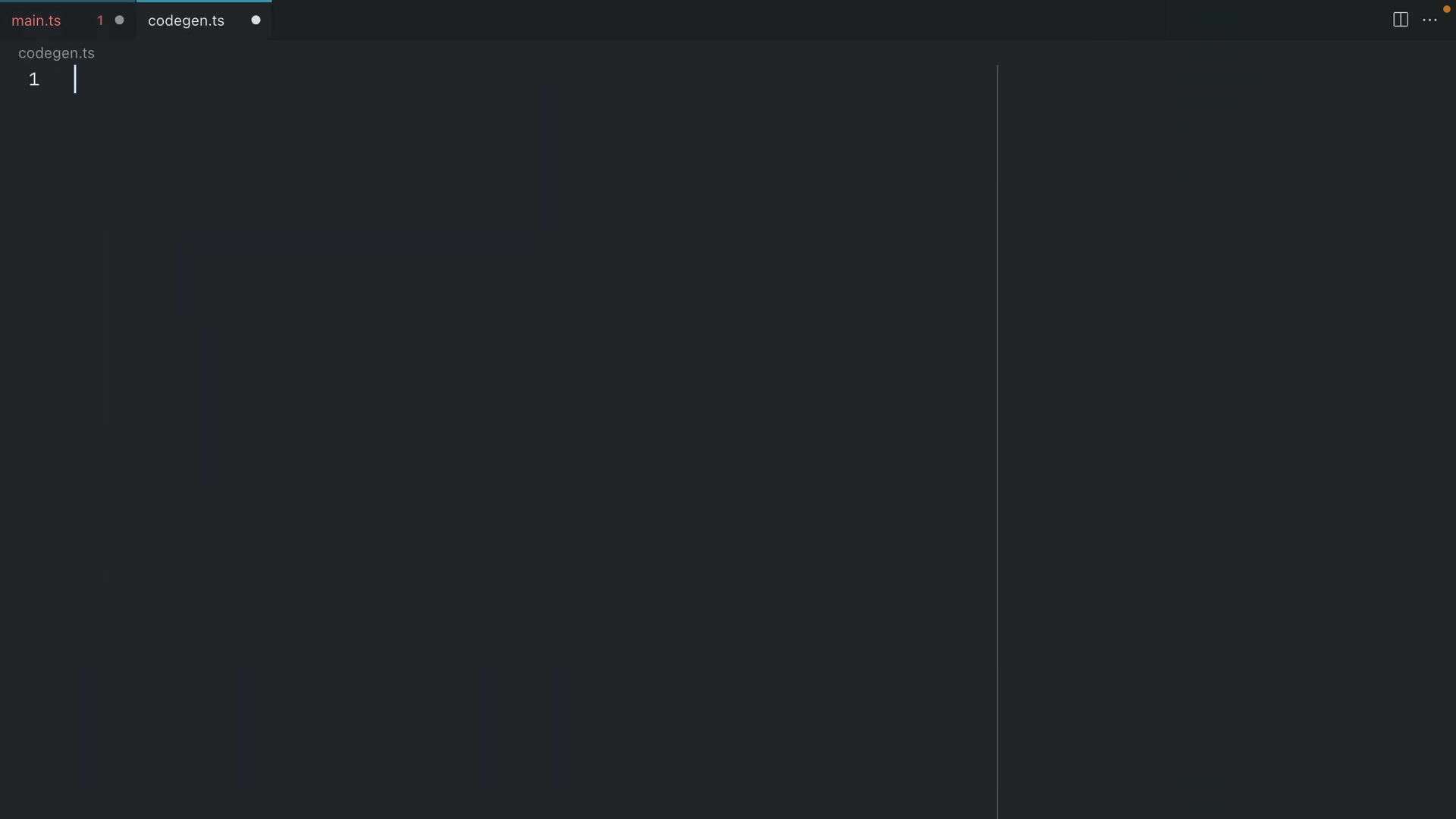
can be incredibly time-intensive and can quickly become a maintenance nightmare. It's easy to forget to update types when the API changes, leading to discrepancies between the client and server.
Challenges in Manual Type Management:
- Time Consumption: Manually creating and updating types for each query and mutation is a significant time investment.
- Risk of Errors: Human error is inevitable when manually transcribing schemas into type definitions.
- Maintenance Overhead: Keeping types synchronized with API changes requires constant vigilance and effort.
- Dead Code: Types can become stale and irrelevant, leading to dead code that clutters the codebase.
Automated Type Generation with GraphQL Code Generator
Introducing GraphQL Code Generator
GraphQL Code Generator is a powerful tool
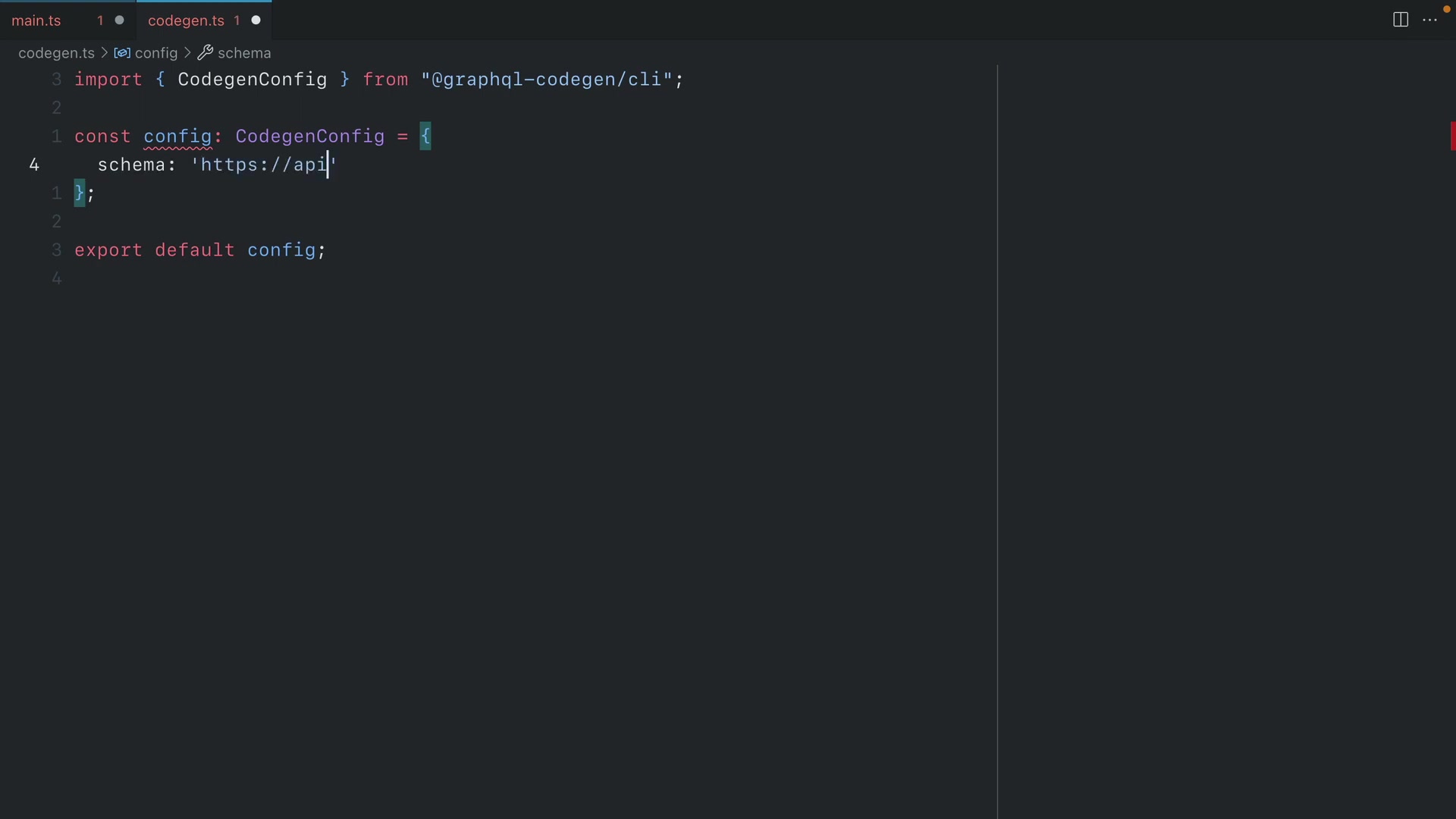
that automatically generates TypeScript types from your GraphQL schema and queries. This eliminates the need for manual type management, reducing errors and freeing up developers to focus on business logic. It supports a wide range of plugins and presets, making it adaptable to various development workflows.
Benefits of Using GraphQL Code Generator:
- Automation: Automatically generate types from GraphQL schema and queries.
- Reduced Errors: Eliminates manual type definitions, reducing the risk of human error.
- Increased Productivity: Frees developers to focus on business logic instead of type management.
- Adaptability: Supports a wide range of plugins and presets to fit different workflows.
GraphQL Code Generator integrates seamlessly with graphql-request, enhancing the type safety of your GraphQL queries.
Setting Up Code Generation in Your Project
To start using GraphQL Code Generator
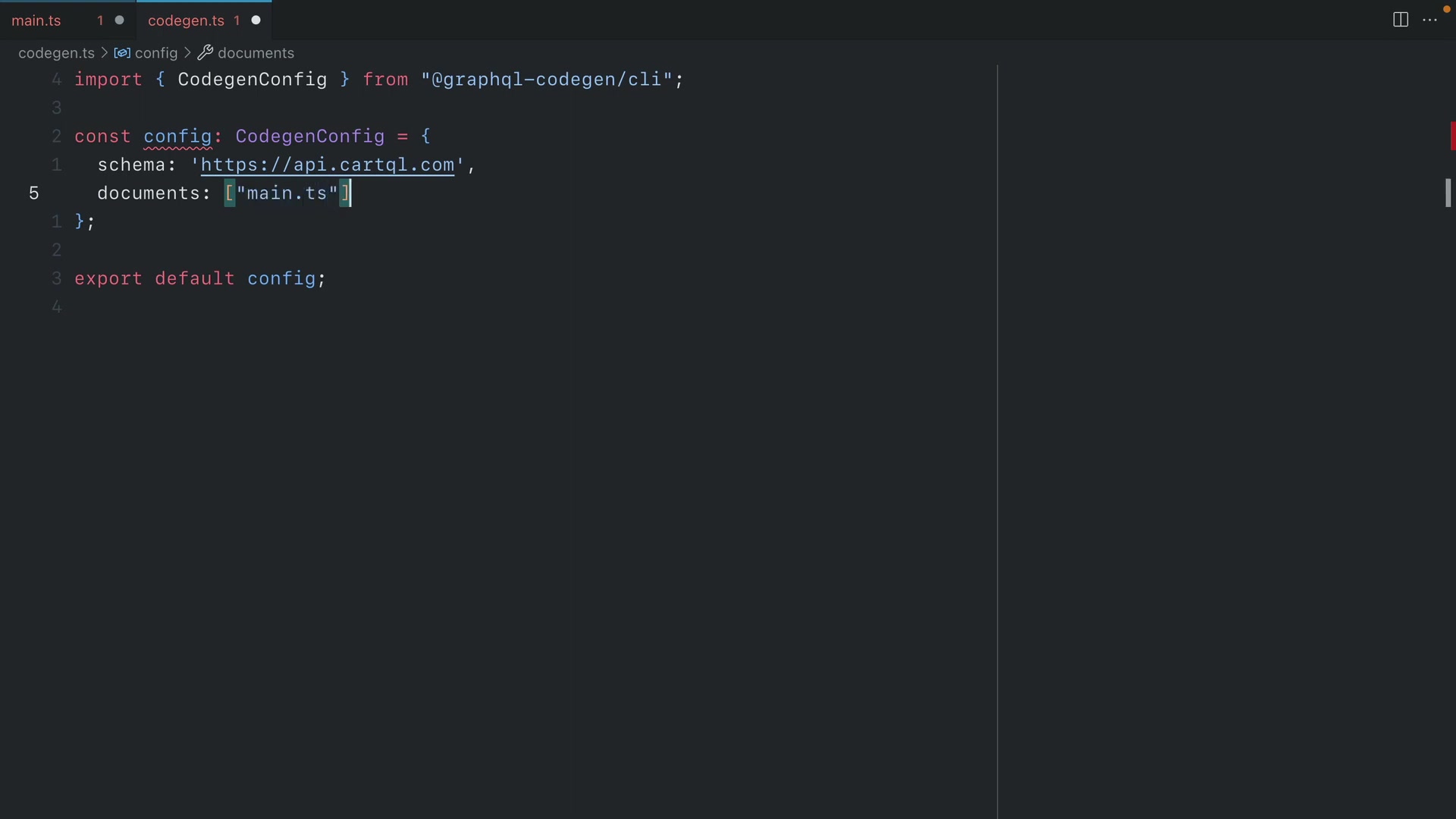
, you need to install the necessary dependencies and configure a codegen.ts file. This file defines the location of your GraphQL schema, queries, and the plugins you want to use. The steps below will guide you through setting up GraphQL Code Generator in your TypeScript project.
Step-by-Step Setup:
-
Install Dependencies: Install the GraphQL Code Generator CLI and the TypeScript plugin.
npm install -D @graphql-codegen/cli @graphql-codegen/typescript @graphql-codegen/client-preset -
Create
codegen.ts: Create acodegen.tsfile in the root of your project. This file configures the code generation process. -
Configure Schema and Documents: Specify the location of your GraphQL schema and query documents in the
codegen.tsfile. -
Define Plugins: Define the plugins you want to use. For client-side type generation, use the
clientpreset. -
Run Code Generation: Add a script to your
package.jsonto run the code generator."scripts": { "codegen": "graphql-codegen" } -
Execute the Script: Run the script to generate types.
npm run codegen
By following these steps, you can automate the generation of TypeScript types from your GraphQL schema and queries, improving the type safety and maintainability of your project.
Configuring codegen.ts for Optimal Performance
The codegen.ts file is central
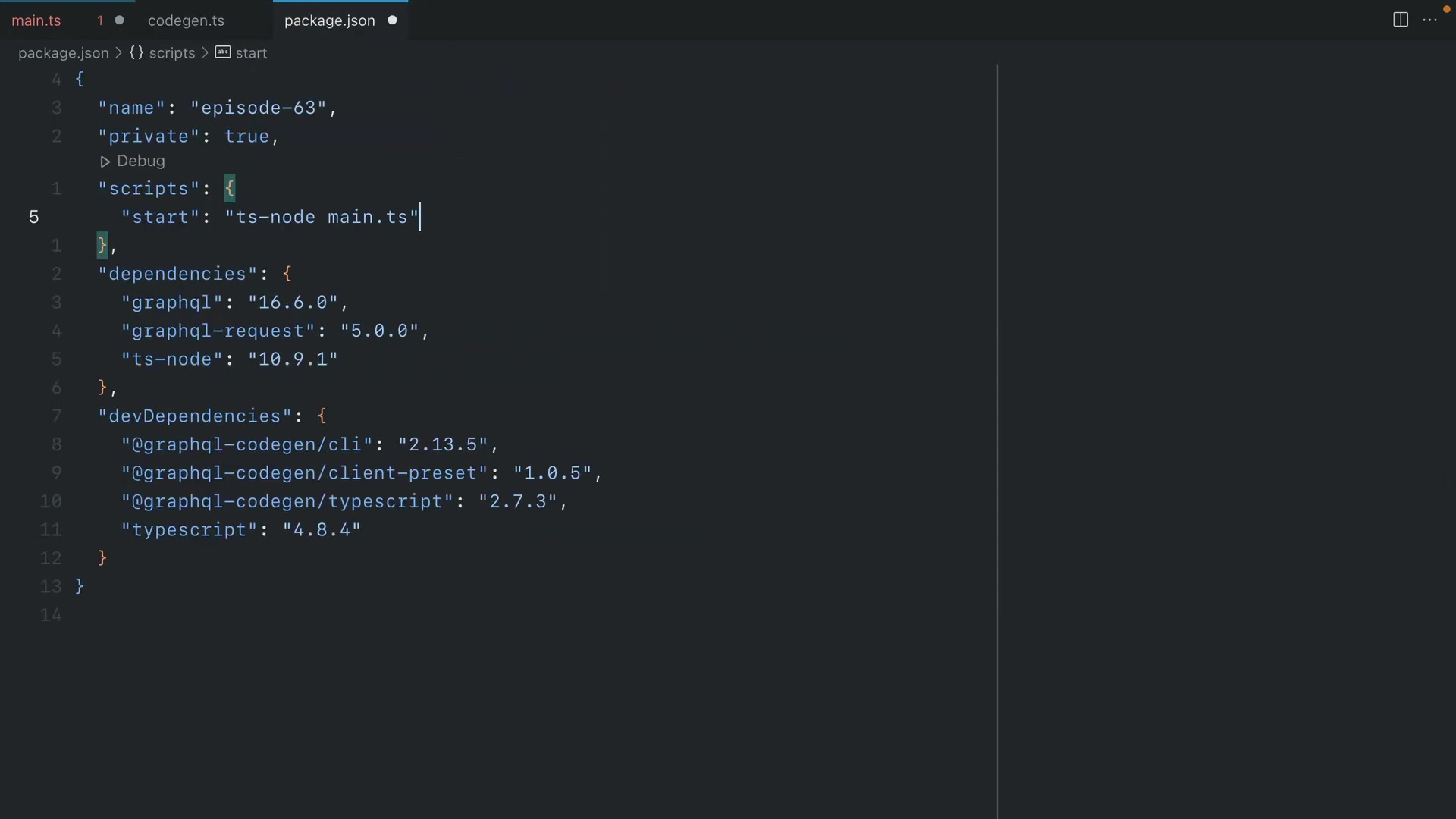
to configuring GraphQL Code Generator. It specifies the schema, documents, plugins, and output paths. Proper configuration ensures that the generated types accurately reflect your GraphQL API.
Key Configuration Options:
- Schema: Specifies the endpoint of your GraphQL API. This allows the code generator to fetch the schema.
- Documents: Defines the location of your GraphQL queries and mutations. The code generator parses these documents to generate types.
- Generates: Configures the output paths and plugins. The
clientpreset is used for client-side type generation. - Plugins: Specifies the plugins to use for type generation. Plugins can customize the generated code.
Here’s an example of a codegen.ts configuration:
import { CodegenConfig } from '@graphql-codegen/cli';

const config: CodegenConfig = {
  schema: 'https://api.cartql.com',
  documents: ['main.ts'],
  ignoreNoDocuments: true, // for better experience with the watcher
  generates: {
    './gql/': {
      preset: 'client'
    }
  }
};

export default config;
This configuration tells GraphQL Code Generator to fetch the schema from https://api.cartql.com, parse the queries in main.ts, and generate types in the ./gql/ directory using the client preset.
Function Overloading for Enhanced Type Safety
GraphQL Code Generator uses function overloading to provide type safety. With function overloading, the graphql function can return different types based on the input it receives. Depending on the source passed to the GraphQL function, this will return the correct type from our documents object here.This makes it easier to work with GraphQL responses in a type-safe manner.
Here's an example of how function overloading is used in generated code:
export function graphql(source: string): unknown;
export function graphql<TData, TVariables>(source: string, variables: TVariables): Promise<TData>;
export function graphql(source: string, variables?: any) {
  return (client.request(source, variables) as any);
}
The first overload specifies that if only a source string is provided, the function returns unknown. The second overload specifies that if both a source string and variables are provided, the function returns a Promise that resolves to the type TData.
By using function overloading, GraphQL Code Generator improves the type safety of your GraphQL queries and mutations, reducing the risk of runtime errors.
Step-by-Step Guide to Setting Up GraphQL Code Generator
Step 1: Install Dependencies
Before you can start using GraphQL Code Generator, you need to install the necessary dependencies using npm or yarn . These dependencies include the core CLI, TypeScript plugin, and the client preset plugin.
npm install -D @graphql-codegen/cli @graphql-codegen/typescript @graphql-codegen/client-presetMake sure you install these as development dependencies (-D) since they are only needed during development to generate types.
Step 2: Create codegen.ts Configuration File
Next, create a codegen.ts file in the root of your project . This file will contain the configuration for GraphQL Code Generator, including the schema location, document patterns, and plugins.
import { CodegenConfig } from '@graphql-codegen/cli';

const config: CodegenConfig = {
  schema: 'https://api.cartql.com', // Replace with your GraphQL API endpoint
  documents: ['src/**/*.graphql'], // Adjust the pattern to match your GraphQL files
  generates: {
    './src/gql/': {
      preset: 'client',
      plugins: []
    }
  }
};

export default config;
Adjust the schema and documents paths to match your project structure. The generates section specifies the output directory and the plugins to use.
Step 3: Add Code Generation Script to package.json
Add a script to your package.json file to run GraphQL Code Generator
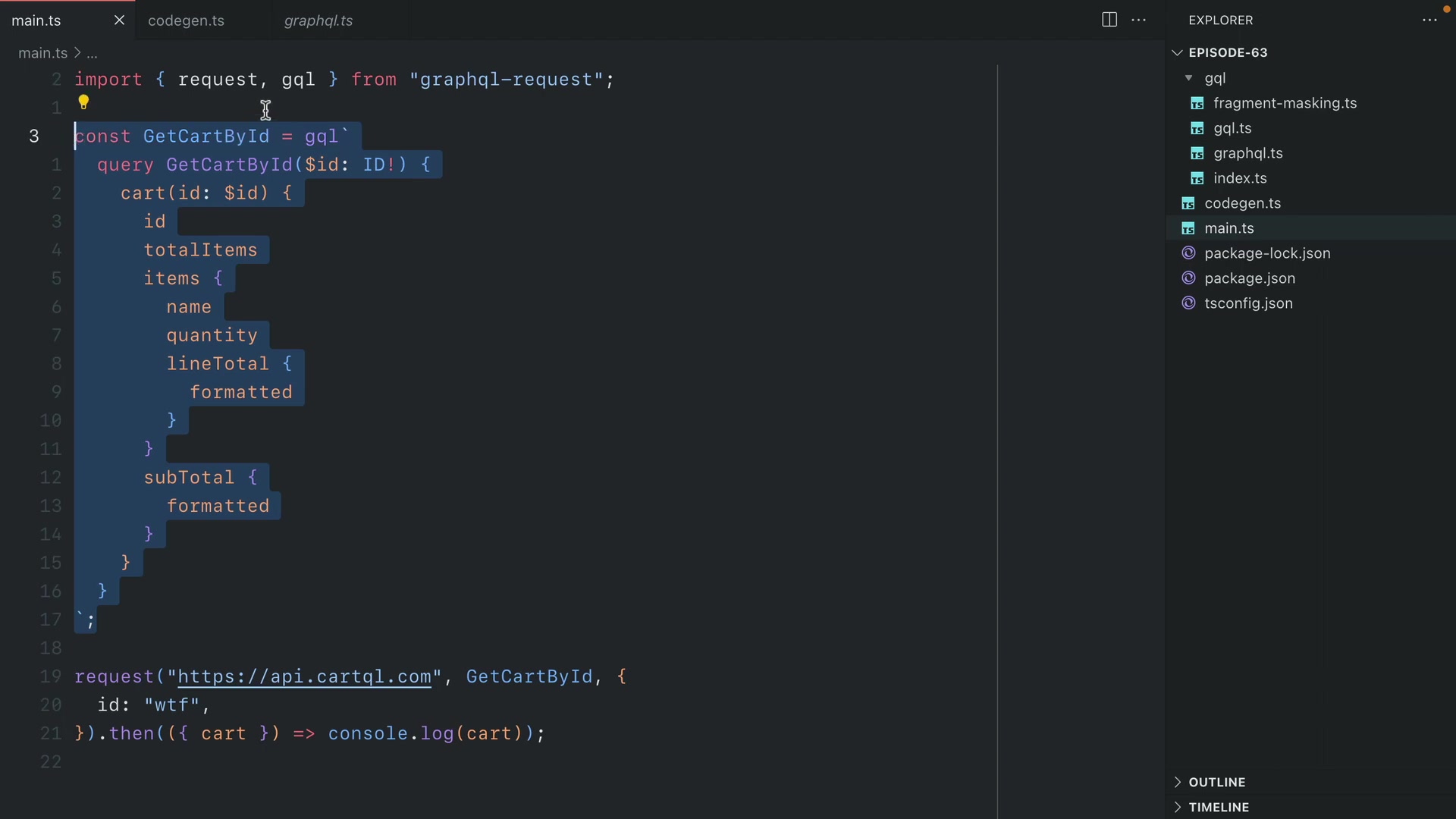
. This script will execute the code generation process whenever you need to update your types.
"scripts": {
  "codegen": "graphql-codegen -r tsconfig-paths/register"
}
The -r tsconfig-paths/register flag is important if you're using path aliases in your tsconfig.json file. It ensures that TypeScript can resolve these aliases during code generation.
Step 4: Run Code Generation
Now you can run the code generation script using npm or yarn
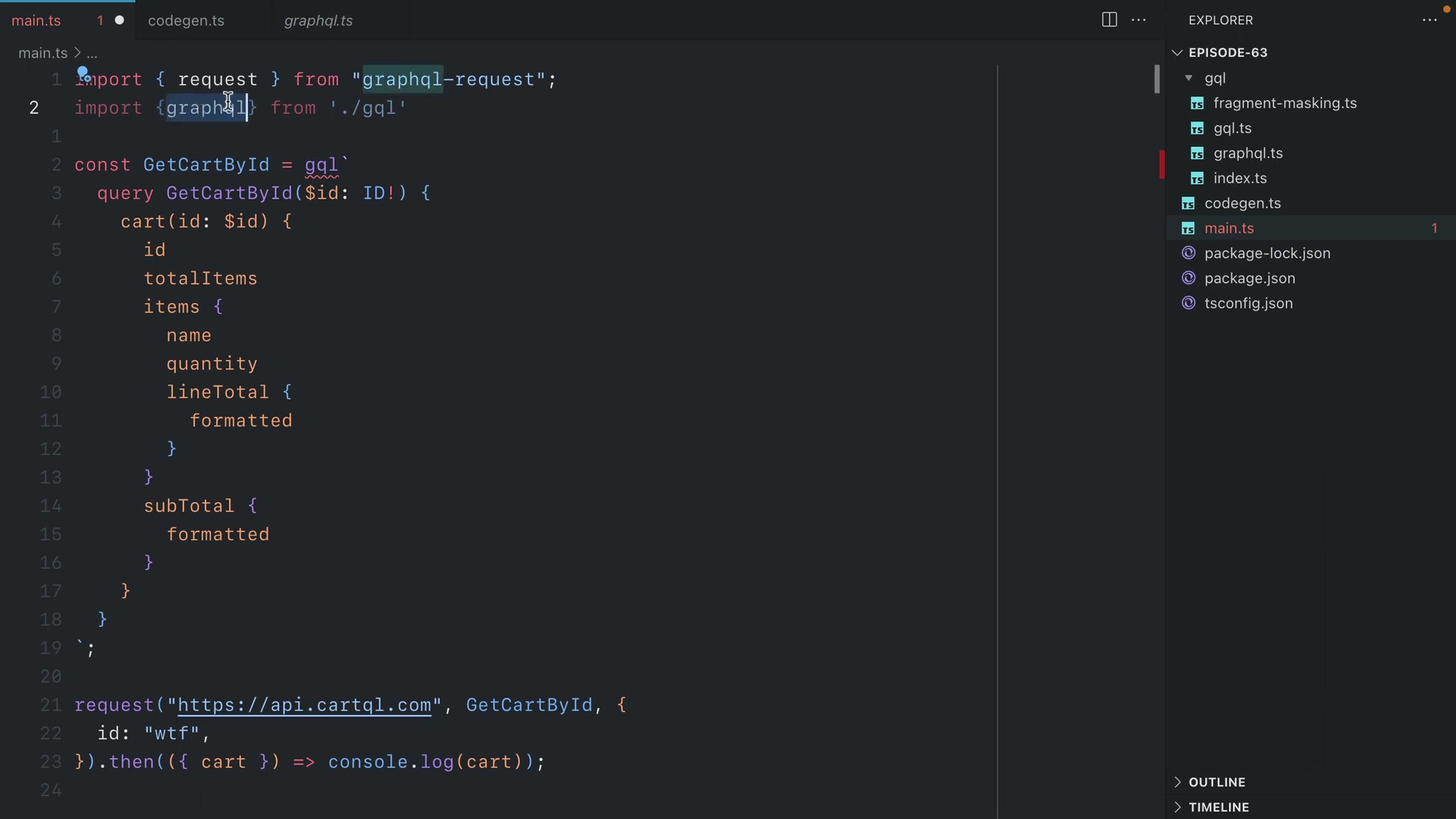
. This will generate the TypeScript types in the specified output directory.
npm run codegenGraphQL Code Generator will fetch the schema from your API endpoint, parse your GraphQL queries, and generate the corresponding TypeScript types. These types will be placed in the ./src/gql/ directory, ready to be imported and used in your application.
Step 5: Import and Use Generated Types
Finally, import the generated types into your TypeScript components and start using them . This will provide type safety and auto-completion, making your development process more efficient.
import { GetCartByIdQuery, GetCartByIdQueryVariables } from './gql/graphql';
import { graphql } from './gql';

async function fetchCart(id: string): Promise<GetCartByIdQuery> {
  const variables: GetCartByIdQueryVariables = { id };
  const data = await graphql<GetCartByIdQuery, GetCartByIdQueryVariables>(`
    query GetCartById($id: ID!) {
      cart(id: $id) {
        id
        totalItems
        items {
          id
          name
          quantity
        }
      }
    }
  `, variables);

  return data;
}
In this example, we import the GetCartByIdQuery and GetCartByIdQueryVariables types from the generated code. We also import the graphql function, which is a type-safe wrapper around graphql-request. By using these generated types, we can ensure that our code is type-safe and that we're handling GraphQL responses correctly.






Most people like



























Report
Please select a reason for reporting
- 13 Reasons to Switch from Snapchat to Text Messaging
- 7 Powerful Speech to Text Apps to Boost Productivity
- 10 Best Speech to Text Tools for Effortless Transcription
- 13 Free Tools to Easily Transcribe Audio to Text
- 15 Surprising Ways Google's Speech-to-Text Boosts Productivity
- 7 Best Free Online Audio to Text Transcription Tools
- 9 Tips to Transcribe Speech to Text Faster and Better
- 13 Best Speech to Text Software for Windows 10 in 2023
- 7 Tips for Choosing the Best Transcriber for Audio to Text
- 11 Reasons Why Dragon Speech-to-Text Apps are Game-Changers
- 6 Secrets to Enhance Your Speech to Text Transcription
- 6 Brilliant Ways to Boost Productivity with Talk-to-Text on Your MacBook
- 6 Ways Transcription Software Converts Audio to Text
- 8 Tips to Transcribe Speech to Text Like a Pro
- 6 Reasons IBM Watson Speech to Text is a Game-Changer
- 14 Powerful Ways Talk-to-Text Improves Your Workflow
- 12 Top Windows Speech-to-Text Software for Efficient Transcription
- 12 Game-Changing Benefits of Apple's Speech to Text Technology
- 9 Powerful Use Cases for AWS Speech to Text Technology
- 10 Easy Steps to Transcribe YouTube Videos to Text
- transcription audio en texte
- online audio transcription
- free audio file transcription
- free ai audio transcription
- audio transcription service
- audio transcription online free
- audio transcription free online
- audio to transcription software
- audio and transcript
- ai audio transcription free
- voice recording to text converter
- translate voice recording to text
- record voice to text
- audio recording to text converter
- voice recording and transcription
- chatgpt voice to text
- gmail voice to text
- speech to text reader
- speech to text ai free
- speech to talk
- Create Engaging Animated Explainer Videos with a Free AI Tool
- Stop Multi-Subscribing: Benchmark Top AI Visual Models in One Canvas
- Best Seedance 2.5 API Provider: Every Price on the Market, Checked at Source
- AI OnlyFans: How to Generate $30,000/Month (Legally)
- Transform Your Script into an Engaging Video with AI Video Maker!
- AI Marketing Automation: A Comprehensive Guide for Small Businesses
- Midjourney Alternative for Anime Art Creators: Why PixAI May Be Better for Character Workflows
- 10 Things Most People Get Wrong About AI Image Search
- AI Girlfriend Apps: Top Choices Redefining Relationships 2025
- How to Reduce Quoting Errors in Salesforce with AI-Assisted Quote Creation
- AI Resume Builders: EnhanceCV, ResumeNerd AI, & Teal Compared
- ResumeAI: Crafting ATS-Optimized Resumes with AI
- AI in Resume Writing: A New Era for Job Seekers
- AI Resume Tools: Streamline Your Job Search and Land Your Dream Role
- AI Resume Optimization: The Right Way to Land Interviews
- Crafting a Killer Resume with AI: A Step-by-Step Guide
- Crafting a Winning Resume: AI Tools and Expert Tips
- AI Job Search: Level Up Your Career with AI Automation
- Empower Your Career Journey: Dynamic Resumes with AI
- AI Resume Builder: Create Professional Resumes Effortlessly

Copyright ©2026 toolify