































Table of Contents
- Key Takeaways
- Getting Started with Gumloop
- Creating Your First AI Agent
- Practical Applications of Gumloop
- FAQ
- Related Questions


Getting Started with Gumloop
What is Gumloop?
Gumloop is an AI-powered automation platform designed to help users create and manage AI agents. These agents can be customized to perform a wide range of tasks, from data scraping and analysis to content creation and Workflow Management. The platform's user-friendly interface makes it accessible to both technical and non-technical users, enabling businesses of all sizes to take advantage of AI automation. With Gumloop, you can streamline repetitive tasks, allowing you to focus on more strategic initiatives. The platform enables to automate workflow with AI, no coding required.
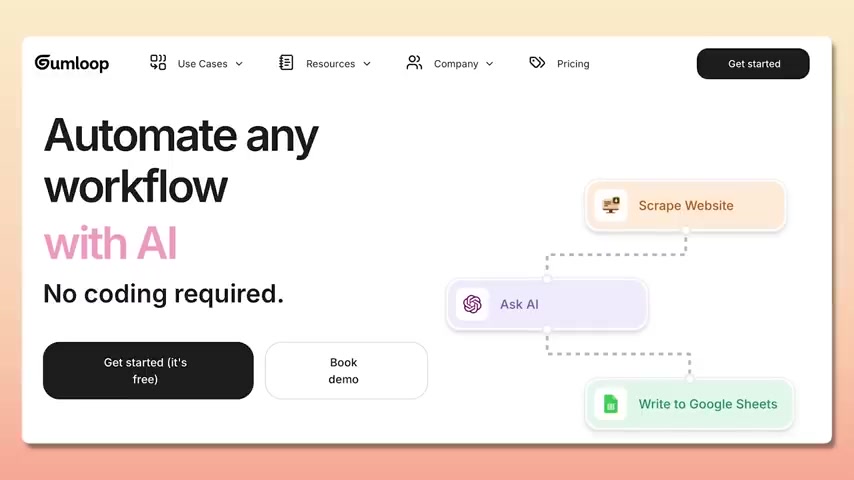
One of the best in the class, AI agent and AI automation companies.
Why Use Gumloop for Task Automation?
Automating tasks with Gumloop offers several advantages:
- Increased Efficiency: Automation reduces the time and resources spent on repetitive tasks.
- Improved Accuracy: AI agents can perform tasks with higher precision and fewer errors.
- Cost Savings: By automating tasks, businesses can reduce labor costs and improve overall profitability.
- Scalability: Gumloop can easily Scale to handle increasing workloads without requiring additional staff.
- Customization: AI agents can be tailored to meet specific business needs and workflows.
By using Gumloop, you can achieve a more streamlined and efficient workflow, freeing up valuable time to focus on innovation and strategic growth.

You can basically automate what a Junior employee does.
Setting Up Your Gumloop Account
- Visit Gumloop Website: Go to Gumloop official website.
- Sign Up: Click on the "Sign Up" button and create a new account using your email address or Google account. Choose Get started (it’s free) and then you can Book Demo.
- Verify Account: Follow the instructions in the verification email to activate your account.
- Explore Dashboard: Once logged in, explore the Gumloop dashboard to familiarize yourself with the interface and available features.
By following these steps, you can quickly set up your Gumloop account and start exploring the platform's capabilities.
Creating Your First AI Agent
Configuring Your AI Agent
-
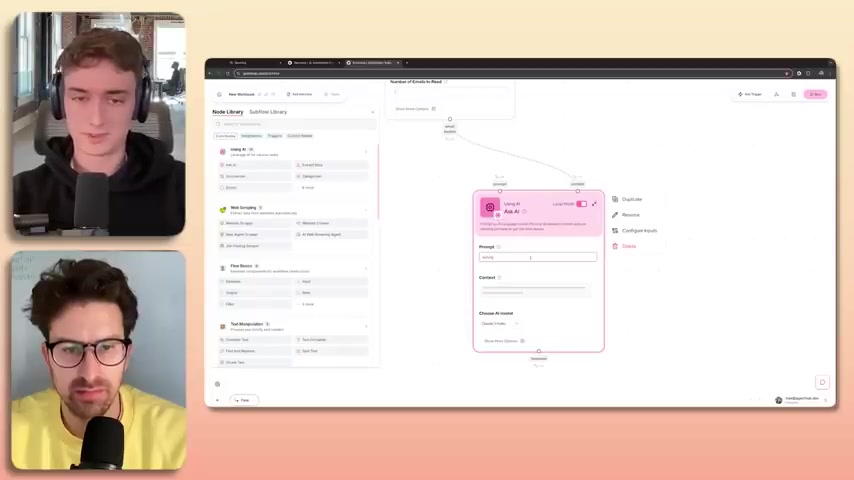
Open Hub: This is what we call the hub, These are all of my workflows.
-
Navigate to the Workflow Creation Page: On the Gumloop dashboard, click on the "New Workflow" or "Create New" button. This will take you to the workflow creation page.
-
Define Agent Goal: Determine the primary objective of your AI agent. A Gumloop workflow is just a series of steps that you're connecting, you're passing data from one node we call it to another.
-
Add Node: Add the nodes onto the canvas. We get compared a lot to Zapier and Make and other kind of no-code automation tools.
-
Select Integrations and AI Steps: Connect them the way you wanted for the outcome you expect.
-
Configure and Test Nodes: Configure and test each node to ensure they function correctly. Address any issues that arise during testing. This may involve adjusting integration settings or refining AI Prompts.
-
Activate the AI Agent: Once you are satisfied with the performance, activate your AI agent. This makes it available for use within your Gumloop account.





Most people like

































Report
Please select a reason for reporting
- 13 Reasons to Switch from Snapchat to Text Messaging
- 7 Powerful Speech to Text Apps to Boost Productivity
- 10 Best Speech to Text Tools for Effortless Transcription
- 13 Free Tools to Easily Transcribe Audio to Text
- 15 Surprising Ways Google's Speech-to-Text Boosts Productivity
- 7 Best Free Online Audio to Text Transcription Tools
- 9 Tips to Transcribe Speech to Text Faster and Better
- 13 Best Speech to Text Software for Windows 10 in 2023
- 7 Tips for Choosing the Best Transcriber for Audio to Text
- 11 Reasons Why Dragon Speech-to-Text Apps are Game-Changers
- 6 Secrets to Enhance Your Speech to Text Transcription
- 6 Brilliant Ways to Boost Productivity with Talk-to-Text on Your MacBook
- 6 Ways Transcription Software Converts Audio to Text
- 8 Tips to Transcribe Speech to Text Like a Pro
- 6 Reasons IBM Watson Speech to Text is a Game-Changer
- 14 Powerful Ways Talk-to-Text Improves Your Workflow
- 12 Top Windows Speech-to-Text Software for Efficient Transcription
- 12 Game-Changing Benefits of Apple's Speech to Text Technology
- 9 Powerful Use Cases for AWS Speech to Text Technology
- 10 Easy Steps to Transcribe YouTube Videos to Text
- transcription audio en texte
- online audio transcription
- free audio file transcription
- free ai audio transcription
- audio transcription service
- audio transcription online free
- audio transcription free online
- audio to transcription software
- audio and transcript
- ai audio transcription free
- voice recording to text converter
- translate voice recording to text
- record voice to text
- audio recording to text converter
- voice recording and transcription
- chatgpt voice to text
- gmail voice to text
- speech to text reader
- speech to text ai free
- speech to talk
- Meshy AI: How to Create 3D Models from Text and Images
- How SEO and Marketing Dashboards Empower Agencies to Drive Results
- How to Use AI Tools to Find Internal Linking Opportunities Across a Business Website
- Discover Your Perfect Haircut with AI Hairstyle Apps
- Free Reputation Calculator Tools: How They're Adapting to Score AI Visibility, Not Just Rankings
- Design Professional Flyers for Free on Your Phone
- Best Free Flyer Maker Apps for Android: Design Like a Pro
- How to Know If Your Business Is Ready for an AI Customer Service Agent
- Revolutionizing Storytelling: From Novels to Screenplays with AI
- Create Engaging Animated Explainer Videos with a Free AI Tool
- Meshy AI: How to Create 3D Models from Text and Images
- ASOMobile Helps Teams Benchmark App Store Screenshots Against Competitors
- How to Match LMS Software With Your Organization's Training Plan
- Revolutionizing Email Marketing Agency with AI
- How to Convert BTC to HNT
- Unleashing the Power of AI: Cognizant's Roadmap for Transformation
- Frame to Video Review: A Practical Look at Turning Two Still Frames Into Motion
- NVIDIA NIM: Revolutionizing Supply Chain Data Analysis with AI
- Top AI Tools That Help Brands Stand Out Offline (Not Just Online)
- Top 5 Cold Email Software: Maximize Your Outreach in 2025

Copyright ©2026 toolify