































Table of Contents
- Key Points
- Understanding Hugging Face and Transformers
- Implementing Text Classification with Transformers
- Step-by-Step Guide to Implementing Text Classification
- Pricing
- Pros and Cons
- Core Features
- Use Cases
- FAQ
- Related Questions



Understanding Hugging Face and Transformers
What is Hugging Face?
Hugging Face is a central hub for machine learning, particularly known for its work in natural language processing.
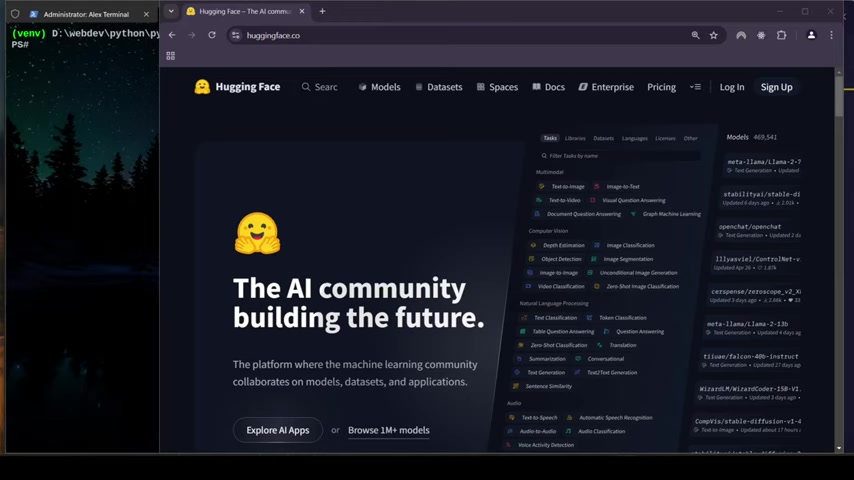
It offers a range of tools and resources, making it easier for developers and researchers to access and use pre-trained models. The platform's collaborative nature encourages the sharing and improvement of AI technologies. Hugging Face hosts a vast collection of models and datasets, spanning various tasks like text generation, translation, and understanding. Its open-source libraries, such as Transformers, have become essential for anyone working with NLP. The platform emphasizes community contributions, fostering a space where users can learn, share, and build together. Hugging Face's commitment to democratizing AI is evident in its user-friendly interfaces and comprehensive documentation, which are designed to lower the barrier to entry for newcomers. Additionally, Hugging Face actively promotes ethical AI practices, encouraging the development of responsible and fair models. By providing tools for explainability and bias detection, they empower users to create AI systems that are both powerful and aligned with societal values.
Key aspects of Hugging Face include:
- A large repository of pre-trained models.
- Tools for fine-tuning and deploying models.
- A supportive community of researchers and developers.
- Focus on ethical AI and responsible development.
Introduction to Transformers Library
The Transformers library by Hugging Face is a powerful tool that provides pre-trained models for various NLP tasks.
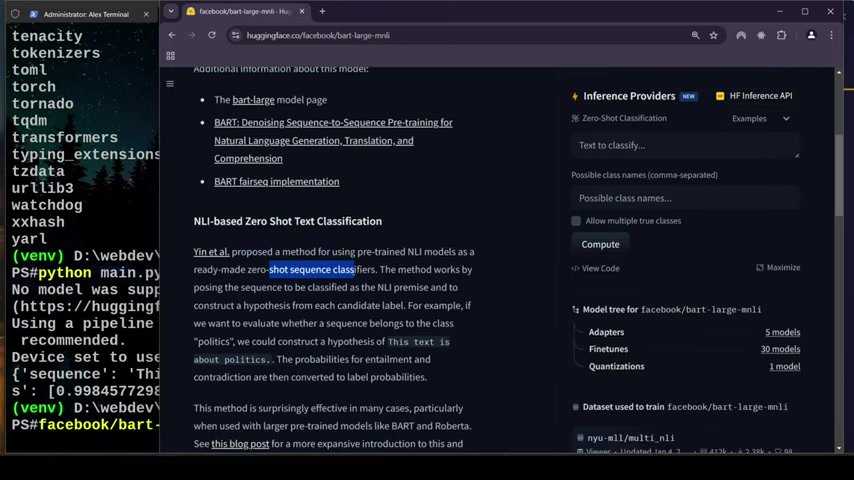
It supports thousands of models, making it easy to implement state-of-the-art solutions for text classification, summarization, and more. The library is designed for ease of use, allowing developers to quickly integrate pre-trained models into their projects with minimal code. Transformers supports multiple deep learning frameworks, including TensorFlow and PyTorch, offering flexibility to users based on their preferences. The library also includes utilities for tokenization, which is a crucial step in processing text data for NLP models. Tokenization involves breaking down text into smaller units (tokens) that the model can understand. Transformers offers a simple and consistent API for working with different models, reducing the complexity of managing various architectures. Furthermore, the library provides tools for model fine-tuning, allowing developers to adapt pre-trained models to specific tasks. Fine-tuning involves training the model on a smaller, task-specific dataset to improve its performance on that particular task. This can significantly enhance the accuracy and relevance of the model's outputs.
Key features of the Transformers library:
- Access to thousands of pre-trained models.
- Support for TensorFlow and PyTorch.
- Utilities for tokenization and fine-tuning.
- Simple and consistent API.
Implementing Text Classification with Transformers
Zero-Shot Classification Explained
Zero-shot classification is a technique that allows classifying text without having specific training examples for each category. This is particularly useful when dealing with categories for which you have limited or no labeled data. The method leverages pre-trained models to understand the context and semantics of the text, enabling it to assign appropriate labels. Zero-shot classification works by framing the classification task as a natural language inference (NLI) problem. The model is given a premise (the input text) and a hypothesis (a candidate label) and is asked to determine whether the premise entails the hypothesis. By comparing the likelihood of different hypotheses, the model can choose the most appropriate label. One of the key advantages of zero-shot classification is its flexibility. It can be easily adapted to new categories without retraining the model, making it suitable for dynamic and evolving classification tasks. Zero-shot classification is also valuable for tasks where labeled data is scarce or expensive to obtain. By leveraging the knowledge encoded in pre-trained models, it can achieve reasonable accuracy even with limited supervision. However, zero-shot classification may not always be as accurate as traditional supervised classification methods, particularly when the categories are highly specific or nuanced. In such cases, fine-tuning the model on a small labeled dataset may be necessary to improve performance.
Benefits of zero-shot classification:
- Flexibility to adapt to new categories without retraining.
- Suitable for tasks with limited labeled data.
- Leverages knowledge encoded in pre-trained models.
Limitations of zero-shot classification:
- May not always be as accurate as supervised methods.
- Requires careful selection of candidate labels.
- Can be sensitive to the wording of the input text.
Using Pipelines for Simplified Classification
Pipelines in the Transformers library provide a high-level API for simplifying the use of transformer models.
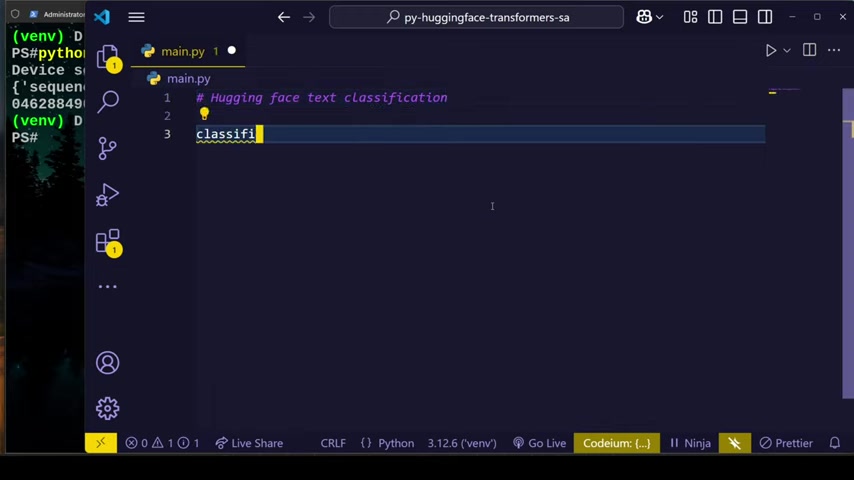
They encapsulate the entire process of text processing, from tokenization to model inference, making it easier to perform tasks like text classification with just a few lines of code. Pipelines are designed to be user-friendly, abstracting away the complexities of model loading, data preprocessing, and output formatting. They support various tasks, including sentiment analysis, question answering, and text generation. Pipelines can be easily customized by specifying different models, tokenizers, and devices (CPU or GPU). This allows developers to tailor the pipeline to their specific needs and hardware resources. Pipelines also offer options for batch processing, enabling efficient handling of large amounts of text data. Batch processing involves processing multiple text samples simultaneously, which can significantly reduce the overall processing time. In addition to their ease of use, pipelines also provide performance optimizations, such as caching and parallelization. Caching involves storing intermediate results to avoid redundant computations, while parallelization involves distributing the workload across multiple processors or devices.
Advantages of using pipelines:
- Simplified API for using transformer models.
- Abstraction of complexities like model loading and data preprocessing.
- Customizable with different models, tokenizers, and devices.
- Support for batch processing and performance optimizations.
Potential drawbacks of pipelines:
- Limited control over individual steps of the process.
- May not be suitable for highly specialized or complex tasks.
- Can be less flexible than working directly with model APIs.
Sentiment Analysis Example with Python Code
Let's walk through an example of how to perform sentiment analysis using Hugging Face Transformers in Python. Here’s a basic code snippet to get you started:
First, ensure you have the transformers library installed. If not, install it via pip:
pip install transformersNext, you can use the following Python code to perform sentiment analysis:
from transformers import pipeline

# Initialize the classifier pipeline for zero-shot classification
classifier = pipeline("zero-shot-classification")

# Define the sequence to classify
sequence = "This is a great product!"

# Define candidate labels for classification
candidate_labels = ["positive", "negative"]

# Perform classification
result = classifier(sequence, candidate_labels=candidate_labels)

# Print the result
print(result)
This code initializes a zero-shot classification pipeline, defines a text sequence, specifies candidate labels (positive and negative), and then performs the classification. The result will include the probabilities of each label.
To improve the accuracy, it is necessary to specify which model to use:
from transformers import pipeline

# Initialize the classifier pipeline for zero-shot classification, specifying the model
classifier = pipeline("zero-shot-classification", model="facebook/bart-large-mnli")

# Define the sequence to classify
sequence = "This is bad!"

# Define candidate labels for classification
candidate_labels = ["positive", "negative"]

# Perform classification
result = classifier(sequence, candidate_labels=candidate_labels)

# Print the result
print(result)
Key considerations when implementing sentiment analysis:
- Choosing the right pre-trained model for the task.
- Carefully defining candidate labels to match the desired categories.
- Fine-tuning the model on a small labeled dataset to improve accuracy.
By following these steps, you can effectively perform sentiment analysis using Hugging Face Transformers, gaining valuable insights into the sentiment expressed in text data.


Most people like




































Report
Please select a reason for reporting
- 13 Reasons to Switch from Snapchat to Text Messaging
- 7 Powerful Speech to Text Apps to Boost Productivity
- 10 Best Speech to Text Tools for Effortless Transcription
- 13 Free Tools to Easily Transcribe Audio to Text
- 15 Surprising Ways Google's Speech-to-Text Boosts Productivity
- 7 Best Free Online Audio to Text Transcription Tools
- 9 Tips to Transcribe Speech to Text Faster and Better
- 13 Best Speech to Text Software for Windows 10 in 2023
- 7 Tips for Choosing the Best Transcriber for Audio to Text
- 11 Reasons Why Dragon Speech-to-Text Apps are Game-Changers
- 6 Secrets to Enhance Your Speech to Text Transcription
- 6 Brilliant Ways to Boost Productivity with Talk-to-Text on Your MacBook
- 6 Ways Transcription Software Converts Audio to Text
- 8 Tips to Transcribe Speech to Text Like a Pro
- 6 Reasons IBM Watson Speech to Text is a Game-Changer
- 14 Powerful Ways Talk-to-Text Improves Your Workflow
- 12 Top Windows Speech-to-Text Software for Efficient Transcription
- 12 Game-Changing Benefits of Apple's Speech to Text Technology
- 9 Powerful Use Cases for AWS Speech to Text Technology
- 10 Easy Steps to Transcribe YouTube Videos to Text
- transcription audio en texte
- online audio transcription
- free audio file transcription
- free ai audio transcription
- audio transcription service
- audio transcription online free
- audio transcription free online
- audio to transcription software
- audio and transcript
- ai audio transcription free
- voice recording to text converter
- translate voice recording to text
- record voice to text
- audio recording to text converter
- voice recording and transcription
- chatgpt voice to text
- gmail voice to text
- speech to text reader
- speech to text ai free
- speech to talk
- Meshy AI: How to Create 3D Models from Text and Images
- How SEO and Marketing Dashboards Empower Agencies to Drive Results
- How to Use AI Tools to Find Internal Linking Opportunities Across a Business Website
- Discover Your Perfect Haircut with AI Hairstyle Apps
- Free Reputation Calculator Tools: How They're Adapting to Score AI Visibility, Not Just Rankings
- Design Professional Flyers for Free on Your Phone
- Best Free Flyer Maker Apps for Android: Design Like a Pro
- How to Know If Your Business Is Ready for an AI Customer Service Agent
- Revolutionizing Storytelling: From Novels to Screenplays with AI
- Create Engaging Animated Explainer Videos with a Free AI Tool
- Automate Lead Generation: A Comprehensive Guide with AI Agents
- Revideo.io: The Future of Reverse Video Search Technology
- Revolutionizing Email Marketing Agency with AI
- Breaking the Character Drift Dilemma: A Practical Test of Smart Shot
- Meshy AI: How to Create 3D Models from Text and Images
- ASOMobile Helps Teams Benchmark App Store Screenshots Against Competitors
- How to Match LMS Software With Your Organization's Training Plan
- How to Convert BTC to HNT
- Unleashing the Power of AI: Cognizant's Roadmap for Transformation
- Frame to Video Review: A Practical Look at Turning Two Still Frames Into Motion

Copyright ©2026 toolify