































Table of Contents
- Key Points
- Understanding Image Cropping
- Image Cropping with OpenCV and Python: A Practical Guide
- OpenCV Bootcamp Pricing
- Pros and Cons of Image Cropping
- OpenCV Core Features
- OpenCV Use Cases
- Frequently Asked Questions
- Related Questions


Understanding Image Cropping
What is Image Cropping?
Image cropping is the process of removing the outer parts of an image to improve framing, alter the aspect ratio, or emphasize a particular subject.
It's a fundamental technique used in various applications, from basic photo editing to advanced computer vision tasks. Cropping allows you to focus on the most important elements of an image while eliminating distractions. Understanding the basics of image cropping is essential for anyone working with digital images.
Image cropping involves selecting a rectangular region within an image and discarding everything outside of that region. The resulting image contains only the pixels within the selected rectangle. The cropping process can be used to:
- Improve Framing: Correct the composition of the image by removing unnecessary elements at the edges.
- Alter Aspect Ratio: Change the proportions of the image to fit different display sizes or creative needs.
- Emphasize a Subject: Draw the viewer's attention to a specific object or area within the image. By strategically cropping an image, you can create a more visually appealing and impactful result. Understanding how to use cropping effectively is a key skill for both photographers and computer vision engineers.
Effective image cropping involves more than just arbitrarily cutting off parts of an image. It requires careful consideration of the image's composition, subject matter, and intended use. A well-cropped image will be more visually engaging and convey its message more effectively.
Key Benefits of Image Cropping
- Enhanced Visual Appeal: Cropping can remove distractions and improve the overall aesthetic quality of an image.
- Improved Composition: Adjusting the framing of an image can create a more balanced and harmonious composition.
- Focus and Emphasis: Drawing attention to the most important elements of an image.
- Adaptability: Changing the aspect ratio of an image to fit different display requirements.
These benefits make image cropping a vital tool for various applications, from social media to professional Photography. Whether you're a casual user or a seasoned professional, mastering the art of image cropping can significantly enhance your visual storytelling.
Unique Use Cases for Image Cropping
Image cropping has various unique use cases, far beyond simply making a photo look 'better'. These use cases span multiple fields and demonstrate the versatility of this fundamental image processing technique.
-
Focusing on Key Subjects: Cropping is used to highlight important elements within an image.
By removing distractions, you can draw the viewer's attention to the subject you want to emphasize. This is particularly useful in portrait photography and product photography, where the goal is to showcase the subject in the best possible light. This technique is also used for reviving photos of old film pictures.
-
Composition Improvements: By adjusting an image's composition to follow principles like the rule of thirds, you can transform a basic shot into an amazing one. This involves strategically placing the subject within the frame to create a more balanced and visually appealing image. Applying the rule of thirds, for instance, helps draw the eye and make the image more dynamic.
-
Data Augmentation for Deep Learning: Cropping is a common technique used in data augmentation pipelines for training image-based deep learning models. It enhances the diversity of training datasets, which leads to better model generalization. Deep learning models can then become more robust and accurate. This is used in object detection, image classification, and other computer vision tasks.
-
Privacy Protection: Cropping can help remove sensitive information from images before sharing. For instance, you can crop out identifying details from documents or license plates from photos to protect people’s privacy. This is an important consideration when sharing images online or using them in applications where privacy is a concern.
These are just a few of the many unique use cases for image cropping. As technology advances, new and innovative applications for this technique will continue to emerge. The versatility of cropping makes it an essential tool in the field of image processing.
Image Cropping with OpenCV and Python: A Practical Guide
Setting up your Environment
Before diving into the code, ensure that you have the necessary libraries installed.
Import the OpenCV (cv2) Python Library
The initial step is to import the cv2 library, alongside matplotlib for displaying the image and requests for accessing an image online.
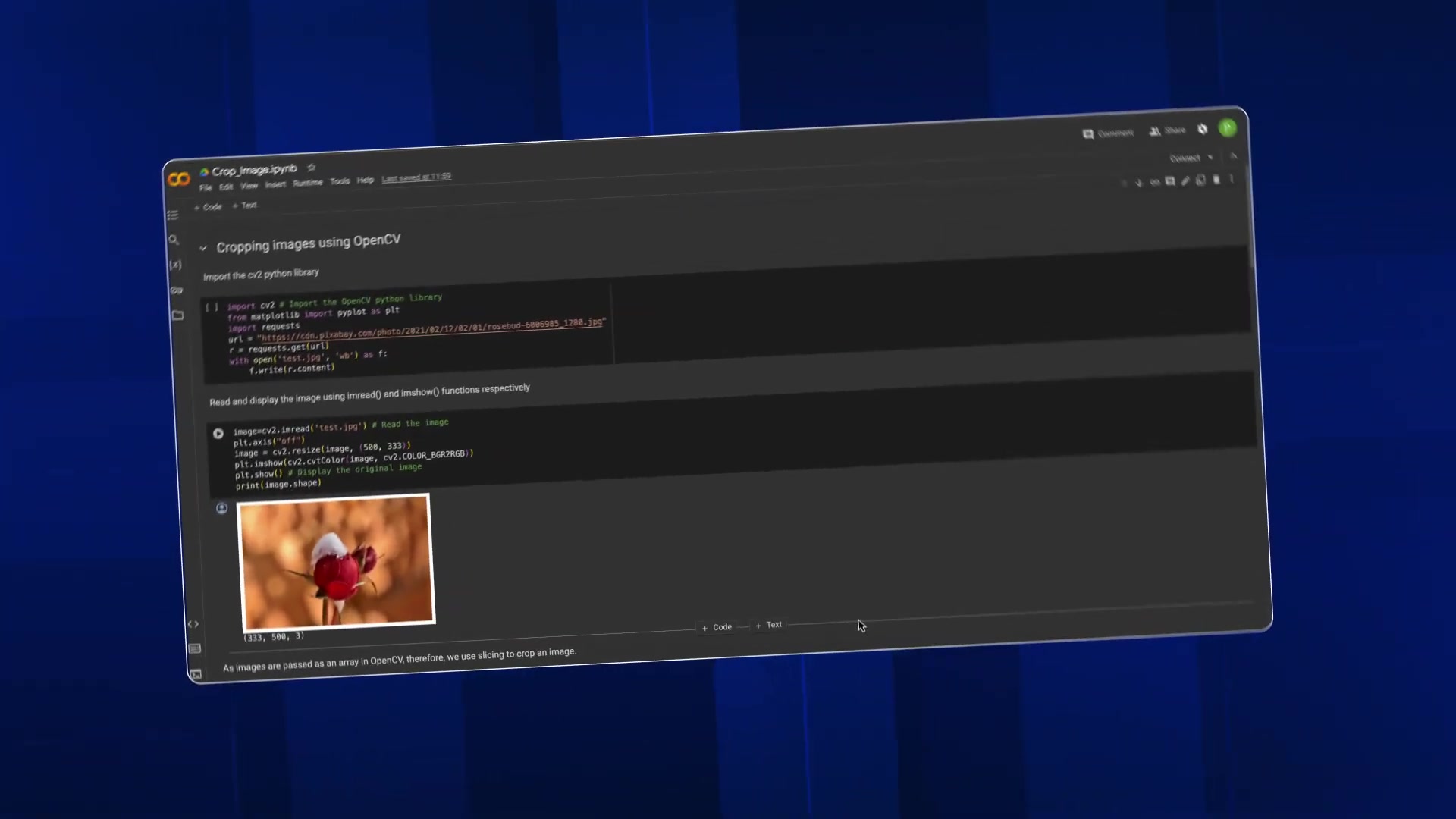
   import cv2
   import matplotlib.pyplot as plt
   import requests
You will also need to ensure that these libraries are installed in your Python environment. You can install them using pip:
pip install opencv-python matplotlib requestsWith your environment set up, you're ready to start exploring image cropping with OpenCV.
Reading and Displaying Images
The initial step is to read and display the image that will be cropped.
url = "https://cdn.pixabay.com/photo/2021/02/12/02/01/Rosebud-5886585_1280.jpg"
r = requests.get(url)
with open('test.jpg', 'wb') as f:
    f.write(r.content)

image = cv2.imread('test.jpg')
image = cv2.resize(image, (500, 333))
plt.imshow(cv2.cvtColor(image, cv2.COLOR_BGR2RGB))
plt.show()
print(image.shape)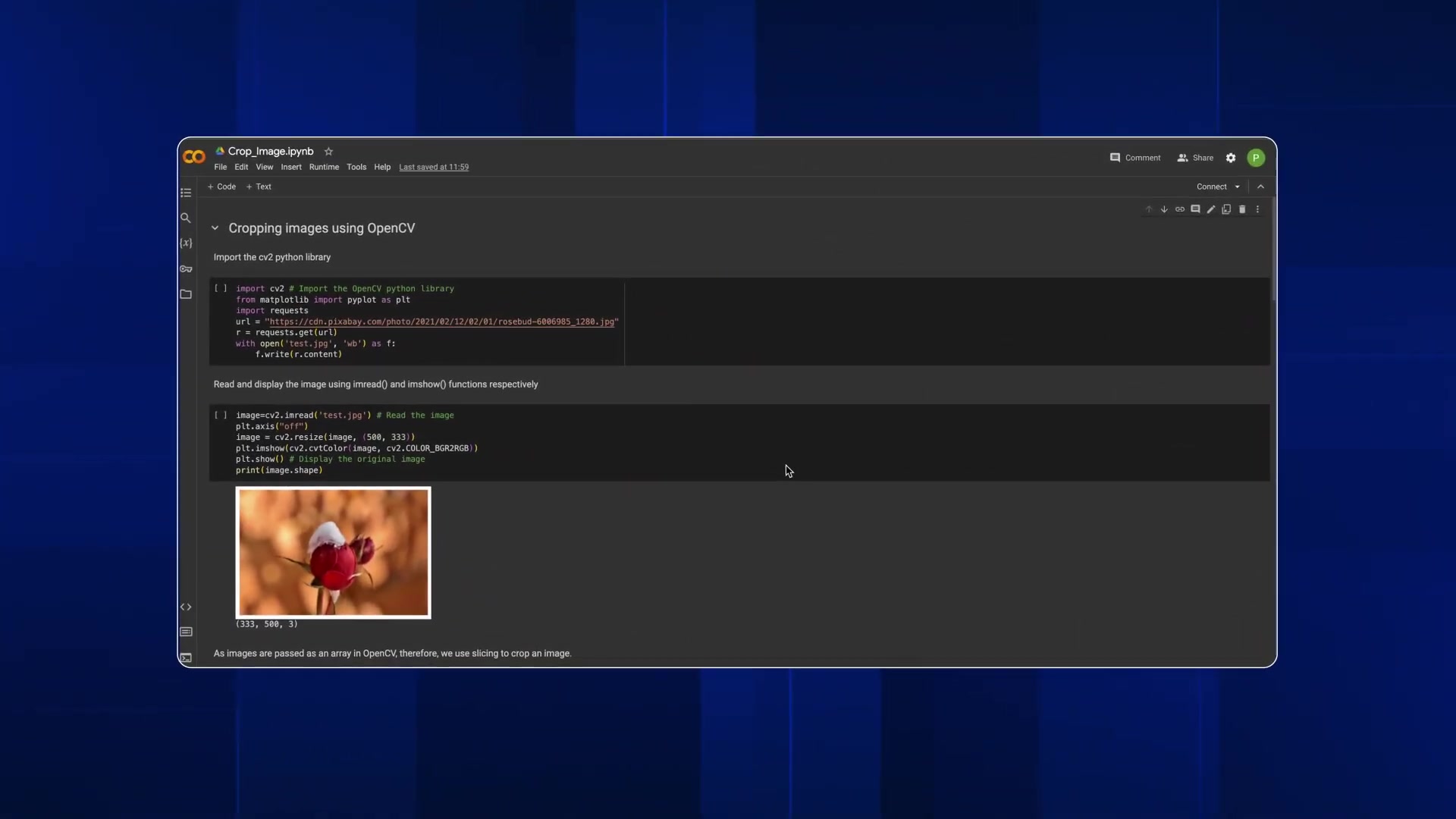
This code downloads an image from a URL, reads it using cv2.imread(), resizes it, and then displays it using matplotlib. The print(image.Shape) line shows the Dimensions of the original image.
The shape of the image is printed so that the dimensions of the cropped image can be determined. This step is crucial to know the full extent of the image size.
Implementing Image Cropping
Image cropping can be achieved using slicing, specifying the start and end coordinates for both the x and y axes.
   x = int(input("Enter Start point on x axis: "))
   y = int(input("Enter Start point on y axis: "))
   w = int(input("Enter width of cropped image: "))
   h = int(input("Enter height of cropped image: "))

   cropped_image = image[y:y+h, x:x+w]

   plt.imshow(cv2.cvtColor(cropped_image, cv2.COLOR_BGR2RGB))
   plt.show()
   print(cropped_image.shape)
This section prompts the user to input the starting coordinates (x, y), width, and Height of the desired cropped region.
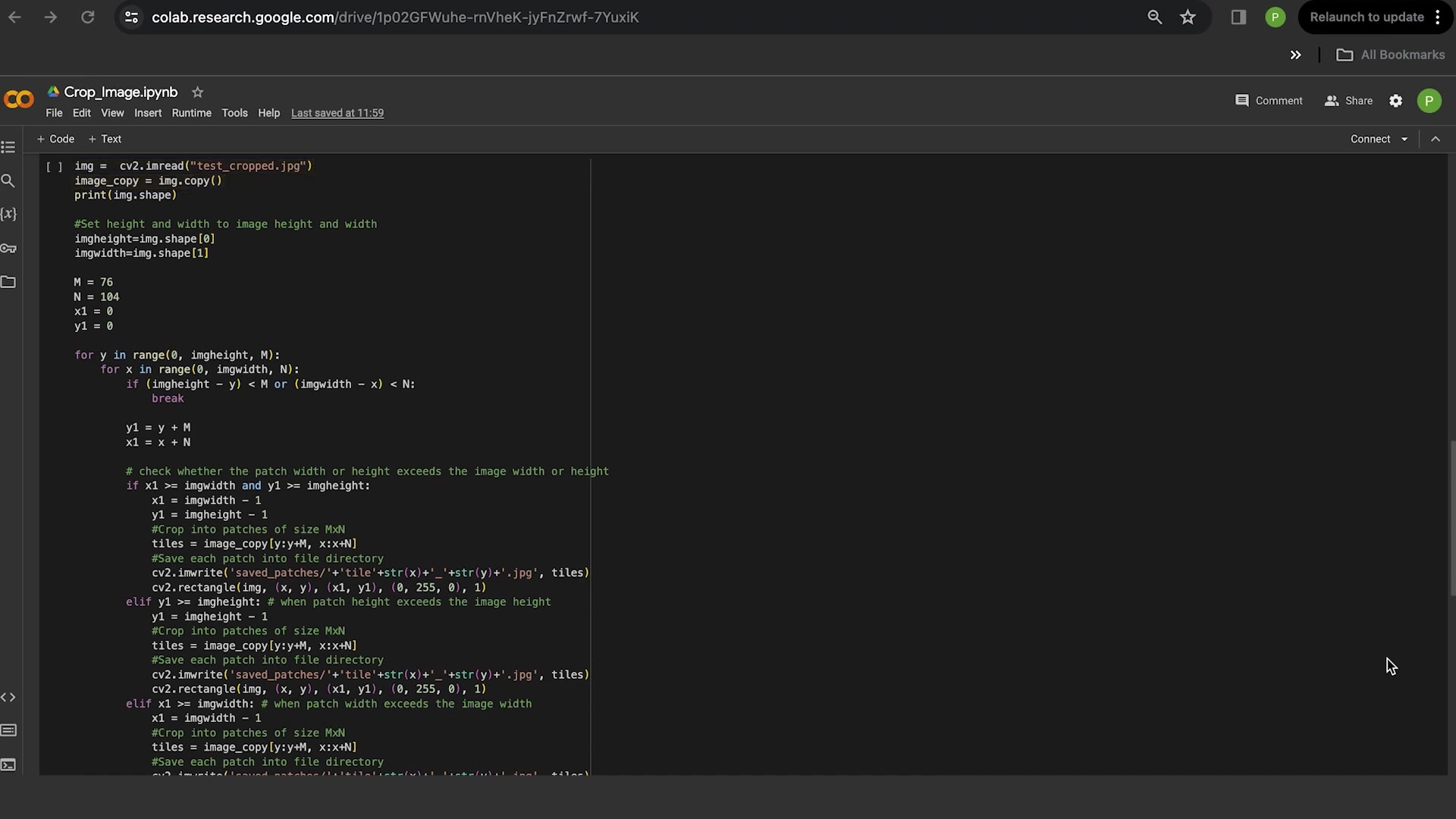
Slicing is then applied to the image array to extract the cropped portion. Finally, matplotlib is used to display the cropped image and print its shape.
The dimensions of the cropped image are also printed, showcasing the cropped dimensions of the selected image. Now you're ready to crop images with OpenCV!
OpenCV Bootcamp Pricing
OpenCV Bootcamp
Luckily, OpenCV is completely free! There are free courses available to learn and start the computer vision journey.
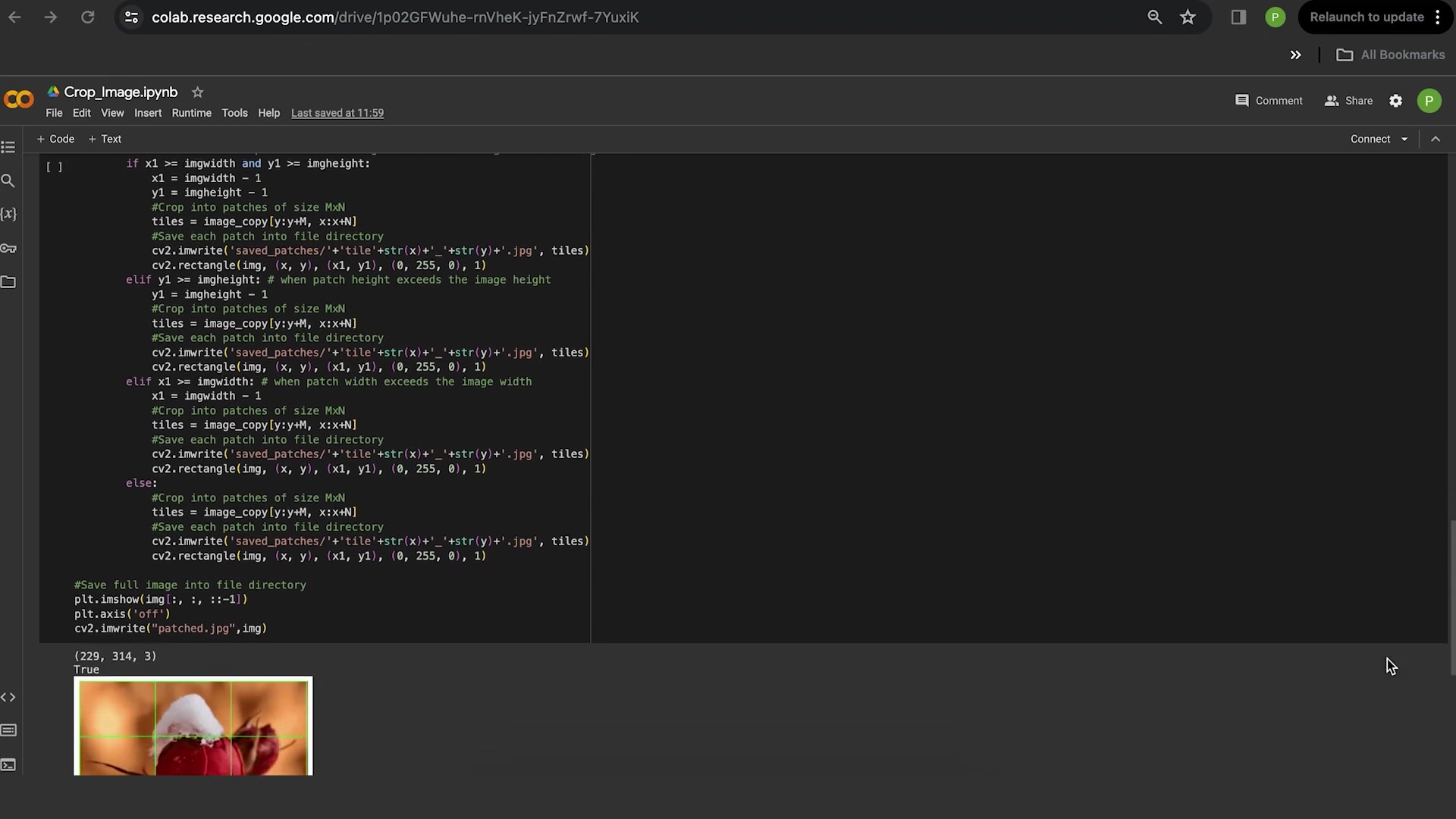
These courses and bootcamps allow for anyone to learn, develop, and test their skills with OpenCV for free. There are also options for paid courses, certifications, and programs with varying prices that can also be explored.





Most people like































Report
Please select a reason for reporting
- 13 Reasons to Switch from Snapchat to Text Messaging
- 7 Powerful Speech to Text Apps to Boost Productivity
- 10 Best Speech to Text Tools for Effortless Transcription
- 13 Free Tools to Easily Transcribe Audio to Text
- 15 Surprising Ways Google's Speech-to-Text Boosts Productivity
- 7 Best Free Online Audio to Text Transcription Tools
- 9 Tips to Transcribe Speech to Text Faster and Better
- 13 Best Speech to Text Software for Windows 10 in 2023
- 7 Tips for Choosing the Best Transcriber for Audio to Text
- 11 Reasons Why Dragon Speech-to-Text Apps are Game-Changers
- 6 Secrets to Enhance Your Speech to Text Transcription
- 6 Brilliant Ways to Boost Productivity with Talk-to-Text on Your MacBook
- 6 Ways Transcription Software Converts Audio to Text
- 8 Tips to Transcribe Speech to Text Like a Pro
- 6 Reasons IBM Watson Speech to Text is a Game-Changer
- 14 Powerful Ways Talk-to-Text Improves Your Workflow
- 12 Top Windows Speech-to-Text Software for Efficient Transcription
- 12 Game-Changing Benefits of Apple's Speech to Text Technology
- 9 Powerful Use Cases for AWS Speech to Text Technology
- 10 Easy Steps to Transcribe YouTube Videos to Text
- transcription audio en texte
- online audio transcription
- free audio file transcription
- free ai audio transcription
- audio transcription service
- audio transcription online free
- audio transcription free online
- audio to transcription software
- audio and transcript
- ai audio transcription free
- voice recording to text converter
- translate voice recording to text
- record voice to text
- audio recording to text converter
- voice recording and transcription
- chatgpt voice to text
- gmail voice to text
- speech to text reader
- speech to text ai free
- speech to talk
- How to Use AI Tools to Find Internal Linking Opportunities Across a Business Website
- Discover Your Perfect Haircut with AI Hairstyle Apps
- Free Reputation Calculator Tools: How They're Adapting to Score AI Visibility, Not Just Rankings
- Design Professional Flyers for Free on Your Phone
- Best Free Flyer Maker Apps for Android: Design Like a Pro
- How to Know If Your Business Is Ready for an AI Customer Service Agent
- Revolutionizing Storytelling: From Novels to Screenplays with AI
- Create Engaging Animated Explainer Videos with a Free AI Tool
- Stop Multi-Subscribing: Benchmark Top AI Visual Models in One Canvas
- Best Seedance 2.5 API Provider: Every Price on the Market, Checked at Source
- Top AI Social Media Management Tools: Automate Your Content Strategy
- Free AI Text to Video Generator: Create Stunning Videos from Text
- Discover 17 ChatGPT Alternatives: A Comprehensive Comparison
- Character.AI vs. Janitor AI: Which AI Chat Platform Reigns Supreme?
- Top Virtual Assistant Companies in 2026: Reviews, Pricing, and Plans Compared
- Unveiling FaceCheck.ID: Revolutionizing Reverse Image Searches with AI
- 11 Best AI Dialers in 2026: Features, Pricing, Pros and Cons
- How I Direct Consistent AI Clips: A Hands-On Guide to Multi-Model Generation
- A Realistic Review of the Photo Generator Image Tool
- Playwright MCP Server: Automated Web Testing with Agent Mode

Copyright ©2026 toolify