































Table of Contents
- Key Points
- Introduction to Image Recognition with LearningML
- Step-by-Step Guide to Building an Image Recognition Model in LearningML
- LearningML Pricing
- Pros and Cons of Using LearningML
- Key Features of LearningML
- Use Cases for LearningML
- Frequently Asked Questions about LearningML
- Related Questions


Introduction to Image Recognition with LearningML
What is LearningML?
LearningML is a web platform created to simplify the learning process of machine learning, specifically designed with educators and students in mind.
It removes the complexities often associated with machine learning, providing a hands-on, interactive experience that allows users to quickly build and test AI models. The platform is part of the FAIaS (Fostering Artificial Intelligence at Schools) project, reflecting its commitment to educational use.
LearningML is designed around three core principles:
- Accessibility: It is designed to be user-friendly, enabling individuals with limited programming or AI experience to engage with machine learning concepts.
- Practical Application: The tool fosters practical AI skills by allowing users to directly implement and test machine learning models.
- Educational Focus: It supports teaching by providing resources suitable for classroom environments, including various activities and examples.
To further explain LearningML and its use in image recognition, it’s essential to cover some fundamental concepts of AI modeling. Machine learning models rely on algorithms and large quantities of training data to build predictive systems. With Image Recognition, these models are trained to identify and classify images according to pre-defined categories.
This introduction is just the beginning. As we progress through this Tutorial, you'll discover how these principles Translate into real-world applications, enabling you to create your own AI models for image recognition quickly and effectively.
Understanding AI Models for Image Classification
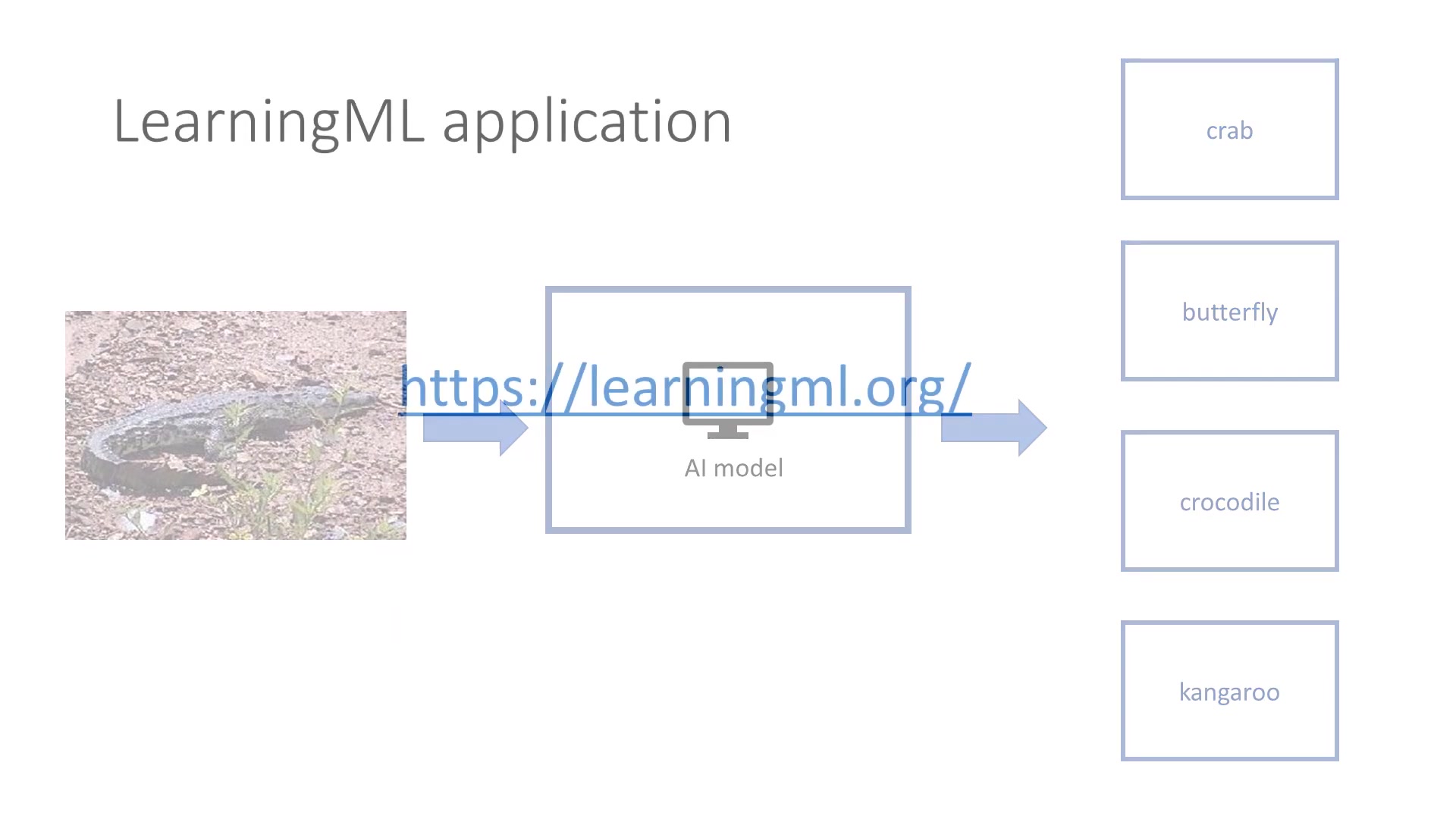
An AI model in image classification acts as a mapping function.
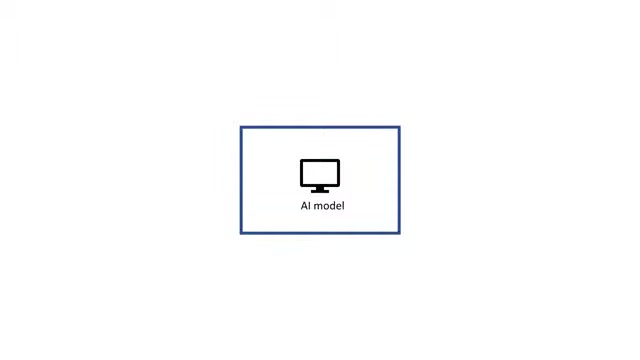
It takes an input—in our case, an image—and outputs a classification, assigning the image to a particular category. To illustrate, if you input an image of a kangaroo, the model should output ‘Kangaroo’.
The process involves:
- Input: An image file.
- Model: The trained AI, which processes the image.
- Output: The predicted class or category of the image. In this tutorial, the goal is to build a model that accurately categorizes images of different animals into four specific classes: Crabs, Butterflies, Crocodiles, and Kangaroos.
Our objective is to create an AI model that accurately classifies these four animal categories, ensuring that the model can recognize various images of these animals even if they haven’t been seen before. This learning capability is critical for any real-world application, where the model needs to handle a diverse range of images.
Before diving into LearningML, it's worth noting the underlying mechanics of machine learning. Models learn from labeled examples. These labeled examples are datasets where each image is paired with the correct classification. The model analyzes the features of these images to develop the ability to predict classifications for new, unseen images.
In essence, we're teaching the AI to find the patterns and characteristics that distinguish one animal class from another. This process of teaching is called training, and the data used for this purpose is called the training dataset.
Navigating the LearningML Application
LearningML offers two versions: a stable version and a beta version.
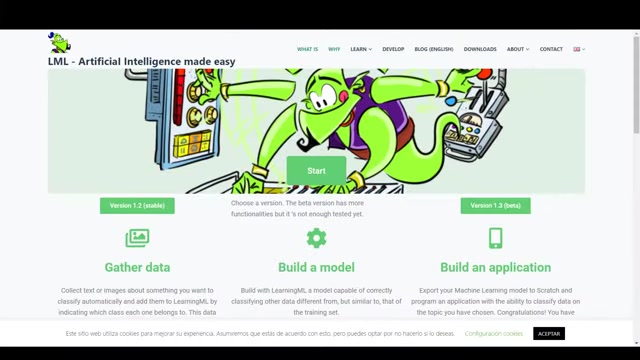
While the beta version contains more functionalities, it is still under testing, which may lead to occasional errors or unexpected behaviors. For the purpose of this tutorial, we will use the stable version to ensure a smooth and reliable experience.
Upon entering the LearningML interface, you are greeted with a choice between working with text or images. Since our focus is image recognition, you should select the ‘Recognize Images’ option.
The image recognition interface presents a structured workflow, divided into three main stages:
- Train: Where you add image examples to teach the AI.
- Learn: Where the system processes the training data to build the AI model.
- Try: Where you test the AI model with new images to verify its accuracy.
These stages align with the typical process of machine learning model development, making LearningML an excellent tool for understanding the practical steps involved. By following these stages, you can construct a functional AI model that identifies and classifies images effectively. The next sections will guide you through each of these steps in detail.
Step-by-Step Guide to Building an Image Recognition Model in LearningML
Step 1: Training the Model with Image Examples
The first phase in crafting our image recognition model is to train it using appropriate image examples.
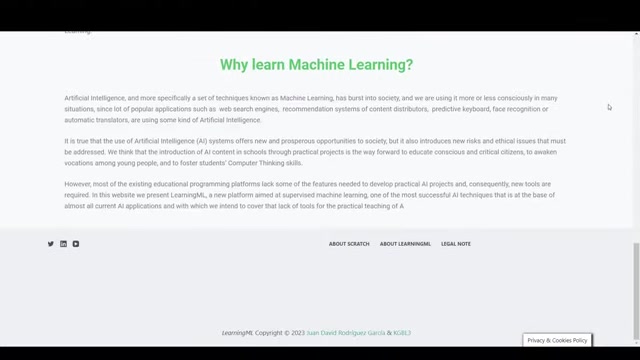
In this training phase, we will input a dataset of images, each correctly labeled, so the model learns to associate visual characteristics with specific categories.
To begin, click on the ‘Add new class of images’ button. This action prompts you to enter a label for the class you wish to create. For our example, we will start by typing ‘Butterfly’ and confirming. Repeat this process for the remaining animal categories, namely ‘Crab’, ‘Crocodile’, and ‘Kangaroo’. This establishes the foundational structure of our AI model.
Here's a markdown table summarizing the class creation process:
| Step | Action | Description |
|---|---|---|
| 1 | Click ‘Add new class of images’ | Opens a Prompt to name the class |
| 2 | Enter Class Name | Type the name of the animal class (e.g., Butterfly) |
| 3 | Confirm | Save the class name |
| 4 | Repeat | Add all remaining classes: Crab, Crocodile, Kangaroo |
With the categories defined, the next step involves adding images to each category. You have two options: upload images from your computer or use a webcam. As we are unlikely to have live crocodiles at hand, we’ll upload images from a local directory. To do this, click on the image icon located beneath each category. A file explorer window appears, allowing you to select multiple images that represent the animal category. Load at least twenty images per class to provide a well-rounded dataset for training.
The process involves:
- Clicking the image icon under each class.
- Selecting multiple images from your local directory that are representative of that animal class.
- Waiting for the images to upload, at which point they appear under the class icon.
The amount of training data is crucial. While LearningML can function with just a few examples per class, the model’s accuracy will improve with more data. Aim to provide a diverse range of images that capture different poses, lighting conditions, and backgrounds for each animal.
Remember, the effectiveness of your image recognition model depends on the quality and diversity of your training data. Ensure you include a broad selection of images to prepare the AI for real-world recognition challenges. This robust training ensures that our model is well-prepared for the next stage.
Step 2: Teaching the Model to Recognize Images
With the image examples now loaded, it is time to train the AI model.
This stage, known as 'Learning', teaches the computer to classify images according to the training examples you've provided. To begin, click on the ‘Learning to recognize images’ button.
The system then initiates the learning process, which involves analyzing the features of the images to create a mapping from images to their corresponding classes. During this phase, you’ll see a visual representation of gears turning, indicating that the process is underway. The duration of this process depends on the size of the training dataset and the complexity of the images, potentially taking several minutes. Patience is key here, as this step is computationally intensive.
LearningML simplifies complex machine learning algorithms into an accessible process. The platform employs supervised learning, where the AI learns from labeled data. By analyzing your dataset, the model identifies patterns and characteristics that distinguish one animal class from another. This involves sophisticated statistical techniques that allow the AI to make predictions with a high degree of accuracy.
Once the learning phase is complete, LearningML confirms that it’s ready for the next stage. Now, we can move on to the final part of the process, which is testing the model and verifying its accuracy.
Step 3: Testing and Verifying the Model's Accuracy
The last step in our journey is to test the accuracy of our newly trained AI model. Here, we introduce the AI to images it has never seen before, allowing us to evaluate its real-world recognition abilities. This testing ensures the model can generalize what it has learned and accurately classify new images.
To start testing, click the ‘Upload a test image’ button. This action opens a file explorer, allowing you to select an image. It's best to use images that were not part of your training set to get a clear assessment of the model’s capabilities. Once the image is uploaded, LearningML displays the results, indicating the likelihood that the image belongs to each of the four classes.
The output consists of a list of probabilities, with each probability indicating the model’s confidence level for that particular class. Ideally, the correct class should have the highest probability. If the model misclassifies the image, it suggests that the training dataset needs more diversity or refinement. Remember the cat example
, if you upload a photo of cat, the system only knows that the photo is a butterfly, crab, kangaroo or crocodile.
Let’s consider some scenarios:
- Successful Classification: The model correctly identifies the image, assigning a high probability to the accurate class. This indicates that the training has been effective.
- Misclassification: The model assigns the highest probability to an incorrect class. This suggests that there are similarities in the features of that animal and the image, highlighting the need for more training data or a more nuanced approach to training the model.
Experiment with different test images to thoroughly assess the model. This experimentation is crucial for refining and improving the accuracy of your AI. Now, let's delve into how to save and share your work on LearningML.






Most people like


































Report
Please select a reason for reporting
- 13 Reasons to Switch from Snapchat to Text Messaging
- 7 Powerful Speech to Text Apps to Boost Productivity
- 10 Best Speech to Text Tools for Effortless Transcription
- 13 Free Tools to Easily Transcribe Audio to Text
- 15 Surprising Ways Google's Speech-to-Text Boosts Productivity
- 7 Best Free Online Audio to Text Transcription Tools
- 9 Tips to Transcribe Speech to Text Faster and Better
- 13 Best Speech to Text Software for Windows 10 in 2023
- 7 Tips for Choosing the Best Transcriber for Audio to Text
- 11 Reasons Why Dragon Speech-to-Text Apps are Game-Changers
- 6 Secrets to Enhance Your Speech to Text Transcription
- 6 Brilliant Ways to Boost Productivity with Talk-to-Text on Your MacBook
- 6 Ways Transcription Software Converts Audio to Text
- 8 Tips to Transcribe Speech to Text Like a Pro
- 6 Reasons IBM Watson Speech to Text is a Game-Changer
- 14 Powerful Ways Talk-to-Text Improves Your Workflow
- 12 Top Windows Speech-to-Text Software for Efficient Transcription
- 12 Game-Changing Benefits of Apple's Speech to Text Technology
- 9 Powerful Use Cases for AWS Speech to Text Technology
- 10 Easy Steps to Transcribe YouTube Videos to Text
- transcription audio en texte
- online audio transcription
- free audio file transcription
- free ai audio transcription
- audio transcription service
- audio transcription online free
- audio transcription free online
- audio to transcription software
- audio and transcript
- ai audio transcription free
- voice recording to text converter
- translate voice recording to text
- record voice to text
- audio recording to text converter
- voice recording and transcription
- chatgpt voice to text
- gmail voice to text
- speech to text reader
- speech to text ai free
- speech to talk
- How SEO and Marketing Dashboards Empower Agencies to Drive Results
- How to Use AI Tools to Find Internal Linking Opportunities Across a Business Website
- Discover Your Perfect Haircut with AI Hairstyle Apps
- Free Reputation Calculator Tools: How They're Adapting to Score AI Visibility, Not Just Rankings
- Design Professional Flyers for Free on Your Phone
- Best Free Flyer Maker Apps for Android: Design Like a Pro
- How to Know If Your Business Is Ready for an AI Customer Service Agent
- Revolutionizing Storytelling: From Novels to Screenplays with AI
- Create Engaging Animated Explainer Videos with a Free AI Tool
- Stop Multi-Subscribing: Benchmark Top AI Visual Models in One Canvas
- 5 Data Problems That Stall AI Projects in Financial Compliance
- Master Storyboard Drawing: Expert Tips for Non-artists
- The Future of Smart Glasses: Explained & Assembling Guide
- DeepL Translator: The AI-Powered Translation Tool
- AI Video Upscaling: Top Tools Compared for Enhanced Quality
- Bridging the Gap: How One Indie Developer Solved the "Art Asset Nightmare" Using AI Style Transfer
- How I Direct Consistent AI Clips: A Hands-On Guide to Multi-Model Generation
- My Honest Review of VideoAI: The Ultimate Character Voice Generator I've Been Using Lately
- Why do so many AI tools underdeliver for online stores?
- My Brand New Logo: AI-Powered Logo Design for Startups

Copyright ©2026 toolify