































Table of Contents
- Key Points
- Introduction to the iStaffVision File Conversion Tool
- How to Use the iStaffVision File Conversion Tool
- Advantages and Disadvantages of Using iStaffVision File Conversion Tool
- Supported Conversion Types
- Key Use Cases for the iStaffVision File Conversion Tool
- Frequently Asked Questions
- Related Questions



Introduction to the iStaffVision File Conversion Tool
What is the iStaffVision File Conversion Tool?
The iStaffVision File Conversion Tool is a powerful utility designed to simplify the process of converting files between various formats.
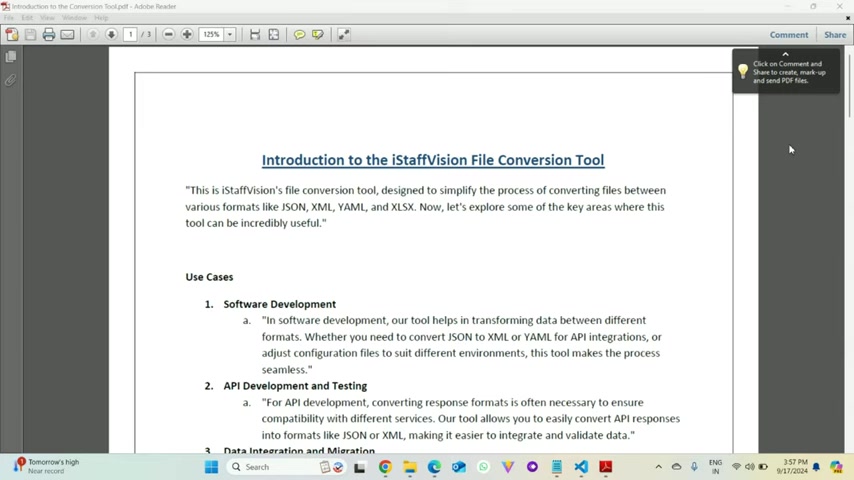
It streamlines converting files between a lot of different formats, such as JSON, XML, YAML, and XLSX. In today's data-driven world, the ability to seamlessly transform data between formats is crucial for various applications, from software development to data analytics. The tool provides a user-friendly interface and robust functionality, making it an indispensable asset for developers, data analysts, and IT professionals alike. Its versatility ensures compatibility, streamlines workflows, and enhances productivity in numerous scenarios, including database migrations and ETL processes.
This article dives into the core features, practical use cases, and advantages of the iStaffVision File Conversion Tool. Whether you are a seasoned developer or a beginner, understanding how to leverage this tool can significantly improve your efficiency and data handling capabilities.
The iStaffVision File Conversion Tool is designed to be super useful in a lot of scenarios. The following sections of the article will give a quick overview of where it can be helpful.
How to Use the iStaffVision File Conversion Tool
Uploading a File
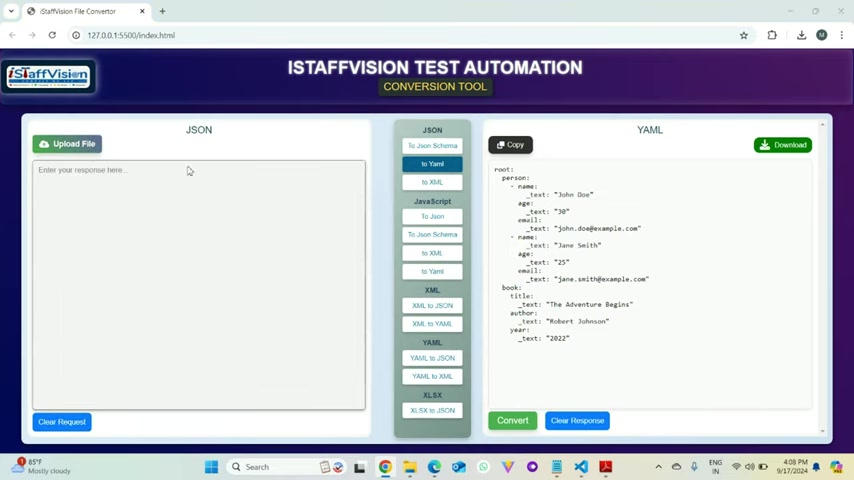
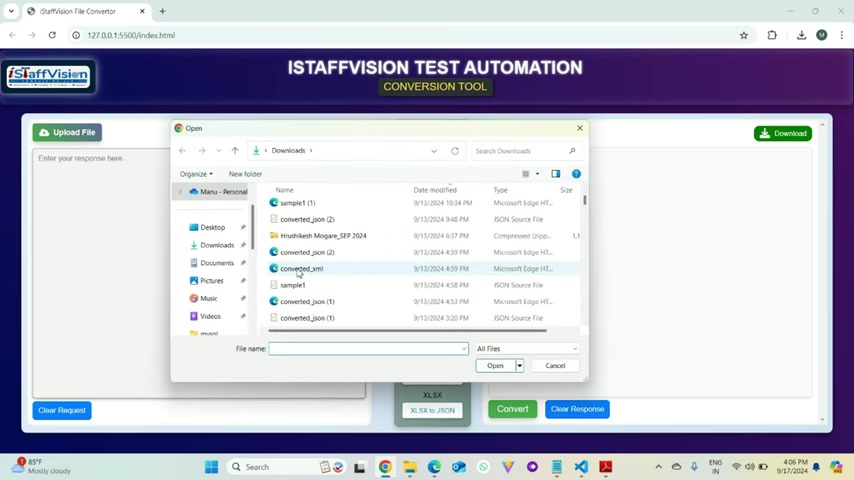
The first step in using the iStaffVision File Conversion Tool is uploading your file.
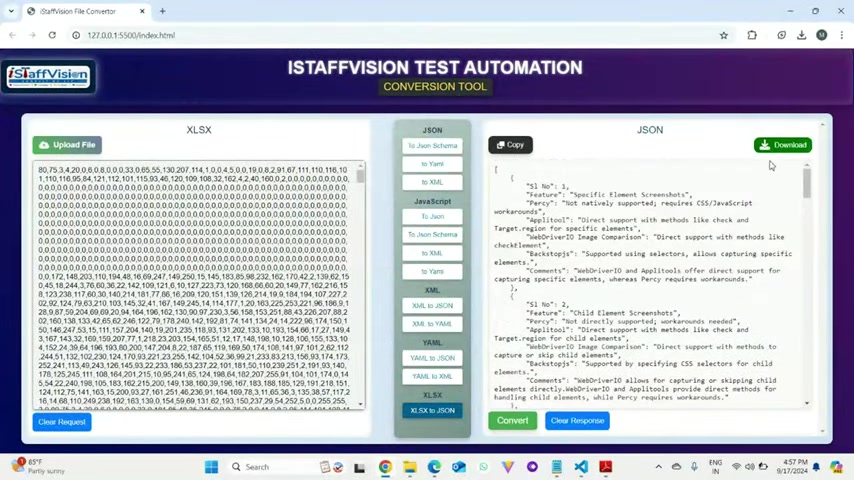
The tool supports various file formats, including JSON, XML, YAML, and XLSX. To upload a file, follow these steps:
- Click the Upload File Button: Locate and click on the 'Upload File' button in the tool's interface.
- Select Your File: Choose the file you wish to convert from your local storage.
- Verify the Upload: Ensure that the file content is correctly displayed in the input area.
Converting the File
Once your file is uploaded, you can proceed with the conversion process.
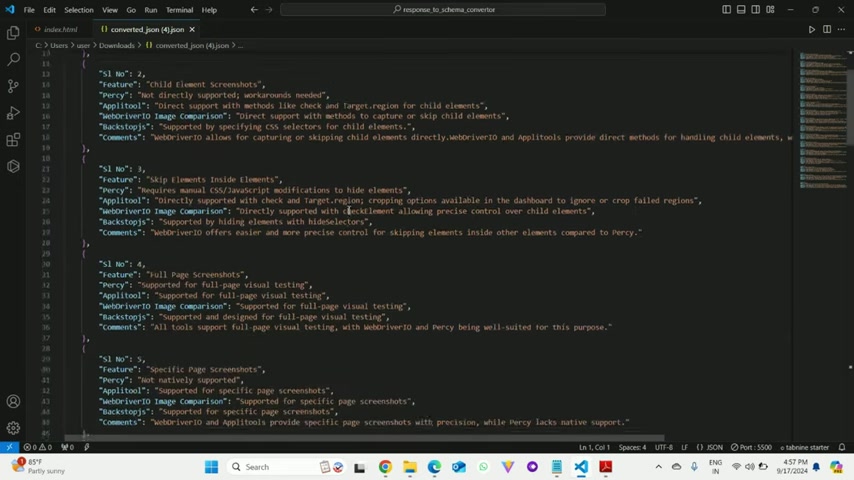
Follow these steps to convert your file to the desired format:
- Choose the Target Format: Select the format you want to convert to (e.g., JSON to YAML).
- Click the Convert Button: Click the 'Convert' button to initiate the conversion.
- Review the Output: Verify that the converted content is accurately displayed in the output area.
Downloading or Copying the Converted File
After the conversion, you can download the converted file or copy the content directly.
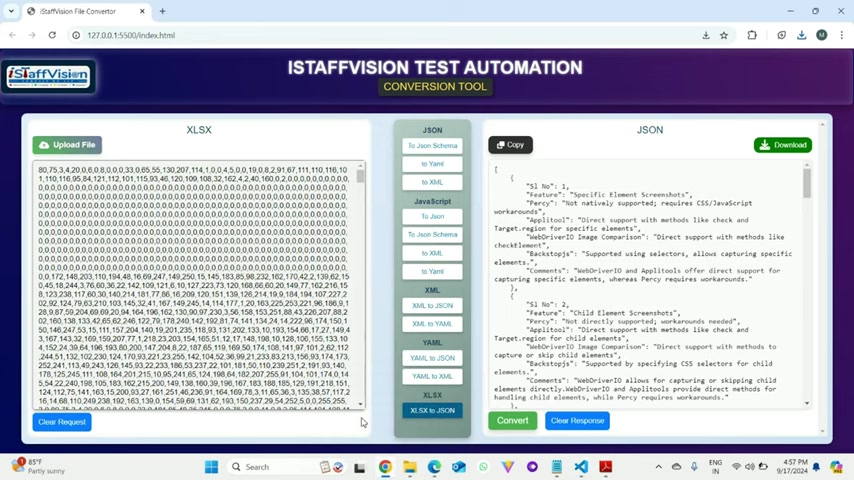
The iStaffVision File Conversion Tool offers two convenient options:
- Download: Click the 'Download' button to save the converted file to your local storage.
- Copy: Click the 'Copy' button to copy the converted content to your clipboard, allowing you to paste it into any application.
With these simple steps, the iStaffVision File Conversion Tool simplifies the entire file conversion process, making it efficient and user-friendly.
Supported Conversion Types
Conversion Table
The iStaffVision File Conversion Tool currently supports a wide array of file format conversions.
Below is a summary of the currently supported types of conversions.
| SI no | From File Type | To File Type | Comments | Result |
|---|---|---|---|---|
| 1 | XML | JSON | Conversion from XML to JSON format, preserving structure and values. | Done |
| 2 | JSON | XML | JSON converted back to XML, maintaining the hierarchical relationships. | Done |
| 3 | XML | YAML | XML transformed into YAML for a more human-readable format. | Done |
| 4 | JSON | YAML | JSON converted to YAML format, simplifying the representation. | Done |
| 5 | YAML | JSON | YAML parsed into JSON for use in JavaScript applications. | Done |
| 6 | YAML | XML | YAML converted into XML, generating proper element structure. | Done |
| 7 | JS OBJECT | JSON | JavaScript object serialized into a JSON string format. | Done |
| 8 | JS OBJECT | XML | JavaScript object converted into XML, retaining keys as XML tags. | Done |
| 9 | JS OBJECT | YAML | JavaScript object formatted as YAML for better readability. | Done |
| 10 | JS OBJECT | JSONSCHEMA | JavaScript object mapped into a JSON Schema to define its structure. | Done |
| 11 | JSON | JS OBJECT | ||
| 12 | XML | JS OBJECT | ||
| 13 | YAML | JS OBJECT | ||
| 14 | JSONSCHEMA | JS OBJECT | ||
| 15 | JSON | JSONSCHEMA | JSON converted into a JSON Schema to define its validation structure. |
Key Use Cases for the iStaffVision File Conversion Tool
Software Development
In software development, the iStaffVision File Conversion Tool is invaluable for transforming data between different formats.
Whether you need to convert JSON to XML for API integrations or adjust configuration files to suit different environments, this tool makes the process seamless, letting you focus on coding rather than data formatting. This capability saves developers considerable time and effort, allowing them to concentrate on building innovative solutions. If you are working on an API and need to switch between data formats, this tool will make the process super easy and quick.
The primary benefits for software development includes:
- Simplifying API Integrations: Easily convert data to match the requirements of different APIs.
- Streamlining Configuration Management: Adjust configuration files on the fly to suit various environments.
- Focusing on Core Development: Reduce time spent on data formatting, allowing developers to concentrate on coding.
API Development and Testing
API development and testing often involve converting response formats to ensure compatibility with different services.
The iStaffVision File Conversion Tool allows you to easily convert API responses into formats like JSON or XML, making it easier to integrate and validate data. The tool makes integrating and validating the data much smoother.
Key benefits of use within API Development and Testing are:
- Ensuring Compatibility: Convert response formats to match different service requirements.
- Simplifying Integration: Streamline the process of integrating with various APIs.
- Enhancing Data Validation: Easily validate API responses by converting them into manageable formats.
Data Integration and Migration
Data integration and migration can be complex, especially during database migrations or ETL processes.
The iStaffVision File Conversion Tool enables quick and easy conversion of data files, ensuring smooth integration between systems and efficient data processing, such as in ETL processes. Data integration can be complex especially during database migrations.
The main benefits in data integration and migration are:
- Simplifying Data Movement: Facilitate the movement of data between systems.
- Enabling Efficient Database Migrations: Convert data files to ensure compatibility during migrations.
- Ensuring Seamless Integration: Smoothly integrate data between different systems.
Business and Analytics
In the business world, importing and exporting data in various formats is a common task.
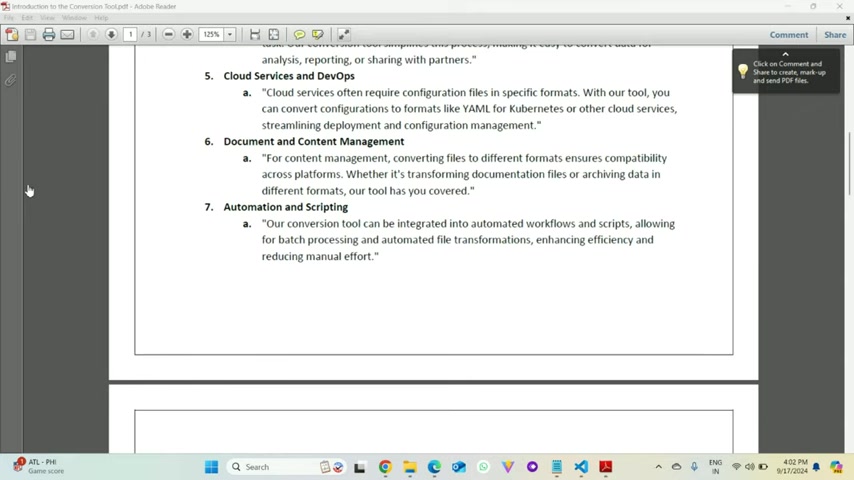
The iStaffVision File Conversion Tool simplifies this process, making it easy to convert data for analysis, reporting, or sharing with partners. By making it easy to convert data for reporting and sharing data with partners, it can help to better improve the performance of business and analytics teams.
The main benefit of usage in Business and Analytics are:
- Streamlining Data Import/Export: Easily import and export data in the required formats.
- Facilitating Data Analysis: Convert data to formats suitable for analysis and reporting.
- Enabling Data Sharing: Simplify the process of sharing data with partners.
Cloud Services and DevOps
Cloud services often require configuration files in specific formats. With the iStaffVision File Conversion Tool, you can convert configurations to formats like YAML for Kubernetes or other cloud services, streamlining deployment and configuration management.
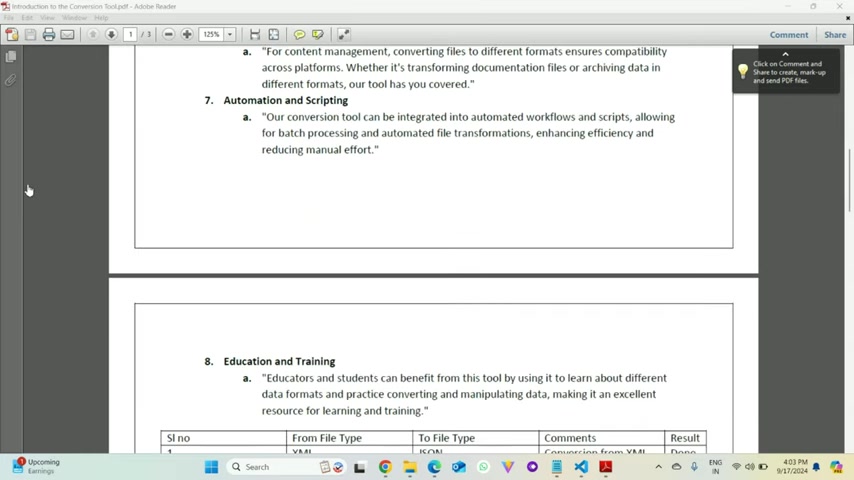
Cloud services often require configuration files in specific formats.
- The DevOps area is essential, especially in cloud services, to meet configuration requirements.
- The tool helps convert files to correct format making deployments and configuration management much easier.
- Configurations often require specific formats like YAML for Kubernetes, which the tool supports.
Document and Content Management
For content management, converting files to different formats ensures compatibility across platforms.
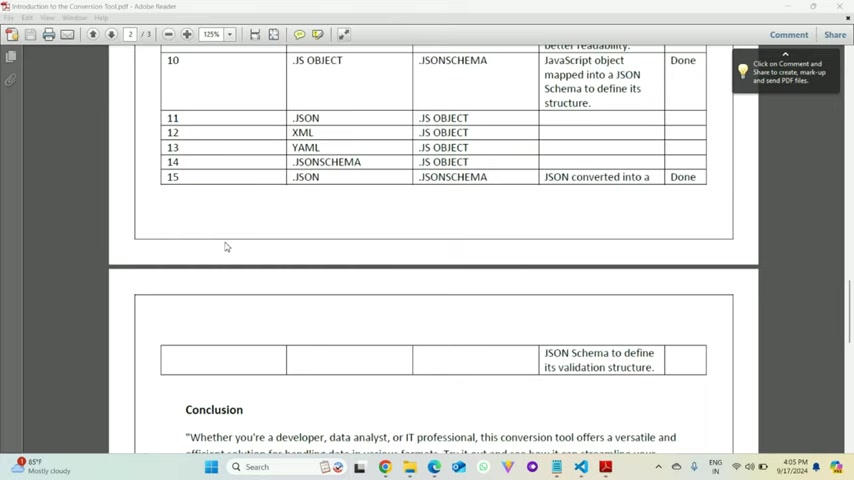
Whether it's transforming documentation files or archiving data in different formats, the iStaffVision tool has you covered. The tool makes it easy to transfer and archive documents, providing compatibility across platforms.
Automation and Scripting
The iStaffVision Conversion tool can be integrated into automated workflows and scripts, allowing for batch processing and automated file transformations, enhancing efficiency and reducing manual effort.
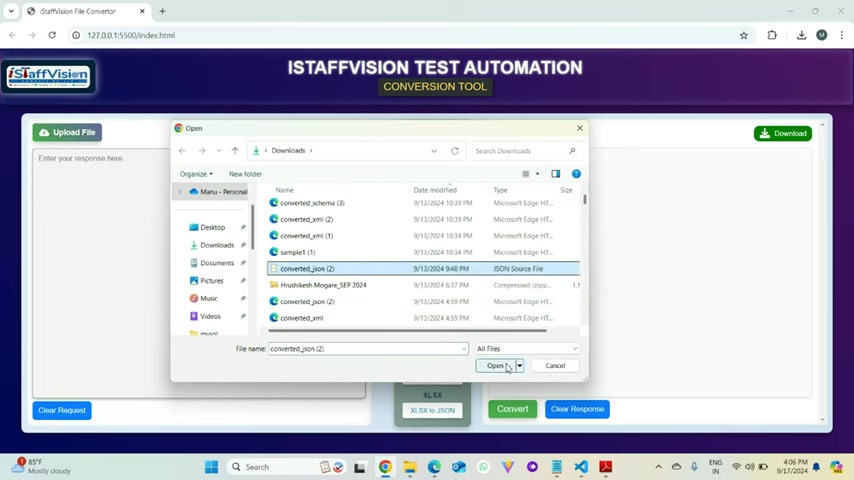
With the conversion tool, it's easy to reduce manual effort in automated workflows. The tool works in different automated work flows such as test automation frameworks or UI frameworks.
Education and Training
Educators and students can benefit from the iStaffVision File Conversion Tool by using it to learn about different data formats and practice converting and manipulating data, making it an excellent resource for learning and training.
The tool allows for learning about various data formats and practicing conversions.
This tool is a great resource for educators teaching data formats, and students looking to work with different formats.







Most people like
































Report
Please select a reason for reporting
- 13 Reasons to Switch from Snapchat to Text Messaging
- 7 Powerful Speech to Text Apps to Boost Productivity
- 10 Best Speech to Text Tools for Effortless Transcription
- 13 Free Tools to Easily Transcribe Audio to Text
- 15 Surprising Ways Google's Speech-to-Text Boosts Productivity
- 7 Best Free Online Audio to Text Transcription Tools
- 9 Tips to Transcribe Speech to Text Faster and Better
- 13 Best Speech to Text Software for Windows 10 in 2023
- 7 Tips for Choosing the Best Transcriber for Audio to Text
- 11 Reasons Why Dragon Speech-to-Text Apps are Game-Changers
- 6 Secrets to Enhance Your Speech to Text Transcription
- 6 Brilliant Ways to Boost Productivity with Talk-to-Text on Your MacBook
- 6 Ways Transcription Software Converts Audio to Text
- 8 Tips to Transcribe Speech to Text Like a Pro
- 6 Reasons IBM Watson Speech to Text is a Game-Changer
- 14 Powerful Ways Talk-to-Text Improves Your Workflow
- 12 Top Windows Speech-to-Text Software for Efficient Transcription
- 12 Game-Changing Benefits of Apple's Speech to Text Technology
- 9 Powerful Use Cases for AWS Speech to Text Technology
- 10 Easy Steps to Transcribe YouTube Videos to Text
- transcription audio en texte
- online audio transcription
- free audio file transcription
- free ai audio transcription
- audio transcription service
- audio transcription online free
- audio transcription free online
- audio to transcription software
- audio and transcript
- ai audio transcription free
- voice recording to text converter
- translate voice recording to text
- record voice to text
- audio recording to text converter
- voice recording and transcription
- chatgpt voice to text
- gmail voice to text
- speech to text reader
- speech to text ai free
- speech to talk
- How SEO and Marketing Dashboards Empower Agencies to Drive Results
- How to Use AI Tools to Find Internal Linking Opportunities Across a Business Website
- Discover Your Perfect Haircut with AI Hairstyle Apps
- Free Reputation Calculator Tools: How They're Adapting to Score AI Visibility, Not Just Rankings
- Design Professional Flyers for Free on Your Phone
- Best Free Flyer Maker Apps for Android: Design Like a Pro
- How to Know If Your Business Is Ready for an AI Customer Service Agent
- Revolutionizing Storytelling: From Novels to Screenplays with AI
- Create Engaging Animated Explainer Videos with a Free AI Tool
- Stop Multi-Subscribing: Benchmark Top AI Visual Models in One Canvas
- My Brand New Logo: AI-Powered Logo Design for Startups
- Create Stunning Logos with Free AI Logo Generator!
- AI Logo Maker: Design a Stunning Logo in Minutes
- Elevate Your Zoom Experience with Enhanced Name Tags by Warmly
- Top 5 AI Logo Makers in 2025: Design a Stunning Brand
- Creative Fabrica's AI Tools: Flow, Studio, and Font Generator
- Create Stunning Logos with Canva's Free AI Logo Generator
- Create Professional and Memorable Logos with LogoMaker.ai
- Design Your Own Font: A Step-by-Step Guide with Vectornator Pro
- AI Font Generator: Revolutionizing Typeface Design with AI

Copyright ©2026 toolify