































Table of Contents
- Key Points
- Understanding the Basics of Machine Learning and Artificial Intelligence
- Revolutionizing FEA with AI: Key Application Areas
- Implementation of Machine Learning into Marc Mentat: A Step-by-Step Tutorial
- Pros and Cons of Machine Learning in FEA
- FAQ
- Related Questions


Understanding the Basics of Machine Learning and Artificial Intelligence
What Exactly is Machine Learning (ML) and Artificial Intelligence (AI)?
Before diving into the applications of machine learning in FEA, it's crucial to establish a clear understanding of these concepts.

Artificial Intelligence (AI), at its core, is the simulation of human intelligence in machines. It's a broad spectrum encompassing natural language processing, computer vision, robotics, and expert systems. Think of AI as the overarching goal: creating machines that can perform tasks that typically require human intelligence.
Machine Learning (ML), on the other hand, is a subset of AI. It's a specialized area that focuses on enabling machines to learn from data without explicit programming. Instead of writing code to directly instruct a machine on how to solve a problem, machine learning algorithms allow the machine to identify patterns, make predictions, and improve its performance over time based on the data it's exposed to.
The core difference between Artificial Intelligence and Machine Learning is that Artificial Intelligence aims to replicate human intelligence in machines, enabling them to perform tasks requiring human-like cognitive abilities, and Machine Learning, a subset of Artificial Intelligence, uses algorithms that allow computers to learn patterns and make predictions directly from data, without explicit programming. This key distinction helps clarify their respective roles and applications within the broader field of Artificial Intelligence.
- Supervised Learning: The model is trained on labeled data, meaning each data point has a known outcome. This is used for tasks like classification and regression.
- Unsupervised Learning: The model finds patterns in unlabeled data. This is useful for clustering and dimensionality reduction.
- Reinforcement Learning: The model learns through trial and error, maximizing rewards to achieve a desired outcome.
AI and ML are increasingly applied in various industries, including Healthcare, finance, and engineering. The rise of platforms like ChatGPT highlights the widespread potential of AI, prompting exploration of its applications in areas such as finite element analysis.
Why Apply Machine Learning to Finite Element Analysis?
Traditional FEA workflows, while powerful, often involve time-consuming processes, especially with large and complex models.
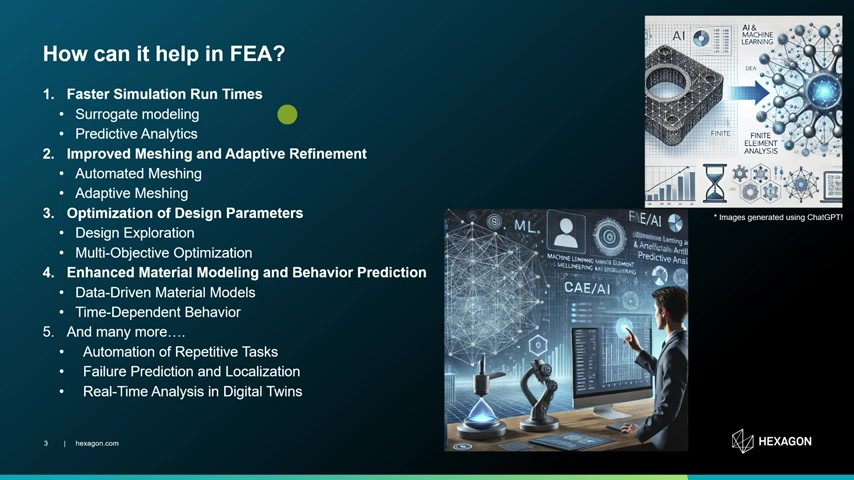
Running simulations can be computationally intensive, demanding significant processing power and time. Machine learning offers a solution by accelerating these processes and improving various aspects of FEA.
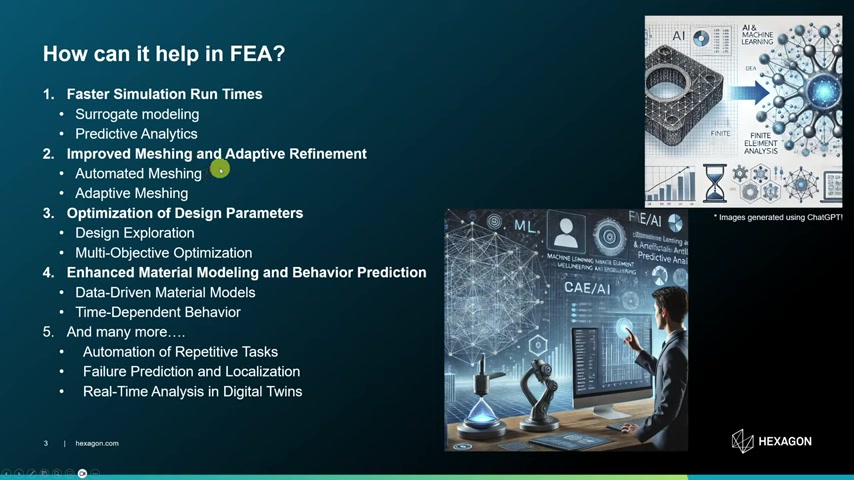
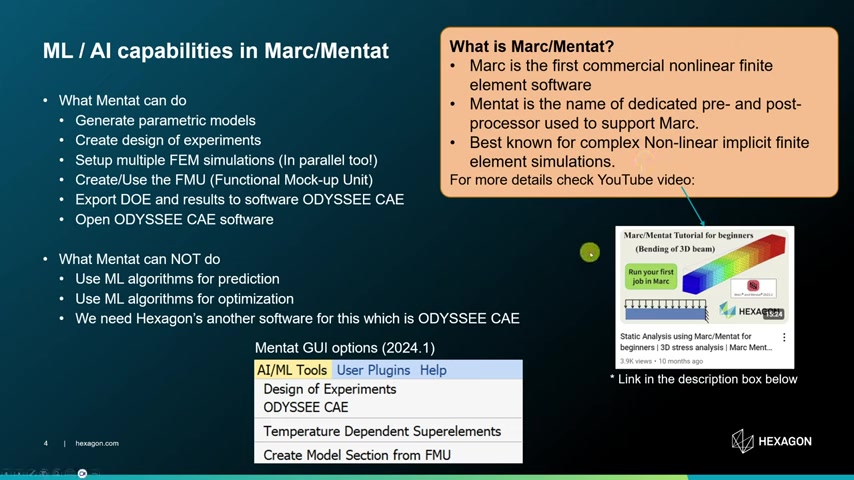
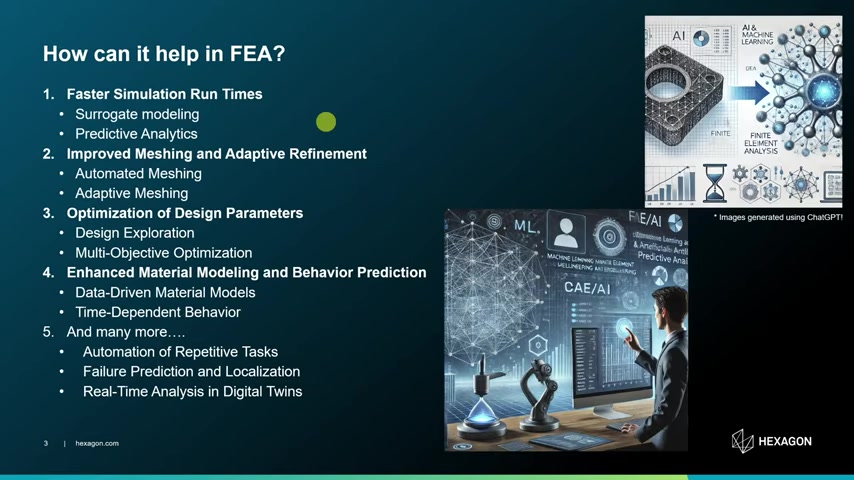
- Faster Simulation Run Times: Surrogate modeling and predictive analytics allow for quicker estimations of results.
- Improved Meshing and Adaptive Refinement: Automation of meshing and adaptive meshing strategies improve accuracy.
- Optimization of Design Parameters: Machine learning facilitates design exploration and multi-objective optimization.
- Enhanced Material Modeling and Behavior Prediction: Data-driven material models and time-dependent behavior predictions become more accurate with ML.
- Automation of Repetitive Tasks: AI can automate repetitive tasks, such as failure prediction and localization.
The key benefit lies in leveraging past data and experiences to reduce the need for computationally intensive simulations. Machine learning models can learn from existing FEA data and accurately predict results for new scenarios, significantly decreasing analysis time.
Revolutionizing FEA with AI: Key Application Areas
Faster Simulation Run Times with Surrogate Modeling
Surrogate modeling is a technique where a simplified model, often a machine learning algorithm, is trained to mimic the behavior of a more complex FEA model. This surrogate model can then be used to quickly estimate results without running the full simulation.
By training a model with results from the simulations, engineers could generate parameters without having to run any heavy simulations.
- Speed: Surrogate models provide near-instantaneous results compared to traditional FEA.
- Efficiency: Reduced computational cost and time.
- Optimization: Allows for rapid exploration of design space and optimization.
Predictive analytics employs machine learning algorithms to forecast FEA outcomes based on historical data and trends, streamlining the design process.
Here's an example that shows how machine learning can expedite the procedure:
| Phase | Traditional FEA | ML-Enhanced FEA |
|---|---|---|
| Simulation | Prepare model, solve, get results, repeat | Prepare model, solve, get results, train ML model, repeat |
| Subsequent Runs | Prepare model, solve, get results | Prepare model, trained ML model, get results |
| Outcome | Time-consuming iterations | Much quicker predictions |
Improved Meshing and Adaptive Refinement
Automated meshing is the process of automatically generating a mesh, a network of elements used to discretize the geometry for FEA. AI can improve meshing by identifying optimal element sizes and densities, reducing the need for manual mesh refinement. Adaptive meshing dynamically refines the mesh in areas of high stress or strain gradients, improving accuracy and efficiency.
- Efficiency: Reduces meshing time and effort.
- Accuracy: Improves result accuracy by refining mesh in critical areas.
- Robustness: Handles complex geometries more effectively.
Optimizing Design Parameters through Machine Learning
Traditional design optimization often involves running numerous FEA simulations with varying design parameters. Machine learning can significantly expedite this process by learning the relationship between design parameters and performance metrics. AI algorithms can explore multiple design parameters simultaneously and provide optimal parameters, including thickness of flange, to find optimal matches.
- Design Exploration: AI algorithms explore design space more efficiently.
- Multi-Objective Optimization: Balances multiple design goals simultaneously.
- Reduced Simulation Costs: Minimizes the number of FEA simulations required for optimization.
Enhanced Material Modeling and Behavior Prediction
Traditional material models often rely on simplified assumptions and may not accurately capture the complex behavior of materials like composites or viscoelastics. Experimental results can be used by machine learning algorithms to predict more complex results, specifically in composite materials. Machine learning can provide more accurate material property predictions and enhance material modeling.
- Data-Driven Material Models: Uses experimental data to create more accurate material models.
- Time-Dependent Behavior: Predicts time-dependent behavior of materials with greater accuracy.
- Improved Accuracy: Enhances the accuracy of FEA simulations by using more realistic material representations.
Automating Repetitive Tasks in FEA
Artificial Intelligence helps reduce the manual Finite Element simulation time. The following are some additional tasks that can be automated:
- Repetitive Tasks: Automate repetitive tasks within the FEA workflow
- Failure Prediction: Predict failure quickly with location
- Real-Time Analysis: Helps reduce analysis time frame
| Task | ML/AI Implementation | Benefit |
|---|---|---|
| Model Preparation | Automated geometry cleanup | Reduced manual effort, faster setup |
| Boundary Condition Setup | Intelligent boundary condition assignment | Improved consistency, faster setup |
| Result Interpretation | Automated report generation | Quick access to key insights |
Implementation of Machine Learning into Marc Mentat: A Step-by-Step Tutorial
What to Do with Marc/Mentat
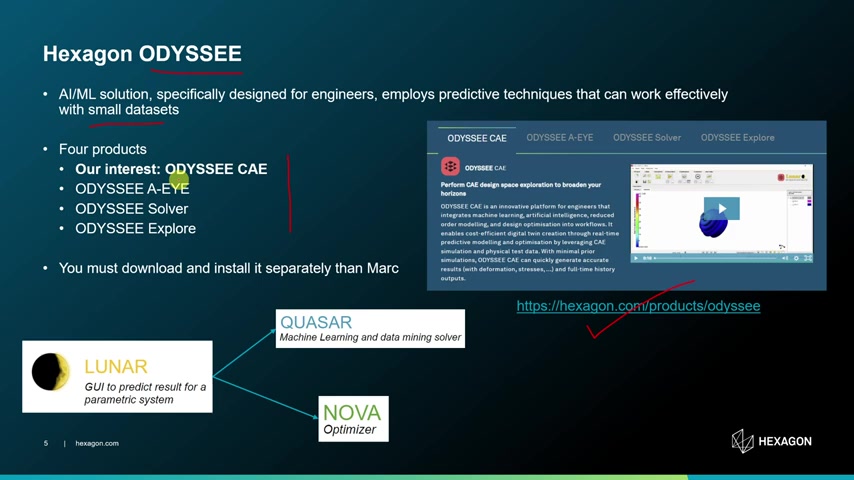
A practical application of these advanced methods is through Marc Mentat, the premier software for FEA. Marc is the first commercial nonlinear finite element software, and Mentat, is the pre- and post-processor dedicated to support Marc, and known to perform explicit and implicit finite element simulations. Mentat provides AI/ML Tools in its GUI, but is limited in its ability to predict or optimize using machine learning algorithms. Instead, use Hexagon's other software, ODYSSEE CAE, to export Design of Experiments (DOE). This software offers users: Generate parametric models, create design of experiments, setup multiple FEM simulations (in parallel too!), create/ use the FMU and export DOE and results to software ODYSSEE CAE and also open it.
Setting up Marc Mentat: A Step-by-Step Tutorial
To use the tool Marc Mentat, the correct steps are crucial to set up the parameters correctly.
- Open a Model.
Open Marc Mentat and begin with opening the specific model to be used.
- Set working directory. Make sure you setup your working directory so that the new files that are going to be created are in a structured, manageable and clean directory. Set this to the Metal_Forming directory.
- Copy .Procs File. Next copy the relevant procs file to the current file. This is accomplished in Help > User Guide > Case Sensitivity > Example Number 129. After running, there will be a copy available.
- Edit Data Points. Next is to define the number of data points. Open the .proc file and find
add_doe_input_parametersand to change the number of values under Radius_Punch and Bend Angle. - Run and Import Simulation. In this, now use the procedure to generate the data from these changes and input them into ODC. To do this, in the same window under Help, scroll until you find the data and select the start/run button. This will implement the parameters.
- Open .csv. Open this with Microsoft and you should see the inputs and results from this procedure.
Opening the ODYSSEE CAE: A Step-by-Step Tutorial
- Locate in AI/ML Tools. Select the AI/ ML tools bar on the menu and under it select ODYSSEE to access it.
- Create A New Project. Next you have to create a new project, and be careful to set the right Directory. You must set this Metal_Forming Directory. If you do not set it correctly then the model will fail to read.
- Follow Prompts. ODYSSEE works from left to right so first select the Base, then Y data then Validates the data Configuration and you're all set and ready to start the process.
Running The Optimization Phase: A Step-by-Step Tutorial
- Select Optimize Icon. You select the Optimize Icon, a gear like option. When the next menu pops up you have to now configure it
- Set Parameters. Under Set Target and Min Max Bounds you have the freedom to set those to your specifications. After this hit Okay.
- Final Run. After everything has been set, simply hit the RUN button and allow the process to begin!










Most people like

























Report
Please select a reason for reporting
- 13 Reasons to Switch from Snapchat to Text Messaging
- 7 Powerful Speech to Text Apps to Boost Productivity
- 10 Best Speech to Text Tools for Effortless Transcription
- 13 Free Tools to Easily Transcribe Audio to Text
- 15 Surprising Ways Google's Speech-to-Text Boosts Productivity
- 7 Best Free Online Audio to Text Transcription Tools
- 9 Tips to Transcribe Speech to Text Faster and Better
- 13 Best Speech to Text Software for Windows 10 in 2023
- 7 Tips for Choosing the Best Transcriber for Audio to Text
- 11 Reasons Why Dragon Speech-to-Text Apps are Game-Changers
- 6 Secrets to Enhance Your Speech to Text Transcription
- 6 Brilliant Ways to Boost Productivity with Talk-to-Text on Your MacBook
- 6 Ways Transcription Software Converts Audio to Text
- 8 Tips to Transcribe Speech to Text Like a Pro
- 6 Reasons IBM Watson Speech to Text is a Game-Changer
- 14 Powerful Ways Talk-to-Text Improves Your Workflow
- 12 Top Windows Speech-to-Text Software for Efficient Transcription
- 12 Game-Changing Benefits of Apple's Speech to Text Technology
- 9 Powerful Use Cases for AWS Speech to Text Technology
- 10 Easy Steps to Transcribe YouTube Videos to Text
- transcription audio en texte
- online audio transcription
- free audio file transcription
- free ai audio transcription
- audio transcription service
- audio transcription online free
- audio transcription free online
- audio to transcription software
- audio and transcript
- ai audio transcription free
- voice recording to text converter
- translate voice recording to text
- record voice to text
- audio recording to text converter
- voice recording and transcription
- chatgpt voice to text
- gmail voice to text
- speech to text reader
- speech to text ai free
- speech to talk
- Revolutionizing Storytelling: From Novels to Screenplays with AI
- Create Engaging Animated Explainer Videos with a Free AI Tool
- Stop Multi-Subscribing: Benchmark Top AI Visual Models in One Canvas
- Best Seedance 2.5 API Provider: Every Price on the Market, Checked at Source
- AI OnlyFans: How to Generate $30,000/Month (Legally)
- Transform Your Script into an Engaging Video with AI Video Maker!
- AI Marketing Automation: A Comprehensive Guide for Small Businesses
- Midjourney Alternative for Anime Art Creators: Why PixAI May Be Better for Character Workflows
- 10 Things Most People Get Wrong About AI Image Search
- AI Girlfriend Apps: Top Choices Redefining Relationships 2025
- Top 4 Face Swap Generator Tools to Transform Your Visual Content
- Master Canva's Video Background Remover with 5 Essential Tips
- Mastering Microsoft Stream: Video Management Tips & Tricks
- AI Video Generation: Extend AI Videos for Free
- Master Loom: Create and Share Professional Videos with AI
- Create Captivating AI News Videos: Step-by-Step Guide
- Create Your Own AI News Channel with AI-Powered News Video Generator and AI Lip Sync
- Unleash the Power of Heygen AI: Create Unlimited Videos for Free!
- Kapwing Smart Cut: AI Video Editing for Creators & Marketers
- Upscale Video Quality with UniFab Upscaler AI: A Complete Guide

Copyright ©2026 toolify