































Table of Contents
- Key Points
- Understanding Google Cloud Vision AI
- Tips for Maximizing the Effectiveness of Google Cloud Vision AI
- How to Get Started with Google Cloud Vision AI
- Google Cloud Vision AI Pricing Structure
- Google Cloud Vision AI: Weighing the Pros and Cons
- Unveiling the Power of Google Cloud Vision AI: Core Features
- Real-World Use Cases of Google Cloud Vision AI
- Frequently Asked Questions about Google Cloud Vision AI
- Related Questions about Google Cloud Vision AI and Image Recognition



Understanding Google Cloud Vision AI
What is Google Cloud Vision AI?
Google Cloud Vision AI represents a cutting-edge suite of tools designed to enable computers to 'see' and understand images in a way that mirrors human cognition
. It leverages sophisticated machine learning models to analyze images and extract meaningful information. Unlike traditional image processing techniques, Vision AI doesn't rely on predefined rules or algorithms; instead, it learns from vast datasets to identify patterns, objects, and even sentiments within images. This makes it an incredibly versatile tool for a wide range of applications.
At its core, Google Cloud Vision AI provides a set of pre-trained machine learning APIs that abstract away the complexities of building and deploying custom models. This means that developers without deep expertise in AI can readily integrate powerful image analysis capabilities into their applications. Whether it's identifying landmarks, detecting faces, reading text from images, or categorizing content, Vision AI offers a robust solution.
The technology's capabilities extend beyond simple object recognition. It can also assess the emotional tone of an image, identify potentially inappropriate content, and even provide detailed metadata about the image's composition. This multifaceted approach allows businesses to automate tasks, improve user experiences, and gain valuable insights from their visual data.
Google Cloud Vision AI is particularly advantageous for businesses that handle large volumes of images. By automating the analysis process, it reduces the need for manual review and ensures consistency in data interpretation. Moreover, its scalability and integration with other Google Cloud services make it a cost-effective solution for organizations of all sizes.
Key benefits of using Google Cloud Vision AI include:
- Accessibility: Pre-trained APIs eliminate the need for in-depth AI knowledge.
- Versatility: Supports a wide range of image analysis tasks.
- Scalability: Seamlessly handles large volumes of images.
- Integration: Works well with other Google Cloud services.
- Automation: Reduces manual effort and ensures consistency.
In essence, Google Cloud Vision AI democratizes access to advanced image analysis, empowering businesses to unlock the full potential of their visual data and drive innovation across various domains. The AI revolution is at hand, and Google's Vision AI is leading the way.
Core Image Recognition Features of Google Cloud Vision AI
Google Cloud Vision AI offers a wide array of Image Recognition features, each designed to address specific analytical needs. These features leverage the power of machine learning to provide detailed insights from images, enabling businesses to automate tasks and improve decision-making.
-
Label Detection: Label detection is one of the most fundamental features, identifying objects, scenes, and concepts present in an image
. The API returns a list of labels along with confidence scores, indicating the accuracy of each prediction. For instance, if you upload a photo of a beach, the API might return labels such as 'beach,' 'sea,' 'sand,' 'sky,' and 'ocean,' each with an associated confidence level. This is useful for content categorization, image indexing, and enhancing search functionality.
-
Optical Character Recognition (OCR): OCR allows Vision AI to extract text from images. This feature is particularly valuable for processing scanned documents, receipts, and other images containing textual information. The API can recognize text in various languages and formats, making it a powerful tool for data extraction and automation. Imagine automatically extracting data from invoices or converting handwritten notes into digital text – OCR makes it possible.
-
Face Detection: This feature detects human faces within images, providing information about their locations and attributes. Face detection can identify facial landmarks such as eyes, nose, and mouth, and even estimate attributes like age, gender, and emotional state. Use cases include security systems, photo organization, and demographic analysis.
-
Landmark Recognition: Landmark recognition identifies popular landmarks and monuments in images. The API returns the name and location of the landmark, enabling applications to provide contextual information or guide users to specific locations. This feature is valuable for travel apps, tourism websites, and historical archives.
-
Object Localization: Object localization goes beyond simple label detection by identifying the location of specific objects within an image. The API returns bounding boxes around each detected object, specifying its coordinates and size. This is useful for applications that require precise object recognition, such as robotics, quality control, and augmented reality.
-
Explicit Content Detection: This feature helps identify potentially inappropriate or explicit content in images. The API returns scores indicating the likelihood of various types of explicit content, such as nudity, violence, and suggestive material. This is crucial for content moderation, ensuring compliance with regulations, and maintaining brand safety.
-
Image Properties: This feature extracts information about the overall properties of an image, such as its dominant colors, lighting conditions, and image quality. This can be used to improve image search, enhance visual aesthetics, and optimize image processing workflows.
These core features of Google Cloud Vision AI offer a comprehensive toolkit for image recognition, enabling businesses to unlock valuable insights from their visual data and drive innovation across a multitude of applications.
How to Get Started with Google Cloud Vision AI
Step 1: Creating a Project in Google Cloud Console
The initial step in harnessing the power of Google Cloud Vision AI involves setting up a project within the Google Cloud Console
. This project serves as a centralized workspace for managing all your AI-related resources, configurations, and billing information. It’s akin to establishing a dedicated lab for your AI experiments and deployments.
To begin, navigate to the Google Cloud Console (https://console.cloud.google.com/) and sign in using your Google account. If you're a new user, you may need to agree to the terms of service and set up a billing account. Once you're in the console, follow these steps:
- Create a New Project: Click on the project selector at the top of the page (it typically displays 'Select a project') and then click 'New Project'.
- Name Your Project: Provide a descriptive name for your project. Choose a name that reflects the purpose of your AI endeavors, such as 'ImageRecognitionProject' or 'VisionAIDemo'.
- Select a Billing Account: Associate a billing account with your project. This account will be used to cover the costs associated with using Google Cloud Vision AI.
- Choose a Location: Select a location for your project. This determines the geographical region where your resources will be hosted. Choose a location that is closest to your user base for optimal performance.
- Create the Project: Click the 'Create' button to initiate the project creation process. This may take a few moments to complete.
Once your project is created, you'll be redirected to the project dashboard. Here, you can manage various aspects of your AI environment, including APIs, services, and billing settings.
Key benefits of creating a project:
- Organization: Provides a structured environment for managing AI resources.
- Isolation: Keeps AI-related resources separate from other Google Cloud services.
- Billing Management: Enables accurate tracking of AI-related costs.
- Security: Allows granular control over access permissions.
By establishing a dedicated project in Google Cloud Console, you lay the foundation for a streamlined and efficient AI development workflow. This ensures that your AI endeavors are well-organized, secure, and cost-effective.
Step 2: Enabling the Vision API
After successfully creating a project in the Google Cloud Console, the next crucial step involves enabling the Vision API
. The Vision API is the gateway to Google's powerful image recognition capabilities, unlocking a suite of features such as label detection, OCR, face detection, and landmark recognition. Without enabling this API, your applications will be unable to access these functionalities.
To enable the Vision API, follow these steps:
- Navigate to the API Library: In the Google Cloud Console, navigate to the 'APIs & Services' section. You can find this in the left-hand navigation menu.
- Search for the Vision API: Click on 'Enable APIs and Services' and search for 'Cloud Vision API' in the search bar.
- Select the Vision API: Click on the 'Cloud Vision API' from the search results.
- Enable the API: On the Vision API page, click the 'Enable' button. This will activate the Vision API for your project.
After enabling the API, you may need to configure API keys or authentication methods to secure access to the service. This is particularly important for production environments.
Key benefits of enabling the Vision API:
- Access to Image Recognition Features: Unlocks the core image analysis capabilities of Google Cloud Vision AI.
- Integration with Applications: Allows seamless integration of image recognition into your applications.
- Automation of Tasks: Enables automated image analysis workflows.
- Improved User Experiences: Enhances user experiences through intelligent image understanding.
By enabling the Vision API, you empower your applications with the ability to 'see' and understand images, opening up a wide range of possibilities for automation, innovation, and improved user engagement.
Step 3: Authenticating Your Application
Securing your application's access to the Google Cloud Vision API requires a robust authentication mechanism
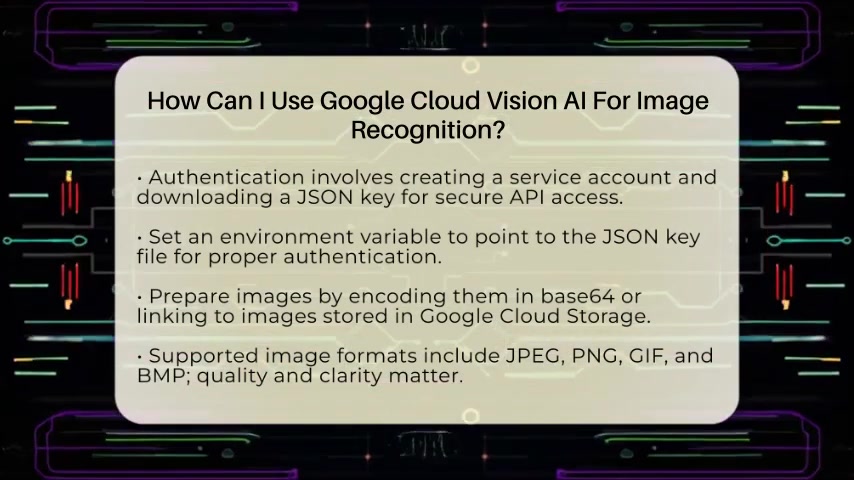
. Authentication verifies the identity of your application, ensuring that only authorized entities can access the service. Google Cloud provides various authentication methods, but the most common approach involves creating a service account and downloading a JSON key file.
To authenticate your application, follow these steps:
- Create a Service Account: In the Google Cloud Console, navigate to the 'IAM & Admin' section and select 'Service Accounts'.
- Create a New Service Account: Click on 'Create Service Account'.
- Name Your Service Account: Provide a descriptive name for your service account. This name should reflect the purpose of the account, such as 'VisionAPIAccess' or 'ImageAnalysisService'.
- Grant Access to the Project: Assign the 'Cloud Vision API Service Agent' role to your service account. This grants the necessary permissions to access the Vision API.
- Create a JSON Key: Click on 'Create Key' and select 'JSON' as the key type. This will download a JSON file containing the service account credentials.
Once you have the JSON key file, you need to set an environment variable that points to its location. This allows your application to automatically authenticate with the Vision API.
To set the environment variable, follow these steps:
- Locate the JSON Key File: Note the full path to the downloaded JSON key file.
- Set the GOOGLE_APPLICATION_CREDENTIALS Environment Variable: Open your system's environment variable settings and create a new variable named
GOOGLE_APPLICATION_CREDENTIALS. Set its value to the full path of your JSON key file.
Key benefits of authenticating your application:
- Security: Protects the Vision API from unauthorized access.
- Accountability: Enables tracking of API usage by specific applications.
- Compliance: Ensures compliance with Google Cloud's security policies.
By properly authenticating your application, you establish a secure and reliable connection to the Google Cloud Vision API, safeguarding your data and ensuring compliance with industry best practices.
Step 4: Preparing Images for Analysis
Before sending images to the Google Cloud Vision AI for analysis, it's crucial to prepare them in a format that the API can readily process
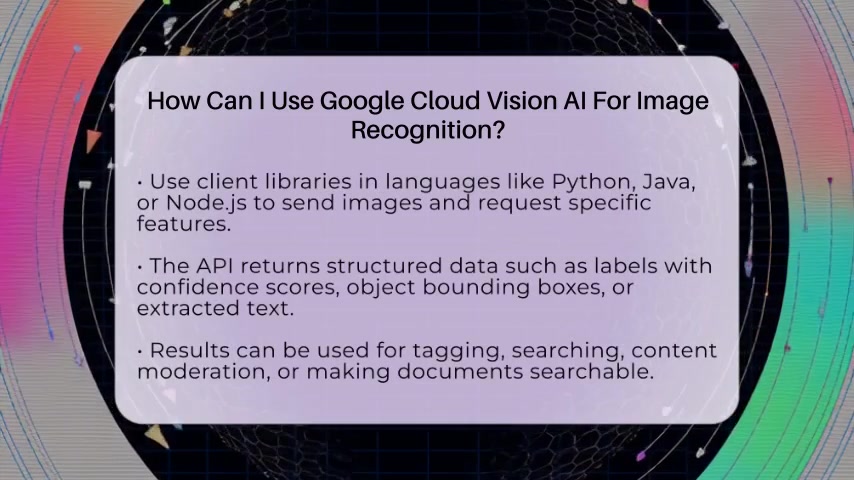
. Google Cloud Vision AI supports various image formats, including JPEG, PNG, GIF, and BMP. You can provide images to the API in one of two ways: by encoding them in base64 or by linking to images stored in Google Cloud Storage.
Encoding Images in Base64:
Base64 encoding converts binary image data into a text string, allowing you to transmit images directly within your API requests. This approach is suitable for smaller images, as larger images can increase the size of your requests and impact performance.
To encode an image in base64, you can use programming languages like Python. Here's an example:
import base64

with open("image.jpg", "rb") as image_file:
    encoded_string = base64.b64encode(image_file.read())
print(encoded_string)
Linking to Images in Google Cloud Storage:
Google Cloud Storage provides a scalable and cost-effective solution for storing and managing images. By storing your images in Cloud Storage, you can provide the API with a URL to the image, eliminating the need to transmit the image data directly.
To link to an image in Google Cloud Storage, follow these steps:
- Upload Your Image: Upload your image to a Google Cloud Storage bucket.
- Make the Image Publicly Accessible: Grant public read access to the image or use signed URLs for secure access.
- Provide the Image URL: Include the image URL in your API request.
Image Format and Quality Considerations:
- Supported Formats: JPEG, PNG, GIF, and BMP.
- Image Size: Keep images under the API's size limit (4MB).
- Image Quality: High-quality images yield more accurate analysis results.
By properly preparing your images, you ensure that the Google Cloud Vision AI can effectively analyze them, providing you with accurate and insightful results.
Step 5: Making API Calls and Handling Responses
With your project set up, the Vision API enabled, and your application authenticated, you're now ready to make API calls and receive meaningful responses
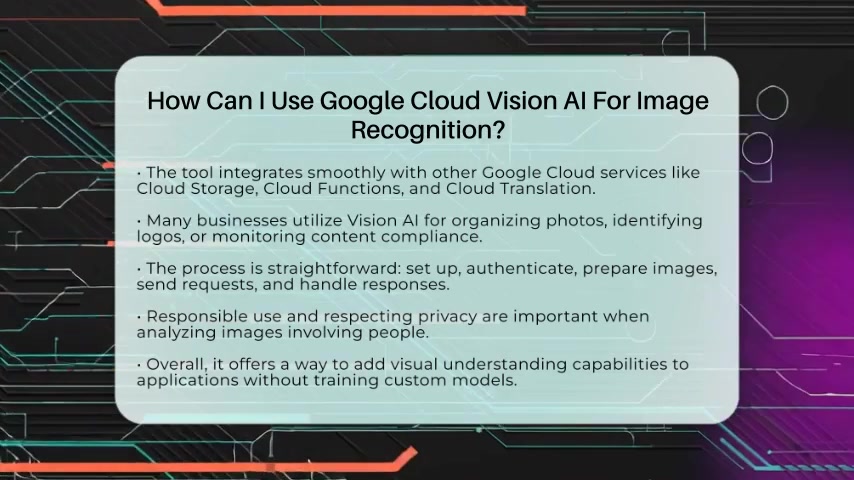
. This involves using client libraries in your preferred programming language to send image data to the Vision API and process the structured data returned.
Using Client Libraries:
Google provides client libraries for various programming languages, including Python, Java, and Node.js. These libraries simplify the process of making API calls, handling authentication, and processing responses.
Here's an example of using the Python client library to detect labels in an image:
from google.cloud import vision

client = vision.ImageAnnotatorClient()
image = vision.Image()
image.source.image_uri = 'gs://your-bucket-name/image.jpg'

response = client.label_detection(image=image)
labels = response.label_annotations

for label in labels:
    print(f'Label: {label.description}  Confidence: {label.score}')
Understanding API Responses:
The Vision API returns structured data in JSON format. This data includes various types of annotations, depending on the features you requested. Common annotations include:
- Labels: Descriptive labels with confidence scores.
- Bounding Boxes: Coordinates and size of detected objects.
- Text: Extracted text from images (OCR).
Error Handling:
It's essential to implement error handling in your application to gracefully manage potential issues such as invalid image formats, API rate limits, and authentication failures.
Here are some common errors to handle:
google.api_core.exceptions.InvalidArgument: Indicates an issue with the image format or size.google.api_core.exceptions.ResourceExhausted: Indicates that you have exceeded the API rate limit.google.auth.exceptions.GoogleAuthError: Indicates an authentication failure.
| Error Code | Description |
|---|---|
google.api_core.exceptions.InvalidArgument |
Invalid image format or size. |
google.api_core.exceptions.ResourceExhausted |
API rate limit exceeded. |
google.auth.exceptions.GoogleAuthError |
Authentication failure. |
By mastering the process of making API calls and handling responses, you can effectively leverage the power of Google Cloud Vision AI to extract valuable insights from your images and integrate them into your applications.


Most people like







































Report
Please select a reason for reporting
- 13 Reasons to Switch from Snapchat to Text Messaging
- 7 Powerful Speech to Text Apps to Boost Productivity
- 10 Best Speech to Text Tools for Effortless Transcription
- 13 Free Tools to Easily Transcribe Audio to Text
- 15 Surprising Ways Google's Speech-to-Text Boosts Productivity
- 7 Best Free Online Audio to Text Transcription Tools
- 9 Tips to Transcribe Speech to Text Faster and Better
- 13 Best Speech to Text Software for Windows 10 in 2023
- 7 Tips for Choosing the Best Transcriber for Audio to Text
- 11 Reasons Why Dragon Speech-to-Text Apps are Game-Changers
- 6 Secrets to Enhance Your Speech to Text Transcription
- 6 Brilliant Ways to Boost Productivity with Talk-to-Text on Your MacBook
- 6 Ways Transcription Software Converts Audio to Text
- 8 Tips to Transcribe Speech to Text Like a Pro
- 6 Reasons IBM Watson Speech to Text is a Game-Changer
- 14 Powerful Ways Talk-to-Text Improves Your Workflow
- 12 Top Windows Speech-to-Text Software for Efficient Transcription
- 12 Game-Changing Benefits of Apple's Speech to Text Technology
- 9 Powerful Use Cases for AWS Speech to Text Technology
- 10 Easy Steps to Transcribe YouTube Videos to Text
- transcription audio en texte
- online audio transcription
- free audio file transcription
- free ai audio transcription
- audio transcription service
- audio transcription online free
- audio transcription free online
- audio to transcription software
- audio and transcript
- ai audio transcription free
- voice recording to text converter
- translate voice recording to text
- record voice to text
- audio recording to text converter
- voice recording and transcription
- chatgpt voice to text
- gmail voice to text
- speech to text reader
- speech to text ai free
- speech to talk
- ChatGPT Knows Ford. It Just Doesn't Quote Ford
- Meshy AI: How to Create 3D Models from Text and Images
- How SEO and Marketing Dashboards Empower Agencies to Drive Results
- How to Use AI Tools to Find Internal Linking Opportunities Across a Business Website
- Discover Your Perfect Haircut with AI Hairstyle Apps
- Free Reputation Calculator Tools: How They're Adapting to Score AI Visibility, Not Just Rankings
- Design Professional Flyers for Free on Your Phone
- Best Free Flyer Maker Apps for Android: Design Like a Pro
- How to Know If Your Business Is Ready for an AI Customer Service Agent
- Revolutionizing Storytelling: From Novels to Screenplays with AI
- Your Business Data Could Be Worth Up to $4M. Find Out Without Uploading a Single File.
- Can an eSIM Plan Save You Time During Travel Setup?
- AI Video Editor Review: A Hands-On Look at Prompt-Based Video Editing
- Keep Characters Consistent Across Scenes With Image-to-Video AI
- How to Convert BTC to HNT
- ProxyWing DuckDuckGo Proxy Review: Plans, Setup and Who It Is For
- ChatGPT Knows Ford. It Just Doesn't Quote Ford
- Automate Lead Generation: A Comprehensive Guide with AI Agents
- Revideo.io: The Future of Reverse Video Search Technology
- Revolutionizing Email Marketing Agency with AI

Copyright ©2026 toolify